Spyder Install Packages Mac Spyder X Pro Download Roadjenol Spyder FAQ How Do I Use Additional Packages If I Downloaded Spyder Installation Guide Spyder 4 Documentation Manually Activate Spyder 3 Pro Software Darelohongkong Spyder Medium Web On macOS open the disk image and drag Spyder to your Applications folder Windows Installer macOS Installer Note Lite versions of both installers are also available from the releases page which are somewhat smaller than the full installers
Web Oct 16 2021 nbsp 0183 32 Follow the below steps to install python packages on MacOS Step 1 As the first step you should check that you have a working Python with pip installed This can be done by running the following commands and the output will be similar to like this python version Python 3 N N python m pip version pip X Y Z from python 3 N N Web Jul 22 2018 nbsp 0183 32 You can simply install spyder into the environment from which you d like to use the packages in and run it from there This works with all Spyder versions and it should require no extra configuration once Spyder is installed however it results in multiple Spyder installations to manage and isn t as flexible or configurable as the
Spyder Medium CUSTOM CAN AM SPYDER RT GRAPHICS KITS In 2020 Can Am Spyder Spyder Linksprite Spyder Terminal Software Download Copaxanti 19FW Spyder Sport Fashion Mens Fashion Popular Spyder Aerial Platforms Recall 2011 Can Am Spyder RT SM5 Asphalt Rubber Automate Everything Even Opening Your Dev Apps Spyder Mat Tape Available Now OHIO ATHLETIC COMMITTEE Spyder YouTube
Spyder Install Packages Mac
 Spyder Install Packages Mac
http://roadjenol.weebly.com/uploads/1/3/4/6/134696753/598263435_orig.gif
Web Once you have identified the package you want to install you can use the conda install command to install it Simply enter the command followed by the package name and version if applicable in your Spyder console Spyder will handle the installation process and download the necessary files
Templates are pre-designed files or files that can be utilized for various purposes. They can conserve time and effort by supplying a ready-made format and layout for creating different type of material. Templates can be utilized for individual or expert projects, such as resumes, invitations, leaflets, newsletters, reports, presentations, and more.
Spyder Install Packages Mac

Pin By Teresa Albanese On Spider Can Am Spyder Accessories Can Am

CUSTOM CAN AM SPYDER RT GRAPHICS KITS In 2020 Can Am Spyder Spyder

Linksprite Spyder Terminal Software Download Copaxanti

19FW Spyder Sport Fashion Mens Fashion Popular

Recall 2011 Can Am Spyder RT SM5 Asphalt Rubber

Automate Everything Even Opening Your Dev Apps

Web On macOS open the disk image and drag Spyder to your Applications folder Windows macOS M1 macOS Intel Note Lite versions of both installers are also available from the releases page which are somewhat smaller than the full installers

Web Jan 8 2021 nbsp 0183 32 Installing python packages for Spyder on mcOS I just installed Spyder to work with python on my mcOS using the standalone installer Now I have Spyder running with the python located in Applications Spyder app Contents MacOS python I want to install python packages
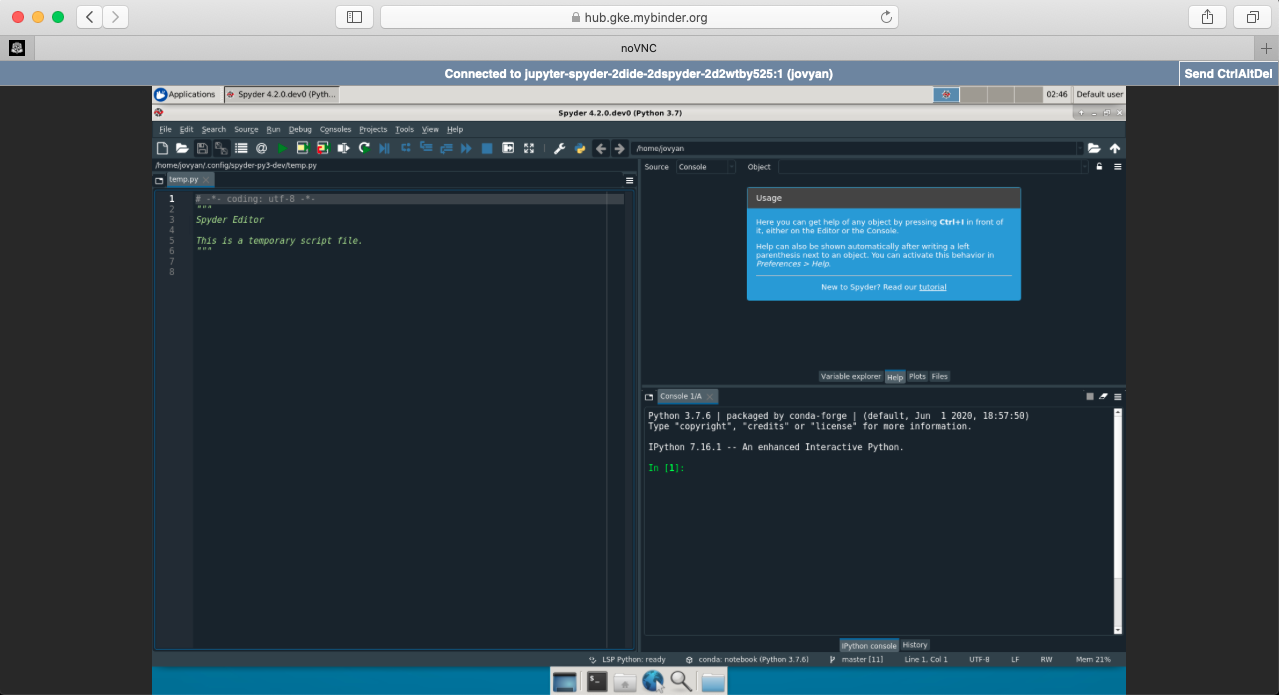
Web Dec 3 2021 nbsp 0183 32 If Spyder is installed via our standalone installers as we recommend on Windows and macOS this will be Spyder s built in environment which contains many popular scientific package but cannot be modified to avoid breaking Spyder itself
Web We offer standalone installers on Windows and macOS and as our Linux installer is are still experimental we currently recommend the cross platform Anaconda distribution for that operating system which includes Spyder and many other useful packages for

Web Install on macOS 182 Thanks to the MacPorts project Spyder can be installed using its port package manager however the included Spyder version may be out of date or have MacPorts specific issues outside of Spyder s control There are several versions available from which you can choose
Web Dec 24 2020 nbsp 0183 32 As the Anaconda Distribution of Spyder has some typing latency issues on macOS Big Sur I ve gone ahead and downloaded the standalone distribution However when trying to install packages with pip I get the error message pip install numpy Applications Spyder app Contents MacOS python No module named pip Web Jan 4 2022 nbsp 0183 32 Installing and Configuring Python on a Mac Installing Python and Spyder Adjusting your keyboard language While using the software for this course your computer s keyboard language must be set to English If needed please follow these instructions to change your keyboard language Installing Python and Spyder
Web Oct 15 2017 nbsp 0183 32 The simplest way to install Spyder in macOS is to download Anaconda and install it Anaconda comes with all Spyder dependencies and also with the most important scientific Python libraries ready to be used Other options are Homebrew or MacPorts but Anaconda is really the easiest one