Split Pdf Into Multiple Pdfs Adobe Reader Quick Methods To Split PDF Into Multiple Files Puntualit Agricolo Imbarazzato Dividere Pagine Pdf In Pi File Fattore How To Split A PDF File Into Separate PDFs Online How To Split A PDF File Into Multiple Files For Free In 1 Second How To Split PDF Into Multiple Pages WPS PDF Blog Web Aug 25 2022 nbsp 0183 32 Open the Organize Pages tool using the shortcut in the right pane or from the Tools center accessed at the top left Click the Select a File button Open a PDF you want to split In the Open dialog box select the Bodea pdf sample file or other PDF file you want to split into two or more documents Select Split in the top menu
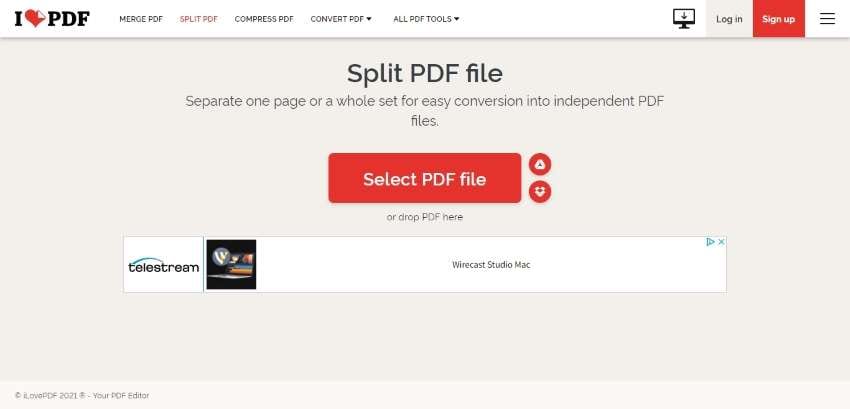
Web Apr 8 2021 nbsp 0183 32 The Split PDF tool can help you work faster and easier with large files by splitting a single PDF into multiple new files Whether you want to simply divide a document in two or create up to 20 new files the Split PDF tool makes reorganizing sharing and saving information within large PDFs incredibly simple Web Click the Select a File button Open a PDF you want to split In the Open dialog box select the Bodea pdf sample file or other PDF file you want to split into two or more documents Select Split in the top menu Set criteria for dividing your file
How To Split PDF Into Multiple Pages WPS PDF Blog How To Split A PDF Document Into Multiple Files Free YouTube How To Combine Merge Split Extract Replace And Arrange Pages In PDF How To Split PDF Into Multiple PDFs PDF Utils YouTube How To Split A Pdf File Into Small Files Splitting Pdf Pages Offline No How To Split PDF Into Multiple PDF Files Or Specific Page WAHYU SITE How To Split A Word Document Into Multiple PDFs How To Split A Word Document Into Multiple PDFs 2022 How To Split A Word Document Into Multiple PDFs 2022
Split Pdf Into Multiple Pdfs Adobe Reader
 Split Pdf Into Multiple Pdfs Adobe Reader
https://www.namasteui.com/wp-content/uploads/2022/10/Split-PDF.jpg
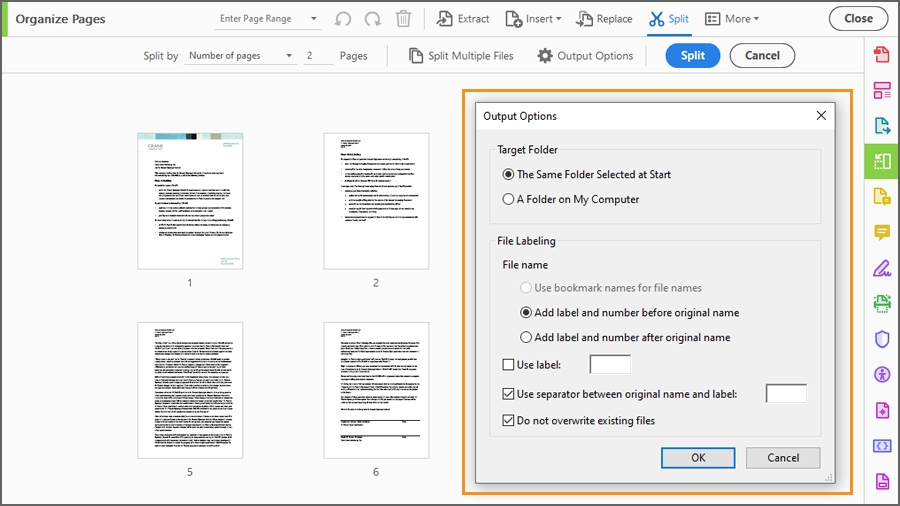
Web Open your PDF in Acrobat Select Organize Pages then Split Choose how you would like to split the PDF pages Click Output Options to decide where you would like to save the file what to name it and how to split your file Click OK and then Split to finish Name your new PDF and click the Save button
Templates are pre-designed documents or files that can be used for various functions. They can save effort and time by supplying a ready-made format and design for creating different kinds of material. Templates can be utilized for individual or professional tasks, such as resumes, invites, flyers, newsletters, reports, presentations, and more.
Split Pdf Into Multiple Pdfs Adobe Reader
How To Split One Adobe PDF Document Into Multiple PDF Files Experts
How To Split A PDF Document Into Multiple Files Free YouTube
How To Combine Merge Split Extract Replace And Arrange Pages In PDF

How To Split PDF Into Multiple PDFs PDF Utils YouTube

How To Split PDF Into Multiple PDF Files Or Specific Page WAHYU SITE
How To Split A Word Document Into Multiple PDFs
Web Open the PDFin Acrobat Choose Organize Pages gt Split Choose how you want to split a single file or multiple files Name and save Click Output Options to decide where to save what to name and how to split your file Split your PDF Click OK and then Split to
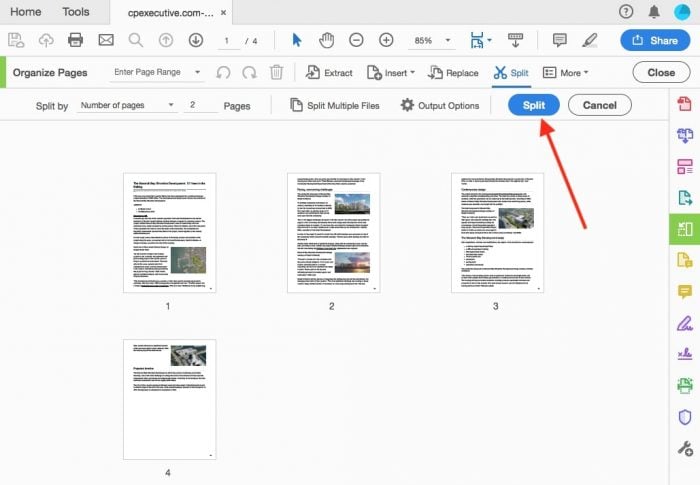
Web Open the PDF in Acrobat Choose Organise Pages gt Split Choose how you want to split a single file or multiple files Name and save Click Output Options to decide where to save what to name the file and how to split your file Separate your
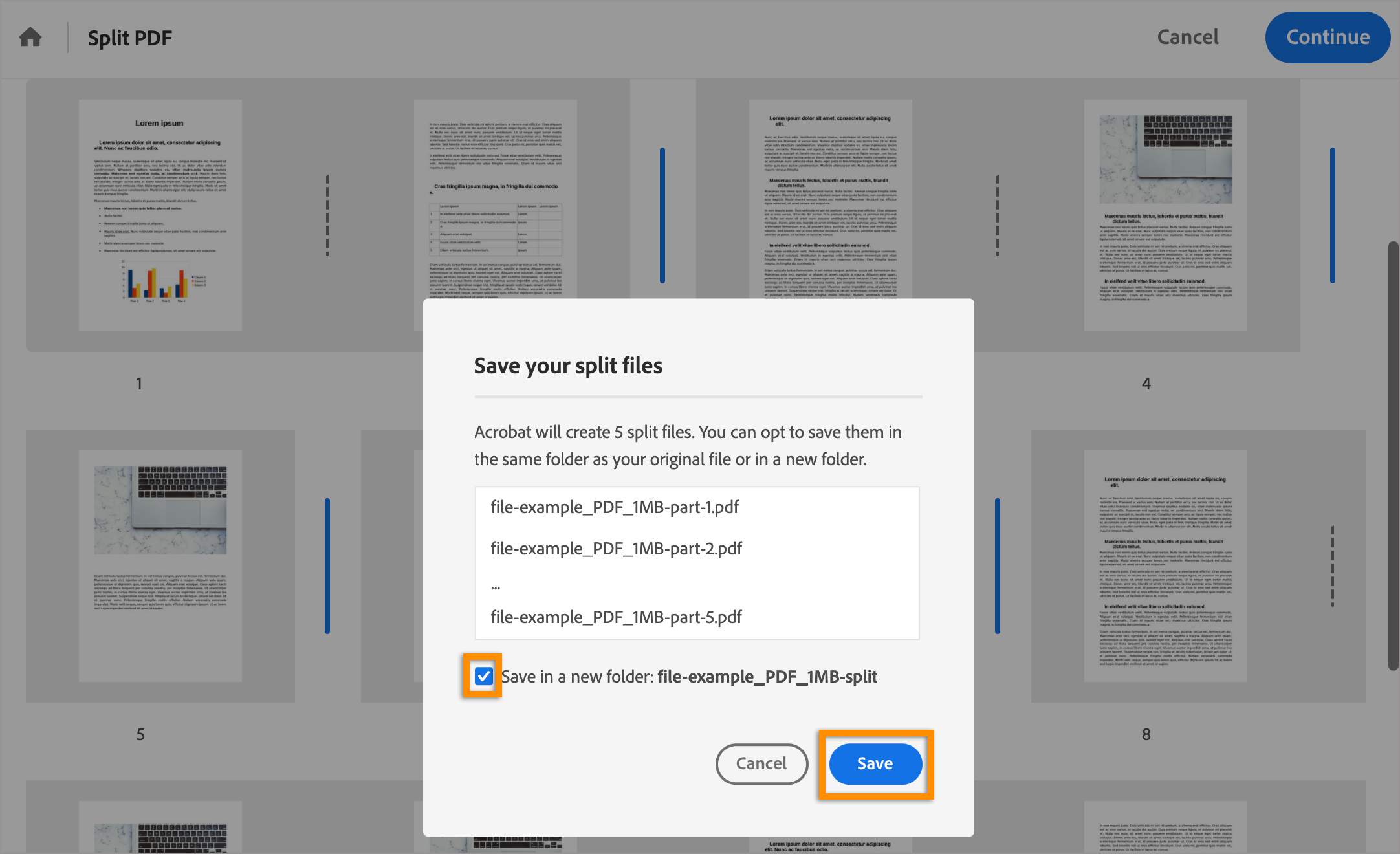
Web With the Split tool in Acrobat you can divide one large PDF file into multiple smaller ones First open your PDF in Acrobat Choose Tools gt Organize Pages Select the Split tool Adjust the settings on how you want to split your document Use the Output Options to rename the split files and set a save destination

Web Aug 22 2023 nbsp 0183 32 Open the PDF you want to split in Adobe Acrobat If you have the paid version of Adobe Acrobat installed you can use it to split your PDFs You can t split PDFs with the free Adobe Acrobat Reader DC so if that s all you have you ll need to use one of the other methods in this article

Web Follow these steps Open the PDF in Acrobat Select Organize Pages gt Split Choose how you want to split a single file or multiple files Name and save Click Output Options to decide where to save what to name and how to split your file Split your PDF Click OK and then Split to finish
Web May 16 2021 nbsp 0183 32 In the top navigation bar click Edit gt Split PDF Do one of the following to select the files that you want to split and then click Continue Choose files from the Recent or Files list Add files from your computer or drag and drop the files onto the highlighted area You can also drag and drop files to the Split PDF tool on the Edit page Web Open Acrobat Choose File gt Create gt Combine Multiple Files into a single PDF If the file is already open then choose Combine Files from the right menu Click Add Files or Add Open Files or drag files into the Add Files window You can choose a variety of documents at once such as Microsoft PowerPoint presentations images emails and more
Web The Acrobat Split PDF online tool lets you quickly split and separate PDF pages into up to 20 new PDF files without the need to download additional software First select a PDF of 1 500 pages or less and sign in to Acrobat Then insert as many as 19 divider lines to determine the number of pages desired in each split PDF file Finally click Save