Slick Slider Transition Effects Transition Effects Zingtree Custom Inner Content Animations With Slick Slider Slick Slider How To Use Some New Transition Effects demo 01 Introducing The New Swift Slider With Handles Html Clicking Element To Change Slick Slider Stack Overflow WEB About External Resources You can apply CSS to your Pen from any stylesheet on the web Just put a URL to it here and we ll apply it in the order you have them before the CSS in the Pen itself
WEB About HTML Preprocessors HTML preprocessors can make writing HTML more powerful or convenient For instance Markdown is designed to be easier to write and read for text documents and you could write a loop in Pug WEB As you can see this is a simple slider that displays one slide at a time and transitions using a basic Fade animation provided by the Slick Slider library Now let s see how to achieve the following result where images perform a ZoomOut and FadeOut on exit and ZoomIn and FadeIn on entry as shown in the example below
Html Clicking Element To Change Slick Slider Stack Overflow How Do I Add Transition Effects Vmake Creating Transition Effects AI Video Editing Blog Kamua Slider 2 new Welcome To Ghobash Trading And Investment Company Website Jquery Slick Slider With Slider Synching And Sliding Only Via Arrows Responsive Our Partners Carousel Slider By Slick Slider Code4education After Effects Tutorial Slide Transition YouTube DERMATIC EFFECTS PDF Awesome Image Slider Effects Slick GSAP YouTube
Slick Slider Transition Effects
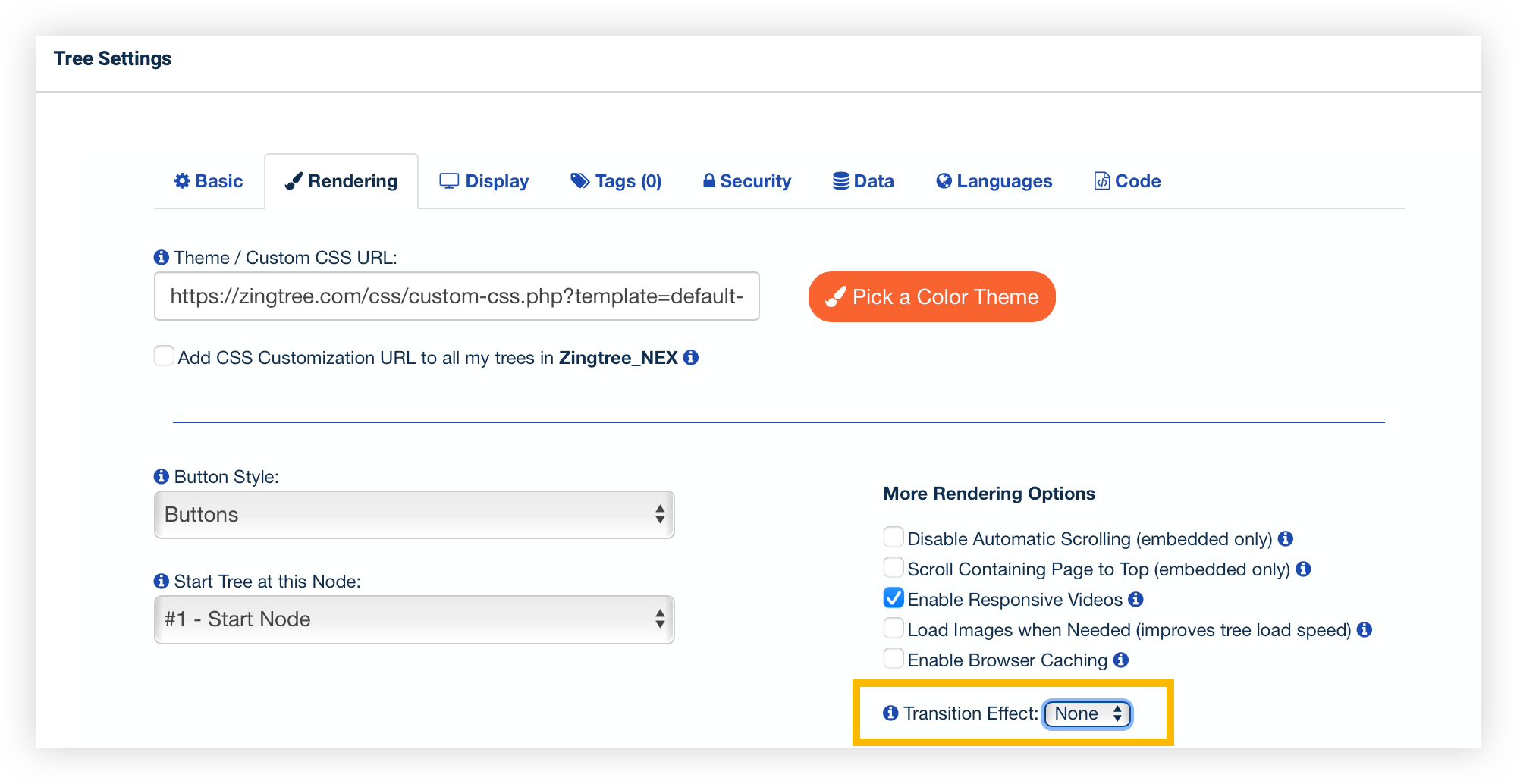 Slick Slider Transition Effects
https://help.zingtree.com/hc/article_attachments/5652841015835/2022-04-28_13-20-47.png
WEB Jun 18 2022 nbsp 0183 32 Slick Slider Features Fully responsive Scales with its container Separate settings per breakpoint Uses CSS3 when available Fully functional when not Swipe enabled Or disabled if you prefer Desktop mouse dragging Infinite looping
Templates are pre-designed files or files that can be used for numerous purposes. They can save effort and time by offering a ready-made format and layout for developing various kinds of content. Templates can be used for individual or professional projects, such as resumes, invites, leaflets, newsletters, reports, presentations, and more.
Slick Slider Transition Effects


How Do I Add Transition Effects Vmake

Creating Transition Effects AI Video Editing Blog Kamua

Slider 2 new Welcome To Ghobash Trading And Investment Company Website

Responsive Our Partners Carousel Slider By Slick Slider Code4education

After Effects Tutorial Slide Transition YouTube
WEB Features Fully responsive Scales with its container Separate settings per breakpoint Uses CSS3 when available Fully functional when not Swipe enabled Or disabled if you prefer Desktop mouse dragging Infinite looping Fully accessible with arrow key navigation Add remove filter amp unfilter slides

WEB Jan 29 2019 nbsp 0183 32 slider slick centerMode true centerPadding 30px slidesToShow 3 useTransform false Adding a useTransform false option above solve the flickering transition problem for me

WEB Dec 16 2021 nbsp 0183 32 In this video we will create a responsive slider with custom text animation inside each slide We will create a slid more How to use custom text animations with Slick Slider easily Or how

WEB May 25 2024 nbsp 0183 32 Transition effects are used to smoothly animate between each slide in the slider React Slick offers a variety of transition effects such as fade slide zoom rotate and more To add a transition effect to your slider you simply need to pass in the desired effect as a prop in the component

WEB Basic Usage HTML lt div data animation in fadeIn gt lt div gt CSS Add the following css to your css files your slider data animation in opacity 0 JavaScript your slider slickAnimation Replace your slider 180 with your own id oder class Advanced Usage You have several options for the animation animation in data animation in
WEB Apr 8 2024 nbsp 0183 32 The website uses transition effects to enhance the user experience and provide a visually appealing interface In this article we will explore the transition effects used on the website and how they contribute to the overall design WEB You need to set animation to the active slide selector slick active animation fade in move down 1 2s In order to set the animation only to the second slider you can bottom slider slick active animation fade in move down 1 2s
WEB color slick dot color active opacity slick opacity default amp hover amp focus opacity slick opacity on hover from transform scale3d 1 1 1 transition 1s to transform scale3d 1 1 1 1 1 1