Show Files In Directory Cmd Windows 7 How To Command Prompt List Directory Contents And List Based Windows 10 Cmd Hacking Neonbilla CMD List Files How To List Files In Command Prompt Windows 10 11 How To Open Command Prompt On Current Folder Directory Open Cmd Prompt Windows 10 Web Jun 12 2020 nbsp 0183 32 First open the Command Prompt on your PC by typing cmd in the Windows Search bar and then selecting Command Prompt from the search results With the Command Prompt opened you re ready to find and open your file Find Files Using Command Prompt Maybe you already know the file path to the item you want to open
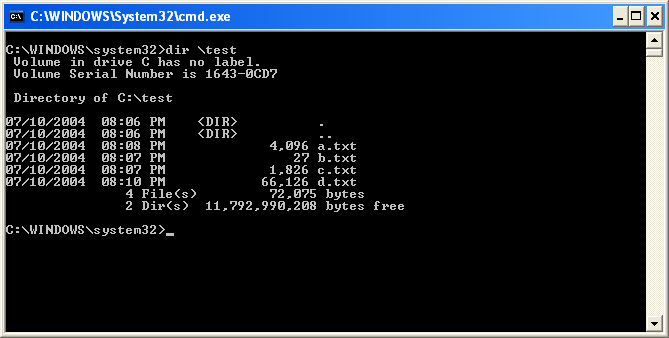
Web Aug 29 2019 nbsp 0183 32 Windows 10 Command Prompt List all files and folders inside a directory without displaying file extensions Asked 4 years 2 months ago Modified 4 years 2 months ago Viewed 2k times 0 I ve been using dir b to display all files and folders in a directory but it includes the file extension for every file in a directory Web Feb 3 2023 nbsp 0183 32 Displays a list of a directory s files and subdirectories If used without parameters this command displays the disk s volume label and serial number followed by a list of directories and files on the disk including their names and the date and time each was last modified
Windows 10 How To Hide Files In Windows Using CMD How To Change Directory In CMD On Windows 10 Via Command Line How To Show Hidden Files Windows 10 Using Command Prompt How To Show Hidden Files Windows 10 Using Command Prompt Anaconda Prompt Change Directory Ploraark How To Show Hidden Files Windows 10 Using Command Prompt C ch Sao Ch p T p Tin Trong Command Prompt k m nh WikiHow How To Use DIR Command To List Files In Sorted Order YouTube
Show Files In Directory Cmd
 Show Files In Directory Cmd
https://i.ytimg.com/vi/f5CumVC74Ew/maxresdefault.jpg
Web The dir command will do this but it also gives a bunch of other information I want it to list ONLY the file names and exclude anything else I just want the output to look like this file1 txt file2 txt file3 txt batch file Share Improve this question Follow edited Jan 4 2022 at 12 52 Rafael Tavares 5 798 4 33 51 asked Apr 22 2014 at 19 56
Templates are pre-designed files or files that can be utilized for various purposes. They can save time and effort by supplying a ready-made format and design for producing different sort of content. Templates can be used for personal or professional jobs, such as resumes, invites, leaflets, newsletters, reports, presentations, and more.
Show Files In Directory Cmd
How To Change Directory In CMD On Windows 11 10

How To Hide Files In Windows Using CMD
How To Change Directory In CMD On Windows 10 Via Command Line

How To Show Hidden Files Windows 10 Using Command Prompt
Anaconda Prompt Change Directory Ploraark

How To Show Hidden Files Windows 10 Using Command Prompt
Web Sep 6 2023 nbsp 0183 32 This command can be used to show all files and subfolders in the current directory In addition it displays the file name size and last modification date of each file like File Explorer The DIR command is available in CMD for almost all Windows systems including Windows 11 10 8 7 Vista XP

Web Execute the following command dir gt listoffiles txt The command will create a list with the files and folders contained in the folder If you want to list the files in all the subfolders as well as the main folder enter the following command dir s gt listmyfiles txt
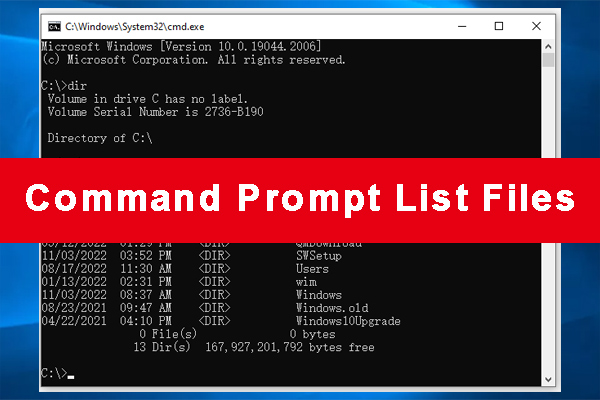
Web Oct 24 2022 nbsp 0183 32 Run dir in Command Prompt to list all of the files and folders in the current directory Dir alsos take special arguments to sort and select what kinds of files and folders are displayed For example dir h will display hidden files

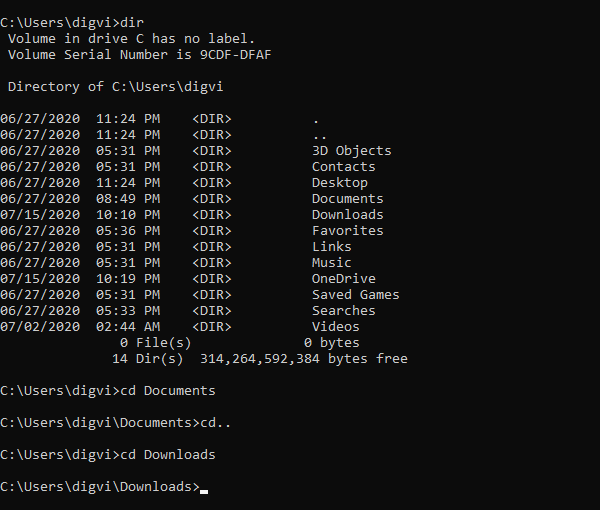
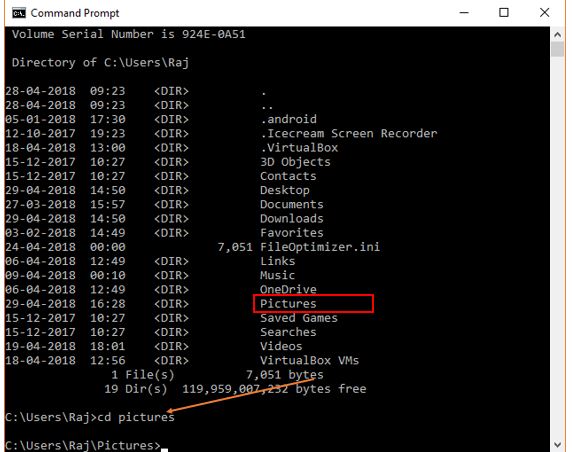
Web Apr 26 2022 nbsp 0183 32 In this article we show you how to change the directory in CMD change the drive see the contents of a directory how to rename copy and delete files and folders and also how to launch an application from the Command Prompt We ll also cover how to get help in CMD Let s get started Advertisement
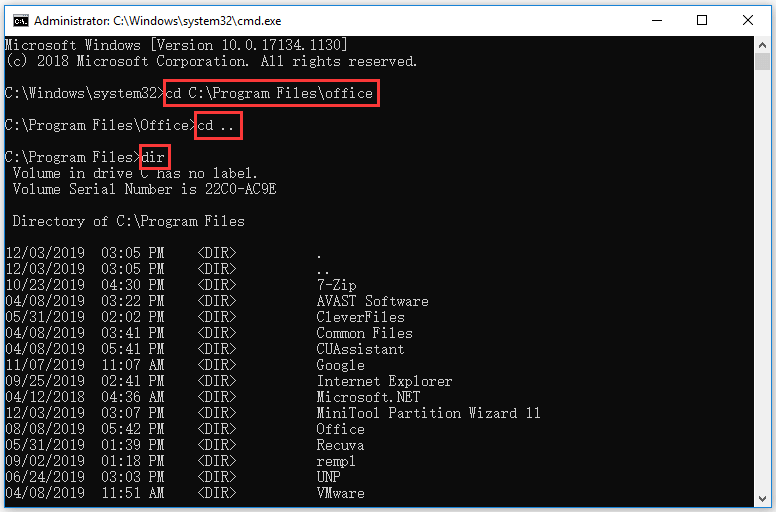
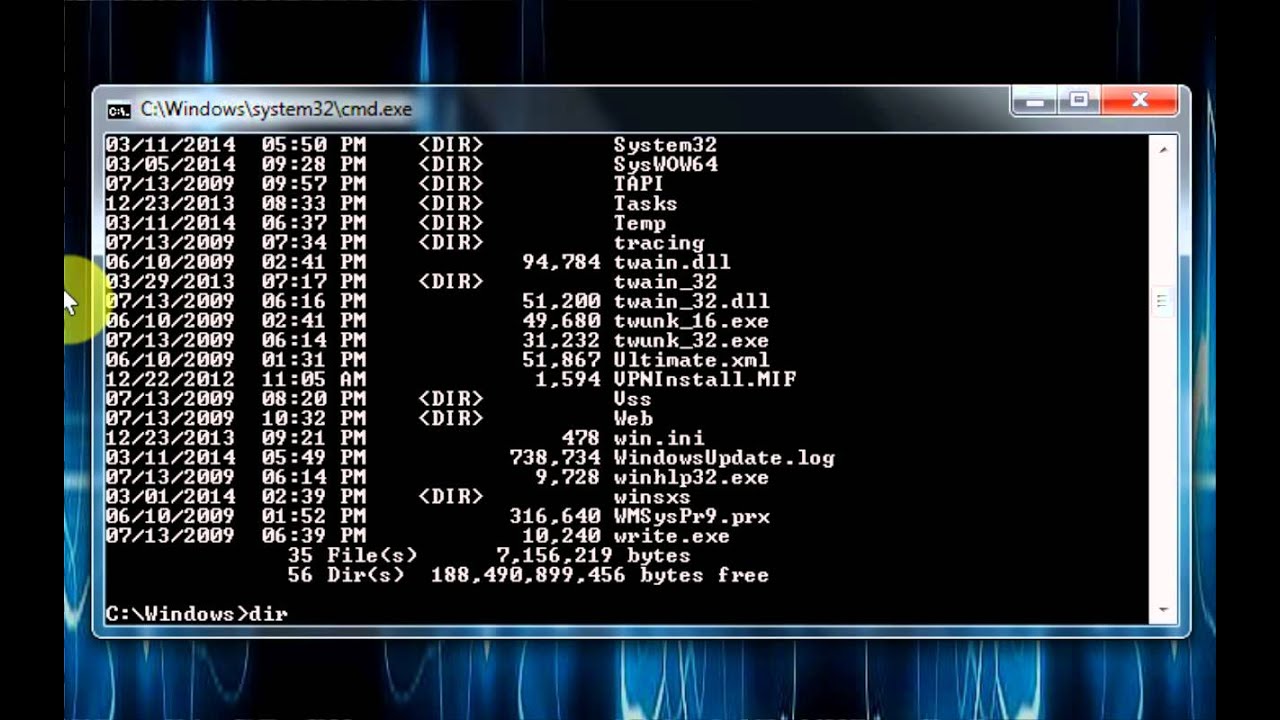
Web Nov 6 2021 nbsp 0183 32 By default the dir command lists the files and directories for the current directory In the example below we re in the Windows directory so only files and directories in the Windows directory are shown C Windows gt dir
Web Mar 21 2022 nbsp 0183 32 for just files because of option A D all attributes except directory attribute including also hidden files of which long or short 8 3 name is matched by the wildcard pattern txt There is output to handle STDOUT of background command process just the list of found file names in bare format because of option B with full path because of Web 5 Answers Sorted by 275 dir s foo searches in current folder and sub folders It finds directories as well as files where s means documentation s Lists every occurrence of the specified file name within the specified directory and all subdirectories Share Follow edited Jun 23 2020 at 11 24 community wiki 4 revs 4 users 50
Web Oct 17 2022 nbsp 0183 32 The chdir command is used to display the drive letter and folder that you are currently in Chdir can also be used to change the drive and or directory that you want to work in The chdir command is available in all versions of Windows as well as in MS DOS