Should I Enable Virtual Machine Platform Windows 10 How To Enable Virtual Machine Platform On Windows 11 YouTube How To Enable The Virtual Machine Platform Windows Feature On Windows How To Enable The Virtual Machine Platform On Windows 10 YouTube Virtual Machine Platform Windows Not Available To Turn On In Turn How To Enable Virtual Machine Platform On Windows 11 YouTube Microsoft has introduced a new feature named Virtual Machine Platform in its new update 1809 There are not any supports and documents which elaborate this feature What are the uses of this
Run the following command PowerShell Enable WindowsOptionalFeature Online FeatureName Microsoft Hyper V All If the command couldn t be found make sure you re running PowerShell as Administrator When the installation has completed reboot Enable Hyper V with CMD and DISM You can generally run one or more virtual machines on a computer with 4GB of RAM though you ll need more resources for additional virtual machines or to install and run resource intense software like games video editing or engineering design software
How To Enable Virtual Machine Platform On Windows 11 YouTube How To Run Android Apps On Windows 11 What s The Difference Between Hyper V Virtual Machine Platform ubuntu WSL Error 0x80370102 How To Enable Virtual Machine Platform On Windows 10 11 YouTube Unable To Start Windows Subsystem For Android On Windows 11 How To Enable Virtual Machine Platform For Windows 10 Features Explained Enable Virtual Machine Platform In Windows 11 SOLVED HyperV Vs Virtual Machine Platform Vs Windows Hypervisor
Should I Enable Virtual Machine Platform Windows 10
 Should I Enable Virtual Machine Platform Windows 10
https://i.ytimg.com/vi/TMNZB637kSk/maxresdefault.jpg
Step 1 Prerequisites The following prerequisites are required to successfully run Client Hyper V on Windows 10 Windows 10 Pro or Enterprise 64 bit Operating System 64 bit processor with Second Level Address Translation SLAT 4GB system RAM at minimum BIOS level Hardware Virtualization support Step 2 Setting Up Hyper V
Pre-crafted templates use a time-saving solution for producing a varied variety of files and files. These pre-designed formats and layouts can be utilized for different personal and professional jobs, consisting of resumes, invites, flyers, newsletters, reports, presentations, and more, streamlining the content production process.
Should I Enable Virtual Machine Platform Windows 10
WslRegisterDistribution Failed With Error 0x80070050
How To Run Android Apps On Windows 11

What s The Difference Between Hyper V Virtual Machine Platform
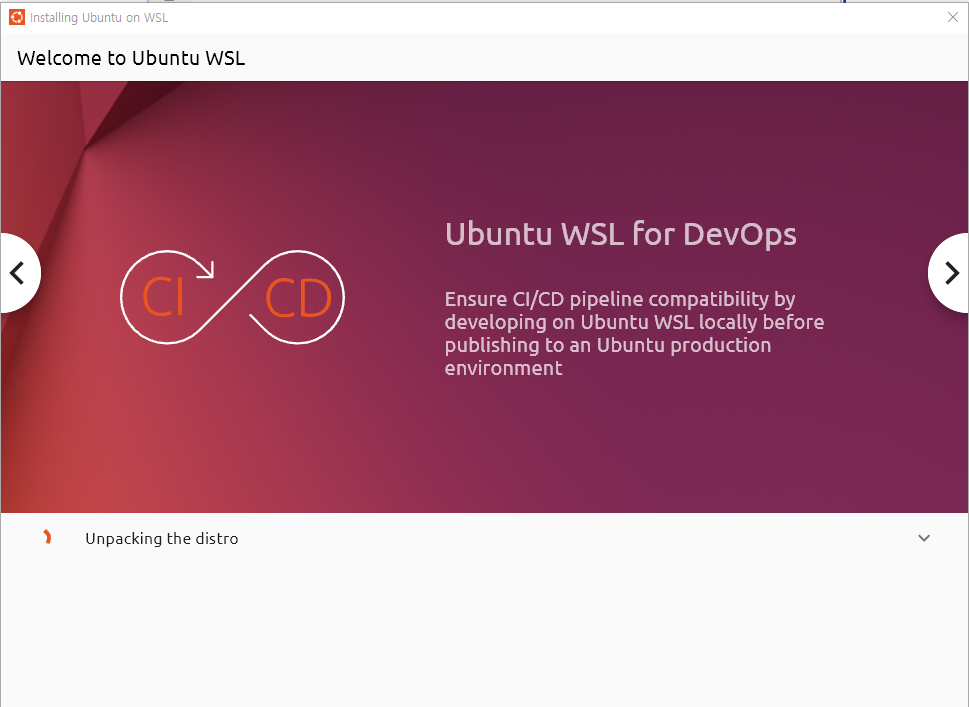
ubuntu WSL Error 0x80370102
Unable To Start Windows Subsystem For Android On Windows 11

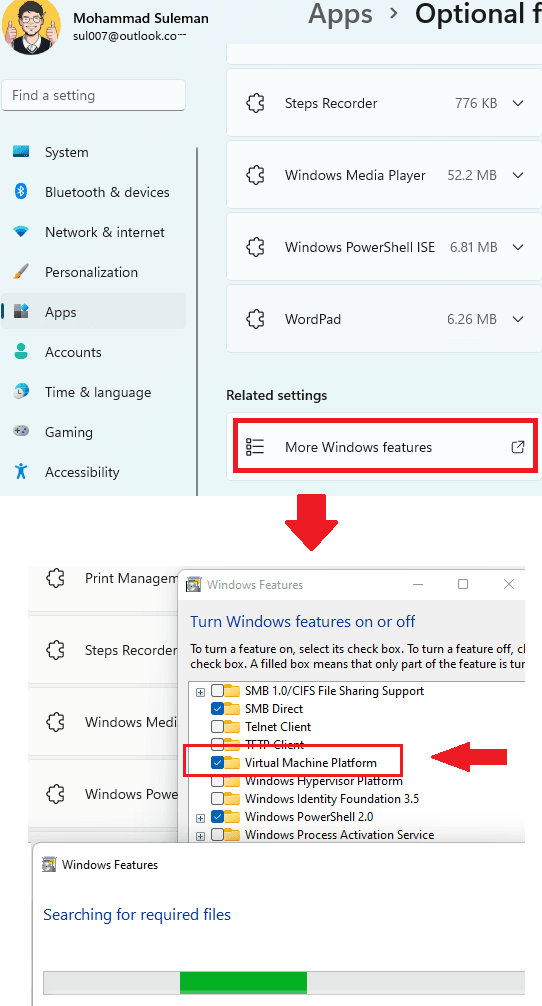
How To Enable Virtual Machine Platform For Windows 10 Features Explained

No Intel VT technology is only useful when running programs that are compatible with it and actually use it AFAIK the only useful tools that can do this are sandboxes and virtual machines Even then enabling this technology can be a security risk in some cases

If you want to install WSL 2 on a Windows 10 virtual machine the virtual machine should support nested virtualization With VirtualBox right click the VM and choose Settings In the System section under the Processor tab check the box Enable Nested VT x AMD V Enable nested virtualization on VirtualBox
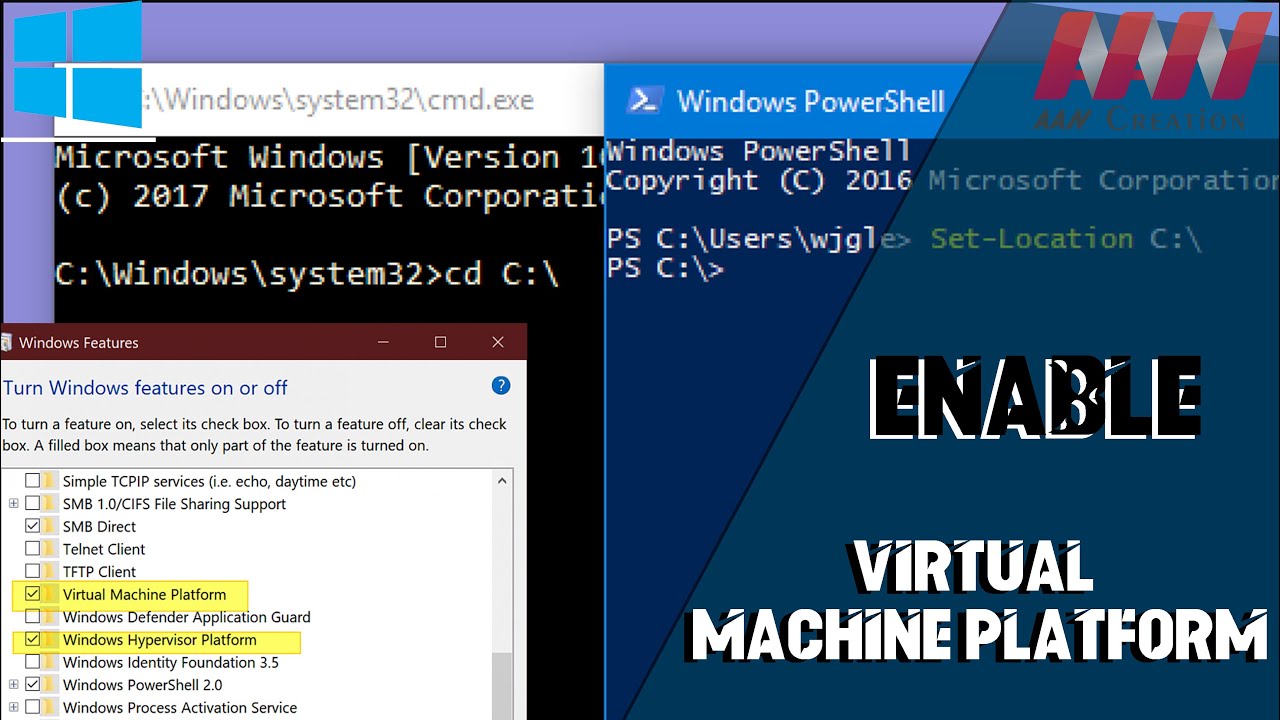
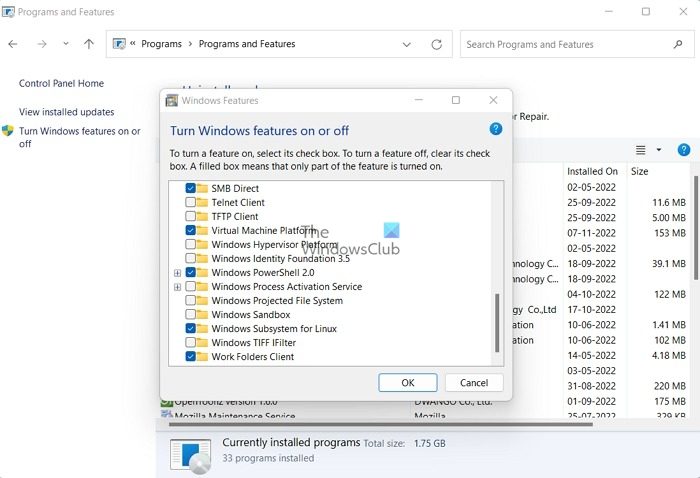
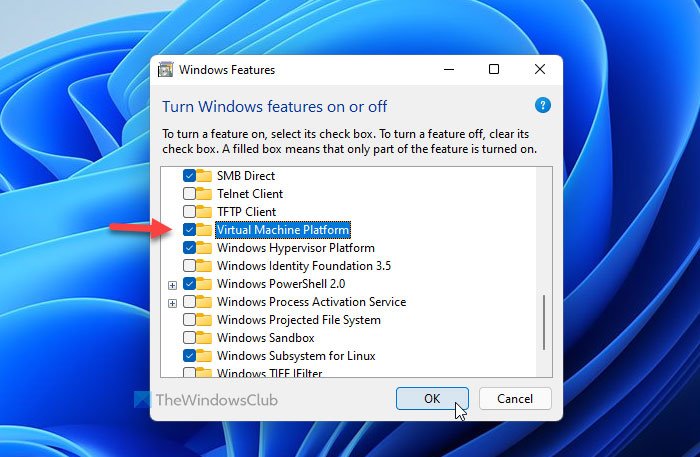
Windows 10 shows these three separate features that seem to be the same thing or related Hyper V note that in latest Windows 10 version this has disappeared from the Windows Features checklist depicted bellow it only shows in the services list Virtual Machine Platform Windows Hypervisor Platform

UPDATED 11 17 2023 When you have to enable virtualization on Windows 11 or 10 you will find multiple options on the Windows Features page including the Hyper V Virtual Machine Platform and Windows Hypervisor Platform which makes enabling the feature confusing Hyper V vs Virtual Machine Platform vs Windows Hypervisor Platform

If you are playing with Windows 11 you may have noticed what appear to be some new Features that also appear to be highly related HyperV Virtual Machine Platform Windows Hypervisor Platform Windows Subsystem For Linux and Windows Sandbox Click to Expand These features are new ish but not to Windows 11 All of them also existed in later versions of Windows 10
To enable hardware virtualization on Windows 11 use these steps Open Settings Click on System Click the Recovery page on the right side Image credit Future Under the Recovery options VMware Workstation Player minimum version is 15 5 5 Windows features Hyper V and Windows Hypervisor Platform WHP set to enabled Additionally the VM inside VMware Workstation needs to have the setting Virtualize Intel VT x EPT or AMD V RVI disabled Virtual Machine Settings Processors This will allow you to boot a VM inside Workstation
Open Hyper V Manager by either pressing the Window s key and typing Hyper V Manager or by finding Hyper V Manager in your applications In Hyper V Manager click Action New Virtual Machine to bring up the New Virtual Machine Wizard Review the Before You Begin content and click Next Give the virtual machine a name