Sharepoint Pdf File Does Not Open In Browser SharePoint Will Download URL And Not Open In Browser From Document Configuring SharePoint For PDF Files Aquaforest Configuring SharePoint For PDF Files Aquaforest Configuring SharePoint For PDF Files Aquaforest SharePoint Online Link To Force Download A Document Instead Of Open Web Jul 31 2021 nbsp 0183 32 We see the same behavior with some PDF files However our staff circumvents by selecting the quot Open in browser quot option which successfully renders the document Also if the user copies the file to OneDrive and uses Edge to open the same document renders correctly without using the quot Open in browser quot option 0 Likes
Web May 23 2023 nbsp 0183 32 The safest way to work on a PDF file that resides on a SharePoint Server is to check out the file Other users cannot edit the file while you re working on it To check out a PDF file do one of the following Windows Using Internet Explorer navigate to the PDF file on the SharePoint portal Web Nov 7 2023 nbsp 0183 32 We have run into issues opening some PDF files from SharePoint Online when using Chrome see screenshot We have the Adobe Document Cloud add in installed in our tenant The PDFs in question can be opened in the browser without Adobe Document Cloud in Edge and by clicking Open gt Open in browser while in the
SharePoint Online Link To Force Download A Document Instead Of Open SharePoint 2010 Open PDF Files In Browser And Set File Association How To Export From SharePoint To Microsoft Excel Easily Document Library Office Application Does Not Open In Browser Solved Personal Made Dxf File Does Not Open In Autocad Lt 2019 2020 SharePoint Online How To Hide Folders In Document Library And Show All Sometimes The Adobe Software Gets Corrupted Let s Look At How To Fix Pdf Download But Not Open Discuss Kodular Community Sharepoint SharePoint 2010 Open PDF File In Browser
Sharepoint Pdf File Does Not Open In Browser

https://techcommunity.microsoft.com/t5/image/serverpage/image-id/109493i5612429652B2FDF2?v=v2
Web First of all there are good reasons why SP2010 does not render files in browser PDF included per default The reason is client object model This is controlled by the installation of Acrobat itself not SharePoint By default PDFs open in the browser but many corporate installs force it to open in a separate window for support reasons
Pre-crafted templates use a time-saving solution for developing a varied range of documents and files. These pre-designed formats and designs can be made use of for different individual and expert jobs, consisting of resumes, invitations, flyers, newsletters, reports, discussions, and more, enhancing the content production process.
Sharepoint Pdf File Does Not Open In Browser
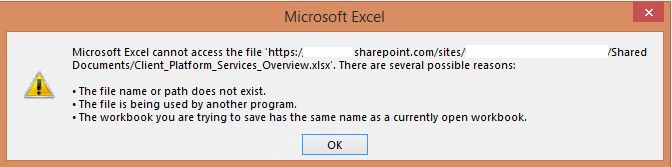
SystemCenterBlog co uk Sharepoint Documents Will Not Open In Word Excel
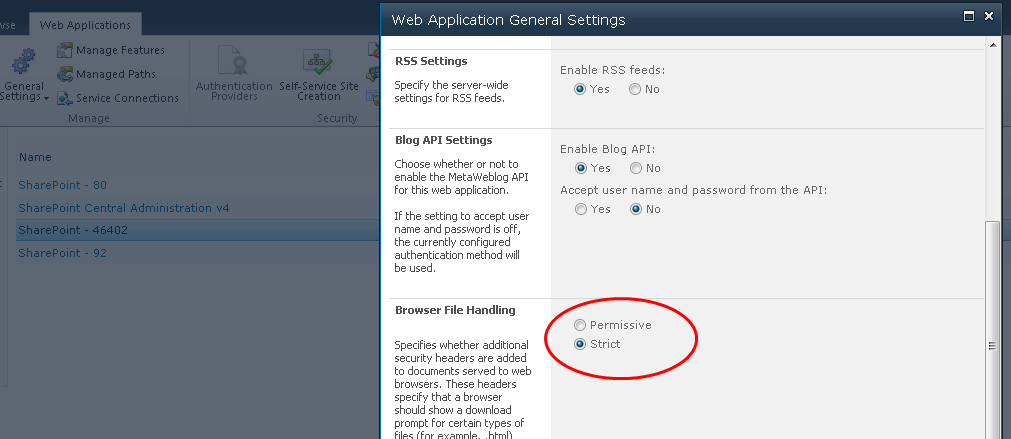
SharePoint 2010 Open PDF Files In Browser And Set File Association
How To Export From SharePoint To Microsoft Excel Easily

Document Library Office Application Does Not Open In Browser

SharePoint Online How To Hide Folders In Document Library And Show All

Sometimes The Adobe Software Gets Corrupted Let s Look At How To Fix

Web Office 365 SharePoint online needs to support opening PDF documents in SharePoint directly to client application Adobe Acrobat Pro DC or Foxit As of this request technical support has stated the only way to open PDF files in Acrobat is to download save them

Web Apr 28 2020 nbsp 0183 32 My solution was to load the address https organization sharepoint sites SiteName LibraryName Portable 20Document 20Format pdf into a URL shortener like bit ly or tinyurl then use the generated link https bit ly whatever in the QuickLink web part That worked for me

Web If the issue happens with Open with Explorer or View in File Explorer see Open in Explorer or View with File Explorer Download and check files locally Some problems occur because of differences in versions of SharePoint server and Microsoft 365 If you can t get it to work try downloading the file and seeing if you can open it locally
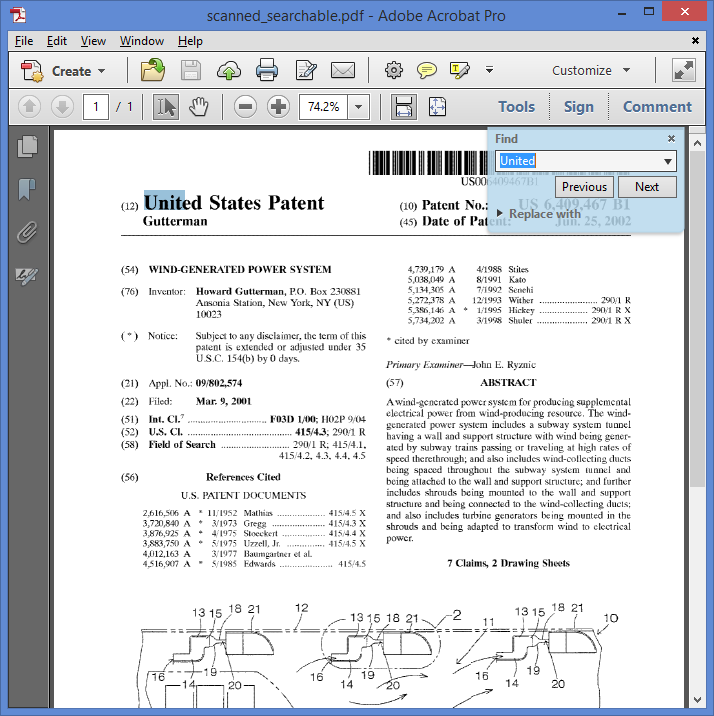
Web Sep 23 2020 nbsp 0183 32 Except the method you mentioned above open in browser from the SharePoint PDF Viewer Page here are other suggestions for you Select the PDF file and select Open in browser in the ribbon Select ellipsis next to the file name and Select Open gt Open in browser

Web Jun 22 2020 We have run into issues opening some PDF files from SharePoint Online when using Chrome see screenshot We have the Adobe Document Cloud add in installed in our tenant The PDFs in question can be opened in the browser without Adobe Document Cloud in Edge and by clicking Open gt Open in browser while in the
Web Apr 29 2020 nbsp 0183 32 If the problem persists please go to Windows settings gt Apps gt Default apps gt scroll down and select Set defaults by app gt make sure you have enabled the related files types and protocols of each Office apps Web Jun 30 2011 nbsp 0183 32 to be sure check Adobe Reader Choose Edit gt Preferences Select Internet in the list on the left Display PDF in Browser should be OK probably server sends header for pdf to download it instead open inline Header set Content Disposition inline
Web Oct 4 2016 nbsp 0183 32 When your administrator has enabled SharePoint integration you click a PDF link in the SharePoint browser user interface to open it in Reader or Acrobat from SharePoint configuration Acrobat X Reader X