Setup Remote Desktop Session Host Server 2019 Full Tutorial Remote Desktop Session Host Configuration How To Configure Remote Desktop Session Host Server 2012 R2 LEMP Azure Virtual Desktop For The Enterprise Azure Architecture Center Licenses Are Not Available For This Remote Desktop Session Host Server 2016 Installation Of Remote Desktop Services In Server 2019 YouTube Web May 7 2021 nbsp 0183 32 Installing Remote Desktop Services RDS on Windows Server 2019 looks like a lengthy task but in reality is quite easy In this article I will walk you though install these services in a domain environment that requires two servers Prerequisites Minimum 2 servers or VM on same domain network
Web Nov 8 2020 nbsp 0183 32 How to Build an RDS Farm with Windows 2019 Using RDS Broker HA and RDS Session Hosts In this post I will go step by step to include everything you need to do to build an RDS farm that will include x2 RDS Broker Server x2 RDS Session Hosts and x1 SQL Server Web Oct 3 2022 nbsp 0183 32 Open the Server Manager and add all RDS servers you want to the console Click All Servers gt Add servers Click the Server Manager menu and select Add Roles and Features gt Remote Desktop Services installation gt Standard deployment gt Session based deployment Quick Start mode is used to deploy all RDS roles on a
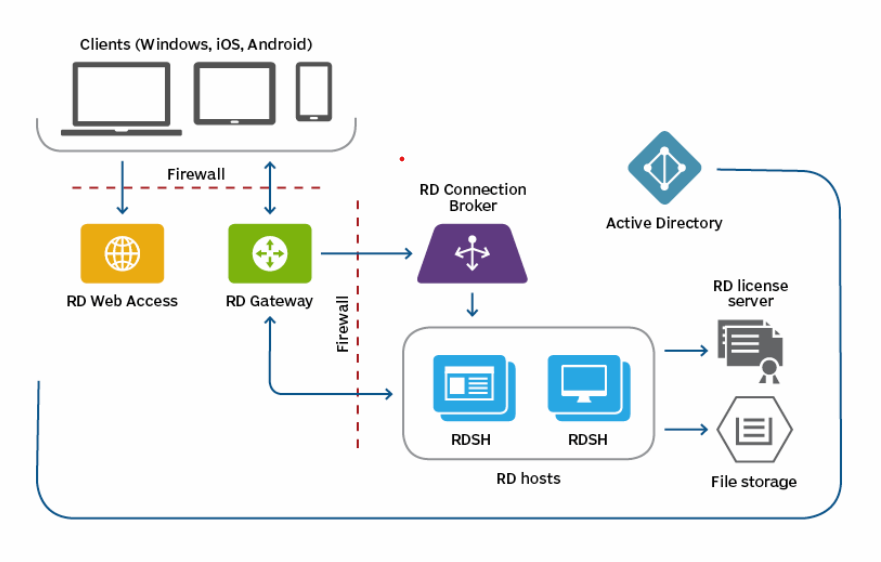
Installation Of Remote Desktop Services In Server 2019 YouTube Full Tutorial Remote Desktop Session Host Configuration How Do I Enable Remote Access To Server Remote Desktop Session Host Configuration Missing In Server 2012 R2 Remote Desktop Services Architecture Microsoft Learn Windows Server 2019 Remote Desktop Session Shadowing Settings Shima Windows Server 2016 Remote Desktop Services Certificate Holoserjay 25 How To Create Pooled VDI With Remote Desktop Services On Windows Windows Server 2016 Remote Desktop Services Kms Deltagive
Setup Remote Desktop Session Host Server 2019
 Setup Remote Desktop Session Host Server 2019
https://www.anyviewer.com/screenshot/windows/windows-server-2019/microsoft-rds.png
Web May 26 2020 nbsp 0183 32 In this video guide we will see the steps to install and configure Remote Desktop Services RDS on Windows Server 2019 using quick start deployment method Follow my blogs on https msftwebcast
Pre-crafted templates use a time-saving option for developing a varied range of documents and files. These pre-designed formats and layouts can be utilized for numerous individual and expert jobs, including resumes, invites, flyers, newsletters, reports, presentations, and more, streamlining the content creation procedure.
Setup Remote Desktop Session Host Server 2019

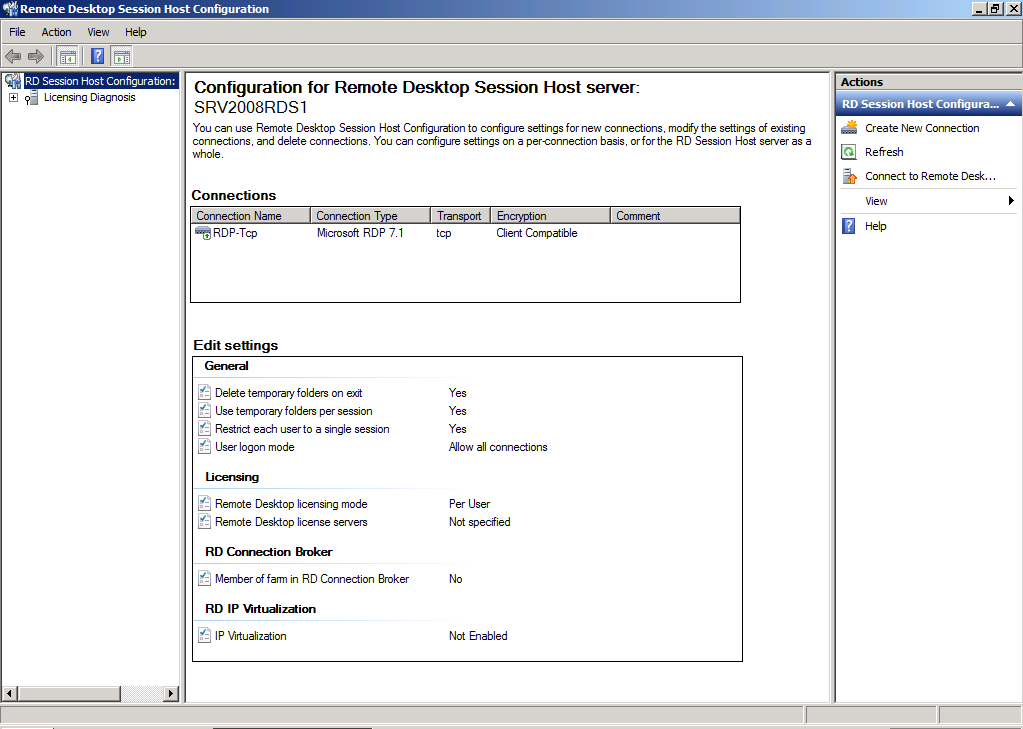
The Remote Desktop Session Host Configuration Server 2012 LEMP
Full Tutorial Remote Desktop Session Host Configuration
How Do I Enable Remote Access To Server
Remote Desktop Session Host Configuration Missing In Server 2012 R2
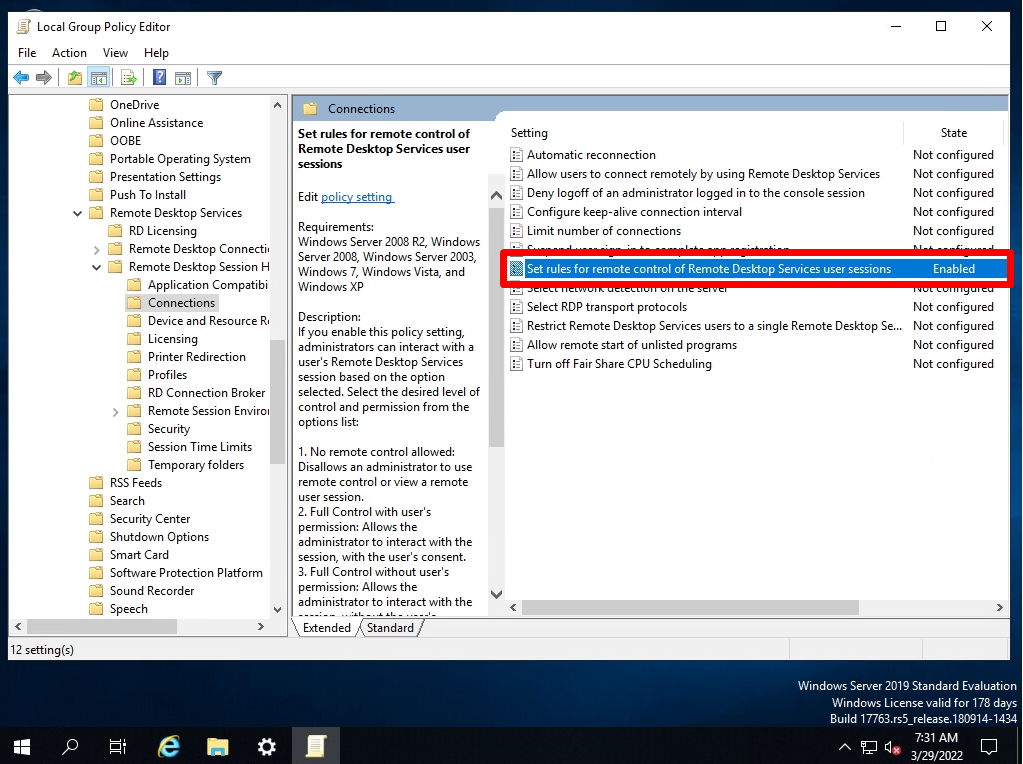
Windows Server 2019 Remote Desktop Session Shadowing Settings Shima
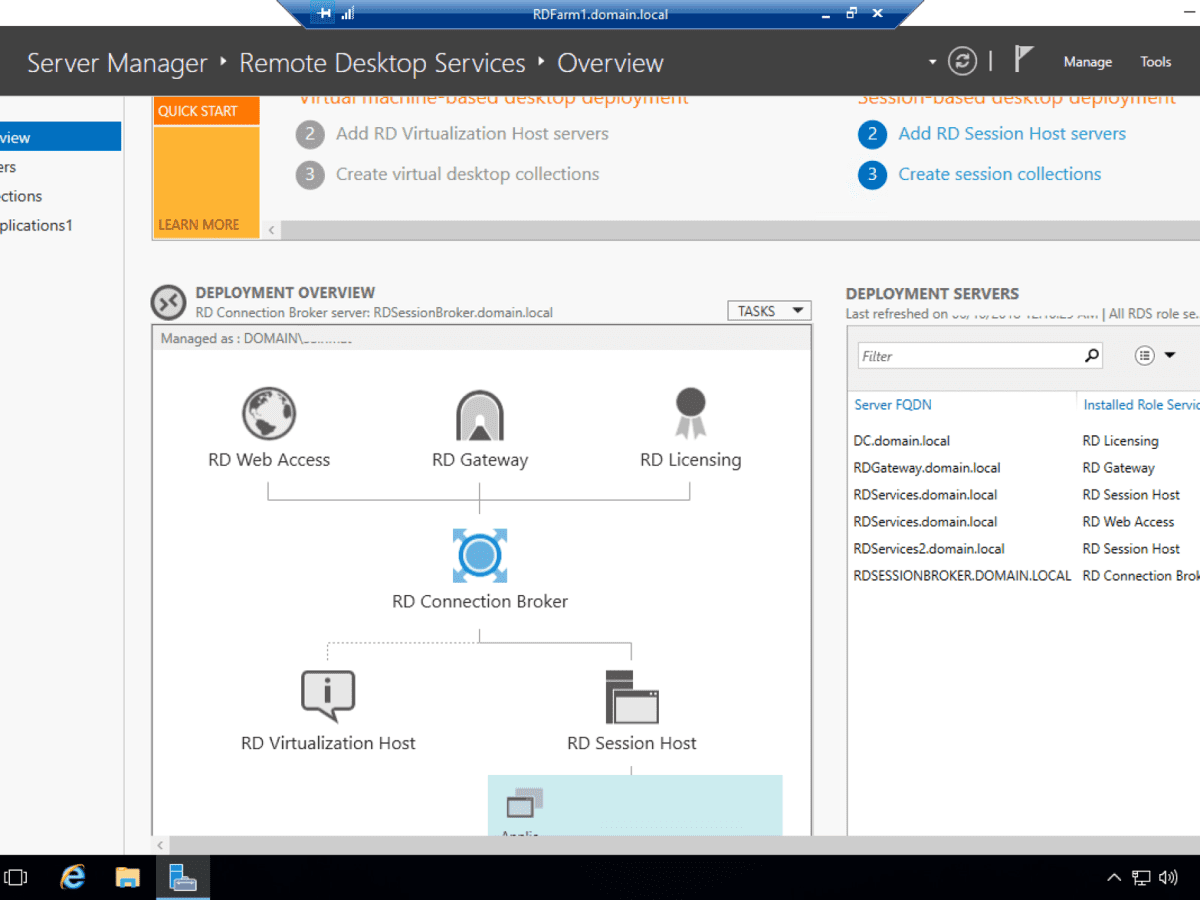
Windows Server 2016 Remote Desktop Services Certificate Holoserjay
Web Dec 23 2021 nbsp 0183 32 Click Remote Desktop Services installation Standard Deployment and Session based desktop deployment Select the appropriate servers for the RD Connection Broker server RD Web Access server and RD Session Host server for example Contoso Cb1 Contoso WebGw1 and Contoso SH1 respectively

Web Dec 15 2020 nbsp 0183 32 Specify Remote Desktop Session Host server The servers in the Domain are listed select from it 13 Check a box Restart the destination server automatically if required and click Deploy button 14 During the installation System will restart once automatically After finishing installation Click Close button Matched Content

Web 6 days ago nbsp 0183 32 This article explains how to install and configure the Remote Desktop Session Host terminal server role on a standalone Windows Server 2022 2019 in a workgroup without an Active Directory domain and without any other additional roles Connection Broker Remote Desktop Web Access RDS Gateway

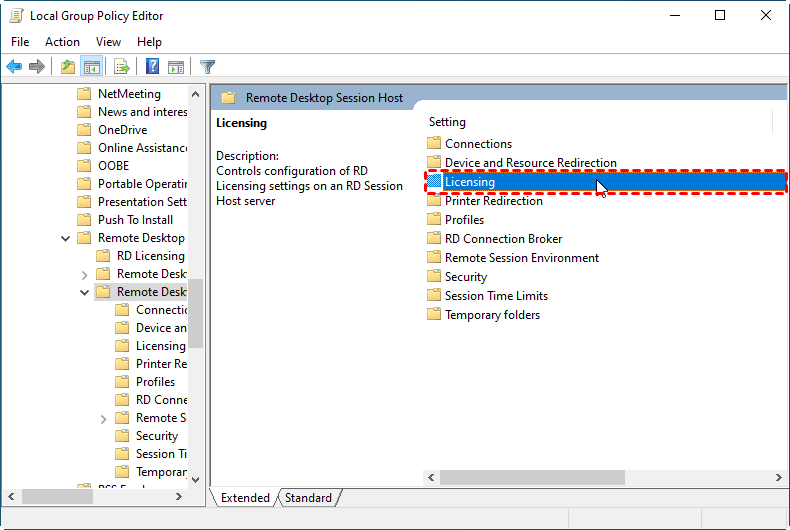
Web Jan 18 2024 nbsp 0183 32 Applies to Windows Server 2022 Windows Server 2019 Windows Server 2016 You can use the information in this article to configure licensing for session hosts on your Remote Desktop Services RDS deployments

Web May 21 2020 nbsp 0183 32 Installing Remote Desktop Services RDS on Windows Server 2019 appears to take many steps but in reality is quite easy In this article we dive into how to install these services in a domain environment that requires two servers Prerequisites There are only two necessary steps before we embark on installing RDS Those are
Web Dec 20 2018 nbsp 0183 32 By default in Windows Server 2019 remote desktop is disabled This post will cover how to turn on and enable Remote Desktop Protocol RDP in Windows Server 2019 using either PowerShell or the GUI Web Feb 16 2019 nbsp 0183 32 Allowing Remote Desktop Service on Windows Server 2019 is faster on PowerShell that the GUI procedure For this setting we will use Set ItemPropery cmdlet to change Registry flag setting Launch PowerShell session as Administrator Then execute the command below
Web Jan 18 2024 nbsp 0183 32 Use the most recent version of Windows Server for your Remote Desktop infrastructure the Web Access Gateway Connection Broker and license server Windows Server is backward compatible with these components which means a Windows Server 2016 RD Session Host can connect to a 2019 RD Connection Broker but not the other