Setup Py Use Requirements Txt How To Install Python Libraries Using Requirements txt YouTube Python Requirements txt Setup py 1024 How To Use Requirements txt Files In Python Datagy How To Install Requirements Txt In Linux Systran Box Python Django Pip Freeze Requirements txt Not Getting The Exact Enter Requirements txt and Setup py two powerful tools to help you regain control and conquer your Python projects with ease In this in depth exploration of Python dependency management we ll discover how to efficiently and effectively manage your project s dependencies avoid potential pitfalls and keep your projects running
By creating a Python requirements txt file you save yourself the hassle of having to track down and install all of the required modules manually In this article we will learn how to create Python requirements files along with the best practices and the benefits of using them The requirements txt file is useful to install all packages at once for a project it is easy to hand over to other developers and we can use this to install different versions of packages for different Python projects The classic way of installing packages in Python using pip pip install package name1 package name2
Python Django Pip Freeze Requirements txt Not Getting The Exact Requirements txt PyCharm YOLOF setup py At Main Megvii model YOLOF GitHub Szeretn k Nyomornegyed L b Pip Install From Txt Hasonl t Inform ci Use Requirements txt PyCharm Documentation Python Requirements txt What It Is And How To Use It AskPython Pip Install r Requirements txt Issue 82 PaddlePaddle PaddleRS Szeretn k Nyomornegyed L b Pip Install From Txt Hasonl t Inform ci Qgm setup py At Master Gitrymt qgm GitHub
Setup Py Use Requirements Txt
 Setup Py Use Requirements Txt
https://i.ytimg.com/vi/Tu_HcflONZM/maxresdefault.jpg
We can run pip install r requirements txt to have pip automatically install all dependencies listed in the requirements txt file Using Virtual Environments Now if you only have one Python project on your computer this may be fine as is
Templates are pre-designed files or files that can be utilized for different purposes. They can conserve effort and time by offering a ready-made format and layout for creating various type of content. Templates can be utilized for personal or expert projects, such as resumes, invites, leaflets, newsletters, reports, discussions, and more.
Setup Py Use Requirements Txt
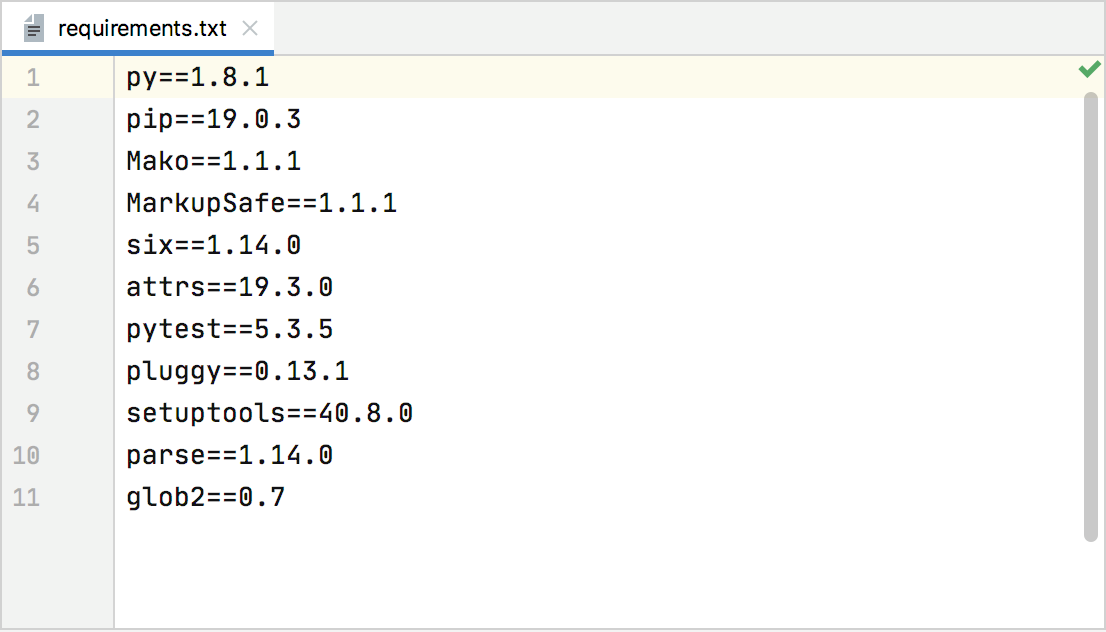
Requirements txt IntelliJ IDEA

Requirements txt PyCharm
YOLOF setup py At Main Megvii model YOLOF GitHub
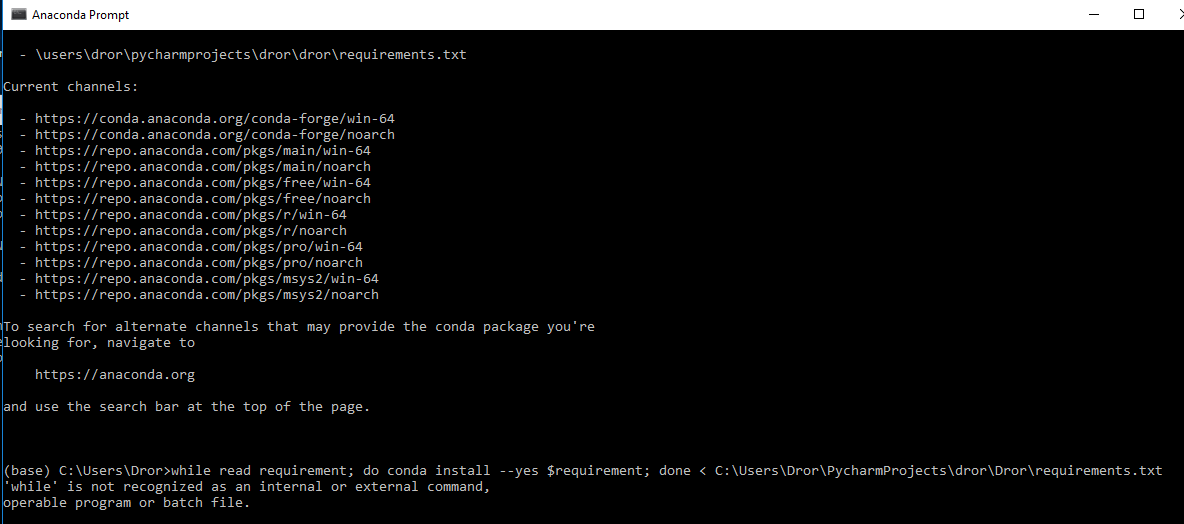
Szeretn k Nyomornegyed L b Pip Install From Txt Hasonl t Inform ci

Python Requirements txt What It Is And How To Use It AskPython

Pip Install r Requirements txt Issue 82 PaddlePaddle PaddleRS
How to Create a requirements txt File To create a requirements file you must set up your virtual environment If you use Pycharm there s a virtual environment already setup venv But with Visual Studio code you have to create the virtual environment yourself You can use your terminal or command prompt to create your requirements file
How to Use requirements txt Files in Python June 10 2022 In this tutorial you ll learn how to use a requirements txt file in Python to manage and handle the dependencies of your project Using a requirements txt file is particularly helpful when sharing your code with others via source code management tools such as Github
Use the command below to install the packages according to the configuration file requirements txt pip install r requirements txt You can name the configuration file whatever you like but requirements txt is commonly used Place requirements txt in the directory where you plan to run the command

The requirements txt is a file listing all the dependencies for a specific Python project It may also contain dependencies of dependencies as discussed previously The listed entries can be pinned or non pinned If a pin is used then you can specify a specific package version using an upper or lower bound or even both

If you already have all the necessary packages installed in an environment you can right click that environment in Solution Explorer and select Generate requirements txt to create the necessary file If the file already exists a prompt appears for how to update it Replace entire file removes all items comments and options that exist
The key to setting up your project is the setup py file In this blog I ll go into the details of this file Where we start Here I assume that you already have a package that you want to set up This does not need to be a finished package ideally you should create the setup py long before your project is finished The pip3 freeze command will tell us the modules installed with their versions We can redirect the output of the pip3 freeze command to a requirements txt file using the symbol pip3 freeze requirements txt Verify that the list of modules required by our sample Python program is inside the requirements txt file
List of Necessary Files for Packaging There are several files that are commonly included in the root folder of a Python project These are setup py readme md requirements txt init py License Almost all projects benefit from these files from one way or another and it can even be said that they are necessary for packaging a Python