Setting Router Mikrotik PANDUAN LENGKAP CARA SETTING ROUTER MIKROTIK RB951Ui 2HnD DARI AWAL HINGGA TERHUBUNG KE How To Simple Setting Router MikrotikDiary Komponen Dasar Jaringan Komputer Tutorial Setting Router Mikrotik Cara Setting NAT Network Address Translation Pada Router Mikrotik YouTube Cara Setting Router Mikrotik Restart Otomatis Dengan Scheduler Tutorial Jaringan Komputer 1 First steps of debugging and how to contact MikroTik support team 2 Firewall 2 1 Basic router protection based on connection state and IP address type by using Firewall 2 2 Block specific domains by using scripts 2 3 Ease load on firewall by sorting firewall filter NAT and mangle rules
328 158K views 10 years ago MikroTik RouterOS is very powerful but to get started it is also very simple This video shows how to set up your MikroTik home AP in just a few clicks RB951 2n MikroTik Router Basic Configuration Step by Step From Zero to HERO IgoroTech Official 21 4K subscribers Subscribe Subscribed Like Share 63K views 8 months ago MiKroTik Router
Cara Setting Router Mikrotik Restart Otomatis Dengan Scheduler Tutorial Jaringan Komputer Cara Setting Mikrotik Sebagai Router Gateway Internet Setting Router Mikrotik Sebagai Access Point Network Engineer Blog Tutorial Cara Setting VLAN Di Router Mikrotik Dan Setting Router Mikrotik Sebagai Switch Konsultan IT Cikarang Konsultan IT Cikarang Cara Setting Router Mikrotik Dengan Static Route Part 1 Info Kita Tutorial Cara Setting VLAN Di Router Mikrotik Dan Setting Router Mikrotik Sebagai Switch Tutorial Cara Setting VLAN Di Router Mikrotik Dan Setting Router Mikrotik Sebagai Switch Cara Setting Bridge Pada Router MikroTik Menggabungkan Dua Ethernet Menjadi Satu Neicy Tekno
Setting Router Mikrotik
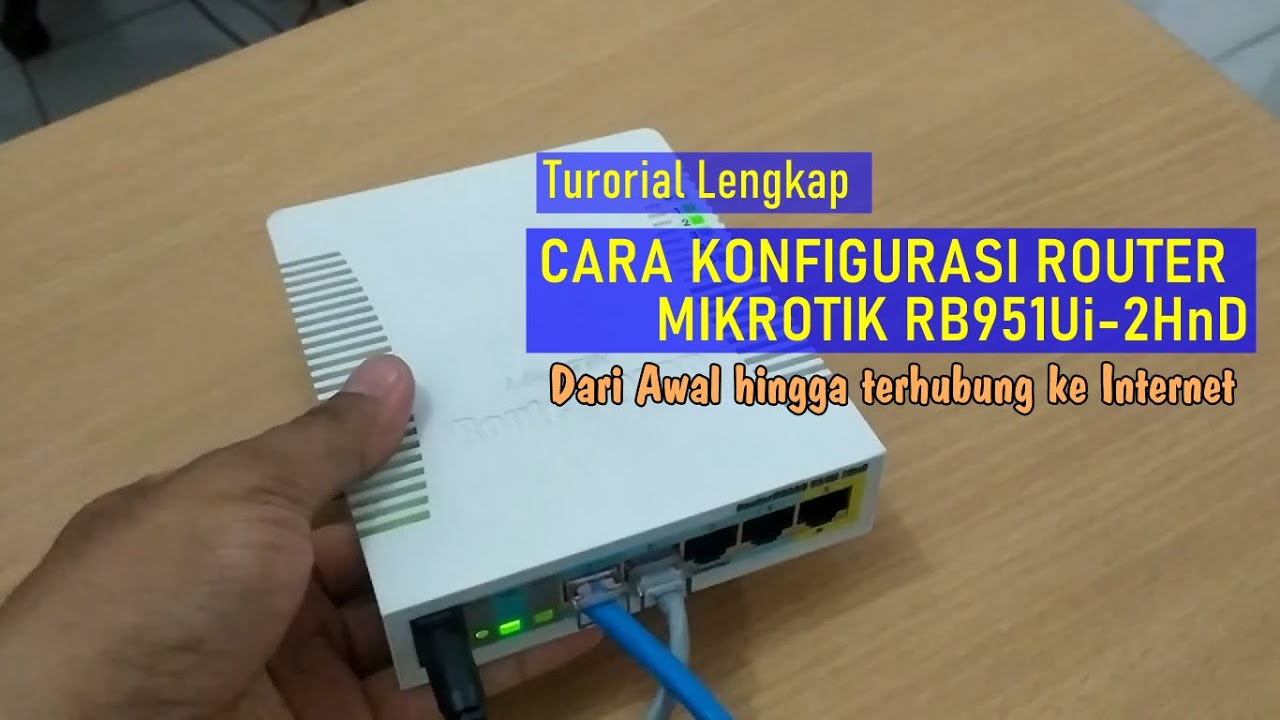 Setting Router Mikrotik
https://i.ytimg.com/vi/yjANNhJuOmA/maxresdefault.jpg
Manual Securing Your Router The following steps are recommendation how to protect your router We strongly suggest to keep default firewall it can be patched by other rules that fullfils your setup requirements Other tweaks and configuration options to harden your router s security are described later To learn what security methods are used
Pre-crafted templates use a time-saving option for developing a varied variety of documents and files. These pre-designed formats and designs can be used for numerous personal and professional tasks, including resumes, invitations, leaflets, newsletters, reports, discussions, and more, simplifying the material creation process.
Setting Router Mikrotik

Download Winbox Dan Cara Setting Router Mikrotik Download Software PC Dan Tutorial Komputer Gratis

Cara Setting Mikrotik Sebagai Router Gateway Internet
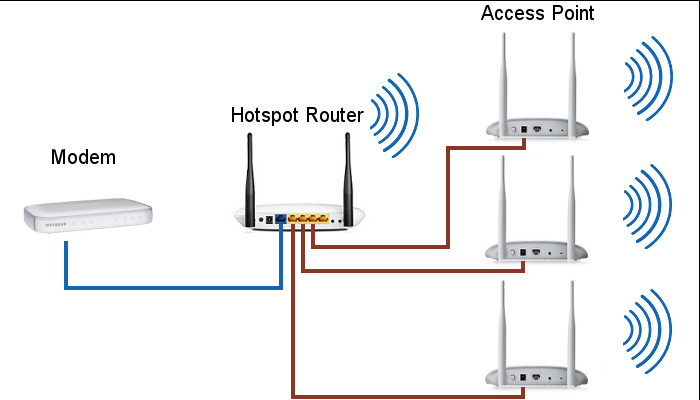
Setting Router Mikrotik Sebagai Access Point Network Engineer Blog

Tutorial Cara Setting VLAN Di Router Mikrotik Dan Setting Router Mikrotik Sebagai Switch

Cara Setting Router Mikrotik Dengan Static Route Part 1 Info Kita

Tutorial Cara Setting VLAN Di Router Mikrotik Dan Setting Router Mikrotik Sebagai Switch

Remove all configuration Download WinBox from https mikrotik download and save it to you Desktop Open WinBox by double clicking it no installation required and connect to your router by clicking on the MAC address in the Neighbor tab Just make sure you are not plugged into port 1 on the router as this becomes the internet port later

1 Connect with an Ethernet cable RJ45 the MikroTik s Eth1 Port with your ISP s Internet Modem Router 2 Connect with another Ethernet cable RJ45 one of the other MikroTik s Ethernet Ports e g the Eth2 with your PC Step 2 Configure MikroTik with WinBox 1 According your Windows version 32 or 64bit download the WinBox utility 2

Contents 1 Summary 2 Connecting wires 3 Configuring router 3 1 Logging into the router 3 2 Router user accounts 3 3 Configure access to internet 3 3 1 DHCP Client 3 3 2 Static IP Address 3 3 3 Configuring network address translation NAT 3 3 4 Default gateway 3 3 5 Domain name resolution 3 3 6 SNTP Client 3 4 Setting up Wireless

Internet access settings MikroTik routers provide different configuration options for connecting to the internet DHCP Client The MikroTik router gets an IP address on the WAN side from a DHCP server in front of it This is the default MikroTik router configuration and has to be removed if not supported by your ISP

Learn MikroTik RouterOs Tutorial SeriesThis is an introductory training video on the MikroTik networking platform This video will give you the basic steps
5 1 In many companies homes etc that use ADSL internet service in addition to the modem there is also a Mikrotik to use its wonderful features on the network Using Mikrotik has many advantages In this article we are going to introduce you 4 Tips for Setting Up a Home Router with MikroTik I m running a MikroTik RouterBOARD 962UiGS 5HacT2HnT with a level 4 license This set up should work on any level 3 or higher licensed version of RouterOS which I think is now all of them I m setting this up using WinBox it can also be done using the web interface and the command line
Router1 ip address add address 10 1 1 2 interface ether1 add address 172 16 1 1 30 interface ether2 add address 192 168 1 1 24 interface ether3 ip route add gateway 10 1 1 1 add dst address 192 168 2 24 gateway 172 16 1 2 Router2