Setting Environment Variables For Java In Windows 11 How To Set Environment Variables In Windows 11 How To Set Java Environment Variable In Windows 11 Bios Pics How To Set Environment Variables In Windows 11 How To Add Environment Variables In Windows 11 H2S Media How To Set Environment Variables In Windows Youtube Www vrogue co Step 1 Open Windows 11 10 Environment Setting Step 2 Environment Setting Step 3 Edit System Environment Variable Path Step 4 Add Java
JAVA HOME is an environment variable which addresses to the directory where Java Runtime Environment or Java Development Kit is installed in the system To be Open Windows 11 start Menu and type environment variables From the results select Edit the system environment variables Configure Environment
How To Set Environment Variables In Windows Youtube Www vrogue co How To Set Environment Variables In Windows 10 Helpful Guide Setup Java Environment Variables AutomationTestingHub Easy Guide To Install Java On Windows 11 Prajwal Desai How To List All Environment Variables In Windows Www vrogue co Set Environment Variable In Windows Mobile Legends How To Edit PATH Variable On Windows 11 TestingDocs Setting Up Environment Variables In Windows CS 61B Fall 2020 How To Set Environment Variables In Windows 10 Helpful Guide
Setting Environment Variables For Java In Windows 11
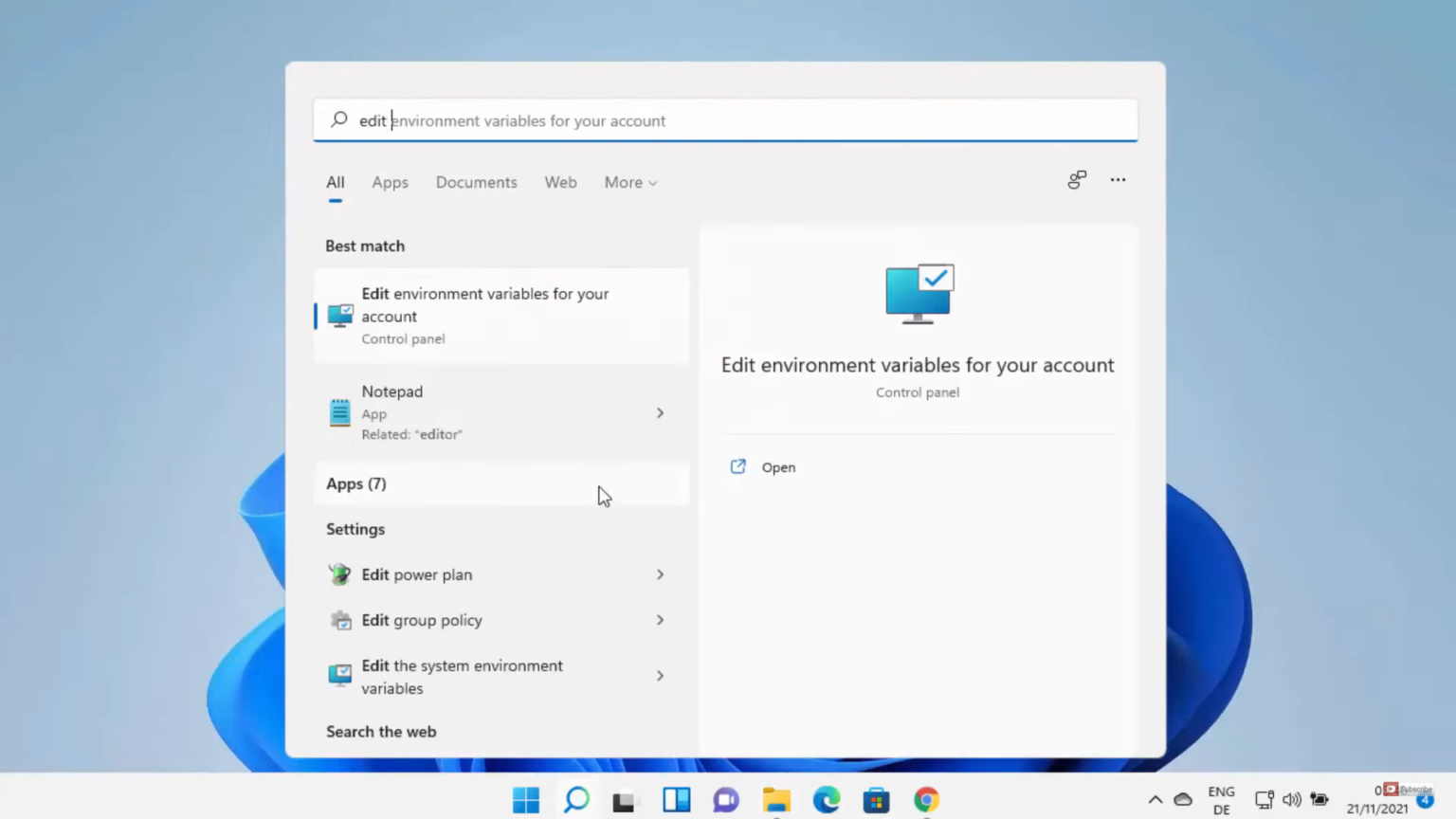 Setting Environment Variables For Java In Windows 11
http://www.codebind.com/wp-content/uploads/2022/03/2-1.png
C Windows System32 c Program Files java jdk bin Setting Up the Path for Windows 95 98 ME Assuming you have installed Java in c Program Files java jdk
Templates are pre-designed documents or files that can be utilized for various functions. They can conserve effort and time by providing a ready-made format and design for developing various kinds of material. Templates can be used for individual or professional jobs, such as resumes, invitations, leaflets, newsletters, reports, presentations, and more.
Setting Environment Variables For Java In Windows 11
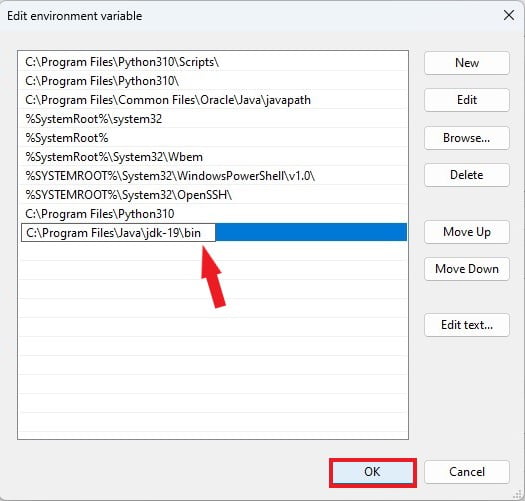
How To Setup Environment Variables For Java In Windows 11
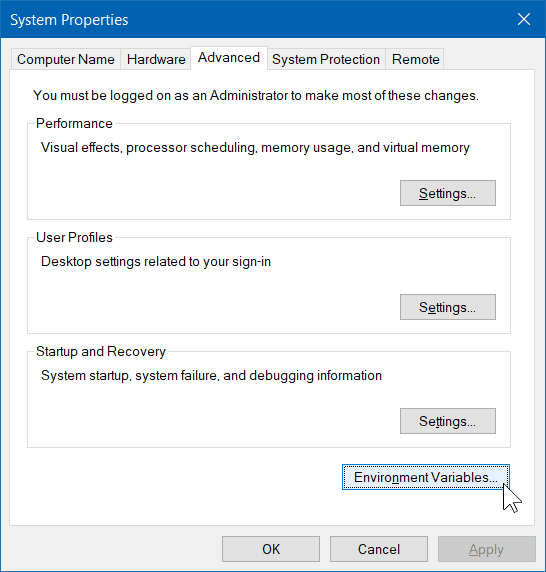
How To Set Environment Variables In Windows 10 Helpful Guide
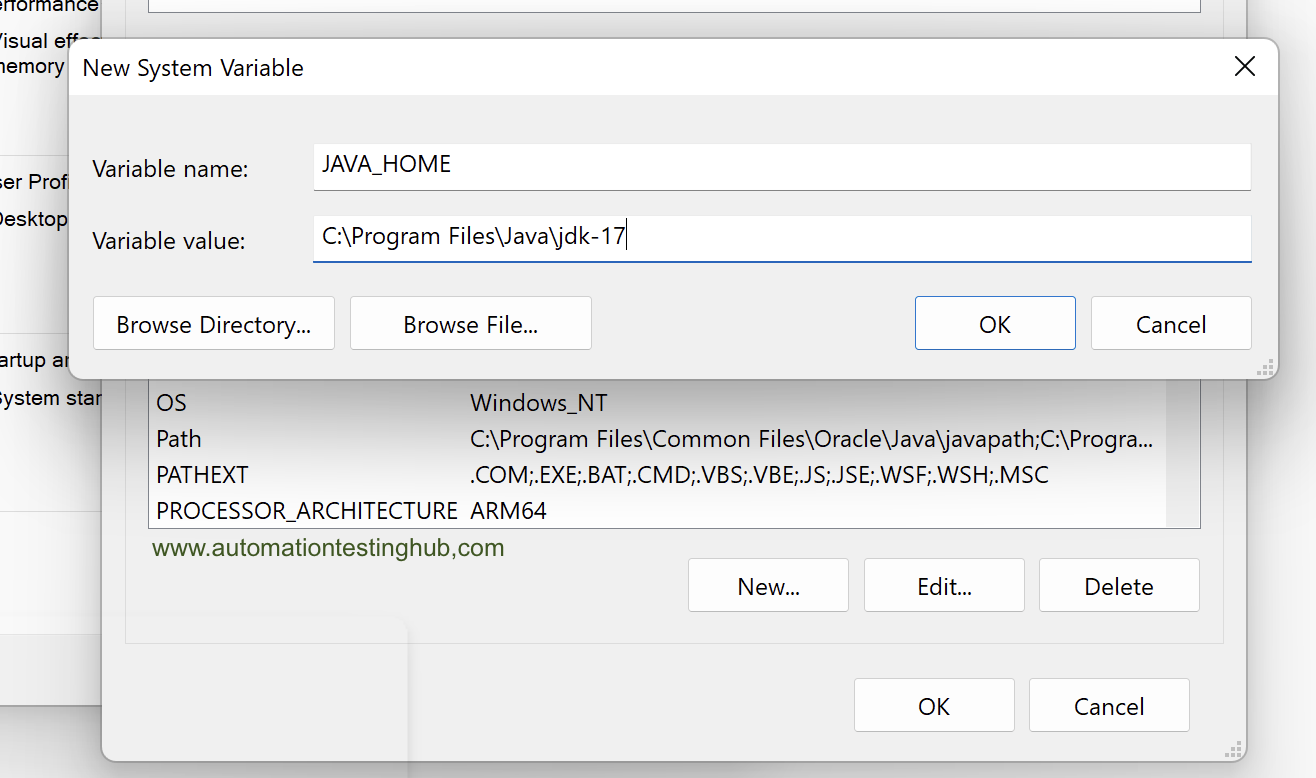
Setup Java Environment Variables AutomationTestingHub

Easy Guide To Install Java On Windows 11 Prajwal Desai
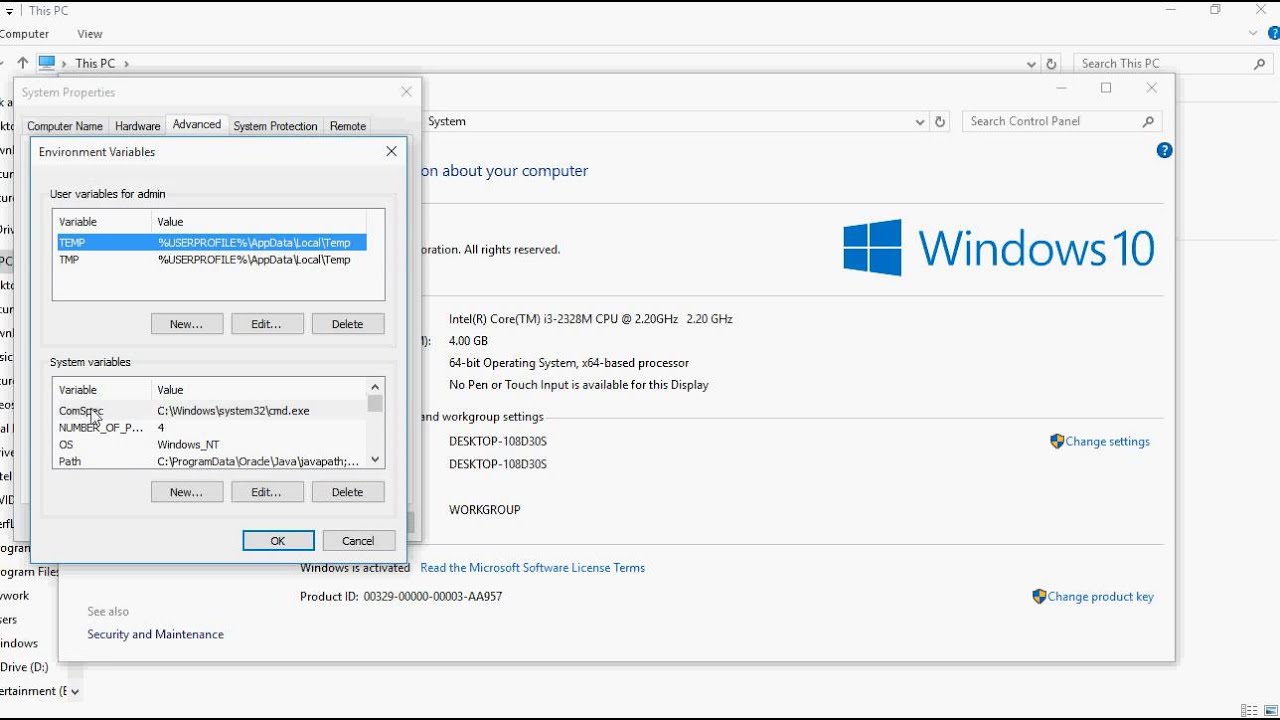
Set Environment Variable In Windows Mobile Legends
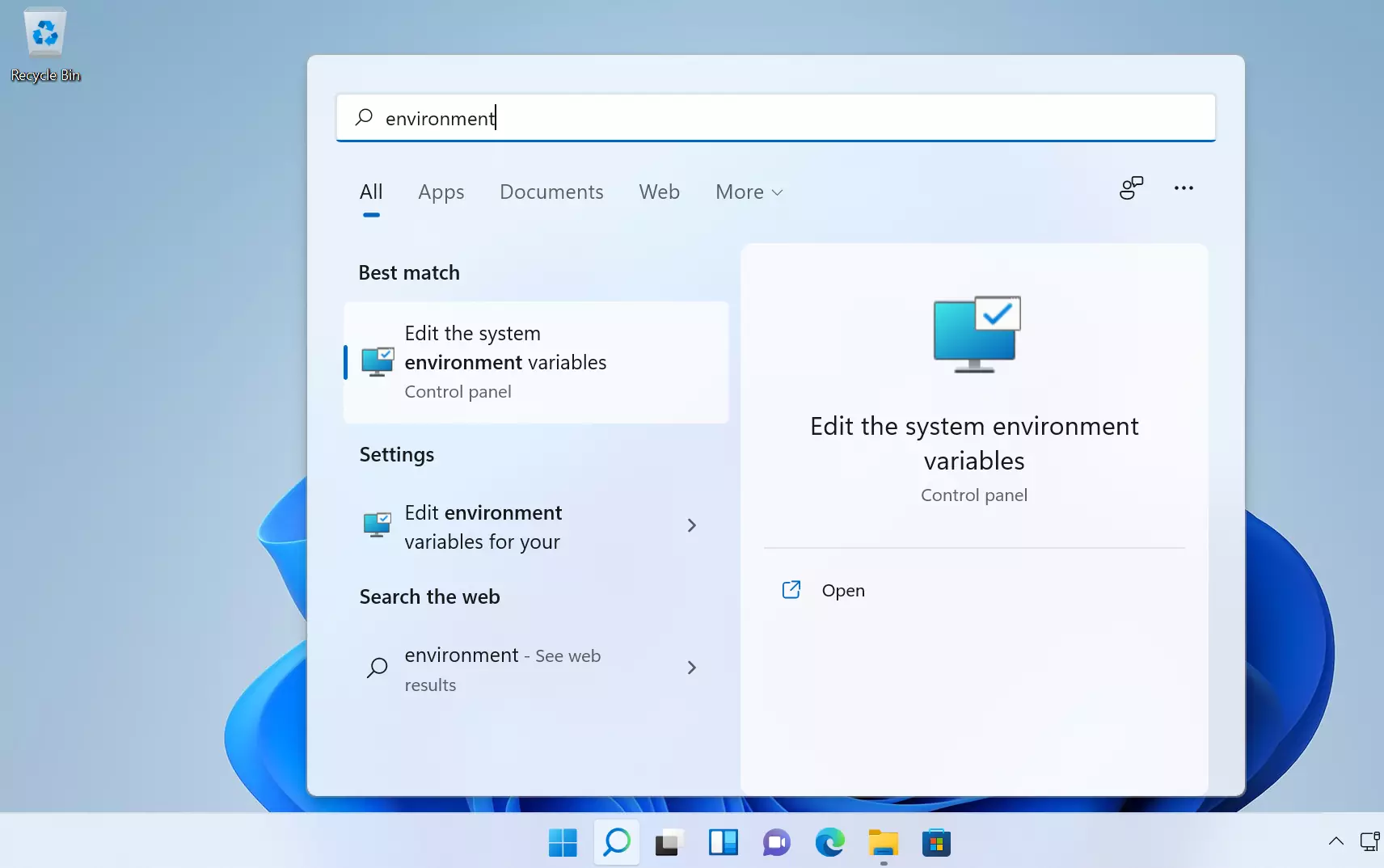
How To Edit PATH Variable On Windows 11 TestingDocs
Locate your Java installation directory Do one of the following Click the Environment Variables button Under System Variables click New

In this video we are going to learn How to Setup Environment Variables for Java on Windows
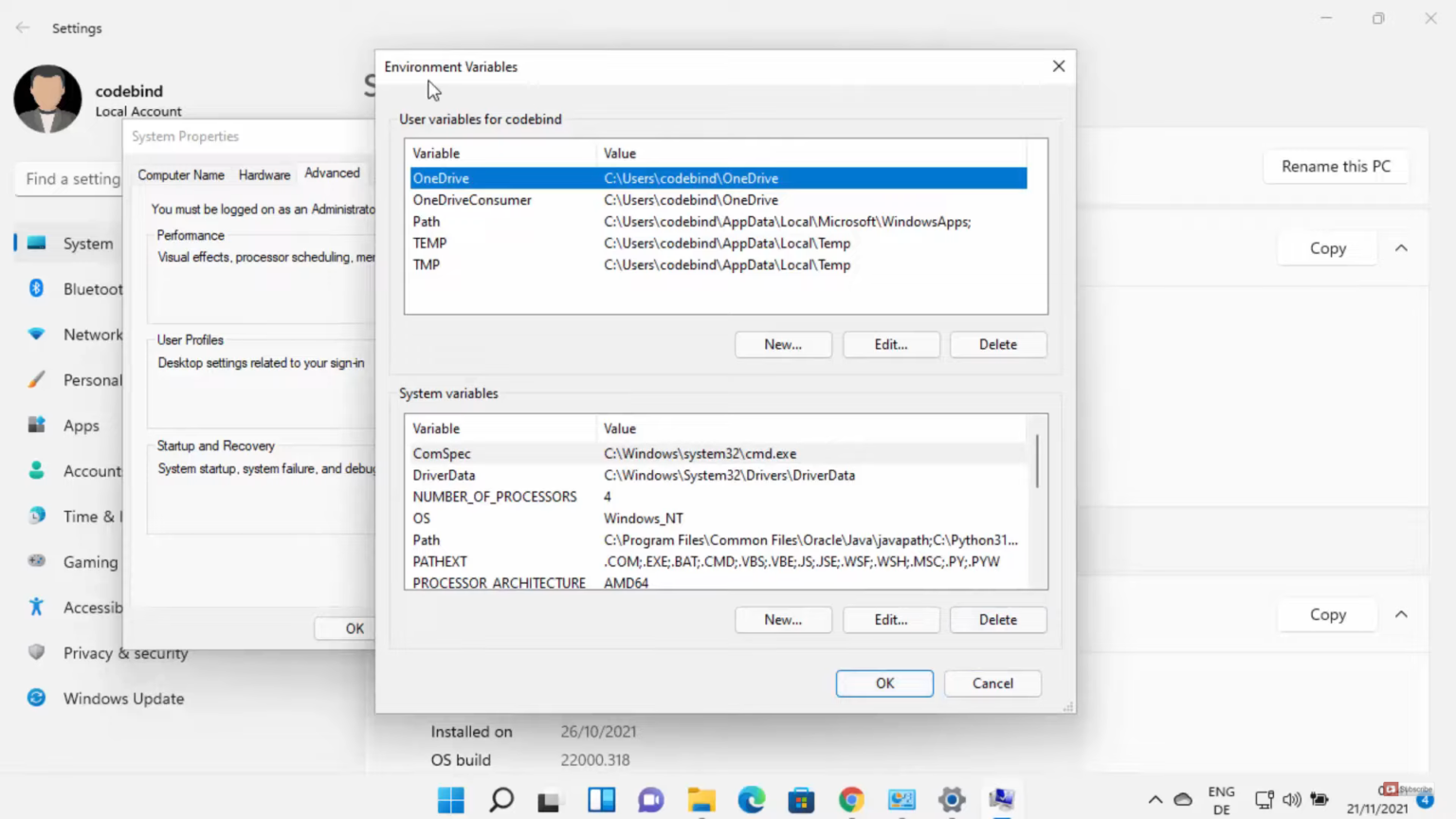
1 Open File Explorer and go to the location where java is installed 2 To set the environment variable for java click on the search icon and

1 Go to the Search box and type advanced system settings in it 2 Select the Advanced tab and then click environment variables 3 In the

Right click the Computer icon on your desktop and select Properties Click Advanced system settings Click Environment variables Under User variables click
4 How to Configure Environment Variables for Java Open File Explorer and paste the location where Java was installed and you ve noted before Under System variable click new to add a new variable with the name JAVA HOME or if the JAVA HOME variable exists select it and click on Edit
Windows 10 and Windows 8 In Search search for and then select System Control Panel Click the Advanced system settings link Click Environment Variables