Set Variable Value Power Automate Desktop Datatable Fadhistory Postgresql 9 5 SSIS Set Variable Value From ODBC Query Result Stack Overflow Math Formula Calculation Added To Set Variable Value In Action Step UChat TinkerCAD Tutorial Settings Variable YouTube The Figure Shows A Comparison Between The Numerically Modeled TKE And Download Scientific Set defines an environment variable exclusively within the process in which it has been defined in other words the variable only works in the window you have open or the script that contains it Here s an example Let s say you want to create an environment variable named LifeAnswerVar and set the value to 42 The command would be
Examples Set a variable and get its value PS C Set Variable Name desc Value A description PS C Get Variable Name desc These commands set the value of the desc variable to A description and then gets the value of the variable Set a global read only variable Using the Set Variable cmdlet Useful if you want to indirectly set the value Has extra parameters like scope Set Variable a 1 Using the variable provider Never useful just cool set item variable a 1 Using the variable provider with provider shortcut Useful when you want to do env ProgramFiles x86 variable a 1
The Figure Shows A Comparison Between The Numerically Modeled TKE And Download Scientific C Visual Studio Debug How To Save To A File All The Values A Variable Has Had During The Microsoft SQL Server Classroom Lesson 07 Variables And Data Types IVR User Guide IVR Set Variable Action IVR Platform IVR Development Goto Element IVR The Use And Abuse Of DotNet Files And The Value Of FortiResponder Automation In The Threat Set Variable Value Operation TestComplete Documentation Variables In Mule 4 Tutorials A To Z How To Get Detailed Error Message From HTTP Error Response MuleSoft Help Center Get More Than 5000 Items From SharePoint With Power Automate
Set Variable Value
 Set Variable Value
https://chercher.tech/images/power-automate-desktop/setvariable-number-power-automate-desktop.png
Add a comment 5 setx exe is a program that sets user system environment variables in the registry which is used for future process creation set is a command that shows the process environment variables in the environment in the parameter block in the PEB of the current process which show the user and system variables as well as variables
Templates are pre-designed documents or files that can be utilized for various purposes. They can conserve effort and time by supplying a ready-made format and layout for producing different type of material. Templates can be utilized for personal or expert projects, such as resumes, invites, flyers, newsletters, reports, discussions, and more.
Set Variable Value
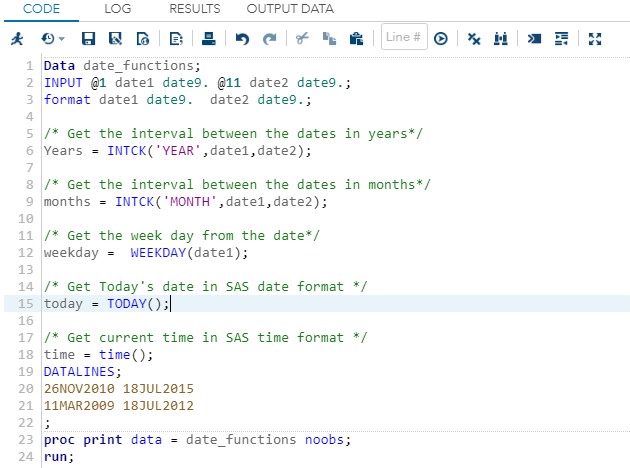
Listen Data Sas Commerciallasopa

C Visual Studio Debug How To Save To A File All The Values A Variable Has Had During The
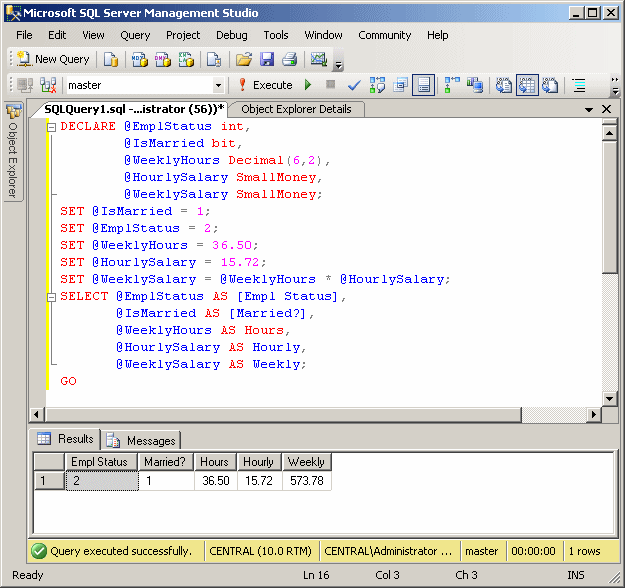
Microsoft SQL Server Classroom Lesson 07 Variables And Data Types
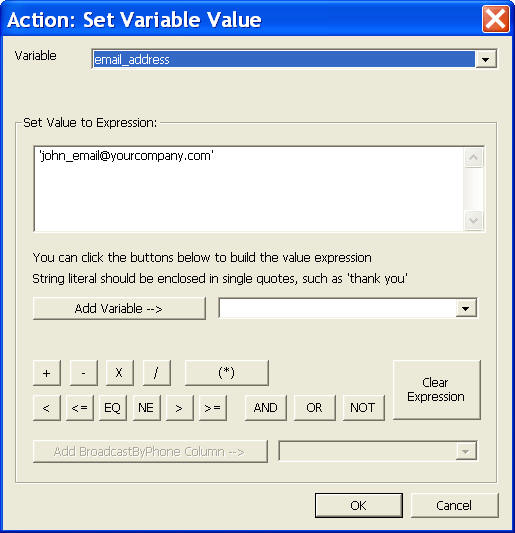
IVR User Guide IVR Set Variable Action IVR Platform IVR Development Goto Element IVR

Set Variable Value Operation TestComplete Documentation

Variables In Mule 4 Tutorials A To Z

Describes how variables store values that can be used in PowerShell Long description

22 The variables are created in your function s local scope Those variables are deleted when your function is done Global The scope that is in effect when Windows PowerShell starts Variables and functions that are present when Windows PowerShell starts have been created in the global scope

You ll use the task setvariable logging command to set variables in PowerShell and Bash scripts Note Deployment jobs use a different syntax for output variables To learn more about support for output variables in deployment jobs see Deployment jobs To use a variable with a condition in a pipeline see Specify conditions About task setvariable

To create a variable you just provide a name and value for it Your variable names should be descriptive and remind you of the value they hold A variable name cannot start with a number nor can it contain spaces It can however start with an underscore Apart from that you can use any mix of upper and lowercase alphanumeric characters

Set the value of a variable Syntax Set Variable Name String value Object Include string Exclude string option option scope string force passThru whatIf Description string Visibility Public Private confirm CommonParameters Key Name String The name of the variable s may be piped
Increase or decrease the variable by a constant value also known as increment and decrement Assign a different value to the variable Insert or append the variable s value as the last item in a string or array Variables exist and are global only within the cloud flow that creates them Set a variable that contains a character note the position of the quotes which are not saved SET dept Sales Marketing One variable can be based on another but this is not dynamic E g C set xx fish C set msg xx chips C set msg msg fish chips C set xx sausage C set msg msg fish chips
Setting a variable in a Bash script allows you to recall that information later in the script or change it as needed In the case of integers you can increment or decrement variables which is useful for counting loops and other scenarios In this tutorial you will learn how to set variables and use them in a Bash script on a Linux system