Select Only Few Columns From Pandas Dataframe Pandas Tutorial 1 Pandas Basics read csv DataFrame Data Selection How To Select Column A DataFrame Using Pandas Library In Jupyter Tutorial And Blog Post Archive Page 10 Of 22 Sharp Sight Perfekt Python Pandas Dataframe Column Names To List How To Create A Pandas Dataframe With Only Column Names Webframes Get Microsoft Teams on all your devices We have desktop apps for Windows MacOS and Linux as well as mobile apps for iOS and Android
Start free Teams video calls instantly Connect collaborate and communicate effortlessly Enjoy features like video calls chat file sharing and more Perfect for personal use freelancers Learn how to log in to Microsoft Teams with your Microsoft 365 account This step by step guide from Microsoft Support walks you through the process of accessing Teams on desktop web
How To Create A Pandas Dataframe With Only Column Names Webframes Pandas Dataframe Add Column Without Name Webframes How Do I Select Multiple Rows And Columns From A Pandas Dataframe SAHIDA Filtering Data In Pandas DataFrame Thinking Neuron Traiter Les Lignes Et Les Colonnes Dans Pandas DataFrame StackLima How Do I Select Multiple Rows And Columns From A Pandas Dataframe SAHIDA Change The Order Of Columns In Pandas Dataframe How To Select Row Of All Column With Loc Function From A DataFrame Add Columns To A DataFrame In Pandas Data Courses
Select Only Few Columns From Pandas Dataframe
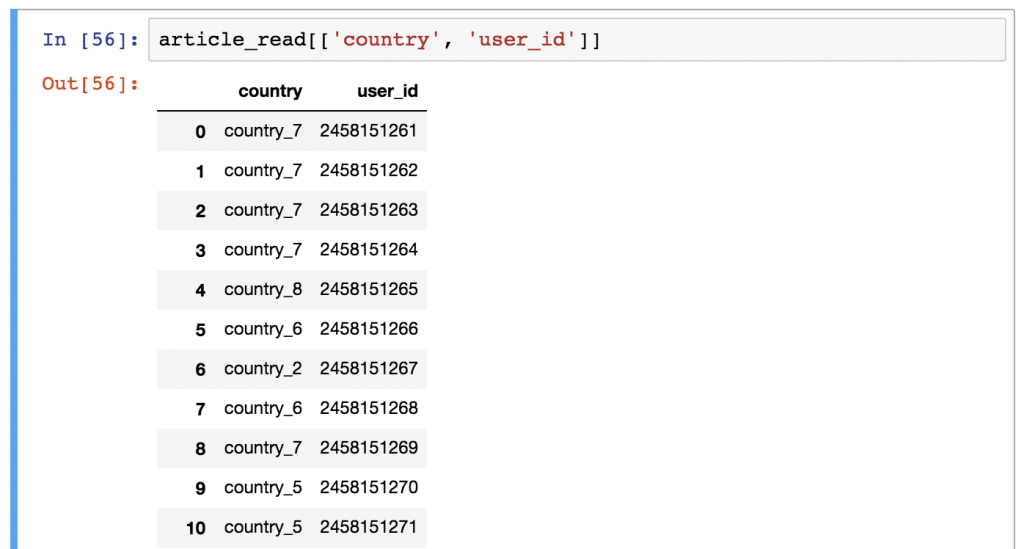 Select Only Few Columns From Pandas Dataframe
https://data36.com/wp-content/uploads/2018/07/pandas-tutorial-17-select-columns-1024x549.png
Microsoft Teams is the hub for teamwork in Microsoft 365 bringing people conversations and content all together
Pre-crafted templates use a time-saving service for producing a varied variety of documents and files. These pre-designed formats and designs can be used for different personal and professional jobs, consisting of resumes, invites, leaflets, newsletters, reports, presentations, and more, improving the material development procedure.
Select Only Few Columns From Pandas Dataframe

How Do I Select Multiple Rows And Columns From A Pandas DataFrame
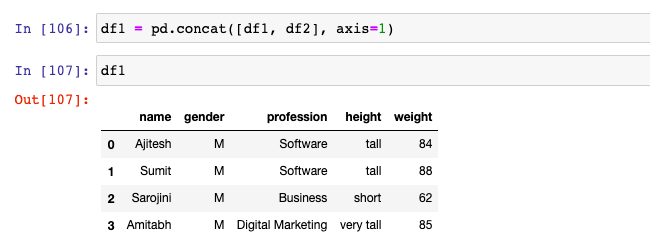
Pandas Dataframe Add Column Without Name Webframes
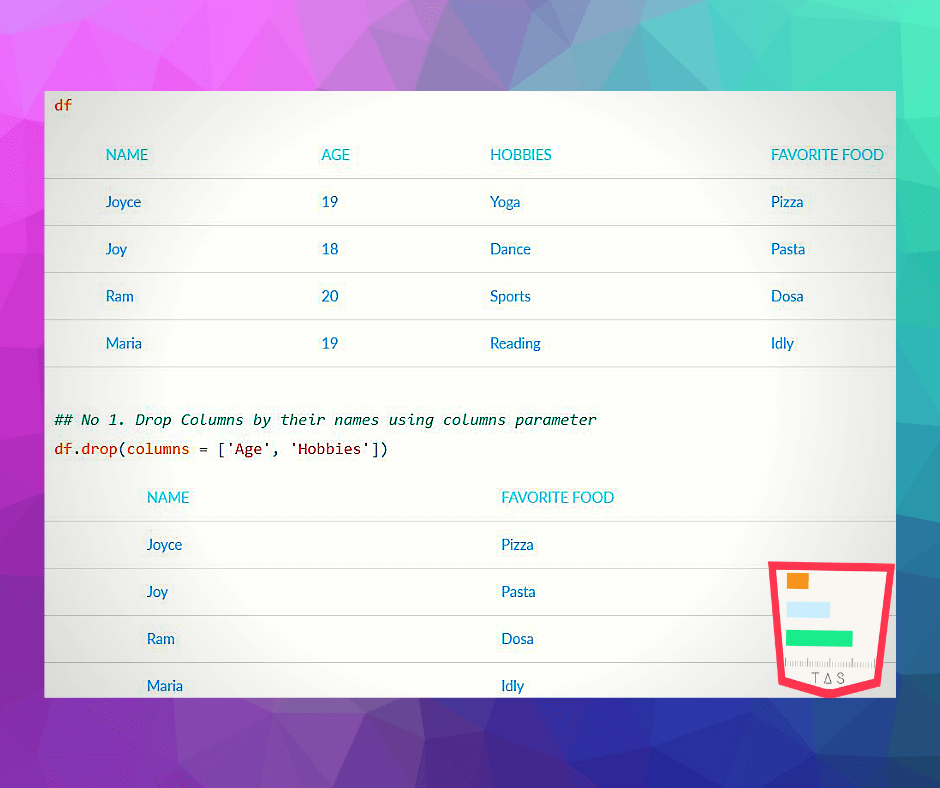
How Do I Select Multiple Rows And Columns From A Pandas Dataframe SAHIDA

Filtering Data In Pandas DataFrame Thinking Neuron
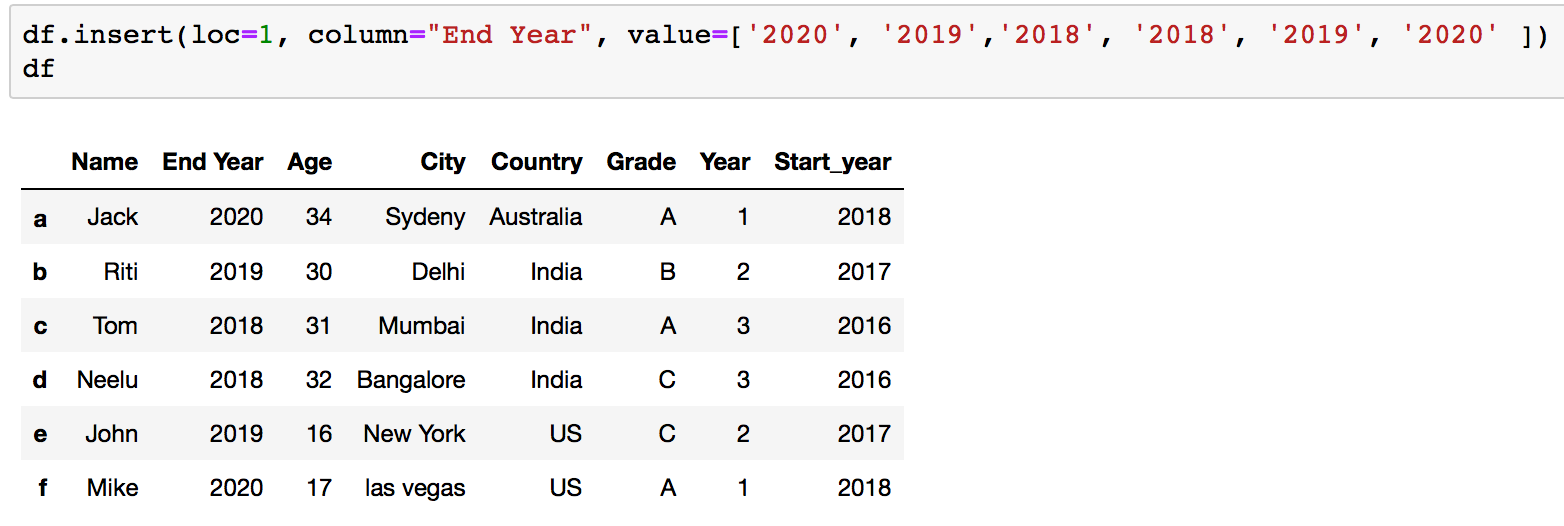
How Do I Select Multiple Rows And Columns From A Pandas Dataframe SAHIDA
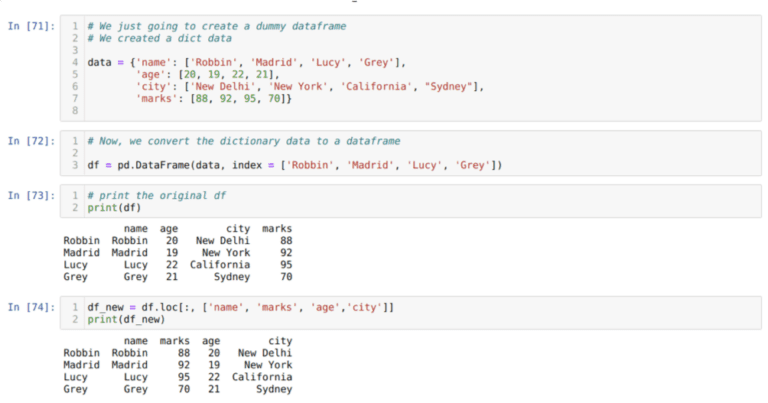
Change The Order Of Columns In Pandas Dataframe
Microsoft Teams allows users to organize join and manage online meetings seamlessly with various collaboration tools

Use private browsing if this is not your device Learn more

Make amazing things happen together at home work and school by connecting and collaborating with anyone from anywhere Whether you re connecting with a colleague at work or

Learn how to log in to Microsoft Teams using our step by step guide Stay connected with your team and start collaborating

Download Microsoft Teams for desktop and mobile and get connected across devices on Windows Mac iOS and Android Collaborate better with the Microsoft Teams app
[desc-11] [desc-12]
[desc-13]