Secure Boot Issues Verify Whether A Windows Instance Is Enabled For UEFI Secure Boot Enable Secure Boot Chillblast UEFI Secure Boot Issues With Lenovo IdeaCentre Enable BIOS Secure Boot With OpenCore Profzei Matebook X Pro 2018 Valorant Secure Boot Asemortgage Web Oct 30 2023 nbsp 0183 32 Secure Boot makes a safe and trusted path from the Unified Extensible Firmware Interface UEFI through the Windows kernel s Trusted Boot sequence Malware attacks on the Windows boot sequence are blocked by the signature enforcement handshakes throughout the boot sequence between the UEFI bootloader kernel and
Web Jul 16 2023 nbsp 0183 32 1 Enable Secure Boot in BIOS You must enable Secure Boot in BIOS if you want to install Windows 11 on your computer But before doing that view Secure Boot s current state Here s how to do it Press the Win R hotkey to open the Run dialog box Then type msinfo32 and press Enter It ll open the System information window Web Sep 12 2022 nbsp 0183 32 You can also enable Secure Boot on the computer during startup instead of using the Settings app To access the device firmware during the boot process on Windows use these steps Press the Power
Valorant Secure Boot Asemortgage How To Fix The Secure Boot Vulnerability That Ruined Patch Tuesday Achieving A Root Of Trust With Secure Boot In Automotive RH850 And R What Is Secure Boot V4 2 Secure Boot Secure Encryption Doesn t Boot IDFGH 4404 Issue Secure Boot PUFsecurity PUF based Security IP Solutions Secure QUESTION Adding Secure Boot Support To Supermicro X10SAT BIOS How To Boot And Install Linux On UEFI PC With Secure Boot Tip DotTech Secure Boot Teltonika Networks Wiki
Secure Boot Issues
 Secure Boot Issues
https://docs.aws.amazon.com/images/AWSEC2/latest/WindowsGuide/images/secure-boot-state-win.png
Web Mar 1 2022 nbsp 0183 32 Step 1 Check the state of Secure Boot amp BIOS Mode To know if Secure Boot is On OFF or Unsupported on your device follow the instructions below 1 Press Windows R keys to open the run command box 2 Type msinfo32 and click OK to open System Information 3 On the System Information page check the BIOS Mode and the
Templates are pre-designed documents or files that can be utilized for numerous purposes. They can conserve effort and time by offering a ready-made format and layout for creating various type of content. Templates can be utilized for individual or expert tasks, such as resumes, invitations, flyers, newsletters, reports, discussions, and more.
Secure Boot Issues
Armed To Boot An Enhancement To Arm s Secure Boot Chain DevsDay ru

How To Fix The Secure Boot Vulnerability That Ruined Patch Tuesday
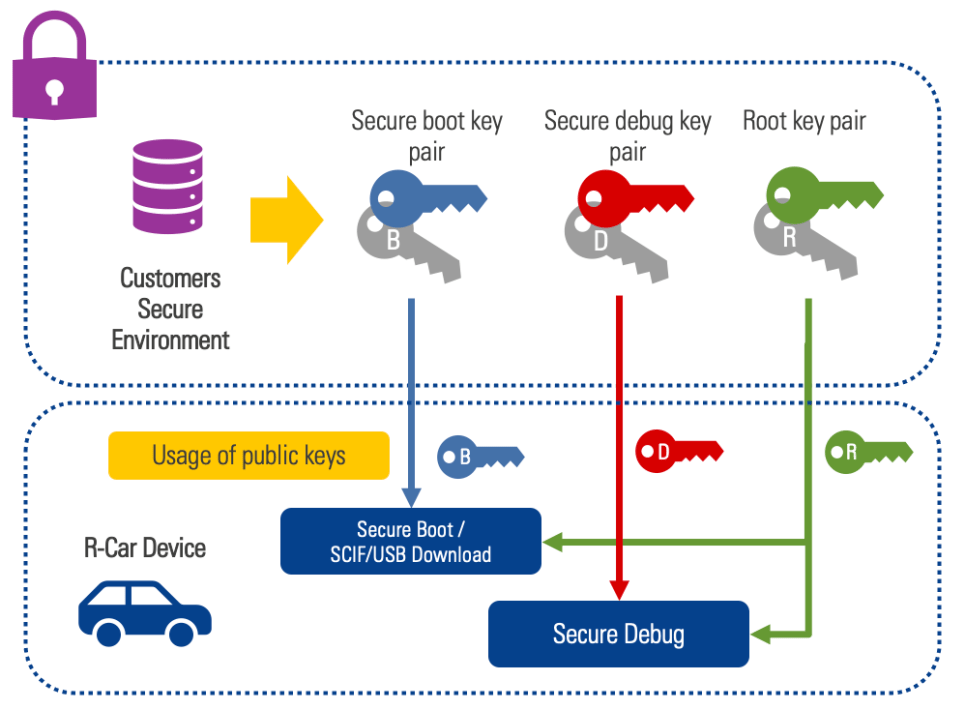
Achieving A Root Of Trust With Secure Boot In Automotive RH850 And R

What Is Secure Boot

Secure Boot PUFsecurity PUF based Security IP Solutions Secure

QUESTION Adding Secure Boot Support To Supermicro X10SAT BIOS

Web Jan 30 2023 nbsp 0183 32 Microsoft enforces Secure Boot on Windows 11 machines to enable this security feature To determine if a Windows installation has Secure Boot enabled open the MSInfo32 exe or enter System Information in the Windows search bar Look for Secure Boot State and note the status see Figure 2 Figure 2
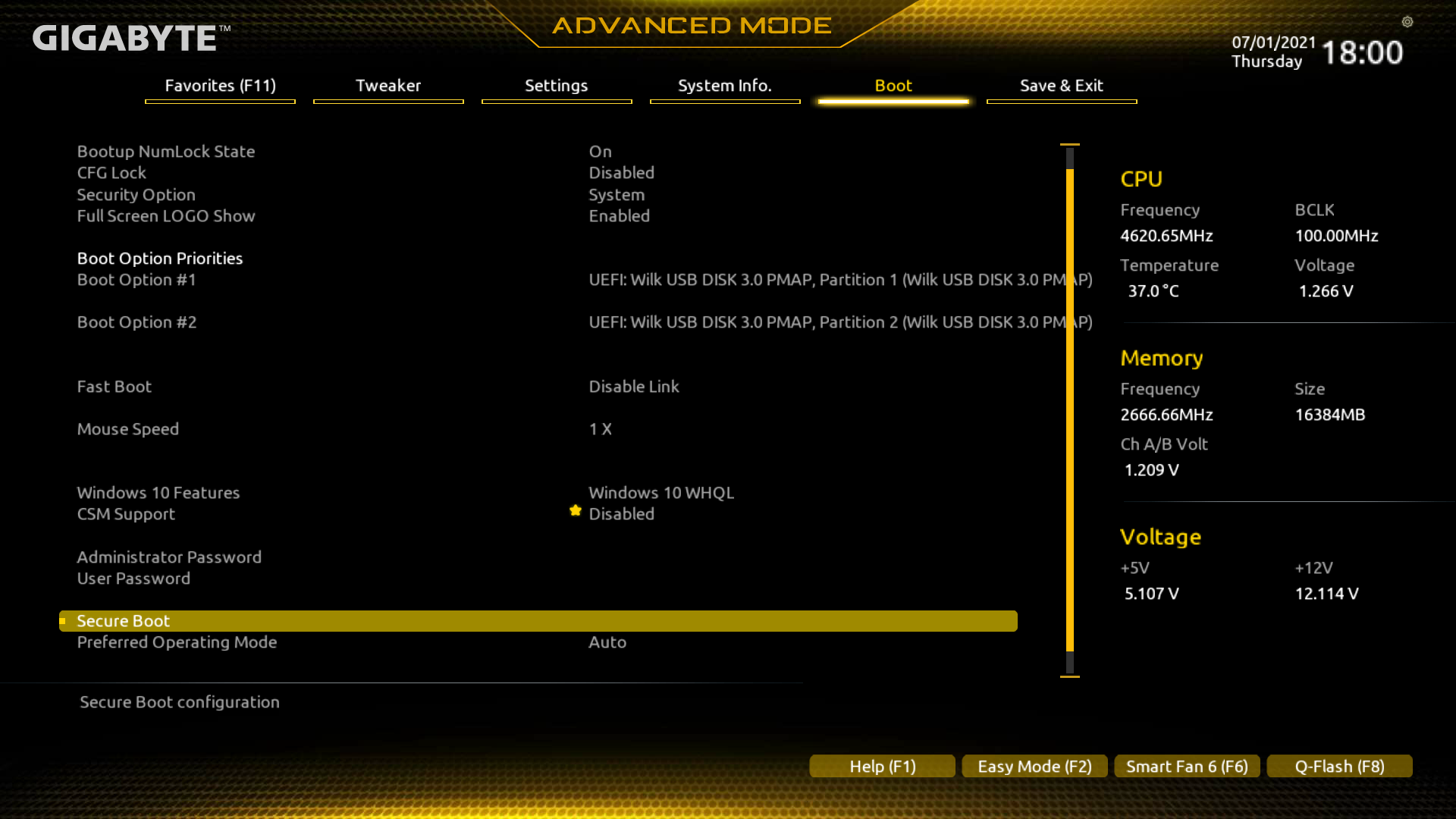
Web May 9 2023 nbsp 0183 32 Secure Boot helps prevent bootkit malware in the boot sequence Disabling Secure Boot puts a device at risk of being infected by a bootkit malware Fixing the Secure Boot bypass described in CVE 2023 24932 requires revoking boot managers This could cause issues for some device s boot configurations

Web Jul 24 2023 nbsp 0183 32 Check Secure Boot status To check the status of Secure Boot on your PC Go to Start In the search bar type msinfo32 and press enter System Information opens Select System Summary On the right side of the screen look at BIOS Mode and Secure Boot State If Bios Mode shows UEFI and Secure Boot State shows Off then Secure
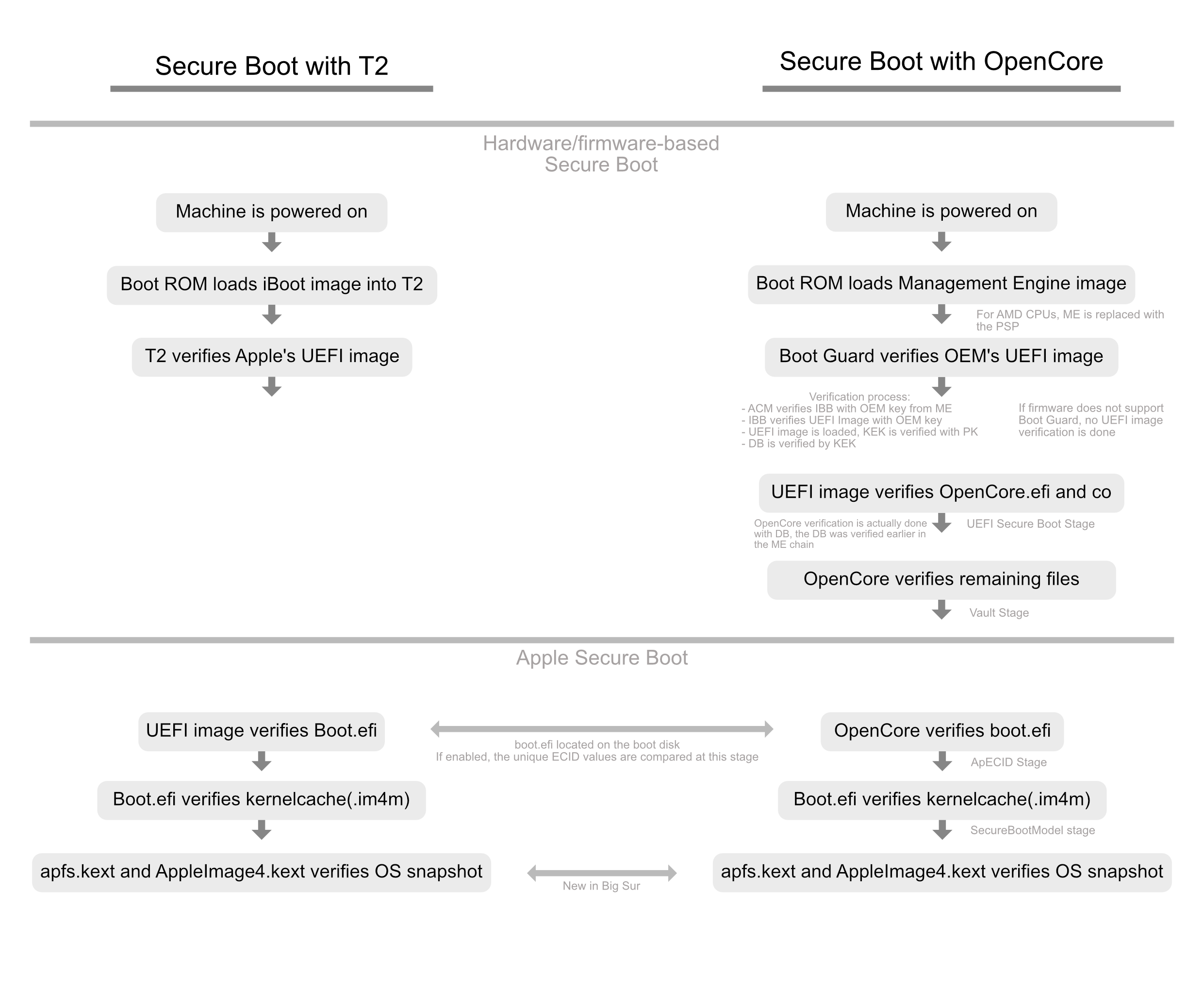
Web Feb 8 2023 nbsp 0183 32 To troubleshoot these problems try the following recovery boot options one at a time Scenario 1 Try to start the computer in Safe mode or Last Known Good Configuration On the Advanced Boot Options screen try to start the computer in Safe Mode or Safe Mode with Networking If either of these options works use Event Viewer to

Web Jun 24 2021 nbsp 0183 32 If you don t see anything about TPM or Secure Boot on your computer s UEFI or BIOS settings screen your PC may be too old to have these features After exiting your PC will restart and Windows will load When
Web Oct 13 2021 nbsp 0183 32 The two problems that presented themselves were the Trusted Platform Module and the Secure Boot After messing around with my motherboard BIOS I was finally able to solve the TPM issue after officially enabling it and getting it to version 2 0 What stands now between me and Windows 11 is the Secure Boot issue Web Nov 17 2021 nbsp 0183 32 1 Click your Start Button then just type msinfo and press Enter Please provide a screenshot of the resulting System Information window 2 Download the tiny utility from the link below then run that utility and please provide a screenshot of the result of tunning that scan https github rcmaehl WhyNotWin11 releases
Web Jul 29 2021 nbsp 0183 32 Secure boot secures your system against malicious that can run during the boot process If you enable secure boot now the only issue you can face is not being able to boot but disabling it solves the issue If I helped you anyway It makes me happy Report abuse Report abuse