Search And Replace Command Word Find Replace In Word Tutorial Desk Search And Replace All Instances Of A String In Vim Michael Lee How To Find Word In File Unix Command Kopkidz How To Use Find And Replace Command In Ms Word YouTube IT Snippets Search And Replace Linux Command sed 10 Answers Sorted by 184 This command will do it tested on both Mac OS X Lion and Kubuntu Linux Recursively find and replace in files find type f name txt print0 xargs 0 sed i e s foo bar g Here s how it works
It has GUI and command line An open source tool to find and replace text in multiple files Features Single file download fnr exe 127kb Replace text in multiple files using windows application or through command line Find Only to see where matches are found Case sensitive searching Searching for files in one directory or recursing sub Find and Replace One Occurrence at a Time It s very simple to search and then decide if you want to keep or replace each result in a file Execute a regular search with Use the keystroke cgn on the first result to replace it Type n or N to go to the next result
IT Snippets Search And Replace Linux Command sed What Is The Use Of Find And Replace Command Anthony Parri s Word Search Python String Replace CMD Command Prompt Replace Download SSR Simple Search Replace 1 32 Download Hyper V Command Line Tools 2 0 MBS Claris FileMaker Blog Add A Search And Replace Command For Administraci n FAQ MoodleDocs Using Find And Replace How2do360
Search And Replace Command
 Search And Replace Command
https://www.tutorialspoint.com/word/images/replace_button.jpg
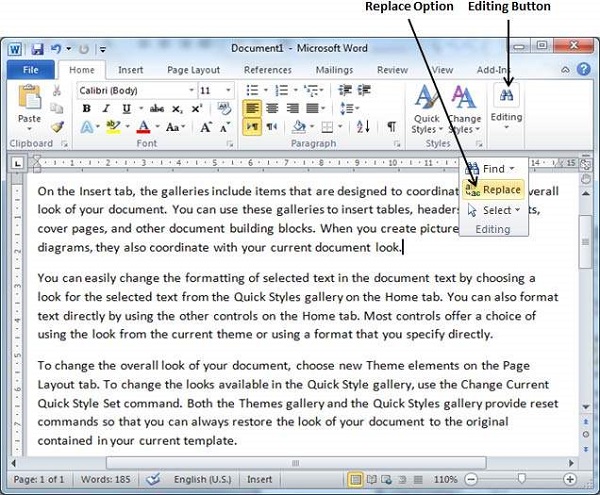
Switch over to the Home tab on Word s Ribbon and then click the Replace button This opens Word s Find and Replace window In the Find What box type the word or phrase you want to locate If you only want to find text in your document you can go ahead and click the Find Next button to have Word jump to the next occurrence of that word
Pre-crafted templates provide a time-saving service for producing a varied range of documents and files. These pre-designed formats and layouts can be made use of for various personal and expert tasks, including resumes, invitations, flyers, newsletters, reports, presentations, and more, improving the content creation procedure.
Search And Replace Command

What Is The Purpose Of Find And Replace Command Terrance Smith s Word

What Is The Use Of Find And Replace Command Anthony Parri s Word Search
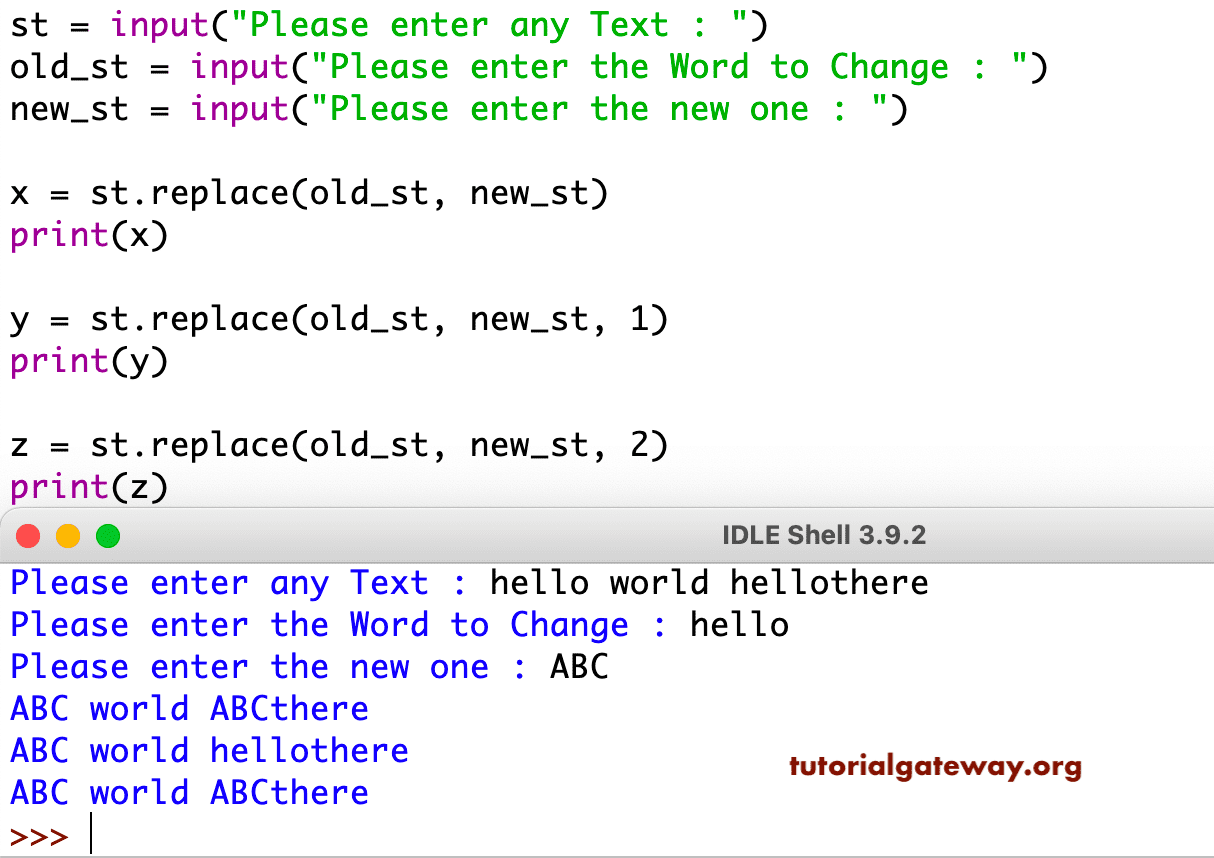
Python String Replace

CMD Command Prompt Replace

Download Hyper V Command Line Tools 2 0
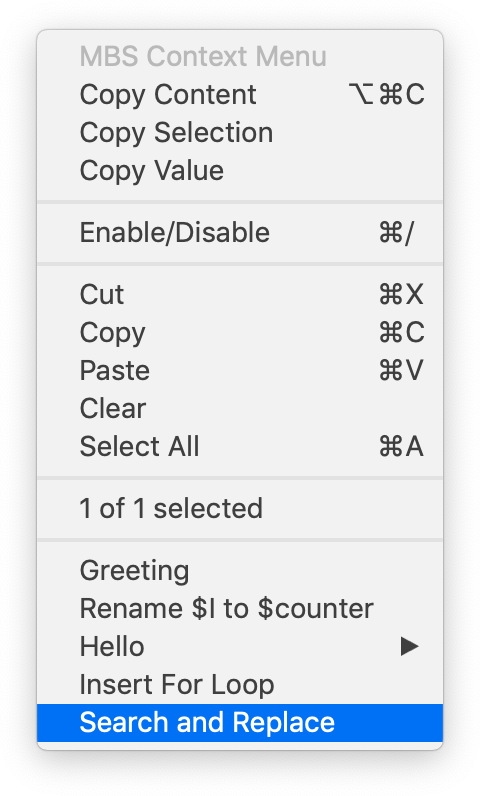
MBS Claris FileMaker Blog Add A Search And Replace Command For
Find and Replace in Word is a tool that searches a document for a specific word or phrase You can use the tool to replace a word or phrase with another You can review each instance of a
30 Answers Sorted by 435 A lot of the answers here helped point me in the right direction however none were suitable for me so I am posting my solution I have Windows 7 which comes with PowerShell built in Here is the script I used to find replace all instances of text in a file

You can find and replace words in a document spreadsheet or presentation with Google Docs Sheets and Slides You can also search within a file using the keyboard shortcut Ctrl f f
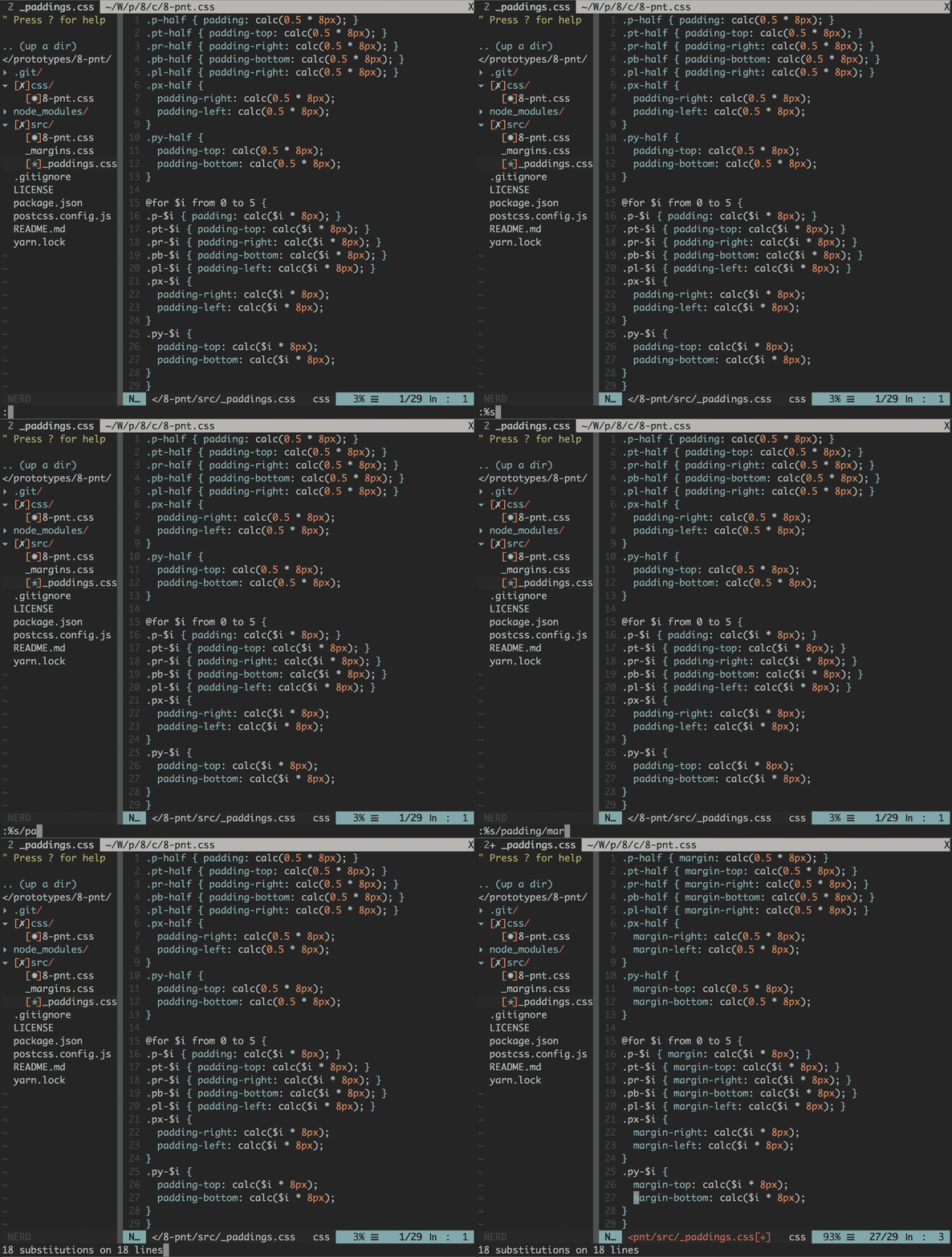
Basic Find and Replace In Vim you can find and replace text using the substitute s command To run commands in Vim you must be in normal mode the default mode when starting the editor To go back to normal mode from any other mode just press the Esc key The general form of the substitute command is as follows

To use find and replace on your desktop first open a web browser on your computer and launch the Google Docs site On the site select the document in which you want to find and replace text On your document s screen in Google Docs menu bar click Edit Find and Replace
Find and replace text within a file using sed command The procedure to change the text in files under Linux Unix using sed Use Stream EDitor sed as follows sed i s old text new text g input txt It tells sed to find all occurrences of old text and replace with new text in a file named input txt How can I replace a string in a file s 10 answers Closed 9 years ago I know this question has probably been answered before I have seen many threads about this in various places but the answers are usually hard to extract for me I am looking for help with an example usage of the sed command
Recursive Find and Replace Use the find command to search for files and combine it with sed to replace strings in files recursively For example find name example exec sed i s a z 5 gI The command finds all files starting with example and executes the sed command on the files