Run Python Script In Power Bi Service Running Python Scripts In Power BI Tutorial DataCamp How To Run Python Script In IDLE 3 Python Shell Command Prompt On Use Python In Power BI Power Query Editor Power BI Microsoft Learn How To Run Python Script In Power BI Zebra BI Python Y Power BI YouTube Current Python runtime Python 3 7 7 Power BI for the most part supports Python packages with free and open source software licenses such as GPL 2 GPL 3 MIT and so on Power BI supports packages published in PyPI The service doesn t support private or custom Python packages Users are encouraged to make their private packages available
Any script you created in the Python script editor pane of Power BI Desktop appears starting in line 4 in your Python IDE At this point you can create your Python script in the Python IDE Once your Python script is complete in your Python IDE you need to copy and paste it back into the Python script editor pane in Power BI Desktop excluding the first three lines of the script that Power Make sure the path is for the local Python installation you want Power BI Desktop to use p n li n li n p dir auto Select OK p n li n ol n p dir auto Once you specify your Python installation you re ready to begin running Python scripts in Power BI Desktop p n h2 tabindex 1 dir auto a id user
Python Y Power BI YouTube How To Run Python Script In Linux PythonPoint How To Run Python Script In Mac Tracenaa Run Python Script In Terminal Delft Stack Run A Python Script Inside A Virtual Environment In The Background Power Bi Python How To Run Python Script In Windows 7 Mand Prompt Tutorial Pics Power BI Introduction To Python Visuals YouTube Run Python Script In Windows PowerShell Delft Stack
Run Python Script In Power Bi Service
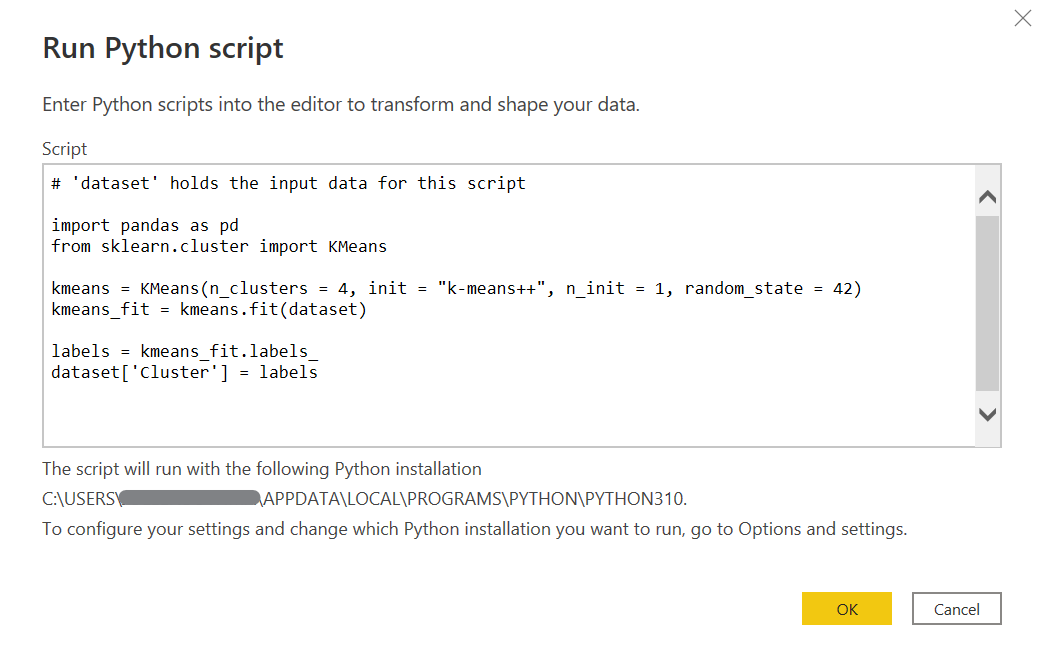 Run Python Script In Power Bi Service
https://res.cloudinary.com/dyd911kmh/image/upload/v1654247675/image7_4419dc34ae.png
Work through Run Python scripts in Power BI Desktop to Install Python on your local machine Enable Python scripting in Power BI Desktop Install the pandas and Matplotlib Python libraries Import the following Python script into Power BI Desktop
Templates are pre-designed files or files that can be used for different purposes. They can save effort and time by providing a ready-made format and design for developing different sort of content. Templates can be used for personal or expert projects, such as resumes, invitations, leaflets, newsletters, reports, discussions, and more.
Run Python Script In Power Bi Service
Power BI Python Integration How To Run Python Script In Power BI
How To Run Python Script In Linux PythonPoint
How To Run Python Script In Mac Tracenaa

Run Python Script In Terminal Delft Stack
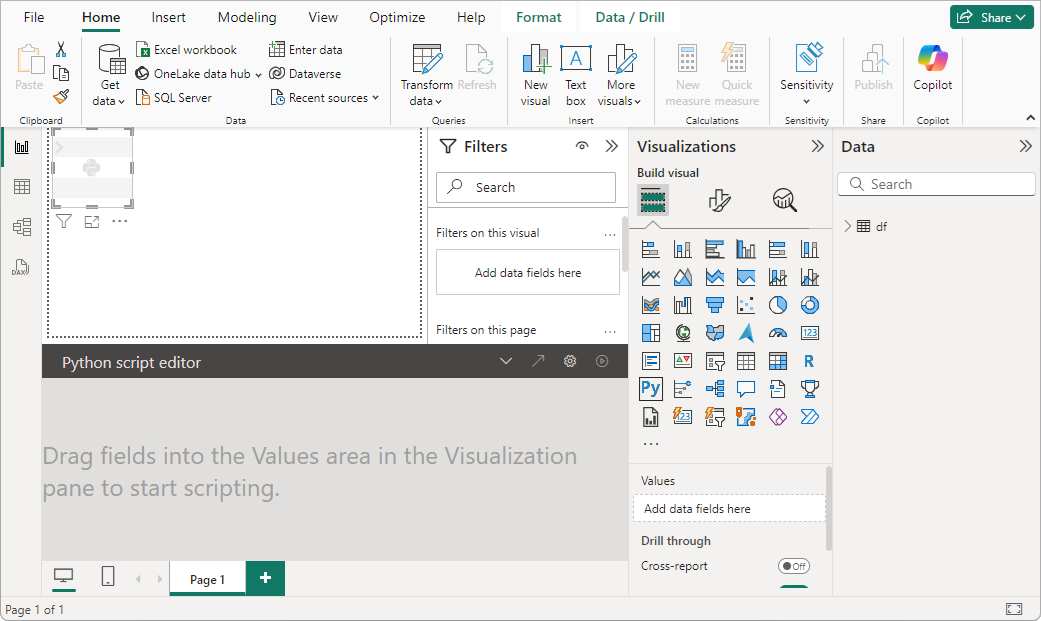
Power Bi Python
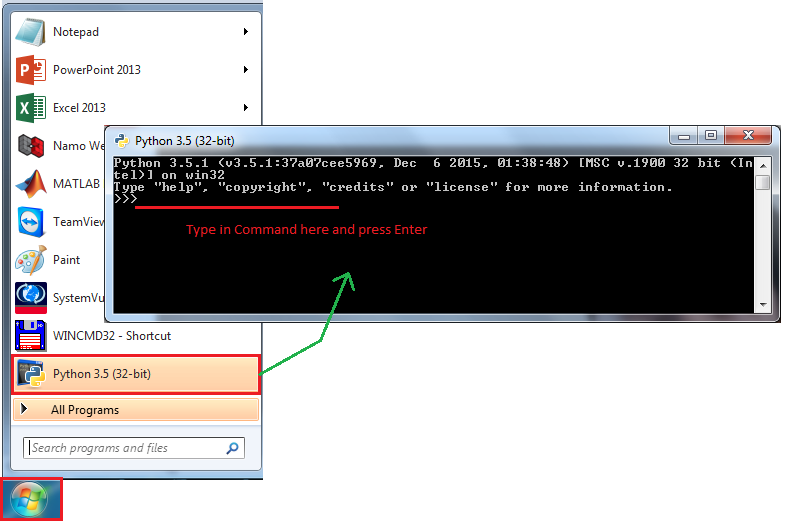
How To Run Python Script In Windows 7 Mand Prompt Tutorial Pics
It is possible to run Python Scripts in the PowerBI Services I read a lot of threads that shows that you need a gateway in personal mode it is right The dataframes loaded have a limit size Remember that I use python only to load data and NOT to create a visual Which its supossed to have the size limit
The Python scripts in your reports are executed by the Power BI service in an isolated sandbox that restricts the access of the scripts to the network and the other machine resources This ensures that your datasets and the Power BI service are not vulnerable to attacks The Power BI service also imposes other limits on Python script execution

In the Transform tab select Run Python Script and the Run Python Script editor appears as shown in the next step Rows 15 and 20 suffer from missing data as do other rows you can t see in the following image The following steps show how Python completes those rows for you For this example enter the following script code Python Copy

Running Python Scripts in Power BI Tutorial Discover the different ways you can use Python to optimize data analysis visualization and modeling in Power BI Jun 2022 9 min read Python is one of the most popular and fastest growing programming languages for data science and analytics

Guide September 2 2023 How to Run Python Script in Power BI Are you looking to enhance your data analytics capabilities by integrating Python scripting in Power BI Look no further as we explore the various aspects of running Python scripts in Power BI in this comprehensive guide Table of Contents Exploring the Integration of Python and Power BI
Microsoft Power BI is an interactive data analysis and visualization tool that s used for business intelligence BI and that you can now script with Python By combining these two technologies you can extend Power BI s data ingestion transformation augmentation and visualization capabilities This usually comes with your Python installer download Next you need to enable Python scripting on your Power BI desktop To do this just go to File then click on Options and Settings Under Options you ll find Python Scripting Always make sure that you set the right installation path for Python This is one area that causes issues for
Good Afternoon I would like to set up a scheduled refresh of a Python script in the Power BI Service but I am experiencing some issues The script that I have written logs in to a website using credentials saved in another py file and downloads a file I have installed the latest version of the