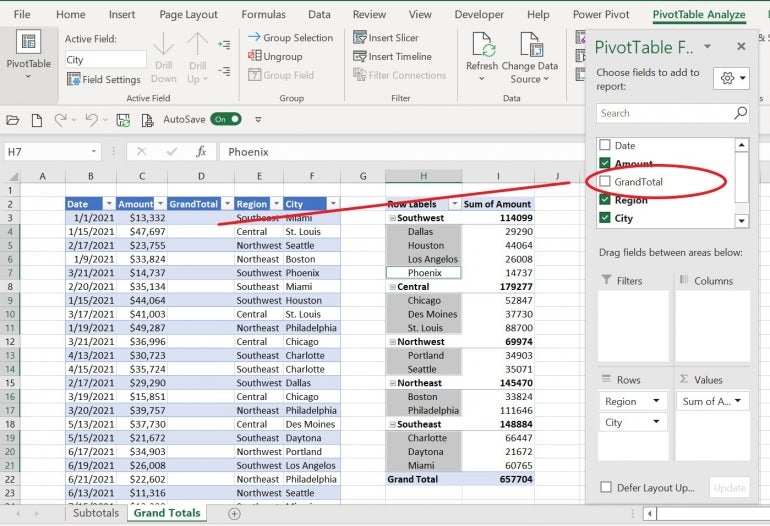
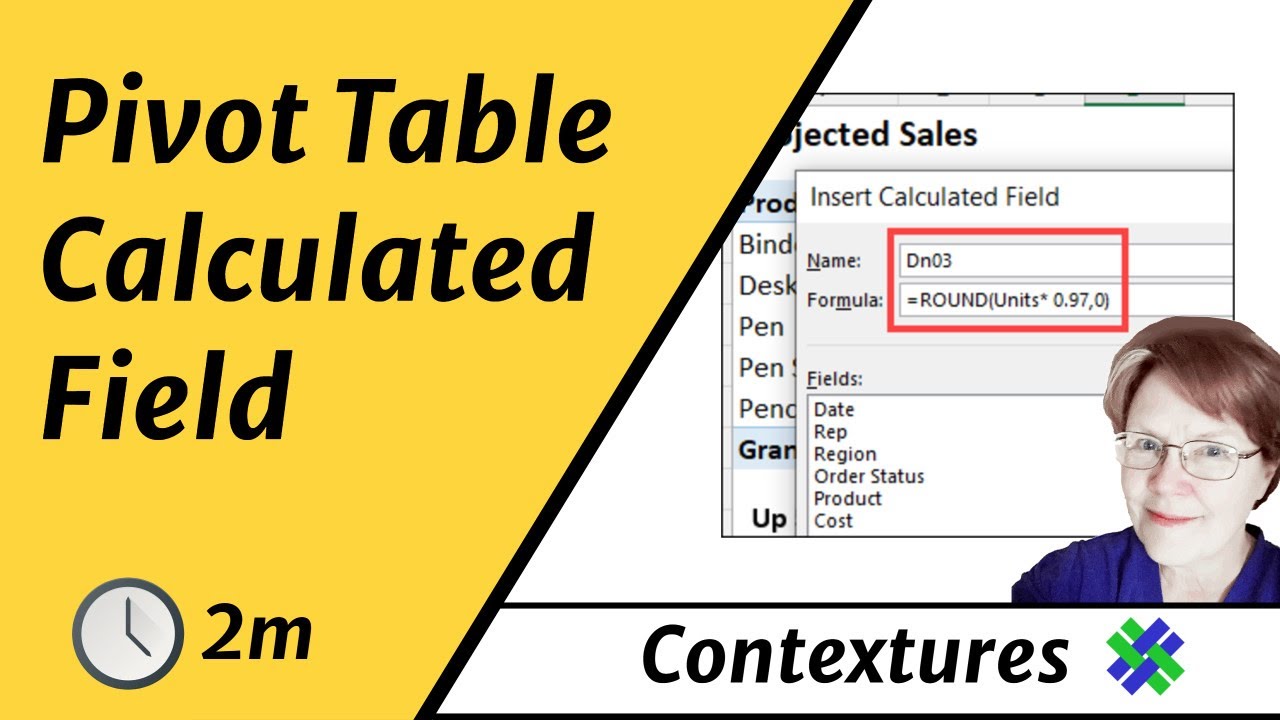
Row Total In Excel Pivot Table How To Move Grand Total Row In Pivot Table Brokeasshome Pivot Table Week Session 1 What Are Pivot Tables How To Excel At Excel Pivot Table Calculated Items Images And Photos Finder Step 005 How To Create A Pivot Table PivotTable Field List How To Add Another Total Column In Pivot Table Excel Brokeasshome WEB Mar 11 2020 nbsp 0183 32 Learn to add a Grand Total field to your pivot chart by adding a linked text box displaying a dynamic total that changes with the pivot table
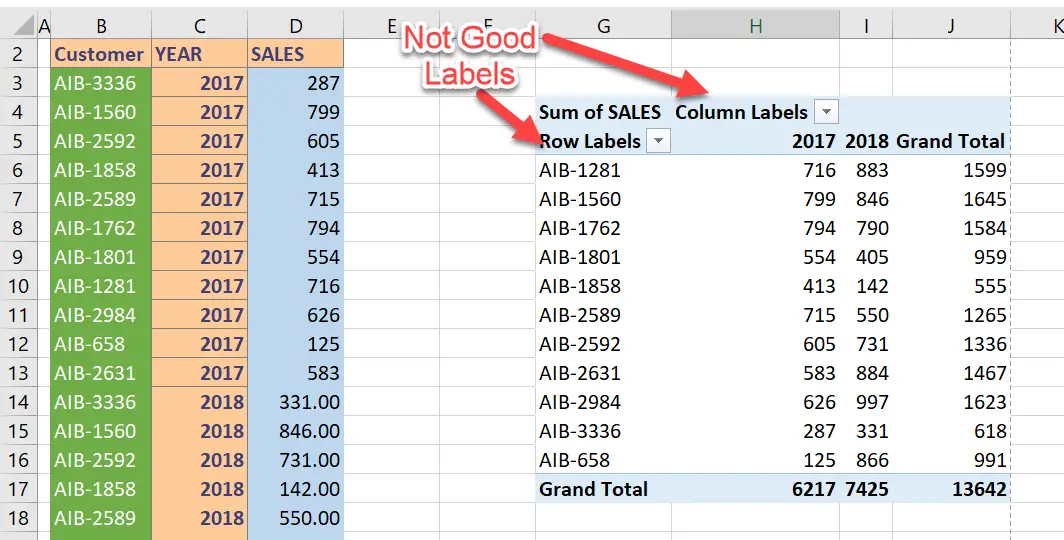
WEB Mar 22 2023 nbsp 0183 32 If you are working with large data sets in Excel Pivot Table comes in really handy as a quick way to make an interactive summary from many records Among other things it can automatically sort and filter different subsets of data count totals calculate average as well as create cross tabulations WEB Sep 14 2022 nbsp 0183 32 Pivot Table Grand Totals Tips and Tricks Excel automatically adds grand totals to a pivot table if there are multiple items in the row area or in the column area See how you can change the automatic grand total headings sometimes and quickly remove grand totals if you don t need them
How To Add Another Total Column In Pivot Table Excel Brokeasshome 50 Things You Can Do With Excel Pivot Table MyExcelOnline Pivot Automatic Row And Column Pivot Table Labels How To Add Row Total In Pivot Table Tutorial Pics Excel Of Row Total In Pivot Table Stack Overflow Pivot Table Grand Totals For Rows Issue Microsoft Community Excel Pivot Table Percentage Of Grand Total parent Row Or Column Incredible Collections Of Pivot Tables For Dummies Photos Darkata Excel Non nested Data Column In Pivot Tables
Row Total In Excel Pivot Table
 Row Total In Excel Pivot Table
https://www.techrepublic.com/wp-content/uploads/2022/09/PTGrandTotals_C-770x526.jpg
WEB An Excel pivot table is meant to sort and summarize large very large sets of data Once summarized you can analyze them make interactive summary reports out of them and even manipulate them Let s cut down on the talking and see what a pivot table looks like
Templates are pre-designed documents or files that can be used for different functions. They can conserve time and effort by providing a ready-made format and design for creating various kinds of material. Templates can be utilized for individual or professional projects, such as resumes, invitations, leaflets, newsletters, reports, presentations, and more.
Row Total In Excel Pivot Table
Calculated Field Pivot Table Of Total Brokeasshome

50 Things You Can Do With Excel Pivot Table MyExcelOnline Pivot
Automatic Row And Column Pivot Table Labels
How To Add Row Total In Pivot Table Tutorial Pics

Pivot Table Grand Totals For Rows Issue Microsoft Community
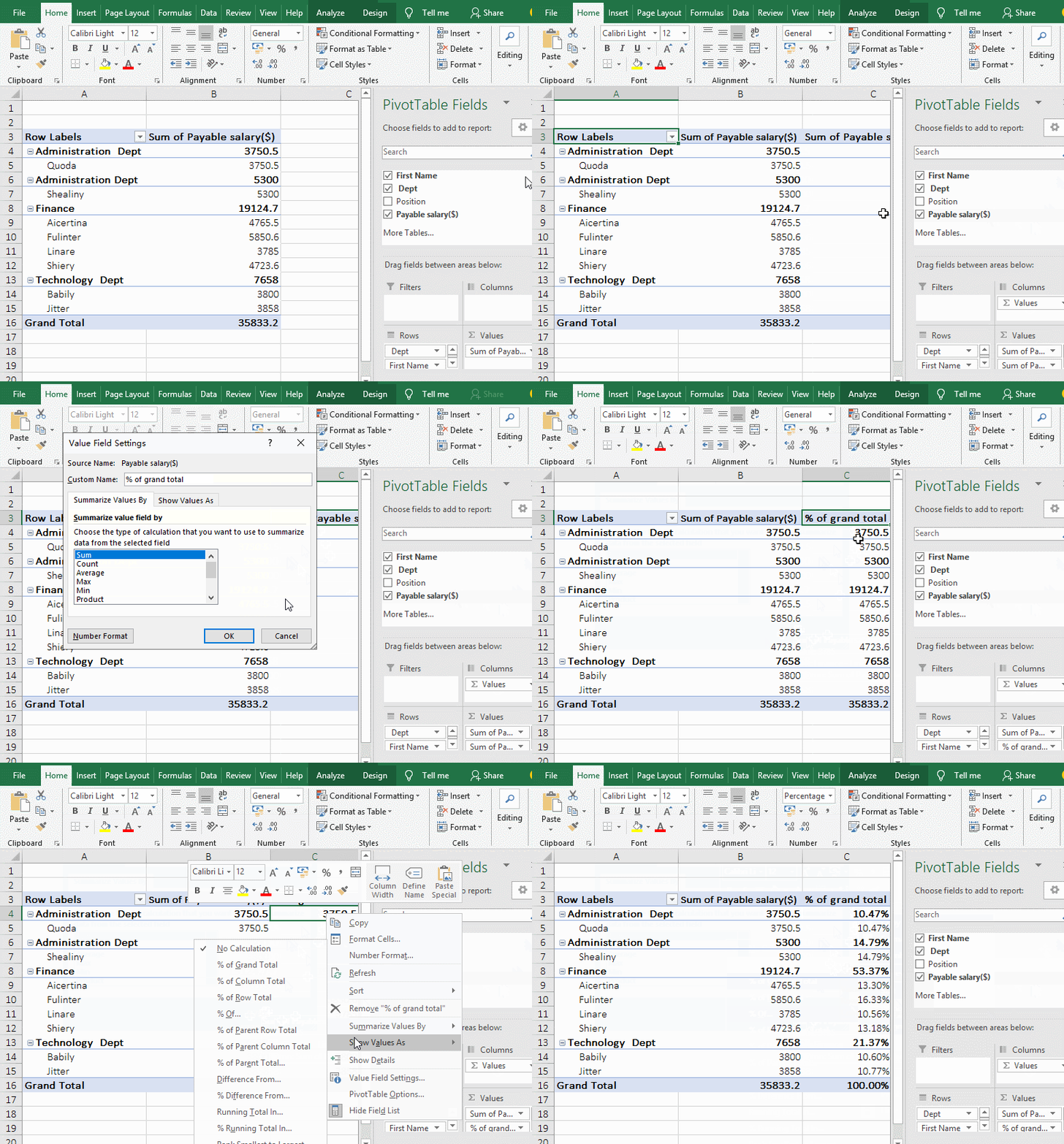
Excel Pivot Table Percentage Of Grand Total parent Row Or Column

WEB Show or hide subtotals and grand totals in a PivotTable to add or remove them and calculate them with or without filtered items

WEB Sep 19 2022 nbsp 0183 32 How to add multiple grand total rows to a PivotTable in Excel When you create a PivotTable Excel will insert a grand total at the bottom that returns the sum of the value column
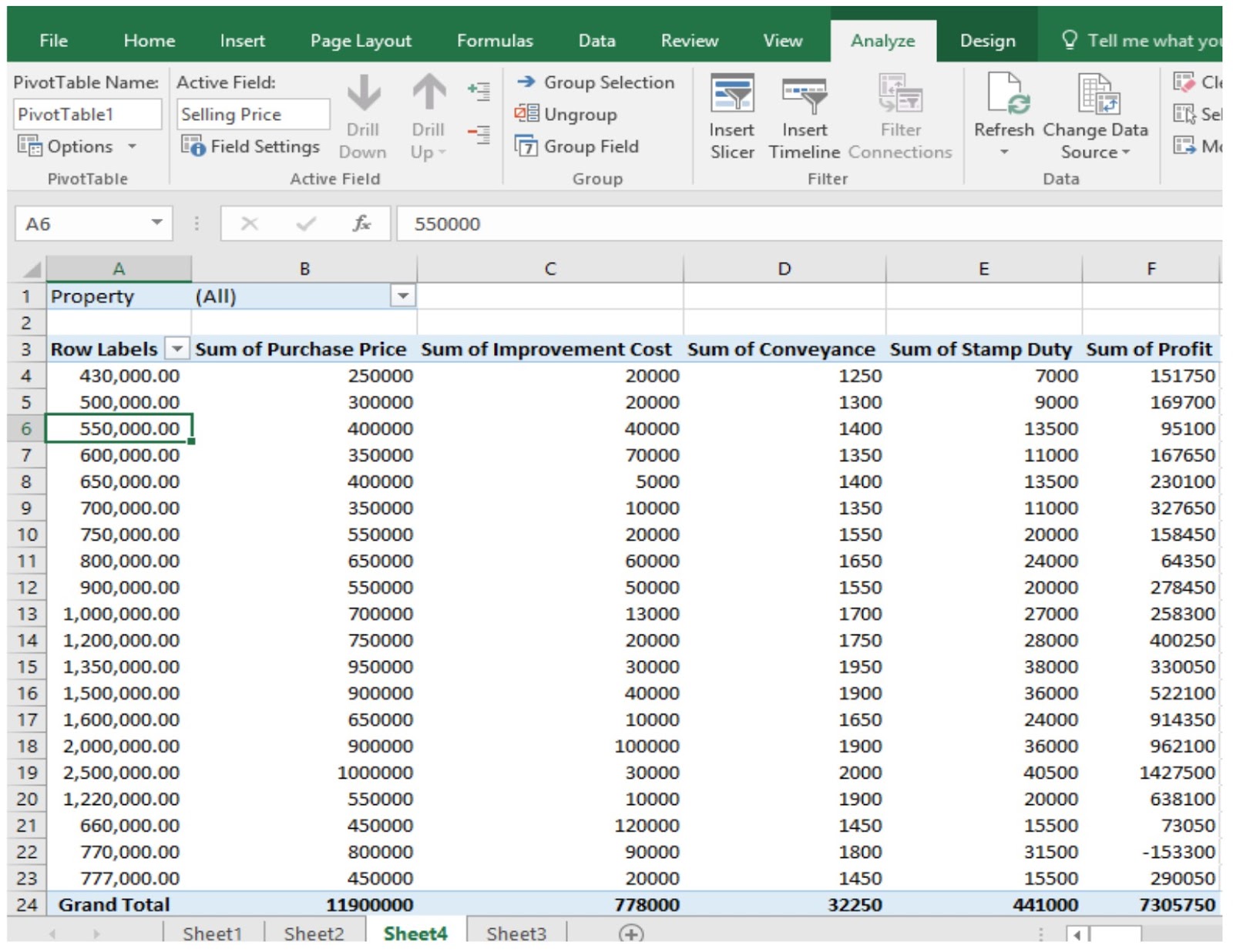
WEB To change the layout of a PivotTable you can change the PivotTable form and the way that fields columns rows subtotals empty cells and lines are displayed To change the format of the PivotTable you can apply a predefined style
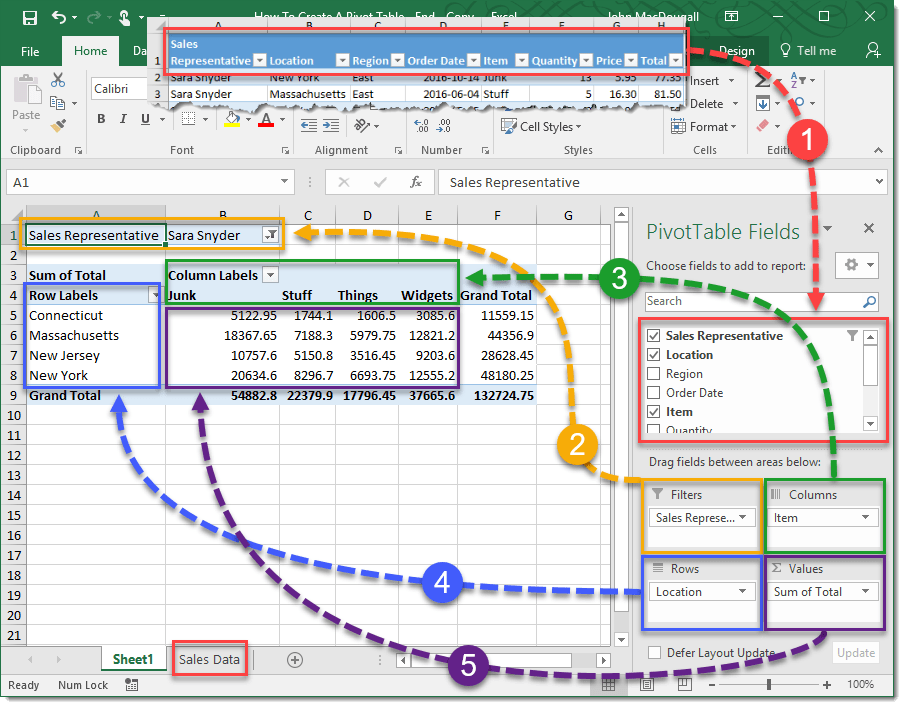
WEB We recently looked at percentages of Grand Totals and Column Totals Today we will dive into the Percentage of Row Totals and I ll show five great tips for

WEB Jul 8 2020 nbsp 0183 32 Bottom Line Learn how the Average is calculated in the Grand Total and Subtotal rows or columns of a pivot table Skill Level Intermediate Video Tutorial
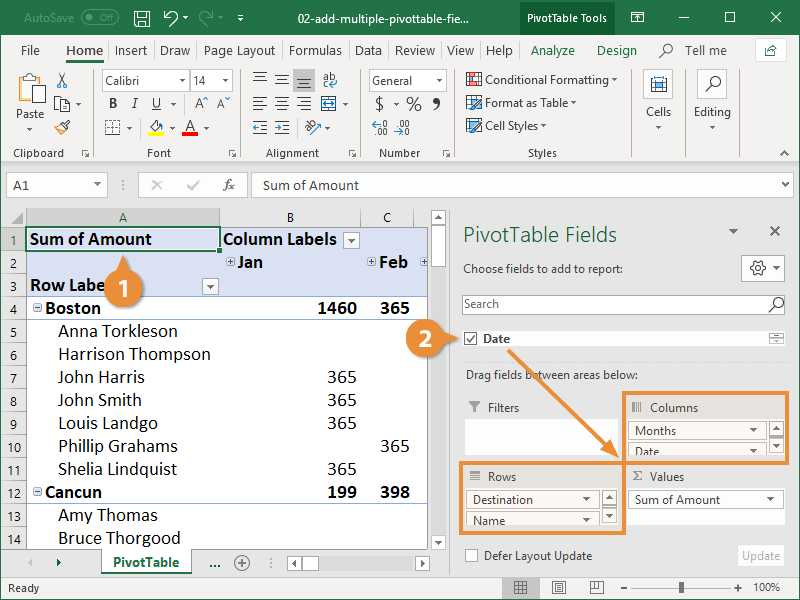
WEB Learn how to master pivot tables in Excel to summarize discover trends and make sense of large data sets This guide covers how to create pivot tables pivot table filters pivot table slicers and more WEB Feb 1 2022 nbsp 0183 32 You can create a pivot table from a range of cells or an existing table structure Just make sure that you have a row of headers at the top and no empty columns or rows You then have two ways to make the pivot table
WEB In this tutorial you ll learn how to create a pivot table in Excel You can easily create a pivot table using a few clicks from the ribbon