Route Add Default Gw Linux How To Add Linux Route ASGAUR COMANDOS B SICOS DE LINUX PARA REDES TI Com Wellington Zenji Linux Salvador Jimenez Work Package NOC Thales Security Solutions Vbox Web Feb 27 2021 nbsp 0183 32 The easiest way to add a route on Linux is to use the ip route add command followed by the network address to be reached and the gateway to be used for this route ip route add lt network ip gt lt cidr gt via lt gateway ip gt Example ip route add 10 0 3 0 24 via 10 0 3 1
Web Oct 18 2008 nbsp 0183 32 Login as the root and type ip route add default via 192 168 1 254 OR sudo ip route add default via 192 168 1 254 route command to set a default router to 192 168 1 254 Login as the root and type route add default gw 192 168 1 254 OR sudo route add default gw 192 168 1 254 Web Apr 20 2015 nbsp 0183 32 7 Answers Sorted by 25 route del default route add default 1 2 3 4 Where 1 2 3 4 is the new gateway You can even concatenate them onto the same line with a Edit This is FreeBSD not Linux The command is different Please do not edit this Answer if you haven t read the Question carefully enough to determine the operating system
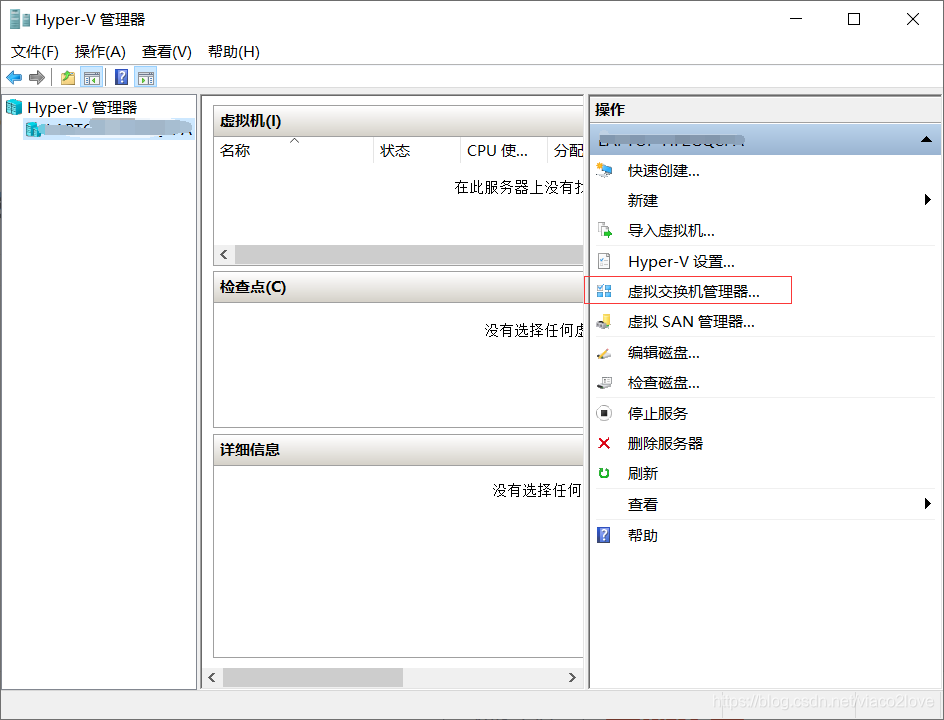
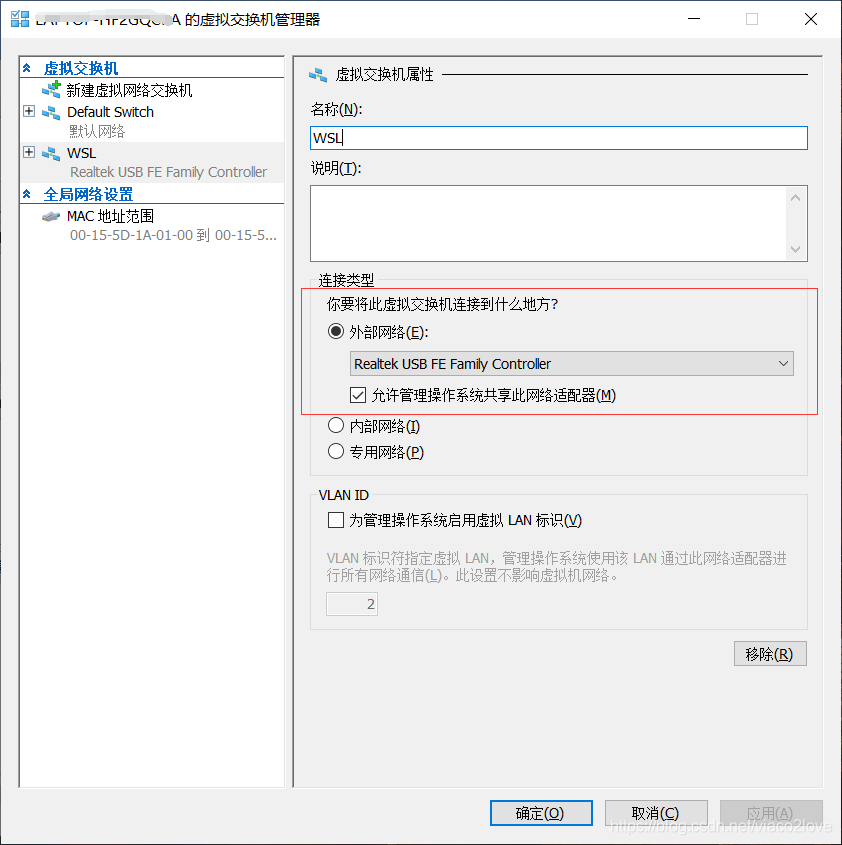
Vbox Wsl2 ip Wsl2 viaco2love CSDN wsl2 How To Use Route Command On RHEL CentOS Linux LinTut Wsl2 ip Wsl2 viaco2love CSDN wsl Linux Centos curl SegmentFault Roteamento Est tico No Linux How To Use Route Command On RHEL CentOS Linux LinTut 10 Essential Linux Network Commands LinuxAndUbuntu Linux Centos curl SegmentFault
Route Add Default Gw Linux
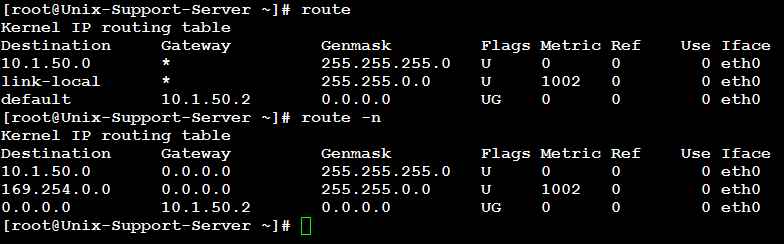 Route Add Default Gw Linux
http://www.asgaur.com/wp/wp-content/uploads/2015/06/route.png
Web Sep 14 2018 nbsp 0183 32 gt route add default gw 172 31 1 1 SIOCADDDRT Network uncreachable gt route add default gw 172 31 1 1 via 0 0 0 0 invalid format gt route add 172 31 1 1 gw 0 0 0 0 SIOCADDDRT Invalid argument gt route add 0 0 0 0 gw 172 31 1 1 SIOCADDDRT Network uncreachable gt route add default gw 0 0 0 0 SIOCADDDRT Invalid argument
Templates are pre-designed documents or files that can be used for different purposes. They can conserve effort and time by providing a ready-made format and design for producing various sort of material. Templates can be used for individual or expert projects, such as resumes, invitations, flyers, newsletters, reports, presentations, and more.
Route Add Default Gw Linux

C mo Configurar Una Conexi n Tethering USB Inversa multiplataforma
Wsl2 ip Wsl2 viaco2love CSDN wsl2
How To Use Route Command On RHEL CentOS Linux LinTut
Wsl2 ip Wsl2 viaco2love CSDN wsl

Roteamento Est tico No Linux
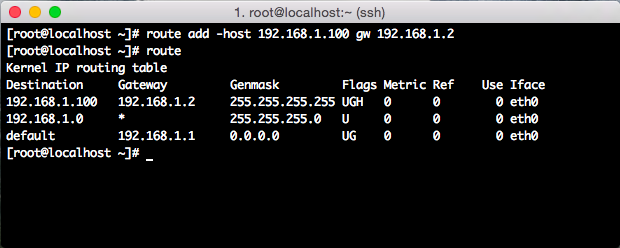
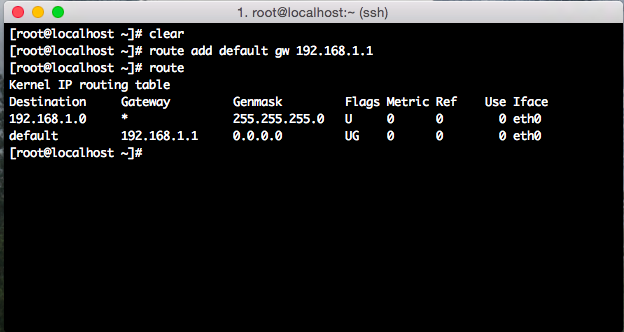
How To Use Route Command On RHEL CentOS Linux LinTut

Web Aug 11 2015 nbsp 0183 32 For example if your router IP address is 192 168 1 254 type the following command as the root user route add default gw 192 168 1 254 eth0 OR use hostname such as dsl router route add default gw dsl router eth0 Or use the ip command newer syntax to route all traffic via 192 168 1 254 gateway connected via eth0 network

Web Feb 1 2016 nbsp 0183 32 Using route route add default gw IP ADDRESS INTERFACE NAME example route add default gw 192 168 1 2 eth0 OR use hostname such as dsl router route add default gw dsl router eth0 Or use the ip command newer syntax to route all traffic via 192 168 1 254 gateway connected via eth0 network interface for example

Web Sep 1 2022 nbsp 0183 32 Route all traffic via 192 168 1 254 gateway connected via eth0 network interface route add default gw 192 168 1 254 eth0 Linux add a default gateway route using ip command Route all traffic via 192 168 1 254 gateway connected via eth0 network interface ip route add 192 168 1 0 24 dev eth0

Web Jul 22 2023 nbsp 0183 32 Using the Terminal 1 Open the Terminal 2 View your current default gateway You can check what your default gateway is set to by typing route and pressing 3 Delete your current default gateway If you have more than one default gateway set you ll run into connection 4 Type sudo

Web Feb 1 2012 nbsp 0183 32 I want to make a default Gateway to my Routers R1which its addresses are the following respectively 172 0 1 8and 172 2 1 13 In VM1 I did sudo ip route add default via 172 0 1 8 On the other side in VM2 sudo ip route add default via 172 2 1 13
[desc-11] [desc-12]
[desc-13]