Rhel 8 Reboot Command How To Start A Service During A Server Restart On Linux Systran Box How To Reboot Your Linux System From The Command Line Systran Box How To Check If CentOS RHEL Needs A Full Reboot NixCraft How To Configure Apache Web Server In Redhat Linux 7 QuyaSoft How To Check Open Ports On RHEL 8 Linux LinuxConfig Web These programs allow a system administrator to reboot halt or poweroff the system When called with force or when in runlevel 0 or 6 this tool invokes the reboot 2 system call itself and directly reboots the system
Web To return from the boot prompt to the boot menu restart the system and boot from the installation media again Note The boot prompt also accepts dracut kernel options Web Red Hat Enterprise Linux 8 Installing RHEL using Kickstart Red Hat Customer Content Services Legal Notice Abstract You can perform an advanced RHEL installation by using Kickstart Kickstart helps you to automate the installation with a simple text file Next
How To Check Open Ports On RHEL 8 Linux LinuxConfig How To Start Service On Boot With RHEL 8 CentOS 8 Linux LinuxConfig Reboot Windows System Using Command Line CMD How To Boot CentOS 8 RHEL 8 Server In Single User Mode Dual Booting RHEL 8 With Windows Techotopia RHEL 8 CentOS 8 Recover Root Password Linux Tutorials Learn Linux RHEL 7 RHEL 8 How To Generate Sos Report On RHEL 8 RHEL 9 1 RHEL 8 Red Hat Enterprise Linux 8 Red Hat Customer Portal
Rhel 8 Reboot Command
 Rhel 8 Reboot Command
https://syscdn.systranbox.com/what_is_linux_reboot_command.jpg
Web Procedure With the boot menu open press the Esc key on your keyboard The boot prompt is now accessible
Templates are pre-designed files or files that can be utilized for different functions. They can save effort and time by offering a ready-made format and design for developing various type of content. Templates can be utilized for individual or professional projects, such as resumes, invites, leaflets, newsletters, reports, presentations, and more.
Rhel 8 Reboot Command
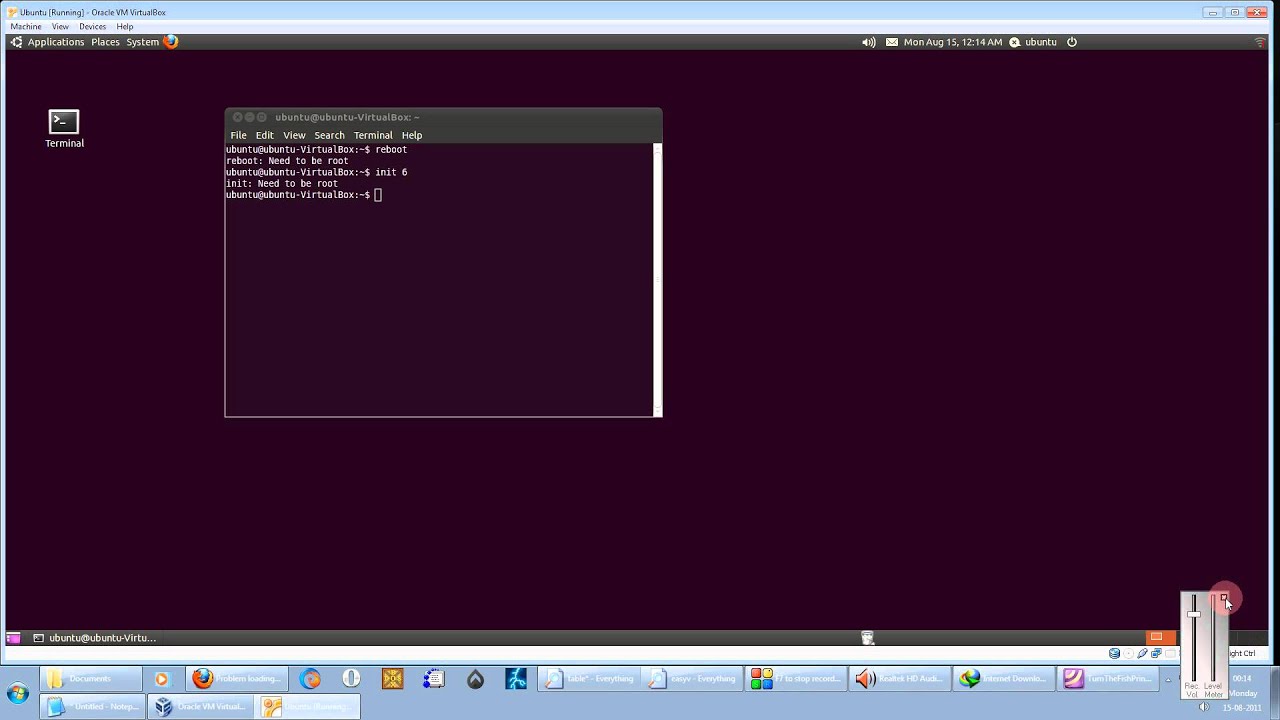
How To Reboot Ubuntu Via Command Line Or Terminal Step By Step Tutorial

How To Start Service On Boot With RHEL 8 CentOS 8 Linux LinuxConfig

Reboot Windows System Using Command Line CMD

How To Boot CentOS 8 RHEL 8 Server In Single User Mode
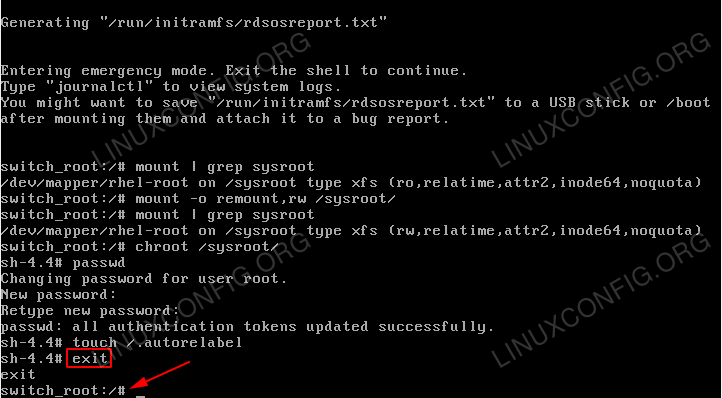
RHEL 8 CentOS 8 Recover Root Password Linux Tutorials Learn Linux

RHEL 7 RHEL 8

Web May 26 2022 nbsp 0183 32 However sometimes a restart is inevitable The option for restarting the system immediately with the shutdown command is r so it looks like this sudo shutdown r now You can still specify a delayed time using the hh mm format explained above You can also use systemctl to reboot the device by typing sudo systemctl reboot

Web Sep 7 2023 nbsp 0183 32 The r reboot option will take your computer down to the halt state and then restart it The h halt and poweroff option is the same as P If you use h and H together the H option takes priority The c cancel option

Web Nov 14 2020 nbsp 0183 32 The reboot and shutdown commands are aliases to systemctl and are available in the system for compatibility reasons In this article we ll explain how to use the systemctl and shutdown commands to reboot your Linux machine The commands must be run as root or user with sudo privileges systemctl

Web Aug 19 2023 nbsp 0183 32 We can quickly check if CentOS RHEL needs reboot using a command line option Let us find out whether a full CentOS Linux reboot is needed and which Linux services need to be restarted on the host We are going use the needs restarting command

Web Jun 30 2016 nbsp 0183 32 For modern RHEL you are recommended to use the systemctl command as summarised here recent RHEL distributions should use the new systemctl command to issue poweroff reboot As stated in the manpages of reboot and shutdown they are quot a legacy command available for compatibility only quot
Web Oct 23 2019 nbsp 0183 32 systemctl reboot shutdown r now init 6 telinit 6 Shutdown To shutdown or poweroff Redhat 8 Physical Server or VM you can use any of the below mentioned commands poweroff systemctl poweroff halt systemctl halt shutdown h now init 0 telinit 0 Additional Resources You can also follow these website s to preparation of Web Apr 10 2020 nbsp 0183 32 I am going to show you a few commands you can use to reboot Linux from the terminal If you want to reboot your Linux server instantly use this command reboot now You may also use the shutdown command shutdown r now Commands for rebooting Linux There are three main terms and commands when it comes to poweroff
Web I believe you want to reboot remote linux machine Make sure you have root access and then run below command ssh root destination server to be rebooted reboot