Revert Reset Merge How To Undo Changes In Git reset Vs Revert Vs Restore Git What Are Differences Between Revert Revert Commit And Reset Hot Git reset Revert PeaNu s Paradise How To Reset Your Git Branch To A Previous Commit both Local And Git Revert A Pushed Merge To Erase Local Undesired Changes Pushed By WEB The solution to this is simpler if you haven t yet pushed the changes to a remote repo and if you have then you ll likely have to rely on something like git revert instead of the solution
WEB To undo a git merge you need to find the commit ID of your last commit Then you need to use the git reset command to reset your repository to its state in that commit There is no WEB Another subcommand to undo a merge is revert git revert lt COMMIT gt Unlike the reset approach using revert preserves the original merge commit in the history In addition
Git Revert A Pushed Merge To Erase Local Undesired Changes Pushed By How To Undo Changes In Git reset Vs Revert Vs Restore DevOps Git Revert Reset Checkout Git Tutorial For Beginners Git Ethereum After The Merge Git merge rebase revert reset rebase Reset CSDN 5 Git Revert Checkout Reset Merge Rebase Techrocks Git With GitHub 2 Reset Revert Merge YouTube The Difference Between The Git Commands Reset And Revert SoByte How To Check Revert And Reset Commits In Git SkillSugar
Revert Reset Merge
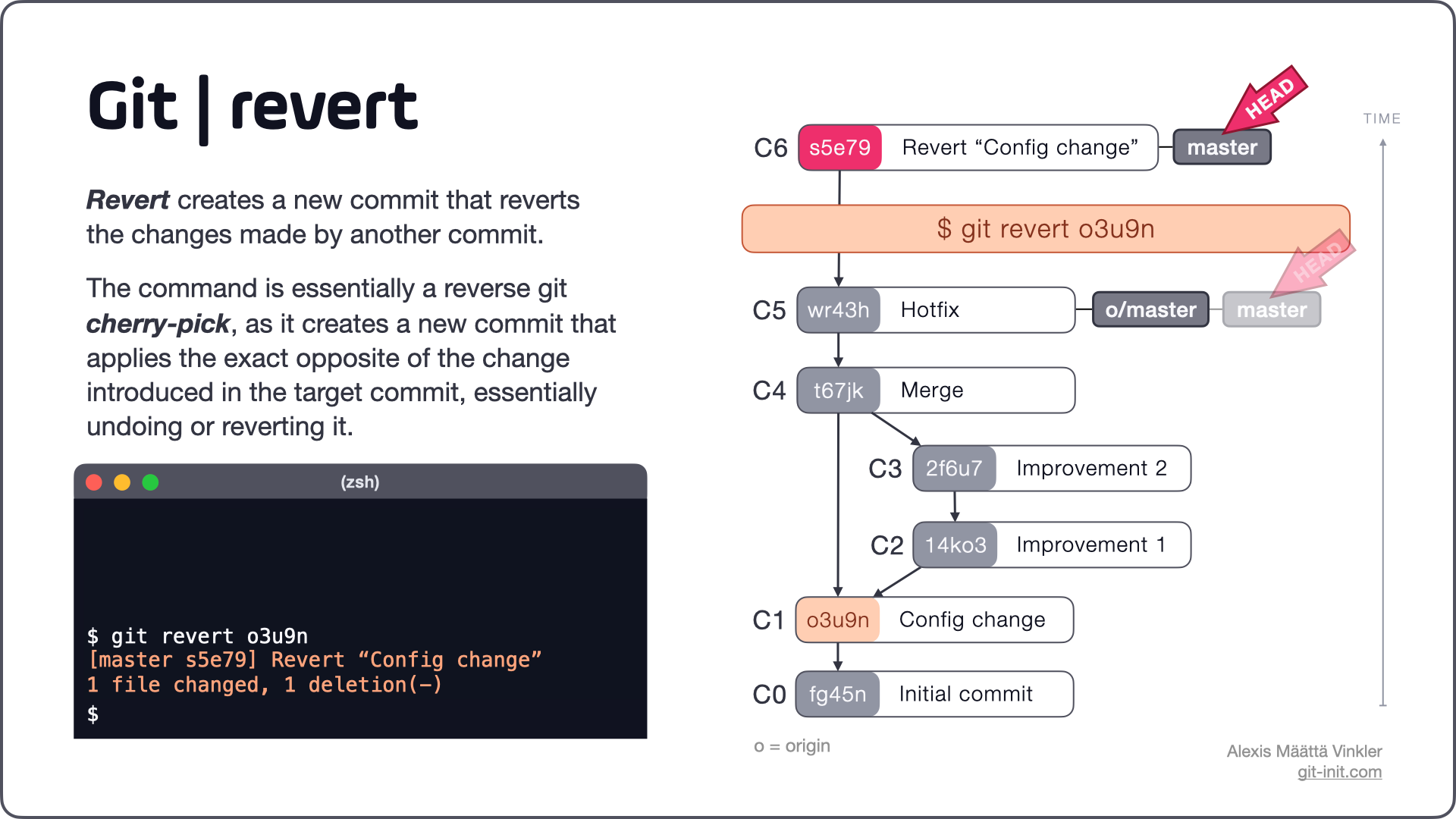 Revert Reset Merge
https://blog.git-init.com/content/images/2021/09/revert-2.png
WEB Reverting a commit is pretty simple First you ll need to run git log to get a list of commits and their ID numbers Then you can copy the SHA1 hash and revert the commit with git revert git revert
Templates are pre-designed files or files that can be utilized for different purposes. They can save time and effort by supplying a ready-made format and layout for producing different type of material. Templates can be used for individual or expert jobs, such as resumes, invitations, flyers, newsletters, reports, discussions, and more.
Revert Reset Merge

Revert Changes Merge Requests Project User Help GitLab
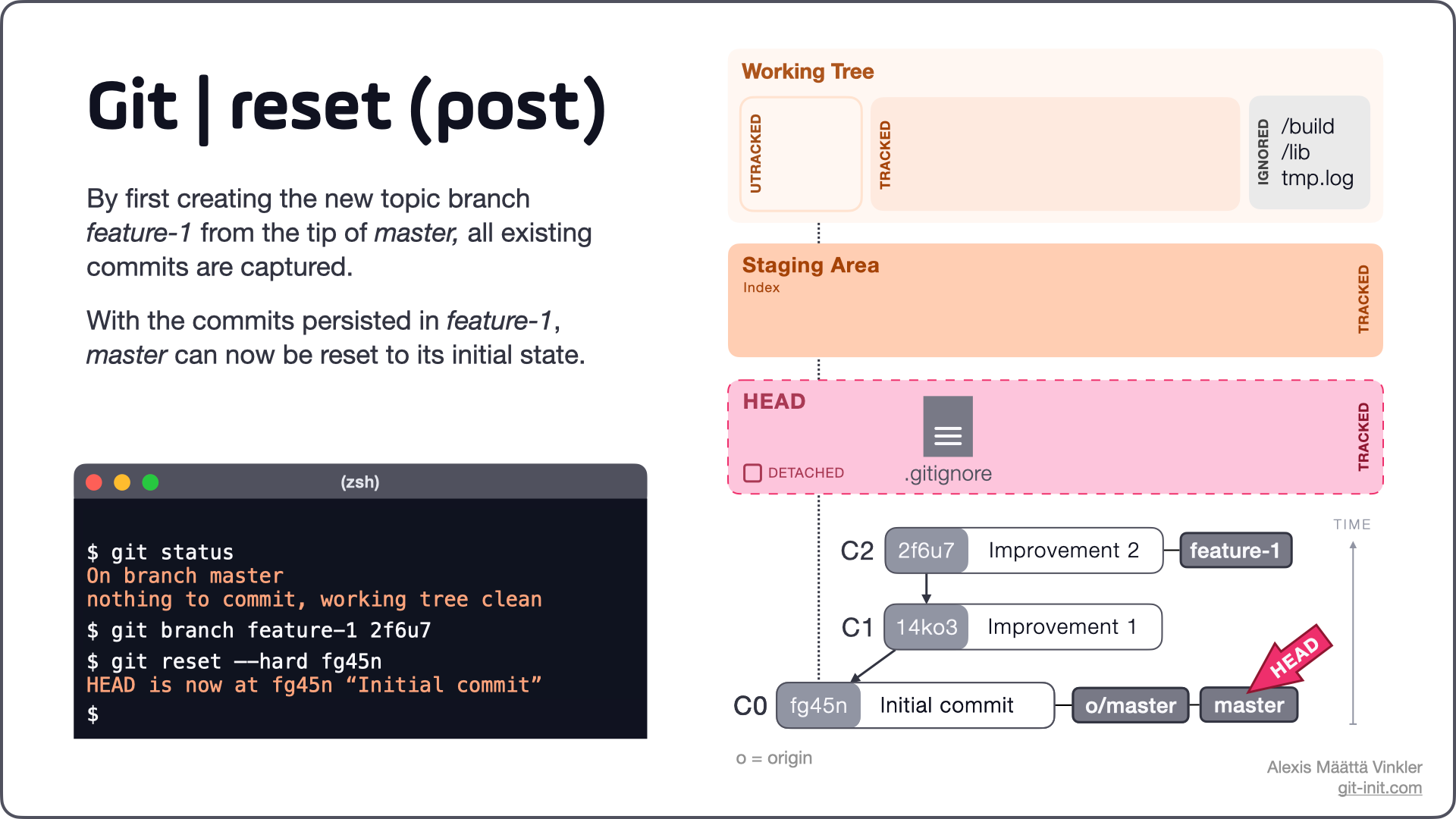
How To Undo Changes In Git reset Vs Revert Vs Restore

DevOps Git Revert Reset Checkout Git Tutorial For Beginners Git

Ethereum After The Merge

5 Git Revert Checkout Reset Merge Rebase Techrocks

Git With GitHub 2 Reset Revert Merge YouTube
WEB git revert m 1 lt merge commit hash gt Git revert adds a new commit that rolls back the specified commit Using m 1 tells git that this is a merge and we want to roll back to the

WEB You can use the quot git reset quot command to quickly and safely undo a merge If the merge has already been pushed to the remote repository use quot git revert quot instead

WEB You can use the Git reset command to undo a merge Firstly you need to check for the commit hash or id so you can use it to go back to the previous commit To check for the
WEB In Git the easiest and safest way to undo a merge is to create a new commit that reverts the changes introduced by a specific commit using the git revert command as follows

WEB Use the git reset command to return to the revision before the merge thereby effectively undoing it git reset hard lt commit hash before merge gt Enter fullscreen mode
WEB git checkout git merge abort this will undo any local changes during merge and then revert back to pre merge state if you already did a commit or merge continue you ll WEB To undo the merge you can use git reset to roll back to that commit hash git reset hard abc1234 This command will reset the HEAD of your current branch to the specified
WEB To undo a git merge you need to find the commit ID of your last commit Then you need to use the git reset command to reset your repository to its state in that commit There is no