Revert After Git Pull Git Hakk nda Merak Edilenler Git Nedir Nas l Kullan l r Emircan Aksu Github Unable To Do Git Revert After Forced Push To Remote Repository Git With GitHub 2 Reset Revert Merge YouTube What Is The Difference Between Git Fetch And Git Pull Your Blog Coach How To Reset Revert And Return To Previous States In Git Opensource Git reset hard b0168ee This is quite easy and gives you a lot of control over which version you recover However another easier way to do this is to give a time If you don t want to run git reflog you can run the following command to revert to the version of your repository as it was 30 mins ago assuming your branch is master
The git pull command lets you retrieve changes made to a project from a remote repository and download those changes to your local machine This operation can be undone using the git reset command The reset command reverts a repository to a previous point in its history A pull request is a process by which a contributor to a Git repository offers some code and asks for the project s maintainer to accept it and merge it Pull requests are not a feature of the native Git software Rather they are a feature of source code hosting providers
How To Reset Revert And Return To Previous States In Git Opensource Git Pull Request Git Git Pull Git Pull Hoodie Kaufen Supergeek de Manage Git Repos In Visual Studio Microsoft Learn Revert Changes Merge Requests Project User Help GitLab Is There A Problem With git Pull Perpetual Enigma Git Pull How To Use Git Pull W3Docs Online Git Tutorial Difference Between Git PULL And Git FETCH YouTube
Revert After Git Pull
 Revert After Git Pull
https://emircanaksu.com/wp-content/uploads/2023/10/git-nedir-1.jpeg
1 Answer Sorted by 3 Simple Answer you have two options here First stash your new changes then either Option 1 Create a new branch and cherry pick all your changes from your old branch search on how can you cherry pick a range of commits OR
Templates are pre-designed files or files that can be used for various functions. They can save effort and time by providing a ready-made format and layout for creating different kinds of material. Templates can be utilized for individual or professional projects, such as resumes, invites, flyers, newsletters, reports, presentations, and more.
Revert After Git Pull
What Is The Difference Between git Pull And git Fetch By J

Git Pull Request

Git Git Pull

Git Pull Hoodie Kaufen Supergeek de

Revert Changes Merge Requests Project User Help GitLab

Is There A Problem With git Pull Perpetual Enigma

You can revert a pull request after it s been merged to the upstream branch About reverting a pull request Reverting a pull request on GitHub creates a new pull request that contains one revert of the merge commit from the original merged pull request To revert pull requests you must have write permissions in the repository

2 Answers Sorted by 9 Find the most recent commit you want to keep and count how many commits appear after that one For example let s suppose that three new commits came in with your latest git pull and you want to nuke them In this case you can use git reset hard git reset hard HEAD 3

3 Answers Sorted by 3 Try git reset merge This will abort the merge you have started Share Improve this answer Follow
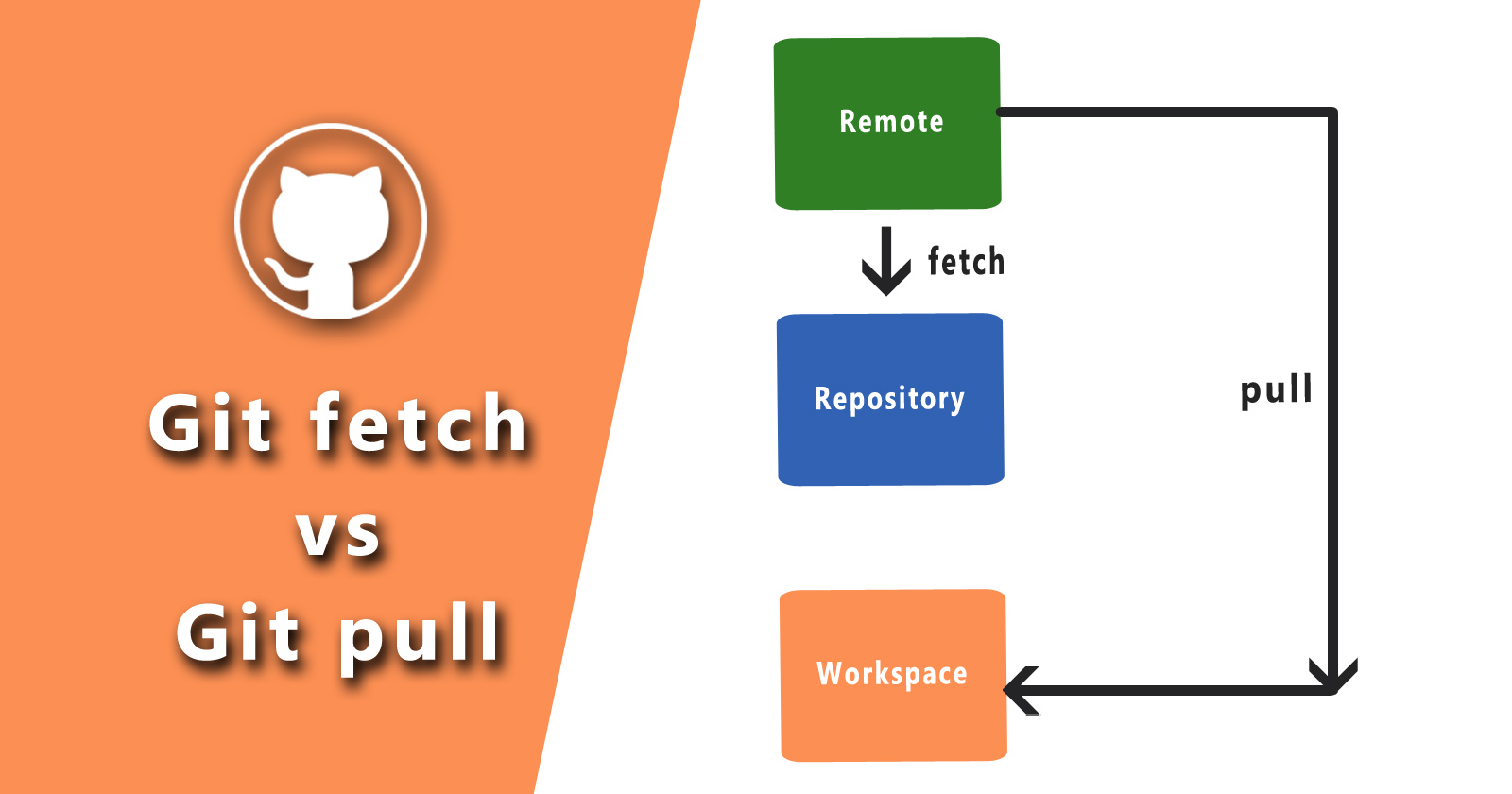
The git reset command is particularly useful when you want to start with a clean slate and undo the changes that were merged with a git pull Effectively git pull is the combination of git fetch and git merge git fetch grabs the updates from the remote repository and git merge merges any changes into the current branch
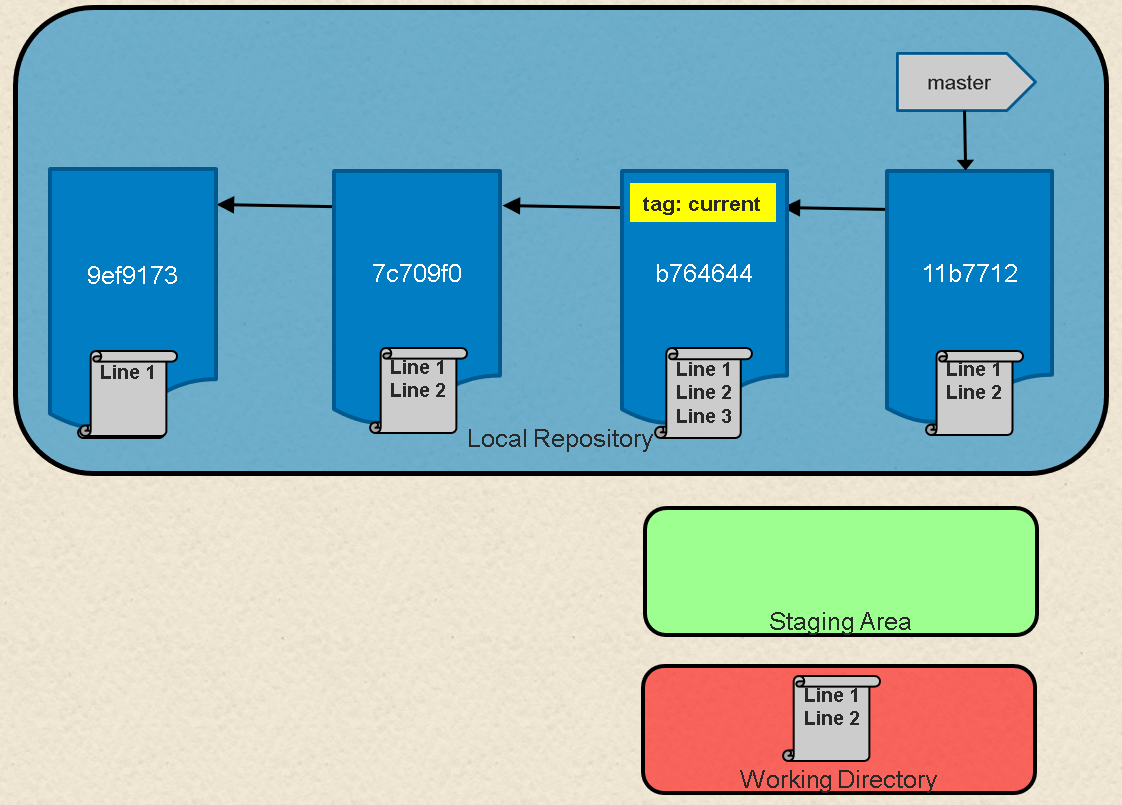
How is git revert used This might sound like a duplicate question but when people ask it the response is often use git reset as per Revert to a commit by a SHA hash in Git Then when someone asks how to use git reset people reply saying you should use git revert as per Git how to rollback
How it works The git revert command is used for undoing changes to a repository s commit history Other undo commands like git checkout and git reset move the HEAD and branch ref pointers to a specified commit Git revert also takes a specified commit however git revert does not move ref pointers to this commit Reset a specific commit On the commit level resetting is a way to move the tip of a branch to a different commit This can be used to remove commits from the current branch For example the following command moves the hotfix branch backwards by two commits git checkout hotfix git reset HEAD 2
Undo A git pull To effectively undo a git pull you cannot undo the git fetch but you can undo the git merge that changed your local working branch To do this you will need to git reset to the commit you made before you merged You can find this commit by searching the git reflog The reflog is a log of every place that HEAD has pointed