Restart Systemd Service Docker docker Cgroup Driver systemd SRE AKR Developer Blog Create A Linux Systemd Service And Make It Runable Restart Systemd Service When Output Is No Longer Generated YouTube Unix Linux Restart Systemd Service Within A Timeframe 3 Solutions Docker Rootless slirp4netns Or Vpnkit Blog A couple of notes about the script above This file is called a unit file for systemd Make sure you don t have any extra line brakes within the sections like Unit or Service The a option in the Docker command for ExecStart makes sure it is running in attached mode i e attaching STDOUT STDERR and forwarding signals The t option in the Docker command for ExecStop specifies seconds
Starting Containers with systemd By setting up a systemd unit file on your host computer you can have the host automatically start stop check the status and otherwise manage a container as a systemd service Starting services within a container using systemd Many Linux services Web servers file servers database servers and so on are already packaged for Red Hat Enterprise Linux to Step 1 Integrate systemd with container Follow this link https github docker library docs tree master centos systemd integration Step 2 Start container with the privileged flag docker run it v sys fs cgroup sys fs cgroup ro privileged ubuntu Share Improve this answer
Docker Rootless slirp4netns Or Vpnkit Blog Loaded Loaded usr lib systemd system docker service Enabled Vendor People Shit Solucion Al Error Failed Load Kernel Modules Docker Container As A Linux System Service Marc Nuri Azure App Service Docker Container Restart Stack Overflow Use Systemd In Docker Container Dean s Blog Systemd timesyncd service code exited Status 127 linzhiji CSDN Restart Network Service Unit Network service Not Found On CentOS 8 Or How To Write A Simple Systemd Service To Start Docker Container When A
Restart Systemd Service Docker
 Restart Systemd Service Docker
https://i.loli.net/2021/09/16/SvIVY1lt25G9BDM.jpg
Docker service Docker Application Container Engine Loaded loaded usr lib systemd system docker service disabled vendor preset disabled Active failed Result exit code since Mon 2019 04 29 12 28 44 03 39s ago Docs https docs docker Process 17769 ExecStart usr bin dockerd H fd code exited status 1 FAILURE Main
Pre-crafted templates offer a time-saving service for producing a diverse variety of files and files. These pre-designed formats and designs can be made use of for numerous personal and expert projects, consisting of resumes, invites, flyers, newsletters, reports, presentations, and more, improving the content production procedure.
Restart Systemd Service Docker

CrownCloud Wiki How To Change Hostname In AlmaLinux 9

Loaded Loaded usr lib systemd system docker service Enabled Vendor

People Shit Solucion Al Error Failed Load Kernel Modules
Docker Container As A Linux System Service Marc Nuri
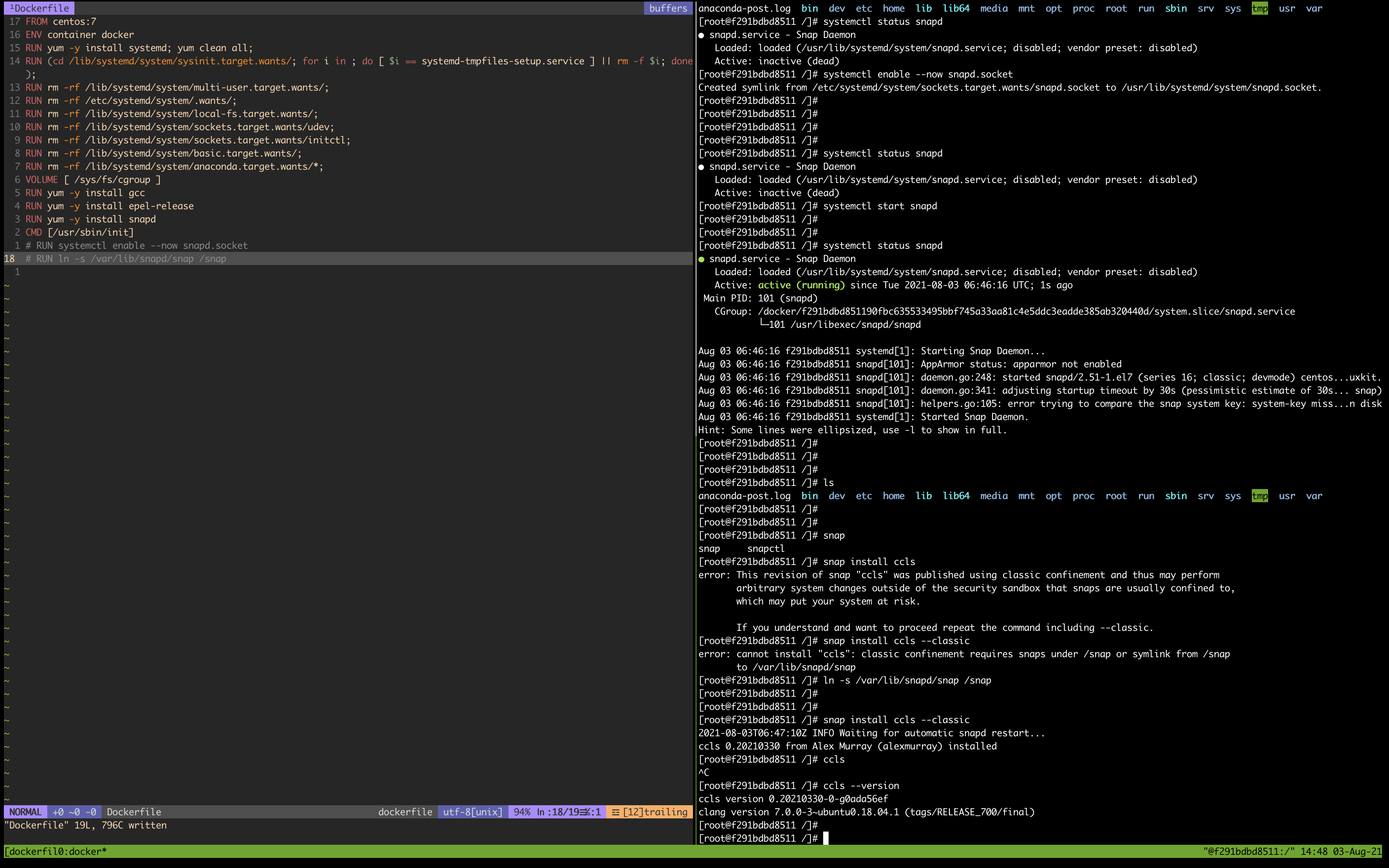
Use Systemd In Docker Container Dean s Blog

Systemd timesyncd service code exited Status 127 linzhiji CSDN

1 Answer Sorted by 4 Try with service docker stop wait and then service docker start After it you can check that the deamon is working succesfully with docker ps Share Improve this answer Follow answered Mar 17 at 15 11 FedeG 252 1 9 Yukpun your problem was fixed if my answer is correct please confirm this with the check
Need to edit following entries Service Type notify the default is not to use systemd for cgroups because the delegate issues still exists and systemd currently does not support the cgroup f

Instead of manually starting the docker service let s use systemd to start it even after a reboot JetBrains offers a concise documentation on how to do this unit file Basically just create a unit file at etc systemd system docker youtrack service with the following content

Jatelia Jatelia June 1 2022 4 20pm 1 Hi all Maybe somebody knows how to restart a daemon which is running as a systemd service from the docker container I developed a python script to do that and built an image using a simple Dockerfile FROM python 3 8 ADD my script py CMD python3 my script py

This example overrides the default docker service file If you are behind an HTTP proxy server for example in corporate settings you will need to add this configuration in the Docker systemd service file Create a systemd drop in directory for the docker service mkdir etc systemd system docker service d
If you follow the official Docker documentation for using systemd you ll see that they advise creating the containers manually with docker create and only using docker start and docker stop in the service file I m not a huge fan of this advice as it makes it more difficult to migrate the setup between hosts or to restart the service with a 1 First check whether docker is running or not on Linux sudo systemctl status docker sudo service docker status 2 If it is stopped run the below command to start the Docker on Linux sudo systemctl start docker sudo service docker start 3 If we want to stop docker service on Linux run the below command
The service name is the directory name create a systemd service for your docker compose project10 seconds sh Copy to clipboard Download SERVICENAME basename pwd Now we will create the service file in etc systemd system SERVICENAME service using the template embedded in the script The script will automatically determine