Restart Remote Computer Service Powershell How To Shutdown Remote Computers Via Powershell Action1 Shut Down And Restart Windows With PowerShell Commands HowPChub 3 Easy Ways To Remote Reboot Windows 10 11 Start Stop Windows Service Remotely Windows 10 Spiceworks Remote Computer Support 623 PC Technology Services Dec 1 2019 nbsp 0183 32 How to Restart explorer exe Process in Windows 10 The explorer exe process is the user shell for Windows and is used by such items as the desktop File Explorer Start menu
Jun 7 2021 nbsp 0183 32 This new Restart apps setting has been separated from the old Use my sign in info to automatically finish setting up my device and reopen my apps after an update or restart setting Aug 1 2022 nbsp 0183 32 How to Do a System Restore of Windows 10 Information If you re having problems with Windows 10 on your PC you can try to refresh reset
Remote Computer Support 623 PC Technology Services PowerShell Restart Fails Other Users Logged On PeteNetLive Restart Windows Using Cmd And PowerShell ShellGeek Top 3 Ways To Restart Remote Computer Command Line Powershell Enable Remote Desktop In Windows 10 Techilife Powershell Get Last Boot Time Of Remote Computers Enterprise Daddy How To Shutdown Remote Computers Via Powershell Windows 10 Spiceworks Restart Windows Service Via PowerShell HowPChub How To Restart Remote Desktop Service Kyle Linsomont
Restart Remote Computer Service Powershell
 Restart Remote Computer Service Powershell
https://www.action1.com/kb/images/Shutdown Your Computer via PowerShell.png
Mar 21 2019 nbsp 0183 32 This will help make sure users see the notification to restart and save their work first This tutorial will show you how to require user action to dismiss the auto restart required
Templates are pre-designed documents or files that can be utilized for numerous functions. They can conserve effort and time by providing a ready-made format and layout for producing various type of material. Templates can be used for personal or professional projects, such as resumes, invites, leaflets, newsletters, reports, discussions, and more.
Restart Remote Computer Service Powershell
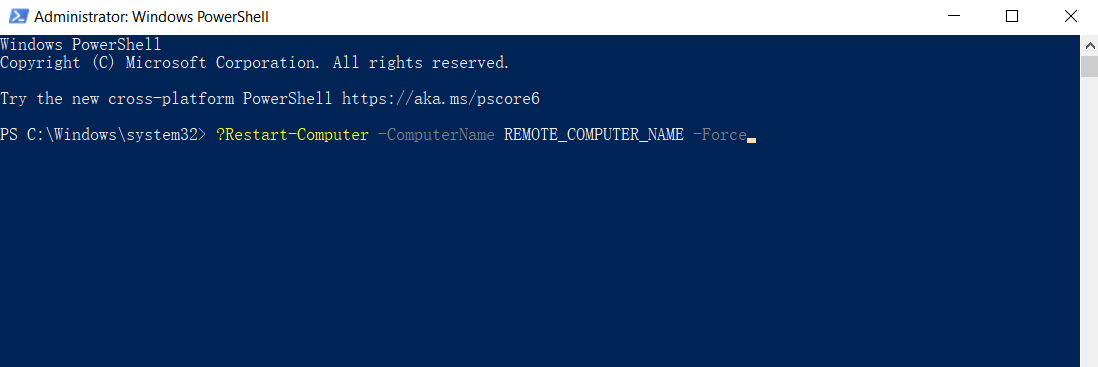
Three Top Ways To Restart Server Remotely Windows 10 11
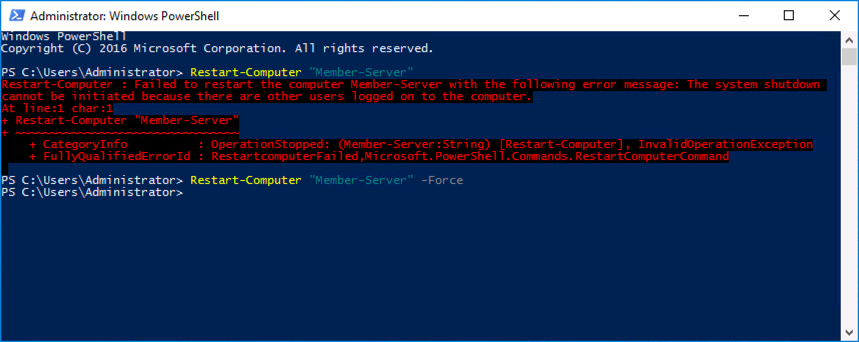
PowerShell Restart Fails Other Users Logged On PeteNetLive

Restart Windows Using Cmd And PowerShell ShellGeek
Top 3 Ways To Restart Remote Computer Command Line

Powershell Get Last Boot Time Of Remote Computers Enterprise Daddy

How To Shutdown Remote Computers Via Powershell Windows 10 Spiceworks
Sep 19 2020 nbsp 0183 32 Enable or Disable Shut Down Restart Sleep and Hibernate in Power Menu for All Users in Local Group Policy Editor The Local Group Policy Editor is only available in the

Feb 10 2024 nbsp 0183 32 How to Boot to Advanced Startup Options in Windows 10 Advanced startup enables you to perform these actions Start recovery aka Windows RE or WinRE
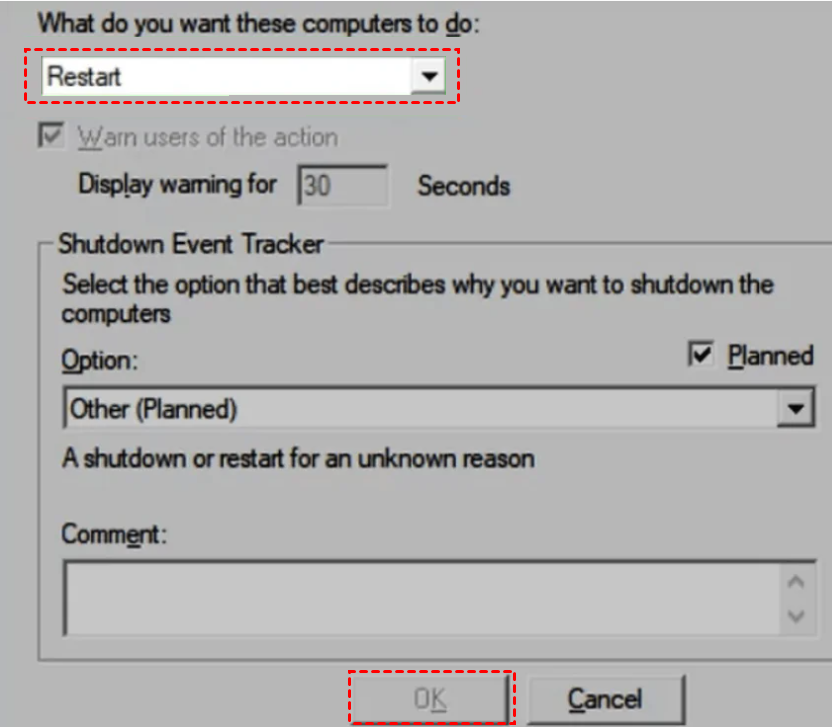
Aug 7 2022 nbsp 0183 32 When a restart is necessary to finish installing an update Windows won t automatically restart your device during active hours When a restart is scheduled you can use

Nov 28 2021 nbsp 0183 32 How to Start Stop Restart Enable and Disable Services in Windows 10 Services are an application type that runs in the system background without a user interface Services

Apr 11 2024 nbsp 0183 32 How to Read Shutdown and Restart Event Logs in Windows You can use Event Viewer to view the date time and user details of all shutdown events caused by a shut down
[desc-11] [desc-12]
[desc-13]