Reset Root Password Ubuntu Command Line How To Reset Root Password On Ubuntu 20 04 YouTube How To Reset Forgotten Root Password In Ubuntu 20 04 VITUX How To Reset Ubuntu Root Password How To Reset Forgotten Root Password In Ubuntu How To Change Root Password In Ubuntu 18 04 LTS YouTube Web Mar 19 2023 nbsp 0183 32 1 mount o remount rw Step 3 Change the Root Password Now that you have remounted the file system in read write mode you can change the root password To do this follow these steps Run the following command to change the root password 1 passwd root Enter the new root password and confirm it Step 4 Enable Root Login
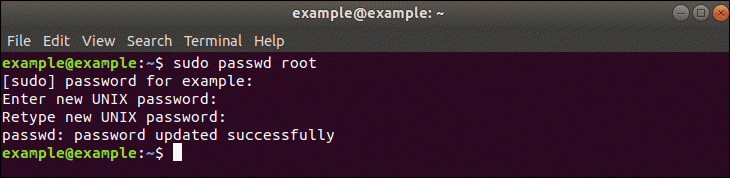
Web Apr 10 2019 nbsp 0183 32 Option 1 Changing Ubuntu Password in the Command Line To change the sudo password using the sudo command 1 First open the terminal using the keyboard shortcut CTRL ALT T 2 Query for a password change by running the command sudo passwd root Web Aug 7 2023 nbsp 0183 32 resting the root password via the command line involves using the passwd command under root privileges Always prioritize security and create strong unique passwords Limit the usage of the root account and prefer sudo for administrative tasks to reduce security risks
How To Change Root Password In Ubuntu 18 04 LTS YouTube How To Reset Or Change The Root Password In Linux PhoenixNAP How To Reset Root Password In Ubuntu YouTube How To Change Root Password In Ubuntu Fedingo Resettare Password Di Root Su Ubuntu How To Reset Root Password On Ubuntu 18 04 20 04 LTS BENISNOUS Reset Root Password Ubuntu Linux Without CD How To Reset Forgotten Root Password In Ubuntu How To Reset Root Password In Ubuntu 15 10 15 04 14 04 12 04 LTS
Reset Root Password Ubuntu Command Line
 Reset Root Password Ubuntu Command Line
https://i.ytimg.com/vi/bu4e4e0KuL4/maxresdefault.jpg
Web Jan 17 2023 nbsp 0183 32 The procedure to change the root user password on Ubuntu Linux Type the following command to become root user and issue passwd sudo i passwd OR set a password for root user in a single go sudo passwd root Test it your root password by typing the following command su How to disable your root account on Ubuntu
Templates are pre-designed documents or files that can be used for different functions. They can save effort and time by offering a ready-made format and design for creating various kinds of content. Templates can be utilized for individual or expert jobs, such as resumes, invites, flyers, newsletters, reports, discussions, and more.
Reset Root Password Ubuntu Command Line

How To Change Root Password In Ubuntu Linux LinuxStoney
How To Reset Or Change The Root Password In Linux PhoenixNAP
How To Reset Root Password In Ubuntu YouTube
How To Change Root Password In Ubuntu Fedingo
How To Reset Root Password On Ubuntu 18 04 20 04 LTS BENISNOUS
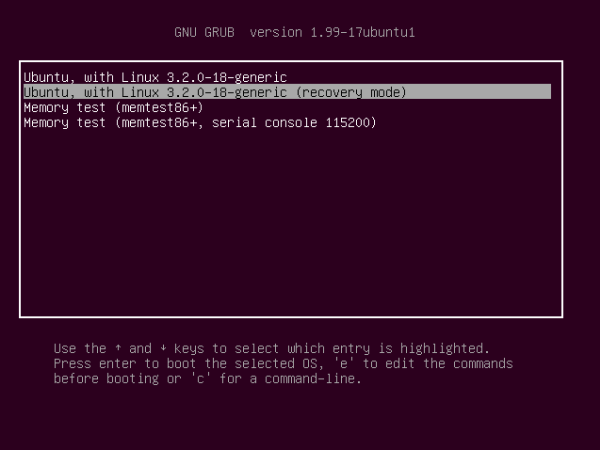
Reset Root Password Ubuntu Linux Without CD

Web Apr 24 2020 nbsp 0183 32 The objective of this tutorial is to reset a lost root or user password on Ubuntu 20 04 Focal Fossa Linux In this tutorial you will learn How to gain root shell without password How to mount root directory read write How to reset root password How to reset user password

Web Oct 12 2017 nbsp 0183 32 I cannot reset the password A box comes showing various commands like a all r repository REPOSITORY d delete and a line at the top of the box is also present usage passwd options login and I dont know how to write the command boot

Web Oct 22 2018 nbsp 0183 32 Step 2 Change Your Root Password Resetting a Root Password in Ubuntu Step 1 Boot to Recovery Mode Step 2 Drop Out to Root Shell Step 3 Remount the File System with Write Permissions Step 4 Change the Password Changing the Root Password in CentOS Step 1 Access the Command Line Terminal Step 2 Change
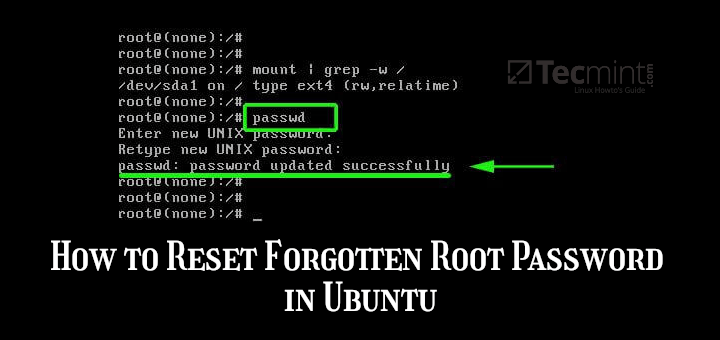
Web Oct 16 2019 nbsp 0183 32 To change the password of the root user in Ubuntu run the following command as a sudo user sudo passwd root You will be prompted to enter and confirm the new root password When setting the password make sure you re using a unique and robust password

Web Apr 22 2020 nbsp 0183 32 To reset the root password execute the command passwd Provide a new password and confirm it Thereafter you will get a password updated successfully notification Reset Root Password in Ubuntu With the root password successfully changed reboot into your Ubuntu system by running the command exec sbin init
Web Feb 17 2019 nbsp 0183 32 sudo passwd lt user name gt Change another user password If you changed your password and forgot it later don t worry You can easily reset Ubuntu password How to Reset Forgotten Ubuntu Password in 2 Minutes Web Mar 2 2017 nbsp 0183 32 2 Boot into recovery mode from the Grub menu using shift key if Ubuntu is the only OS After the boot go to the option Drop to Root Shell Prompt Type mount o rw remount To reset Password type passwd username your username Then type a new Password and exit from the shell to the recovery menu Select resume normal boot
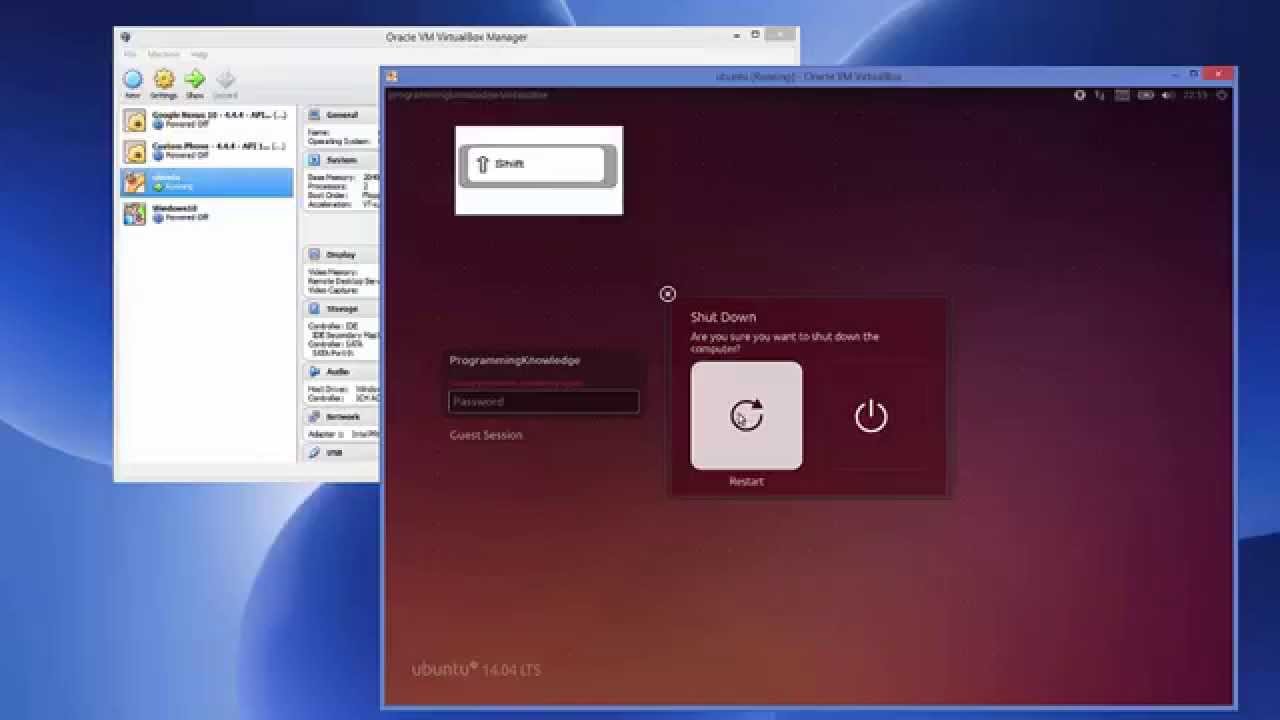
Web Mar 30 2022 nbsp 0183 32 1 Open Ubuntu 22 04 LTS Grub menu To reset the password first we have to access the Grub menu of our Ubuntu 22 04 Restart your system and while doing that press and hold the Shift key on your Keyboard This will drop you into the Grub menu of Ubuntu 2 Edit Gurb Menu to Reset root password