Reset Root Password Linux Rhel 7 Reset Forgotten Root Password In RHEL 9 Reset Root Password In RHEL 9 How To Reset The Root Password In Linux Make Tech Easier How To Reset Forgotten Root Password In Ubuntu Linux How To Reset Root User Password On CentOS 7 Resetting A Forgotten How To Reset MySQL Root Password In CentOS RHEL Ubuntu Step 1 Open a Terminal Window Right click the desktop then left click Open in terminal Alternately you can click Menu Applications Accessories Terminal Step 2 Change Your Root
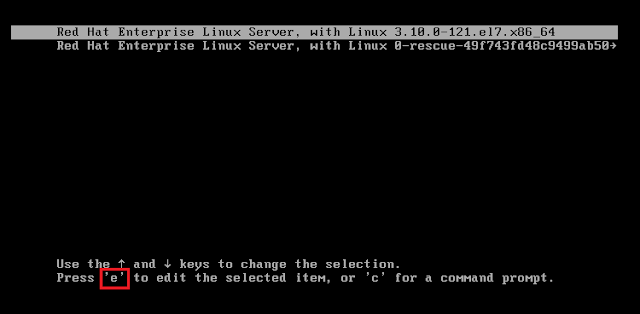
Remount sysroot First we will remount the sysroot file system in read write mode and then use chroot to got into a chroot jail mount o remount rw sysroot chroot sysroot For RHEL CentOS 7 the line starts with linux16 For RHEL Centos 8x and Fedora the line starts with linux Add rd break at the end of kernel line and press Ctrl
How To Reset MySQL Root Password In CentOS RHEL Ubuntu RHEL 8 CentOS 8 Recover Root Password Linux Tutorials Learn Linux Redhat 7 How To Break Root Password In Redhat 7 Linux RHEL 7 Root Ubuntu 20 04 Reset Root Password Linux Tutorials Learn Linux Reset Root Password In RHEL 7 And CentOS 7 YouTube How To Reset Break Root User Password In RHEL 7 IT IMS CYBER Recover Reset Forgotten Linux Root Password Linux Tutorials Learn How To Reset Root User Password In CentOS RHEL 7 How To Reset Lost Root Password In CentOS 8 RHEL 8 ITzGeek
Reset Root Password Linux Rhel 7
 Reset Root Password Linux Rhel 7
https://i.ytimg.com/vi/wTr3EDkGcvk/maxresdefault_live.jpg
Shell Prompt Also Read HOW TO SET CHANGE GRUB PASSWORD ON REDHAT CENTOS 6 Step 3 Give Write Permission to sysroot Here we need to
Templates are pre-designed documents or files that can be utilized for various purposes. They can save time and effort by providing a ready-made format and design for creating different type of material. Templates can be used for individual or expert projects, such as resumes, invites, flyers, newsletters, reports, presentations, and more.
Reset Root Password Linux Rhel 7
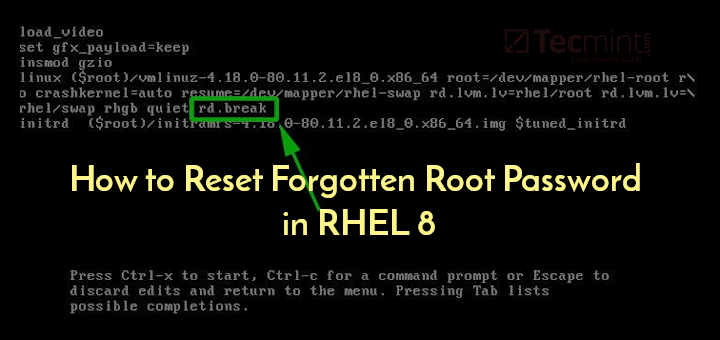
How To Reset Forgotten Root Password In RHEL 8
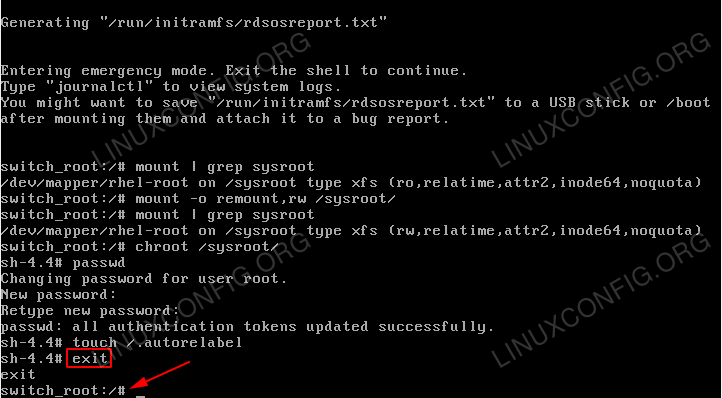
RHEL 8 CentOS 8 Recover Root Password Linux Tutorials Learn Linux
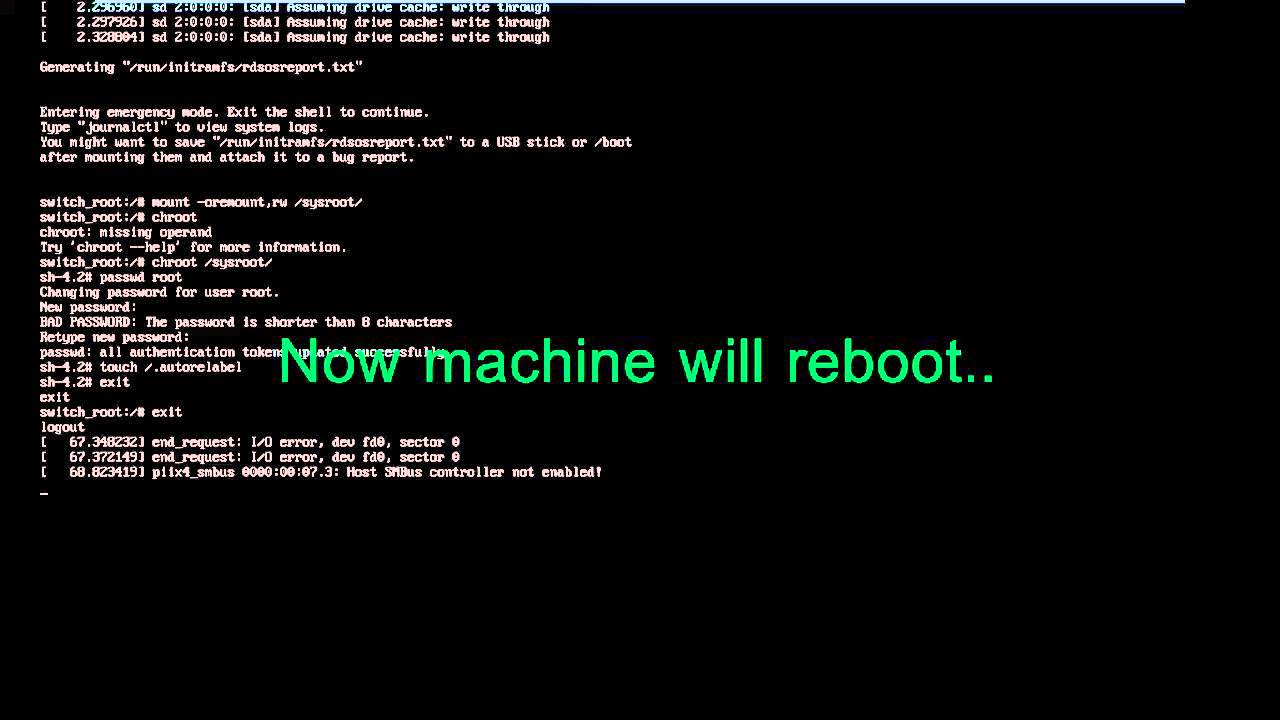
Redhat 7 How To Break Root Password In Redhat 7 Linux RHEL 7 Root
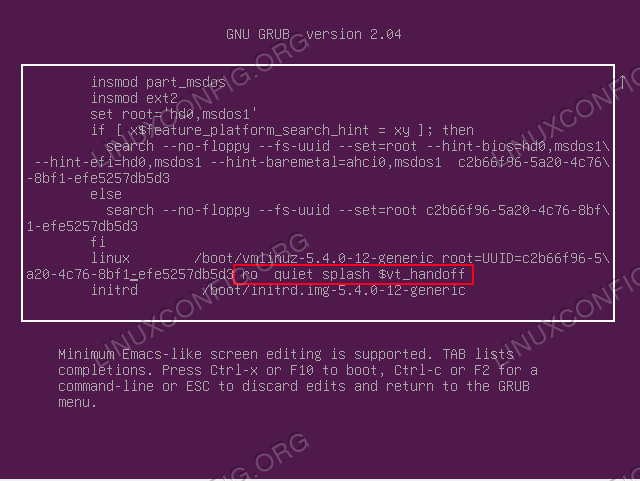
Ubuntu 20 04 Reset Root Password Linux Tutorials Learn Linux
How To Reset Break Root User Password In RHEL 7 IT IMS CYBER

Recover Reset Forgotten Linux Root Password Linux Tutorials Learn

For you to be to able to reset the root password on CentOS 7 RHEL 7 server you need Working operating system Only

Knowledgebase How to change a forgotten or lost root password Solution Verified Updated April 6 2023 at 7 45 PM English Issue The root password was forgotten
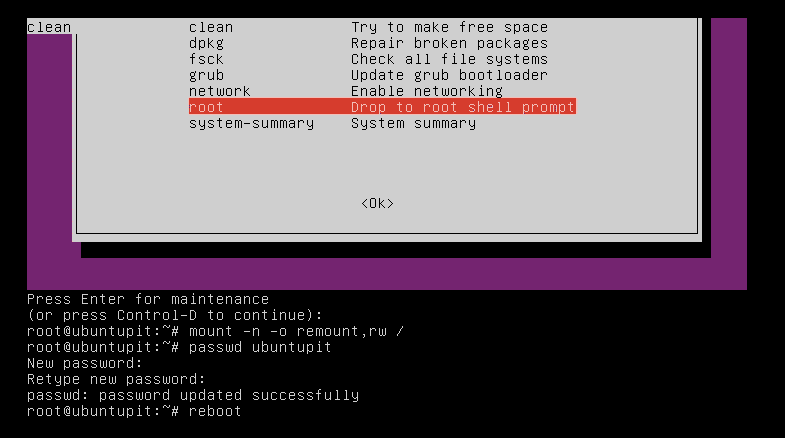
Instructions Things have changed in the RHEL7 world and so has the preferred way of resetting the root password Although the old way of interrupting the

This short howto will explain the steps to reset a lost root password or to reset a forgotten root password on Linux RHEL 7 or CentOS 7 Basically we will add a rd break to the end of the line with kernel parameters in
Press Ctrl x to start the system with the changed parameters The switch root prompt appears Remount the file system as writable Copy Copied mount o remount rw
Here is the procedure of what needs to be done in order to recover a forgotten root password on Redhat 7 Linux We need to edit GRUB2 boot menu and enter user passwd root Enter New Password Re enter New Password touch autorelabel Reset root Password Reboot and login again to root account and see if
Forgot your RHEL 7 or CentOS 7 Linux root password Did you recently inherit one of these systems but do not have a way to log in If you have access to the