Reset Password Mac M1 How To Reset M1 Mac Login Password Without Erase Data YouTube How To Reset Apple M1 Login Password NEW YouTube Reset Admin Password On Mac Mini M1 MacOS Bigsur WITHOUT DATA LOSS Mac Mini M1 Reset Forgot Password Or Hard Reset YouTube Apple Mac Mini M1 Password Reset YouTube WEB How To Reset M1 Mac Forgotten Login Password Without Erase Losing Data M1 MacBook Pro Air Mac Password Resetting Full Guide Here
WEB May 11 2021 nbsp 0183 32 This article will be guiding you through the steps to reset a macOS password with Terminal via Recovery Mode and it works with macOS Big Sur Catalina Mojave High Sierra and other recent MacOS releases WEB May 13 2023 nbsp 0183 32 Use your Apple ID to reset your Mac s password Ideally you ll have linked your Apple ID to your user account on your Mac during the initial setup which will make it possible to reset
Apple Mac Mini M1 Password Reset YouTube How To Reset M1 Mac SMC NVRAM PRAM Is It Possible Reset Forgotten Mac Password Cocktail Blog How To Factory Reset Macbook Artfoods jp How To Reset Your Mac Administrator Name And Password Tech Guide Reset Password Mac Terminal TechnoWikis H ng D n Xo S ch Factory Reset Mac Ch y Chip M1 Macbook Pro AIr 2016 2017 How To RESET FORGOT PASSWORD YouTube Reset Mac Password Recovery Mode Lasopahard
Reset Password Mac M1
 Reset Password Mac M1
https://i.ytimg.com/vi/BQpxNS_jHO4/maxresdefault.jpg
WEB Apr 7 2024 nbsp 0183 32 How to reset your Mac password with your Apple ID If you ve forgotten your Mac password your Apple ID can usually provide a quick solution letting you reset the login password The
Pre-crafted templates use a time-saving service for creating a varied series of files and files. These pre-designed formats and layouts can be used for different individual and expert jobs, consisting of resumes, invitations, leaflets, newsletters, reports, discussions, and more, enhancing the material creation process.
Reset Password Mac M1
Apple Configurator 2 The Hidden Trick To Revive Your M1 Mac
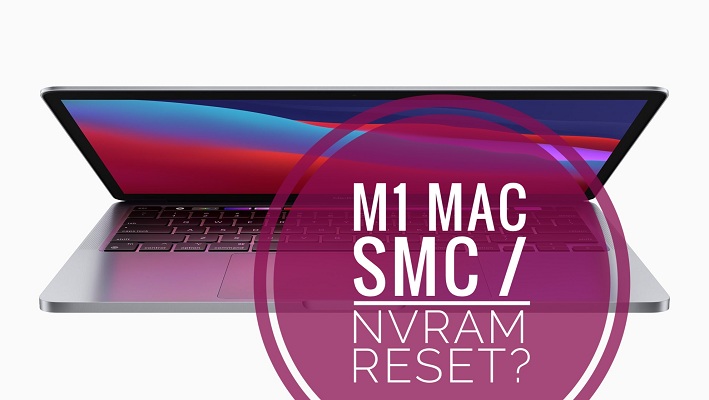
How To Reset M1 Mac SMC NVRAM PRAM Is It Possible
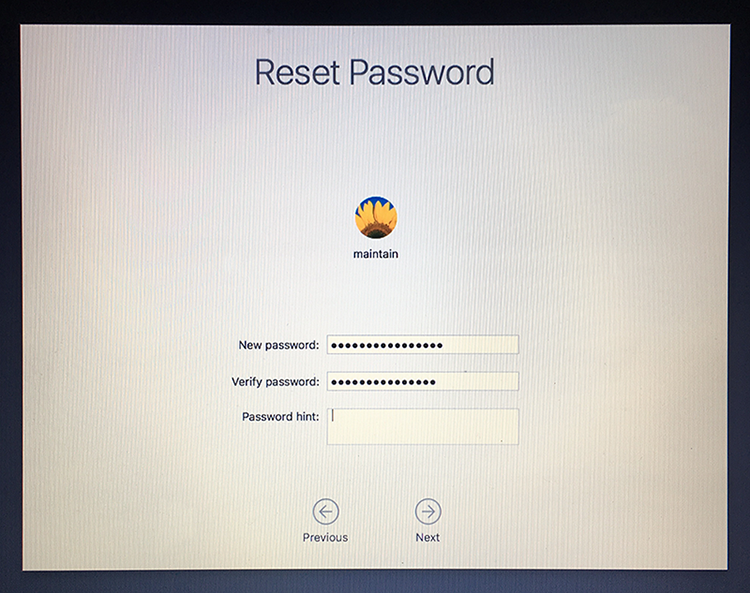
Reset Forgotten Mac Password Cocktail Blog

How To Factory Reset Macbook Artfoods jp
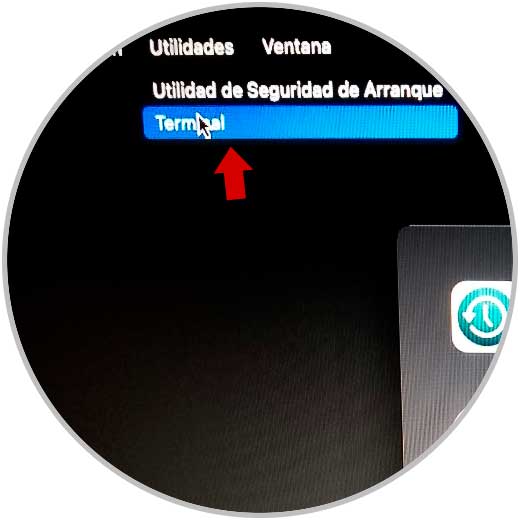
Reset Password Mac Terminal TechnoWikis

H ng D n Xo S ch Factory Reset Mac Ch y Chip M1

WEB Jan 14 2021 nbsp 0183 32 Try these steps to reset your user account password Shut down your MacBook Air M1 2020 Press and hold the power button Touch ID until the screen says quot Loading startup options quot Choose Options then click Continue If you re prompted for an admin password choose quot Forgot all passwords quot

WEB May 21 2024 nbsp 0183 32 When prompted to reset your password click Reset Password Select a user to reset the password for After successfully authenticating click Exit Choose Apple menu gt Restart then log in with your new password Password reset is now complete You don t need to take additional steps Use the Reset Password assistant

WEB Jan 5 2023 nbsp 0183 32 After you enter a password up to three times your Mac should show one of these password reset options Option 1 Restart and show password options 1 If you see the option to restart and show password reset options click it to restart your Mac

WEB Mar 18 2024 nbsp 0183 32 With the recovery key you can reset your Mac password in a few steps Power up your Mac At the login screen click the icon next to the password field Select Reset it using your recovery key Fill in the recovery key and click Next Reset your password by following the on screen instructions

WEB We explain what to do if you ve forgotten your Mac password or don t know the password for the Mac you are using and can t log on install apps or make changes in System
WEB Jun 10 2022 nbsp 0183 32 How to reset your Mac password from the Terminal 1 Check whether you have an ARM M1 Mac or an Intel Mac What if I can t access About This Mac 2 Restart your Mac in Recovery mode 3 Open the Terminal 4 Initiate the process of resetting your password 5 Log back in with your new password Other ways to reset your Mac password WEB Aug 18 2022 nbsp 0183 32 They said I can reset it by typing wrong password 3 times Problem is I have no options to do that This tool to reset password is not on my display I reset Mac by holding TuchID button but no difference
WEB If no other solution is successful you can reset your password by erasing your Mac Shut down your Mac then start up from macOS recovery as described previously When asked to select an admin user you know the password for choose Recovery Assistant gt Erase Mac from the menu bar