Reset Mysql Root Password Centos 8 Reset MySQL Root Password In Centos 7 Janne Rantala How To Reset MySQL Root Password On RedHat CentOS 7 CyberITHub How To Reset MySQL Root Password On Windows coding Sight CyberPanel Update MySQL Root Password Virtual Machine And VPS Tutorials 20 Reset Mysql Root Password In Centos 8 3 Answers Sorted by 1 Instead of trying to reset the root password you could try to skip loading the grant tables alltogether and then root password would be blank sudo mysqld stop mysqld skip grant tables user mysql mysql FLUSH PRIVILEGES ALTER USER root localhost IDENTIFIED BY new passowrd quit service mysql start
Login as root mysql u root Update the root user password with these mysql commands ALTER USER root localhost IDENTIFIED WITH mysql native password BY yourpasswd Stop mysql systemctl stop mysqld Unset the mySQL envitroment options systemctl unset environment MYSQLD OPTS Start mysql normally systemctl start mysqld Sorted by 1 Change the root user s authentication method to one that uses a password sudo mysql ALTER USER root localhost IDENTIFIED WITH mysql native password BY password exit and then try to login by password You may change the root user s authentication method back to the default
20 Reset Mysql Root Password In Centos 8 How To Reset MySQL Root Password In Ubuntu TechvBlogs Skynats Technologies Teletype How To Reset Root User Password On CentOS 8 Resetting A Forgotten Root Password In CentOS 8 20 Reset Mysql Root Password In Centos 8 How To Recover Root Password Rhel 8 Centos 8 YouTube Reset MySql root User Password Forgot MySQL Root Password How To Recover MySQL Root 20 Reset Mysql Root Password In Centos 8 How To Reset Root User Password On CentOS 7 Resetting A Forgotten Root Password 2020 BENISNOUS
Reset Mysql Root Password Centos 8
 Reset Mysql Root Password Centos 8
https://jannerantala.com/wp-content/uploads/2019/04/mysql-1080x203.jpg
1 Answer Sorted by 0 create file mysql preset sql and insert the below command in it ALTER USER root localhost IDENTIFIED BY MyNewPass Caution Before going further stop your mysql instance Make sure that it is not working kill cat mysql data directory host name pid or
Templates are pre-designed files or files that can be used for numerous functions. They can save effort and time by supplying a ready-made format and layout for creating different type of material. Templates can be used for individual or professional projects, such as resumes, invitations, flyers, newsletters, reports, discussions, and more.
Reset Mysql Root Password Centos 8

How To Reset MySQL Root Password In CentOS RHEL Ubuntu
How To Reset MySQL Root Password In Ubuntu TechvBlogs

Skynats Technologies Teletype

How To Reset Root User Password On CentOS 8 Resetting A Forgotten Root Password In CentOS 8
How To Recover Root Password Rhel 8 Centos 8 YouTube
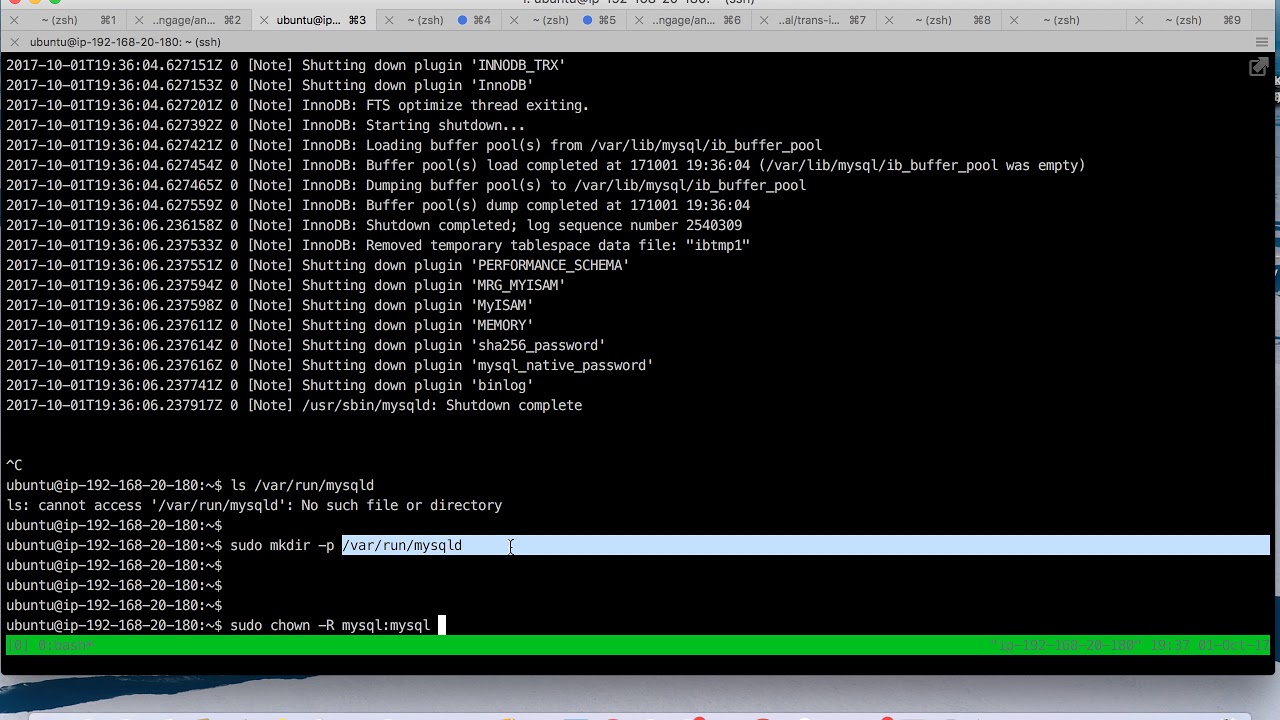
Reset MySql root User Password Forgot MySQL Root Password How To Recover MySQL Root

On Windows use the following procedure to reset the password for the MySQL root localhost account To change the password for a root account with a different host name part modify the instructions to use that host name Log on to your system as Administrator Stop the MySQL server if it is running
1 Stop the MySQL MariaDB service To change the root password first you need to stop the MySQL server To do so type the following command sudo systemctl stop mysql 2 Start the MySQL MariaDB server without loading the grant tables Start the database server without loading the grant tables sudo mysqld safe skip grant tables
If you don t need the data you can reset the password by removing mysql in its entirety stackoverflow questions 10853004 then installing it again it will prompt you for the new root password FWIW rogerdpack Jan 12 2018 at 22 33 Do you know the MySQL root password Franck Dernoncourt Jan 22 2018 at 22 29 3

How To Reset Your MySQL or MariaDB Root Password DigitalOcean Forgetting passwords happens to the best of us If you forget or lose the root password to your MySQL or MariaDB database you can still gain access and rese Forgetting passwords happens to the best of us
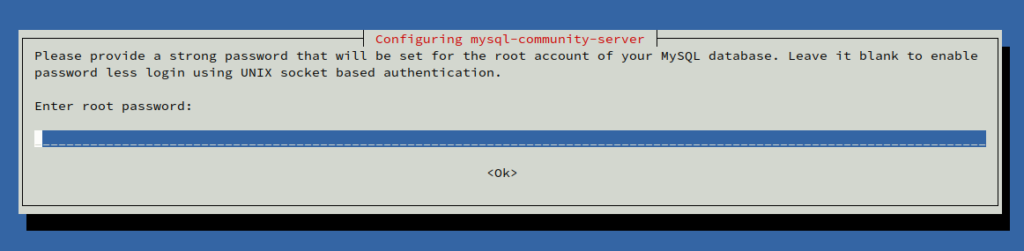
Sudo systemctl start mysql For CentOS RHEL sudo systemctl start mysqld Step 6 Test the New Root Password To ensure your new root password works try connecting to the MySQL server using the new password mysql u root p Enter the new password when prompted If you can access the MySQL server the password reset was successful Conclusion
Edit the initial root password on install can be found by running grep temporary password var log mysqld log http dev mysql doc refman 5 7 en linux installation yum repo html systemd is now used to look after mySQL instead of mysqld safe which is why you get the bash mysqld safe command not found error it s not installed Reset Forgotten root Password in CentOS 8 First reboot or power on your CentOS 8 system Select the kernel you want to boot into Next press e on the keyboard to interrupt the boot process and make changes CentOS 8 Boot Menu On the next screen locate the ro read only kernel parameter as highlighted below Locate Kernel Parameter
In the above change new password with the password that you wish to use Create File with New MySQL Root Password Now make sure that the MySQL service is stopped You can do the following systemctl stop mysqld service for distros using systemd etc init d mysqld stop for distros using init