Rename A Directory Windows Command Line How To Change Directories In Command Prompt Prompts Command Change How To Rename A File Or Directory In Unix YouTube Rename The File On Linux How To Rename A Directory In Linux LinuxTect Cmd Windows 10 Jul 16 2022 nbsp 0183 32 How to Rename a Printer in Windows 10 When you install a printer Windows will usually name the printer after its manufacturer name and model number by default
Oct 19 2021 nbsp 0183 32 Rename LocalUser Name quot Current Name quot NewName quot New Name quot Substitute Current Name in the command above with the actual current name ex quot Brink2 quot of the local Nov 28 2023 nbsp 0183 32 This tutorial will show you how to rename a user profile folder for any account local account or Microsoft account in Windows 10 and Windows 11 You must be signed in as
Cmd Windows 10 How To Rename A Directory On Linux Linux Stans How To Rename A Directory In Linux Systran Box How To Rename A Directory In Linux Using The MV Command Systran Box How To Rename A Directory In Linux Revised 2023 Linux Batch File Rename Command Line Imagestews Rename All Files And Directory Names To Lowercase In Linux How To Rename Multiple Folders In Linux Using Command Line NixCraft 4 Ways To Create And Delete Files And Directories From Windows Command
Rename A Directory Windows Command Line
 Rename A Directory Windows Command Line
https://i.pinimg.com/736x/dd/c9/03/ddc9030576b5f6dab5d254dbb3c855a7.jpg
Dec 6 2020 nbsp 0183 32 Name or rename group Open new tab in group Ungroup tabs in a group Close group to remove group and all added tabs This tutorial will show you how to name or rename
Templates are pre-designed documents or files that can be utilized for numerous purposes. They can save time and effort by offering a ready-made format and layout for creating different sort of material. Templates can be used for personal or expert tasks, such as resumes, invitations, leaflets, newsletters, reports, discussions, and more.
Rename A Directory Windows Command Line
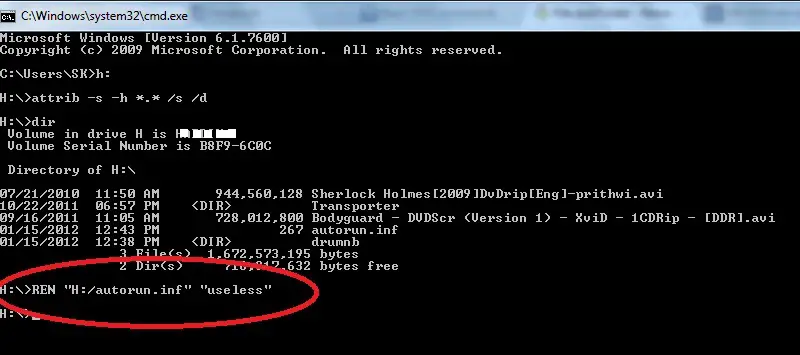
Remove Virus Or Unwanted Files Using Command Prompt

How To Rename A Directory On Linux Linux Stans

How To Rename A Directory In Linux Systran Box

How To Rename A Directory In Linux Using The MV Command Systran Box

Linux Batch File Rename Command Line Imagestews
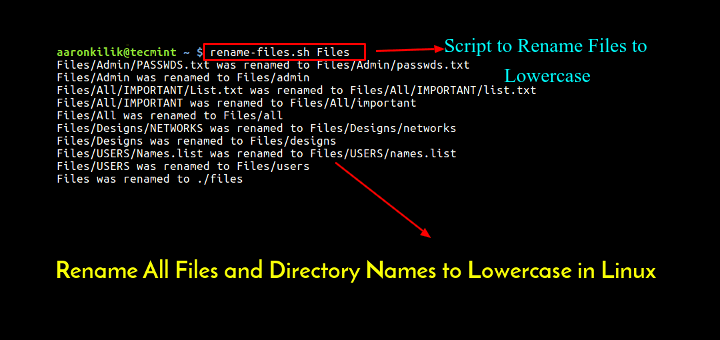
Rename All Files And Directory Names To Lowercase In Linux

Apr 5 2021 nbsp 0183 32 How to Rename Folder in Windows 10 This tutorial will show you different ways to rename a folder in Windows 10 If a folder is currently in use for example by a program

09 Mar 2020 How to Rename a Network Adapter in Windows A network adapter is a computer hardware component that connects a computer to a computer network known as a network
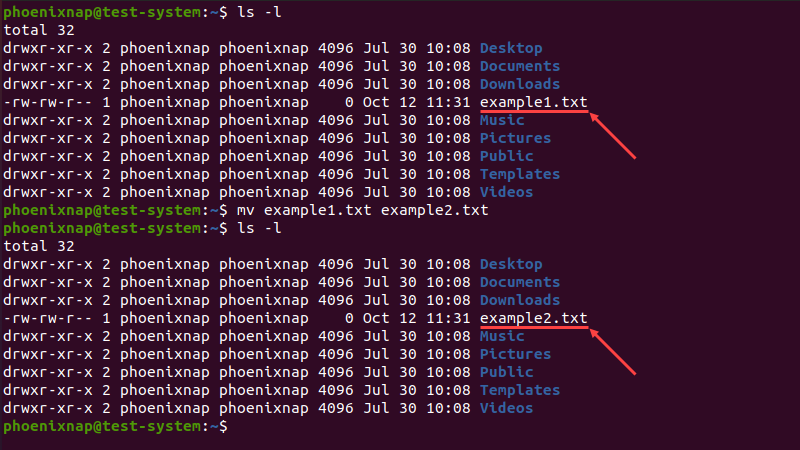
Aug 7 2022 nbsp 0183 32 How to Rename a Drive in Windows 10 A drive name or drive label is a unique name of up to 32 NTFS or 11 FAT characters assigned to a drive disc or other media

Jul 30 2021 nbsp 0183 32 To Rename Network Profile in Local Security Policy The Local Security Policy is only available in the Windows 10 Pro and Enterprise editions This option will override the
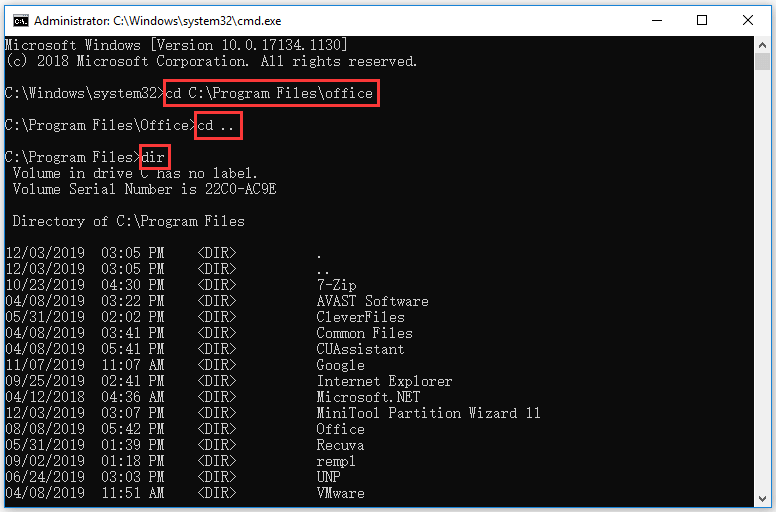
Jan 19 2020 nbsp 0183 32 How to Change Operating System Name in Boot Options at Startup in Windows 10 If you have more than one operating system installed on your PC then you will see a Choose
[desc-11] [desc-12]
[desc-13]