Removing Spaces In Excel Between Characters Removing Spaces In Excel 2010 Made Easy How To Remove Spaces By Excel Trim Function 5 Examples Riset Removing Spaces In Excel And Subscribe For Daily Tips YouTube How To Remove Spaces In MS Excel QuickExcel How To Remove Spaces In Excel WEB Feb 11 2023 nbsp 0183 32 How to remove Spaces between Characters and Numbers in Excel The following methods will help you remove spaces between characters and numbers in Excel Remove spaces using the
WEB Feb 27 2024 nbsp 0183 32 TRIM B2 would return the contents of cell B2 with extra spaces removed TRIM quot Hello World quot would return Hello World Removing Extra Spaces Between Words with Find and Replace WEB 1 The TRIM function below removes 2 leading spaces 3 extra spaces and 2 trailing spaces Note the TRIM function does not remove single spaces between words 2 To get the length of a string use the LEN function Explanation the LEN function counts 2 spaces 2 characters 4 spaces 3 characters and 2 spaces 3
How To Remove Spaces In Excel How To Remove Spaces Between Characters And Numbers In Excel Removing Spaces In Excel Pixelated Works How To Remove Spaces In Excel Why Is TRIM Not Removing Spaces In Excel Excel Me How To Remove Leading Trailing Spaces In Entire Column Data How To Remove Leading Trailing Spaces In Entire Column Data Why Is TRIM Not Removing Spaces In Excel Excel Me How To Remove Spaces In Excel In Easy Steps
Removing Spaces In Excel Between Characters
 Removing Spaces In Excel Between Characters
http://theapptimes.com/wp-content/uploads/2015/04/trim-non-breaking-spaces.png?e61809
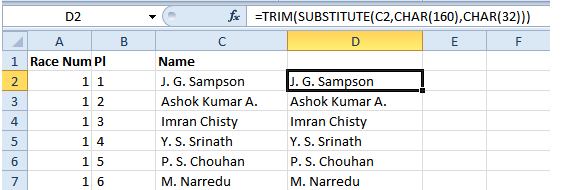
WEB May 20 2023 nbsp 0183 32 The SUBSTITUTE Function The SUBSTITUTE function replaces all occurrences of a specified character or text string with a new character or string To use this function Select the cell or column that you want to replace space
Pre-crafted templates provide a time-saving option for producing a diverse variety of documents and files. These pre-designed formats and layouts can be made use of for numerous personal and professional tasks, consisting of resumes, invitations, leaflets, newsletters, reports, discussions, and more, simplifying the material production process.
Removing Spaces In Excel Between Characters
How To Remove Extra Spaces In Excel Without A Formula

How To Remove Spaces Between Characters And Numbers In Excel

Removing Spaces In Excel Pixelated Works
How To Remove Spaces In Excel

How To Remove Leading Trailing Spaces In Entire Column Data

How To Remove Leading Trailing Spaces In Entire Column Data
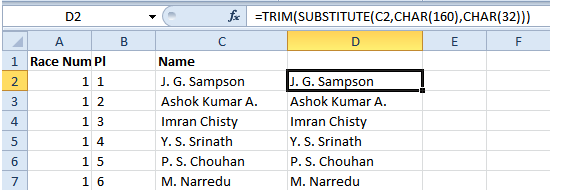
WEB Type SUBSTITUTE into the cell where you want the text to appear Select the text from which you want to remove spaces Type a comma and then input quot quot making sure to have a space between the double quotation marks Type a comma and then input quot quot making sure to NOT have anything between the double quotation marks

WEB Mar 13 2023 nbsp 0183 32 Press Ctrl H to open the Find and Replace dialog In the Find what box enter one of the following combinations To eliminate text before a given character type the character preceded by an asterisk char To remove text after a certain character type the character followed by an asterisk char

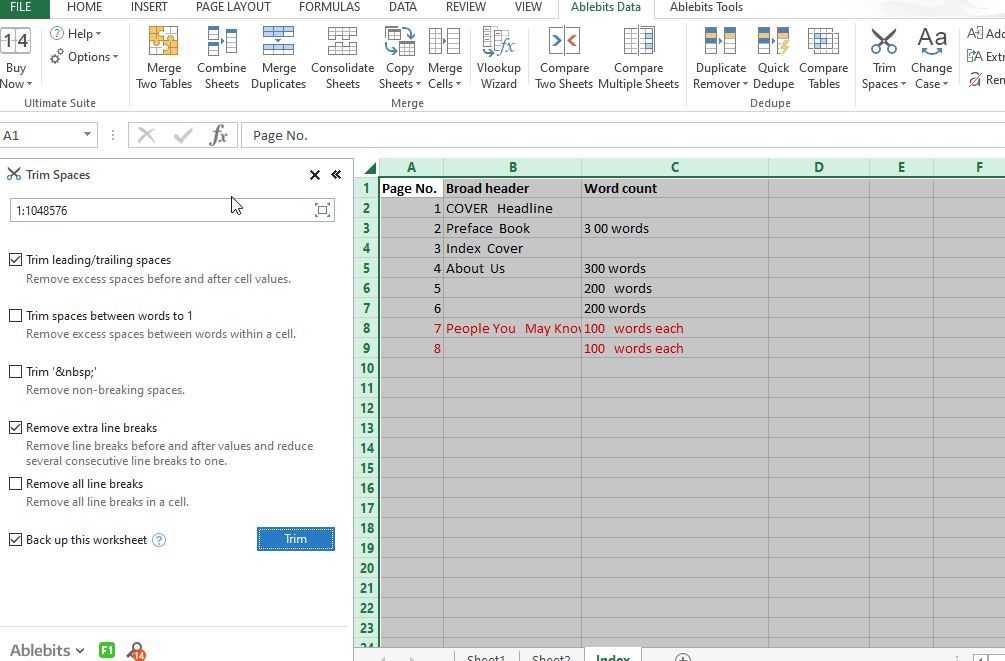
WEB Mar 20 2023 nbsp 0183 32 See how to quickly remove spaces in Excel trim leading trailing and extras spaces between words get rid of non breaking whitespace and non printing characters Ablebits blog Excel

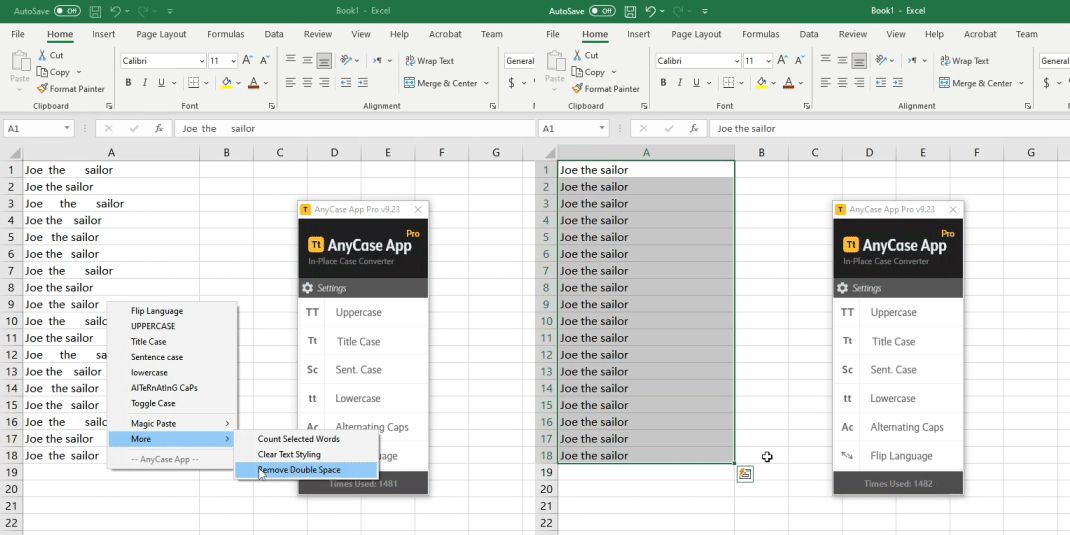
WEB 5 days ago nbsp 0183 32 To remove spaces between numbers and words press Ctrl H press the Spacebar in the quot Find what quot field then click quot Replace all quot You can also use the SUBSTITUTE function to remove extra space between characters To remove extra space from the beginning or end of a value use the TRIM function
WEB Nov 30 2021 nbsp 0183 32 In Excel to remove the leading trailing and extra spaces between words in a particular string use the TRIM function This function deletes all spaces except for single spaces between words To remove all spaces including the ones between words use Excel s Replace feature
[desc-11] [desc-12]
[desc-13]