Remove Watermark From Pdf Reddit 3 Ways To Remove Watermark From PDF New Tech World SOLVED How To Remove Watermark From PDF WindowsCla How To Remove Watermark From PDF File YouTube How To Delete Watermark From PDF Using Adobe Reader 2020 Updates Learn How To Remove Copyright Watermark From PDF Documents Watermark When it comes to free ways to remove watermark there are several ways to remove watermark from any document quickly You could apply any one of the mentioned techniques 1 Manually type the document all over to get a new document without the watermark
How to remove watermarks from pdf I am a student who just cannot afford to pay the premiums that PDF editors demand so the free version of PDFelement keeps putting a watermark straight across my final page Is there any way around this so that I don t have my job application ruined by it 6 comments Add a Comment BmanUltima 7 yr ago This makes the watermark much more difficult to remove and results in a rather bloated PDF file Since the watermark is actually composed of many tiny images you can remove them with a PDF editor e g Foxit Advanced PDF Editor simply by selecting them and pressing Delete Unfortunately you have to repeat this for every page A less time
Learn How To Remove Copyright Watermark From PDF Documents Watermark 2022 How To Remove Watermark From PDF Files Free EaseUS How To Remove Watermark From PDF Files In Offline Mode Shareware4U Remove Watermark From PDF Remove Watermark Nuance Pdf ObizTools Tips On How To Remove Watermark From PDF WPS PDF Blog How To Remove Watermark From PDF File Book Free Watermark Remover Remove Watermark Nuance Pdf ObizTools How To Remove Watermark From PDF YouTube
Remove Watermark From Pdf Reddit
 Remove Watermark From Pdf Reddit
https://i0.wp.com/newtechworld.net/wp-content/uploads/2019/11/remove-watermark-from-pdf.png
Click on Enable Editing Go to the Ribbon area and click Design then click Watermark in the right hand corner When done go to the bottom right of your screen and click Remove watermark Click on the watermark then press Delete and voil your watermark is removed
Templates are pre-designed documents or files that can be utilized for various functions. They can save time and effort by offering a ready-made format and layout for creating various type of material. Templates can be utilized for personal or professional jobs, such as resumes, invitations, flyers, newsletters, reports, discussions, and more.
Remove Watermark From Pdf Reddit

How To Remove Watermark From PDF File For Free Remove Watermark From
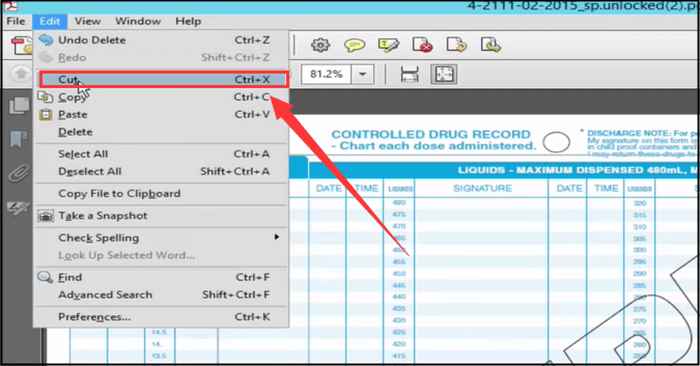
2022 How To Remove Watermark From PDF Files Free EaseUS

How To Remove Watermark From PDF Files In Offline Mode
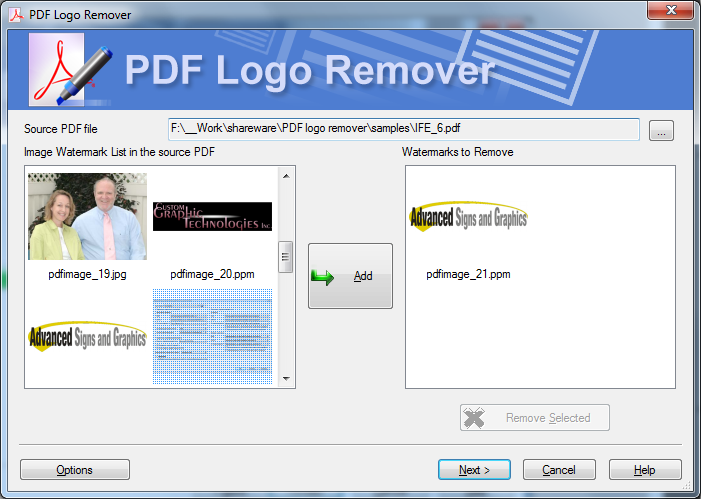
Shareware4U Remove Watermark From PDF

Tips On How To Remove Watermark From PDF WPS PDF Blog
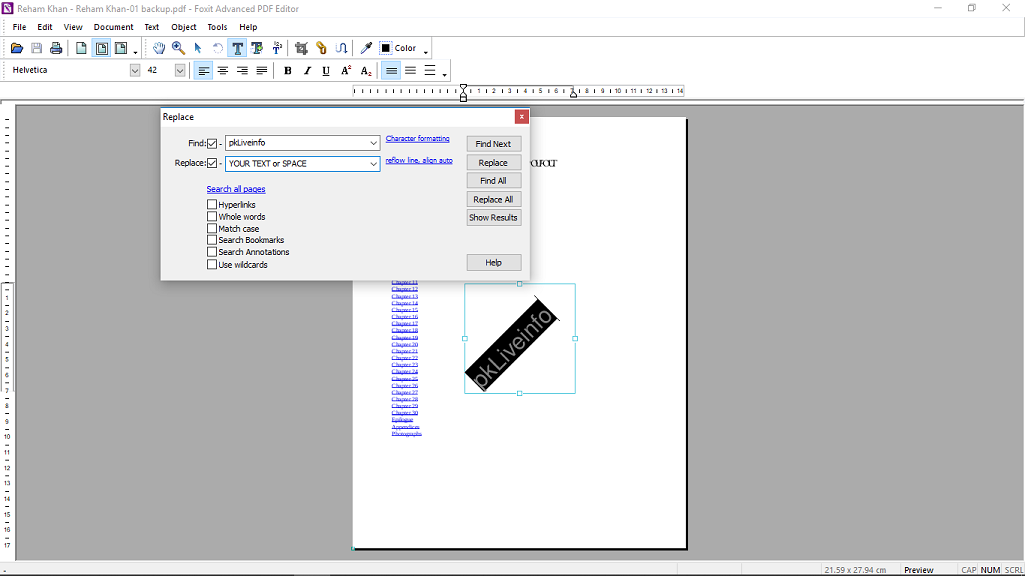
How To Remove Watermark From PDF File Book Free Watermark Remover

9 Basz96 2 yr ago Hi in case you have a Linux system you can definitely check this post https superuser questions 448519 how to remove watermark from pdf using pdftk 7 TheBrickWithEyes 2 yr ago Acrobat Pro lets you mark an element for redaction

Removing watermark I have a scanned pdf mechanics book that I would like to print and use in the workshop One small thing that bothers me is that at some stage someone has applied a watermark I m wondering if there s a way to remove the watermark if I didn t create the file

Key Takeaways One way is to upload your PDF to Google Drive open it with Google Docs which deletes the watermark and save the file back as PDF Another way is to launch your PDF with MS Word select the watermark and press Backspace Windows or Delete Mac and save the file back as PDF
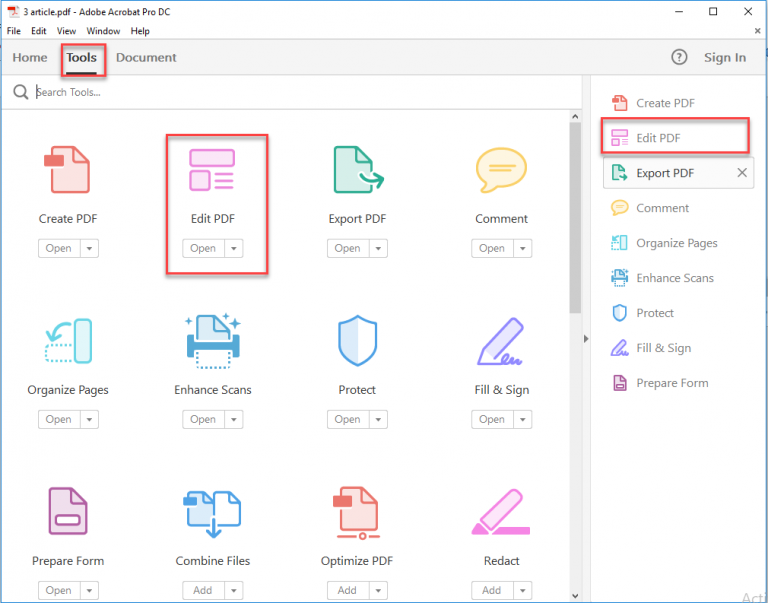
for hire will edit any pdf without changing font convert pdf to word extract pages images and remove watermark upvotes r electronicmusic

Removing a text watermark from PDFs I study at a school that follows a syllabus set by the central government but I prefer reading the PDF versions of my textbooks Example I tried all proprietary software I could to remove this distracting watermark but it s still there If anyone has a solution for this please help me out Windows 8 1 5
Right click the PDF file and choose Open with Google Docs It will convert the PDF file to a Word file and remove all watermarks Click File Download PDF Document pdf You will get a PDF file without watermarks This PDF watermark remover also has defects Like Microsoft Word the PDF to Word conversion may change the layout font or Select the watermark element Press the Delete button Save the final PDF First open Google Drive in a web browser and make sure you are logged into your Google account Now click on the New
How to Remove PDF Watermarks with EaseUS PDF Editor Step 1 Launch EaseUS PDF Editor and click Tools on the left panel Step 2 Choose the Watermark option in the Edit Review tab then import the PDF files that you want to add or remove watermark Step 3 When the PDF is opened click the Watermark button