Remove Pdf Security Settings How To Check PDF Security Settings In Adobe Reader VeryPDF Knowledge How To Change Security Settings On Pdf For Free Canada Guidelines How To Remove Pdf Security Passwords More Updates How To Remove PDF Restriction Allow PDF To Open Copy Print PDF Security Settings Removal For Windows Mac Unfortunately there s no easy way to remove a password if you don t know it A Convenient Trick Print to PDF Related How to Print to PDF on Any Computer Smartphone or Tablet This may seem a little silly but you can easily and conveniently remove the password from a PDF file by opening it and printing it to a new PDF Your system will
Method 1 Using Adobe Acrobat to Remove a User Password Download Article 1 Open Adobe Acrobat Pro This is the paid version of Adobe Acrobat if you only have the Adobe Acrobat Reader you won t be able to unlock your PDF with this method 2 Click File This option is in the top left corner of the window or the screen on a Mac Enter the password of the PDF Click on Set Password Click on Start PDF File Unlock Online Service for free and wherever you want How To Unlock PDF Files It s simple All you need is the PDF that you want to unlock and of course its password We can only unlock your PDF if you know the password Upload your protected PDF using the
PDF Security Settings Removal For Windows Mac How To Change PDF Security Settings Easily Options For Converting PDF To Various Formats Add Or Remove PDF Security With Our API Platform PDF co How To Change PDF Security Settings After Sending Locklizard Can t Copy Text From A PDF File Password Recovery How To Remove PDF Security Without Password 2 Ways Foxit Reader Update Settings Horaholic How To Remove Password From Pdf Bluebeam Howtoremovee
Remove Pdf Security Settings
 Remove Pdf Security Settings
https://www.verypdf.com/wordpress/wp-content/uploads/2011/10/image_thumb403.png
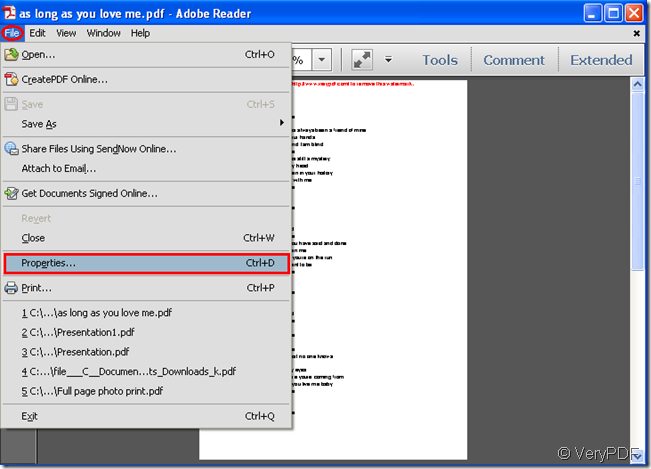
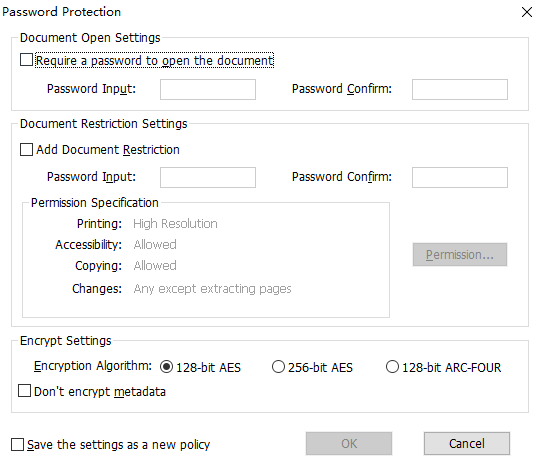
If you are the owner of the PDF and have applied the security settings using the password only you can make changes in the security settings and can change the password from File Properties after you open the PDF and click the Security tab in the Properties dialog box to change the security settings
Pre-crafted templates provide a time-saving service for developing a diverse variety of documents and files. These pre-designed formats and layouts can be used for various individual and professional tasks, consisting of resumes, invites, flyers, newsletters, reports, discussions, and more, improving the content development procedure.
Remove Pdf Security Settings
How To Change PDF Security Settings Easily

How To Change PDF Security Settings Easily
Options For Converting PDF To Various Formats
Add Or Remove PDF Security With Our API Platform PDF co
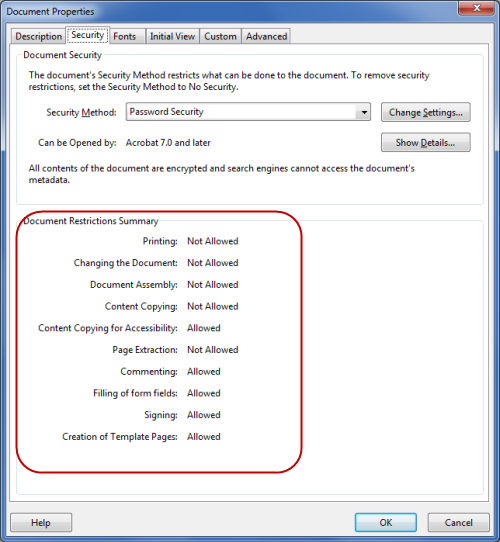
Can t Copy Text From A PDF File Password Recovery
How To Remove PDF Security Without Password 2 Ways

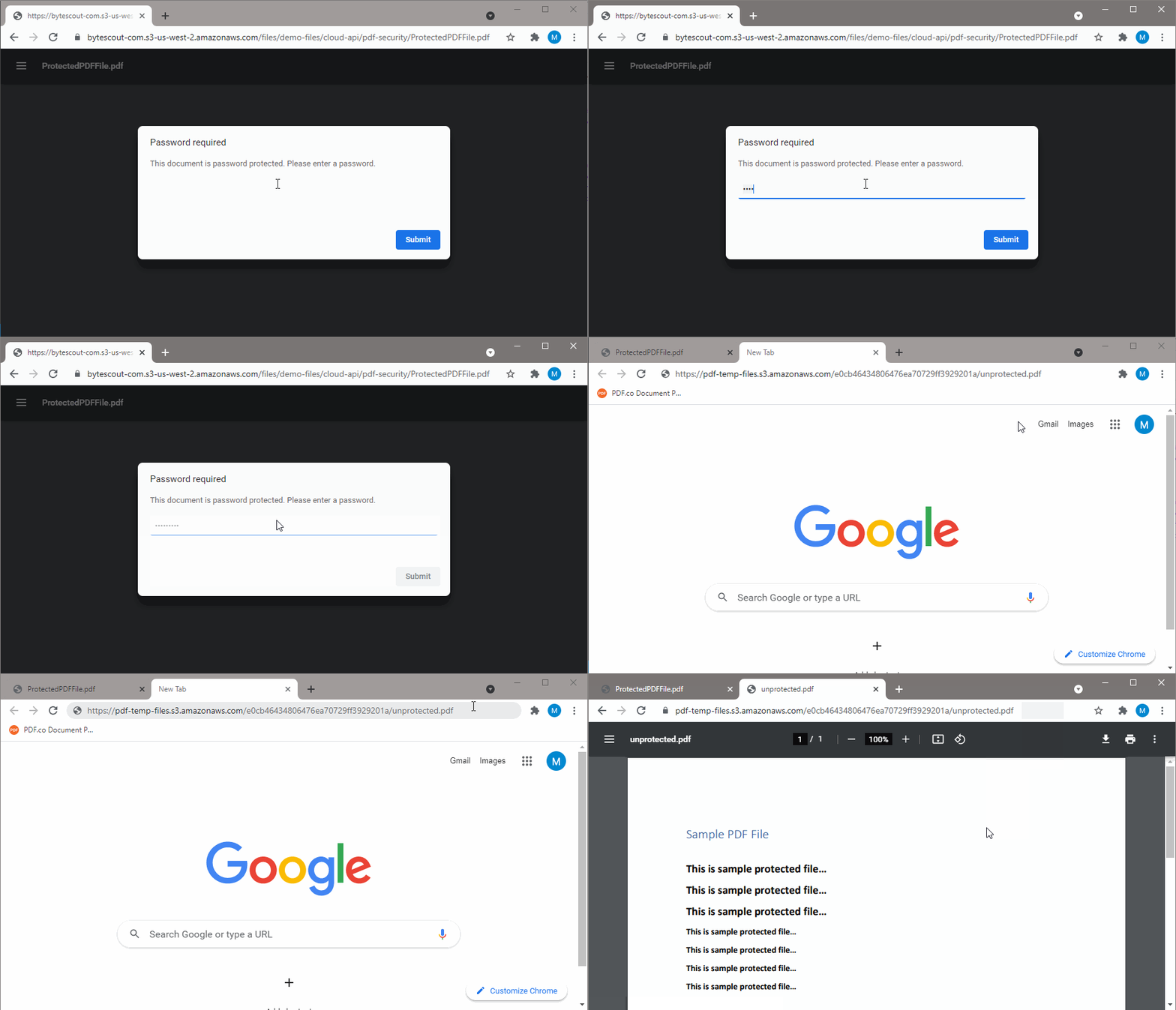
Choose File or drop PDF here Do you want to remove a password from your PDF This tool makes it easy to unlock a PDF that has been password protected to allow access to the file s content You won t need to buy expensive software or even install anything at all Smallpdf is free to use and can unlock your PDF in seconds

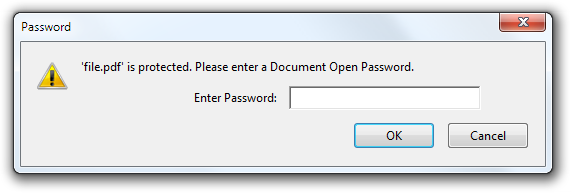
You can remove security from a PDF if you have the document password If the PDF is secured with a server based security policy only the policy author or a server administrator can change it Contact the creator or the author of the PDF to get the password to edit the PDFs

Use the Unlock tool Choose Tools Protect Encrypt Remove Security Remove Security The options vary depending on the type of password security attached to the document If the document has a Document Open password click OK to remove it from the document

Free online tool to remove password protection and security settings from PDF files No quality loss Without installation Without registration
1 Download the utility on Windows or Mac OS 2 Choose the Add Files tab to load PDF files 4 Click the Change tab and select the location 5 Mouse click Start Unlocked to begin the process Know the Status of the Security Settings on a PDF File
Once I click this using Adobe Acorbat X and select Use an existing file Click Next Select Use the current document Click Next I get the message You cannot edit this file as a form due to its security settings I then try to go to File Properties The security method setting has NO security set Use the Unlock tool Choose Tools Protect Encrypt Remove Security Remove Security The options vary depending on the type of password security attached to the document If the document has a Document Open password click OK to remove it from the document
1 Open a PDF file and choose either way of the following to remove password certification and security settings Choose Protect Remove Security Choose Protect Security Properties or choose File Properties In the Security tab of the Document Properties dialog box choose No Protection from Security Method menu 2 A Foxit Security