Remove Pdf Password Mac Terminal How To Remove A Password From A PDF File Unlock PDF Remove PDF How To Unlock A PDF Without The Password Remove PDF Password YouTube Reset Admin Password Mac Terminal Archives TechBland Crack Pdf Password Mac Logosfasr How To Hack Wifi Password Mac Terminal Zentale Once you have it follow these steps Open Acrobat and open the PDF Press Command D to see security options or click File Document Properties Type in the password Choose No Password from the dropdown menu where the password is used Click OK then OK again Save the PDF
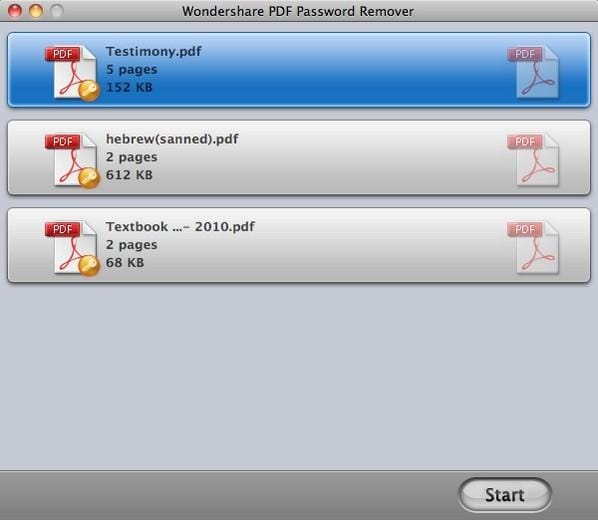
Removing a Password from a PDF File Using Preview The first step is to open the password protected PDF file using Preview To do that you can right click on the PDF file you wish to unprotect and select Open With followed by Preview You can also double click on the file as well Either method will attempt to launch the file in Free Download macOS 10 13 or later Run the program add owner permission password protected PDFs into the program by drag and drop or clicking Add Files Select all encrypted PDFs and click Remove to unlock PDF on Mac without entering any password 2 Unlock a User Password Locked PDF without Password Download and launch the PDF Password
How To Hack Wifi Password Mac Terminal Zentale How To Hack Wifi Password Mac Terminal Diamondnew Wondershare PDF Password Remover For Mac Zip With Password Mac Terminal Peatix Reset Mac Password Recovery Mode Lasopahard How To Remove Password From PDF On Google Chrome Android IPhone How To Remove PDF Password On Mac Get All Possible Solutions How To Unlock PDF Files Without Software Remove PDF Password How To How To Remove Password Protection From PDF Files Using Google Chrome
Remove Pdf Password Mac Terminal
 Remove Pdf Password Mac Terminal
https://i.ytimg.com/vi/GWYFPjFxVlU/maxresdefault.jpg
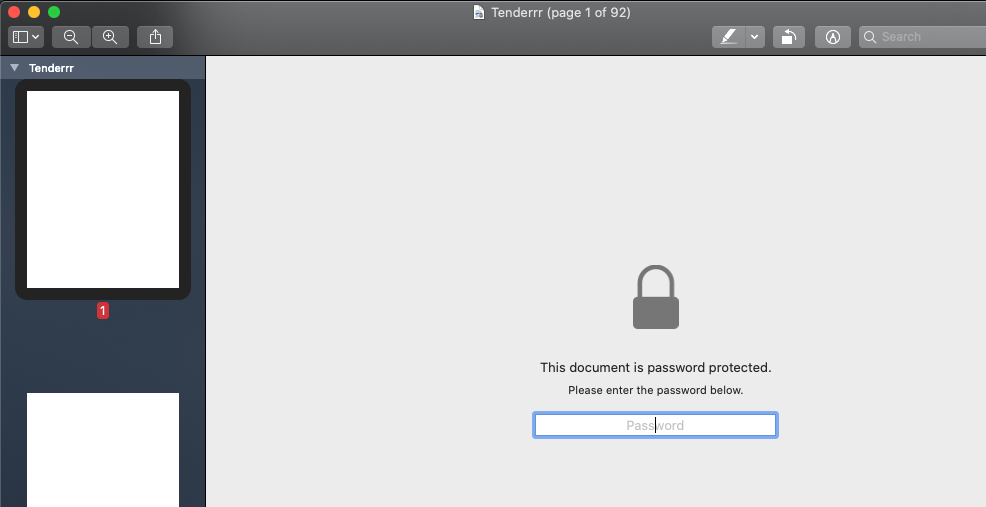
The duplicate PDF then won t have password protection Here s how to remove password protection from PDF with Preview Launch Preview and open your password protected PDF Enter the password Go to File Export as PDF Select the location and name Click Save
Pre-crafted templates use a time-saving option for developing a diverse range of documents and files. These pre-designed formats and layouts can be utilized for numerous personal and expert tasks, consisting of resumes, invites, flyers, newsletters, reports, presentations, and more, streamlining the content development procedure.
Remove Pdf Password Mac Terminal
Reset Password Mac Terminal TechnoWikis

How To Hack Wifi Password Mac Terminal Diamondnew
Wondershare PDF Password Remover For Mac
Zip With Password Mac Terminal Peatix

How To Remove Password From PDF On Google Chrome Android IPhone
How To Remove PDF Password On Mac Get All Possible Solutions
1st Open the password protected PDF with Adobe Acrobat If there is an open password enter it to open the file Go to Tools Protect Then go to Advanced Options Remove security enter password and click OK to remove an known password from your PDF on mac

How to remove PDF password on Mac using a web browser For all those who love using Google Chrome or Safari there is a pretty solid way to remove your PDF password on Mac using the same Here s how Right click your PDF file Open With Google Chrome or Safari Enter the password to unlock the file Press Command P to open the print
Method 1 Unlock PDFs With the macOS Preview Tool Method 2 Remove PDF Password Using Google Chrome Method 3 Upload PDF to Google Docs to Remove Password Method 4 Use the Unlock PDF Online Tool Method 5 Try Smallpdf s Unlock PDF Tool Bonus Download Adobe Acrobat to Unlock PDFs Wrapping Up

Easy Way until Take Unknown Password upon PDF Mac In most suits we right forget even don t know but have legal access to the PDF password and hope to remove PDF password protection without password Then a business PDF password remover for mac will be need to remove the unknown keyword

Open password protected PDF with Adobe Acrobat DC Reader on your Mac if the PDF is protected with an user password enter the correct password Then go to Tools Protect Go to Encrypt Remove Security enter the password Then save the PDF file without any password protection
Step 1 Open Password Protected PDF First of all open the PDF in Preview Search for your PDF file right click on it and hit Open With followed by Preview Or you can also double click the file to open in Preview This way only works when you set Preview as your default PDF viewer Where are numerous apps available to remove protected PDF password but Cisdem PDF Password Remover is the one on the top of my list It is not only planned go helps users directly removing the password and restrictions from an user password encrypted PDF without inputs the password but also enables users to unlock PDF on mac even when she
2 iPubsoft PDF Password Remover for Mac iPubsoft is another PDF password remover for Mac on our list iPubsoft is specially designed as a professional way to remove restrictions from your document This is also available on Mac as well as on Windows It decrypts all the security restrictions like user password and owner password