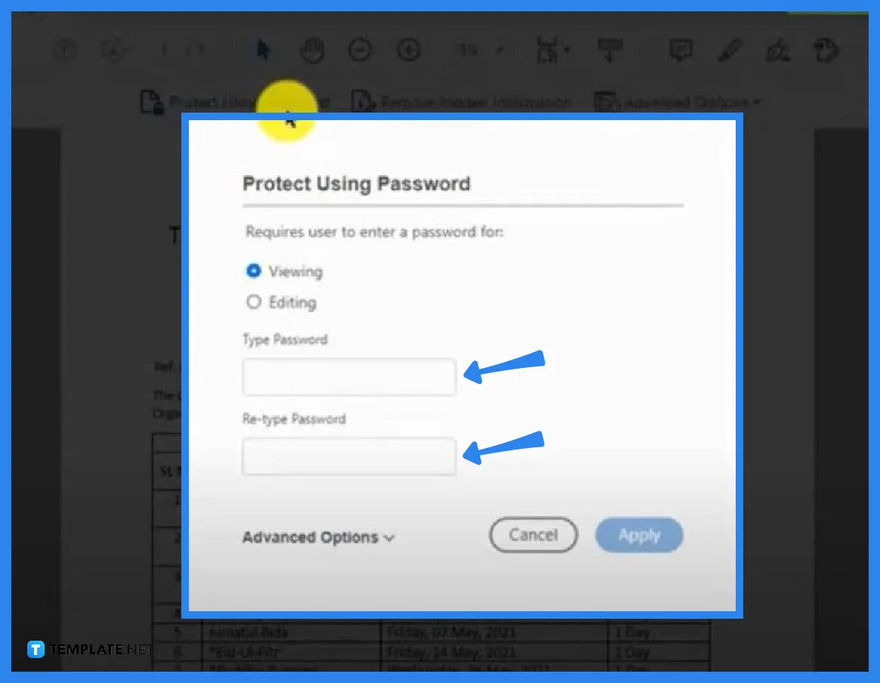
Remove Pdf Password Adobe Reader Dc Free Hypercam 3 Serial Key Newbc How To Remove Pdf Password In Adobe Acrobat Dc Australian Tutorials How To Password Protect A PDF In Adobe Reader How To Remove Pdf Password In Adobe Acrobat Dc Australian Tutorials How To Password Protect A PDF In Adobe Reader Web Nov 8 2023 nbsp 0183 32 Go to All tools gt Protect a PDF and then select Protect with password from the Protect a PDF toolset in the left pane Select File gt Protect Using Password macOS If you receive a prompt select Yes to change the security Choose Editing and then type and retype your password
Web Apr 17 2015 nbsp 0183 32 1 Correct answer Sara Forsberg Apr 17 2015 Hi daltxjim If you know the password and have access to Acrobat then you should be able to remove the password security Just choose File gt Properties after you open the PDF and click the Security tab in the Properties dialog box to change the security settings Web May 28 2019 nbsp 0183 32 1 Upvote Translate Report Steve Werner Community Expert May 28 2019 Are you the creator of the form If so only you know the password we don t If you re not the creator you d have to get the permission of the PDF form poster and get them to unlock it 1 Upvote Translate Report Amal Participant Jul 19 2019 Hi Rosemarys
How To Password Protect A PDF In Adobe Reader C mo Creo Una Contrase a Startupassembly co How To Remove Password From PDF On Google Chrome Android IPhone How To Password Protect PDF Password Protected PDF PDF Password How To Unlock PDF Files Without Software Remove PDF Password How To PDF PassWord Adobe Acrobat DC Adobe Acrobat Reader For Mac Remove Plus Expertnew How To Remove Password Protection From A PDF How To Remove Pdf Password From Android Mobile Mobile Phone Se PDF Ke
Remove Pdf Password Adobe Reader Dc
 Remove Pdf Password Adobe Reader Dc
http://newbc872.weebly.com/uploads/1/2/5/5/125575273/268021760.png
Web Oct 23 2023 nbsp 0183 32 Step by Step How To Remove Password From Pdf In Adobe Reader Step 1 Open the PDF Step 2 Insert Password Step 3 Accessing the Properties Step 4 Security Settings Step 5 Change Security Method Step 6 Remove Password Step 7 Confirm Changes Step 8 Save the PDF
Templates are pre-designed files or files that can be used for different purposes. They can save time and effort by providing a ready-made format and design for producing various kinds of material. Templates can be used for individual or professional projects, such as resumes, invitations, flyers, newsletters, reports, discussions, and more.
Remove Pdf Password Adobe Reader Dc
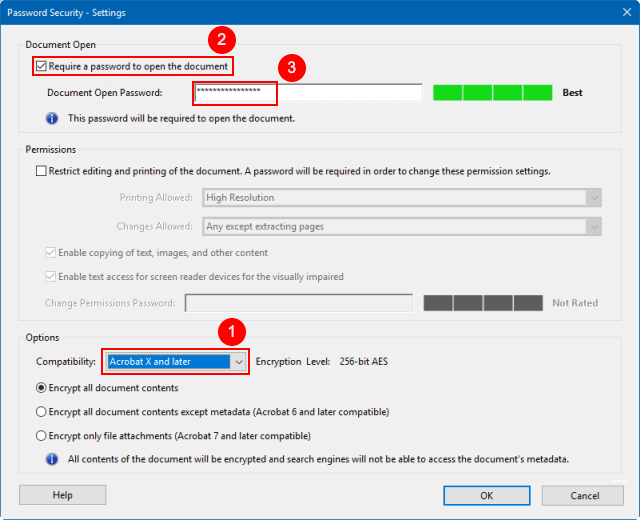
New Method To Add Or Remove Password Security From PDFS In Acrobat DC

C mo Creo Una Contrase a Startupassembly co

How To Remove Password From PDF On Google Chrome Android IPhone

How To Password Protect PDF Password Protected PDF PDF Password

PDF PassWord Adobe Acrobat DC
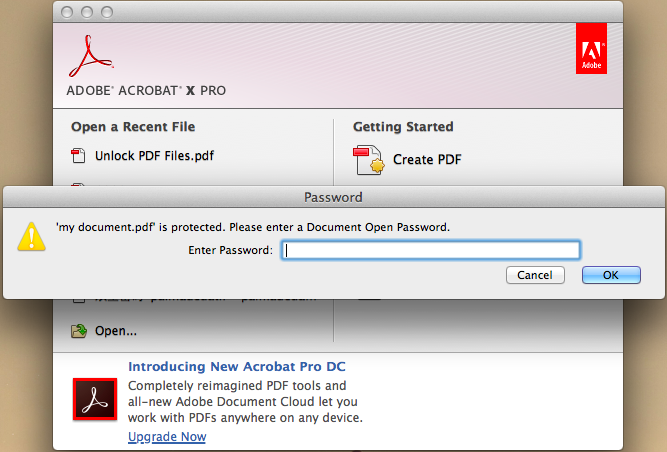
Adobe Acrobat Reader For Mac Remove Plus Expertnew

Web If the document has a permissions password type the correct password in the Enter Password box and then click OK After those steps congratulations you ll have an unlocked PDF Now just be sure to save the document so others can access it as well

Web Oct 25 2022 nbsp 0183 32 Key Takeaways You can often Print to PDF to create a password free copy of a PDF Press Ctrl P or click the Print button then ensure that Print to PDF Save as PDF or something similarly named is selected as your printing device You can also use Adobe Acrobat Pro to remove a PDF s password
Web Jan 17 2021 nbsp 0183 32 In Adobe Acrobat DC open the PDF gt Enter the password gt OK gt File gt Properties gt Security gt Security Method gt No Security gt OK gt OK This article covers how to remove password protection from a PDF file using a free PDF viewer and Adobe Acrobat DC a paid tool How to Use a PDF Viewer To Remove Password Protection

Web Open the PDF in Adobe Acrobat Pro on your Windows PC or Mac Choose Tools gt Protect gt Advanced Options gt Remove Security If the document has a Document Open password click OK to remove it If the document has a permissions password type the correct password in the Enter Password box and then click OK
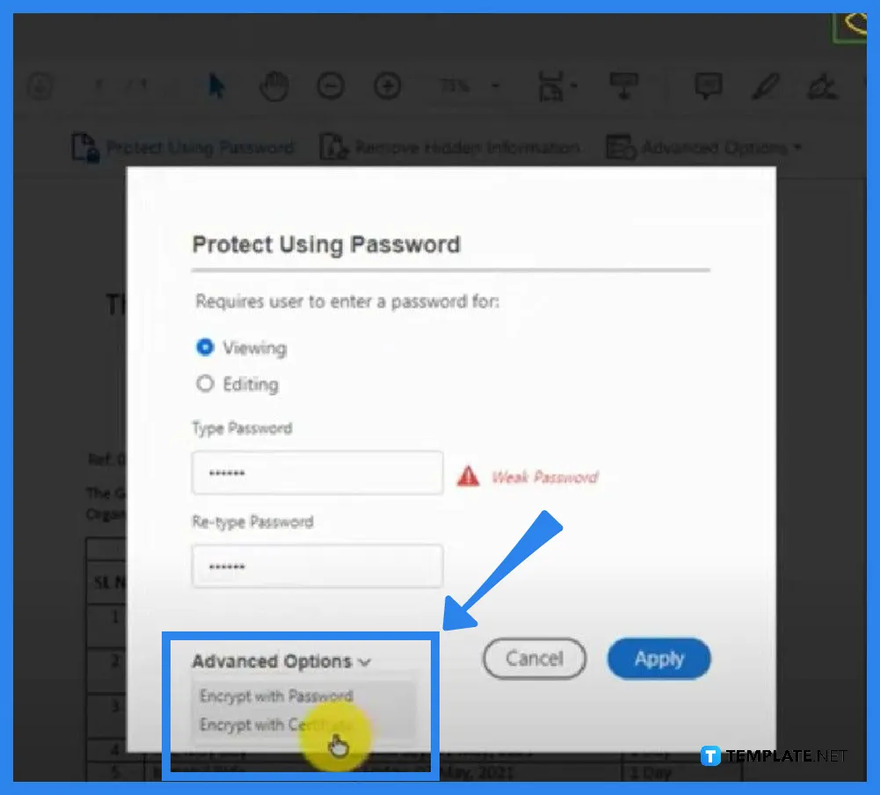
Web Step 1 Open PDF file with Acrobat DC Then click Protect on the right side pane of Acrobat DC Step 2 Click Restrict Editing Then type the permissions Password then confirm a password Click OK Press Ctrl S to save the security settings on this document
Web Jun 2 2020 nbsp 0183 32 I am trying to remove password protection from documents received with a password I know the password but want to save the file without the password protection As instructed I go to file properties security but there is no option to remove the password screen shot below Web how to remove security password jeffreys59683829 New Here Apr 09 2016 How to remove security password 9 6K Translate Report 1 Correct answer Deleted User Apr 09 2016 Hi You would need Acrobat to perform this Please refer the following link Securing PDFS with passwords Adobe Acrobat Regards Sukrit Dhingra Upvote Translate
Web Nov 28 2017 nbsp 0183 32 1 Sejda PDF can help you remove the password restrictions from PDF documents given you own the documents and have the password https www sejda unlock pdf Free service for documents up to 200 pages or 50 Mb and 3 tasks per hour