Remove Items From Dictionary Spell Check Is There A Way To Lookup A Value In A Dictionary Python FAQ Seiko Electronic Oxford English Dictionary Spell Checker With Crossword Musical Clipart Radio Musical Radio Transparent FREE For Download On How To Remove Key From Dictionary In Python Python Guides 2022 Remove All Keys From Python Dictionary Data Science Parichay Web Apr 15 2021 nbsp 0183 32 Open the Windows 10 settings then head to Security gt Inking amp typing personalization You ll see the View your personal dictionary option Click that and you ll be able to see everything you ve added You can click Clear your personal dictionary to remove everything you ve added to your dictionary
Web Apr 13 2010 nbsp 0183 32 1 Answer Sorted by 11 Below are the steps to delete dictionary entries in Word 2007 Open Word Click the Office button Click the Word Options button Click Proofing Pic A Step 1 Click Custom Dictionaries Pic A Step 2 Click Edit Word List Pic A Step 3 Web Jul 25 2017 nbsp 0183 32 Software Apps Windows 10 How to edit the custom spell check dictionary on Windows 10 By Mauro Huculak last updated 25 July 2017 Did you add the wrong word to the dictionary No worries in
Remove All Keys From Python Dictionary Data Science Parichay Python Remove A Key From A Dictionary W3resource How To Remove Key From Dictionary In Python Python Guides Operaciones A Tipo Fijo Prestamosemam Seiko ER 6000 Oxford Dictionary Spell Checker Calculator Price In Dan Amy Top 19 Python Remove One Key From Dictionary En Iyi 2022 Dictionary In Python Create Access Remove PyProgramming How To Delete All Items In Dictionary Using Python Clear
Remove Items From Dictionary Spell Check
 Remove Items From Dictionary Spell Check
https://global.discourse-cdn.com/codecademy/original/5X/f/e/e/9/fee952b8552f8f3b03a584db91f9fd963970f5ac.png
Web Jul 16 2018 nbsp 0183 32 For some reason you can t remove individual items here but you can click Clear dictionary to remove them all Doing this deletes all entire from the default dic file mentioned earlier In the future when you want to add items to your dictionary just right click them in your current app and choose Add to Dictionary
Templates are pre-designed documents or files that can be utilized for numerous functions. They can save effort and time by supplying a ready-made format and layout for producing various sort of material. Templates can be used for personal or professional jobs, such as resumes, invites, flyers, newsletters, reports, presentations, and more.
Remove Items From Dictionary Spell Check
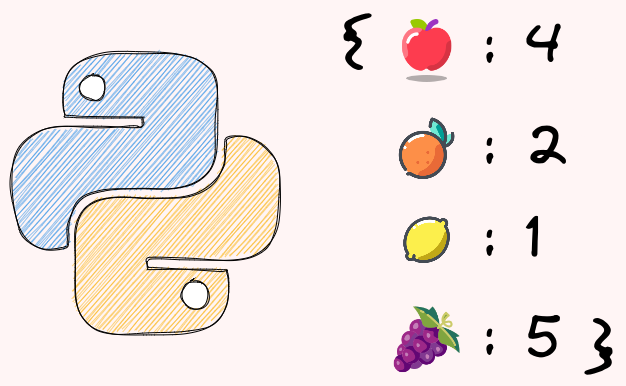
2 4 Dictionary Effective Python For Data Scientists
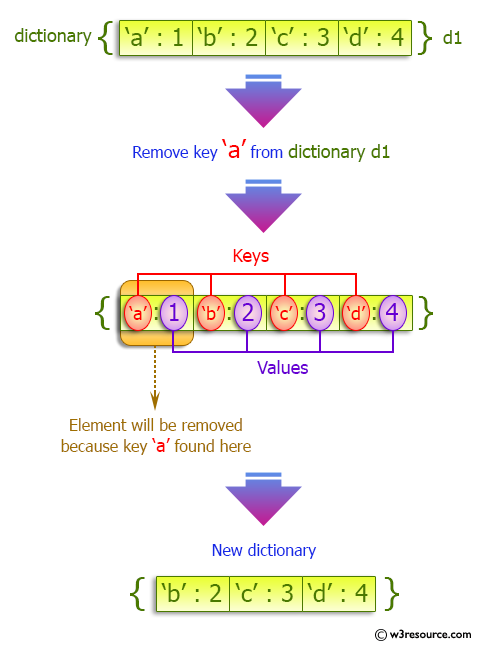
Python Remove A Key From A Dictionary W3resource

How To Remove Key From Dictionary In Python Python Guides
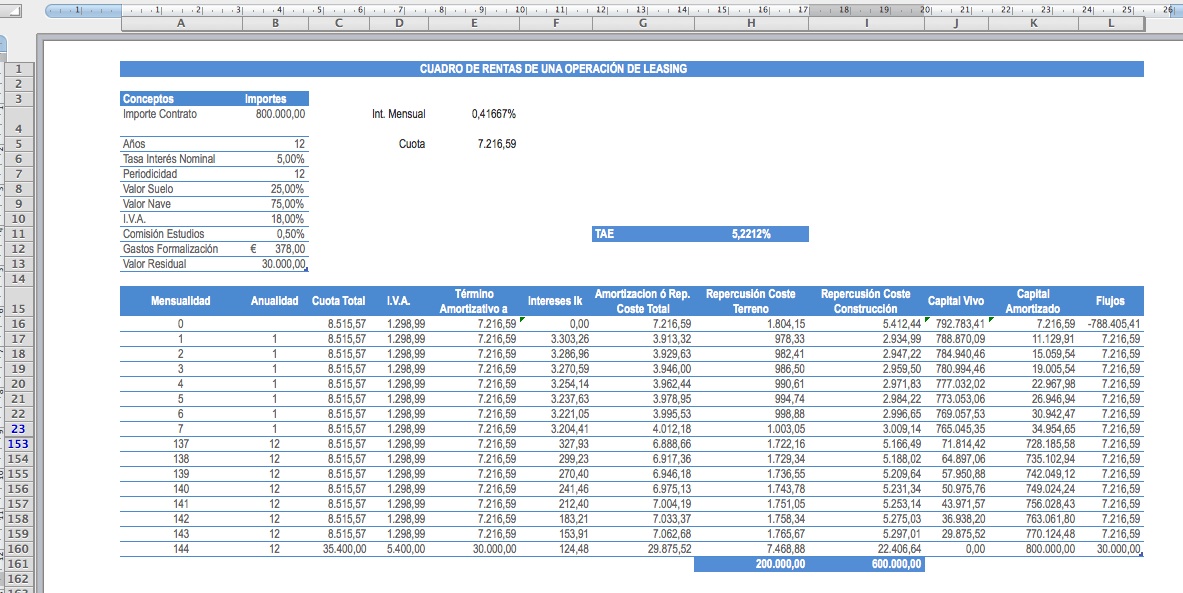
Operaciones A Tipo Fijo Prestamosemam

Dan Amy

Top 19 Python Remove One Key From Dictionary En Iyi 2022

Web Oct 13 2022 nbsp 0183 32 Option One To Add Highlighted Misspelled Words to Spell Checking Dictionary of Current Language Option Two To Add or Remove Words in Spell Checking Dictionary default dic file for a Language Option Three To Clear All Words in Spell Checking Dictionary for a Language Option Four To View and Clear User

Web Jun 29 2020 nbsp 0183 32 If you add a word to the dictionary it will no longer be highlighted underlined in red as a misspelled word If you mistakenly add a word to the dictionary then you can remove the word from the dictionary to have it highlighted as a misspelled word again See also Microsoft Edge language support Microsoft Docs

Web Jun 11 2022 nbsp 0183 32 To remove misspelled words from a dictionary in Windows 11 or Windows 10 you need to open the default dic file You can find this file here

Web Nov 30 2020 nbsp 0183 32 Open the Spellcheck feature by clicking the Spellcheck button or by clicking Tools and then Spellcheck Note If you re in a blank document or a document with no misspellings you may need to create a misspelling so this window remains open Click the Options button Click the Edit button

Web Dec 7 2018 nbsp 0183 32 Now Windows is suggesting that I spell this word and others wrong in all apps At this point I also realized that I had no idea how to REMOVE a word from the Windows Spell Check Dictionary However I do know that Windows isn t a black box so there must be a dictionary somewhere
Web Oct 4 2023 nbsp 0183 32 How to remove a word from spell check When you use the Add to dictionary feature the word you used this option on is automatically saved in a file You can edit that file manually in order to add or remove words from the spell checking dictionary 1 Press the Windows key on your keyboard and type file explorer in the search box that Web In Outlook click the File tab select Options select Mail click Spelling and Autocorrect then Custom Dictionaries then Edit Word List
Web Jan 8 2018 nbsp 0183 32 Words stored in the default exc will be excluded from spell checking Finally the default acl file stores words for the AutoCorrect word list Let s see how to edit the dictionary Add a word to the dictionary in Windows 10 Right click on a highlighted word that is underlined Select Add to dictionary in the context menu