Remove Cell From Range Vba VBA Delete Row If Cell Contains String Excel Macro Example Code How To Refer A Range Or A Cell In Excel Vba Vrogue How To Refer A Range Or A Cell In Excel Vba Www vrogue co How To Refer A Range Or A Cell In Excel Vba Www vrogue co VBA Set Range How To Use VBA Set Range In VBA Excel 1 I can t tell the exact criteria you re using to delete a row but it appears it s only when both columns are empty OR if column A is empty and column B has delete this in it Assuming that s the case I d use the following Do Loop
To delete an entire row in VBA use this line of code Rows 1 Delete Notice we use the Delete method to delete a row Instead of referencing the Rows Object you can reference rows based on their Range Object with EntireRow Range a1 EntireRow Delete Similarly to delete an entire column use these lines of code Columns 1 Delete How to delete empty cells in excel using vba Ask Question Asked 6 years 1 month ago Modified 6 years 1 month ago Viewed 6k times 0 This is just a sample I am testing the code in this data I have three columns in sheet2 I have to delete the empty cells This is the updated code which is working for column B only You can check the snapshot
VBA Set Range How To Use VBA Set Range In VBA Excel VBA Cells Excel How To Use Cell Reference Property With Range Object How To Delete Entire Row In Excel Using VBA Examples Trump Excel How To Use Special Cells Method In VBA In Excel How To Lock A Cell In Excel Formula Using VBA For Secure Data Collection VBA Variable Range How To Set Variable Range In Excel VBA VBA Set Range Guide To Set Range Of Cells In Excel VBA Code Excel Vba Find Row With Specific Text Printable Templates Free Excel Vba On Click Cell Fleetdase
Remove Cell From Range Vba
 Remove Cell From Range Vba
https://analysistabs.com/wp-content/uploads/2022/06/vba-delete-rows.png
ClearContents is a method in VBA used to delete or remove the values stored in the cells provided to it This method makes the cell range empty It is used with the range property to access the specified cell range An example of this method is range A1 B2 The ClearContents method will clear the contents of cells from A1 to B2
Pre-crafted templates provide a time-saving service for producing a diverse series of documents and files. These pre-designed formats and designs can be made use of for different individual and professional jobs, consisting of resumes, invites, leaflets, newsletters, reports, discussions, and more, enhancing the material production process.
Remove Cell From Range Vba
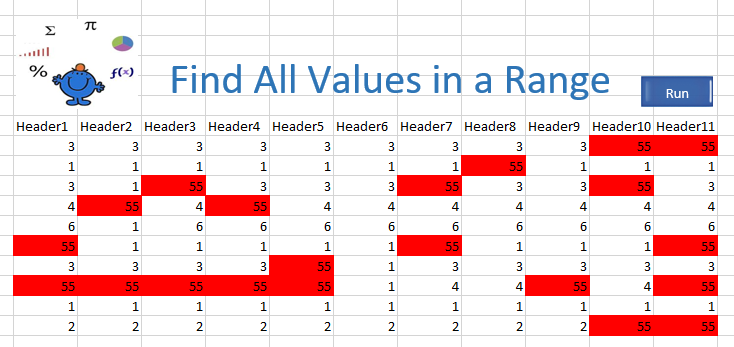
Vba Find Value In Column Range JWord
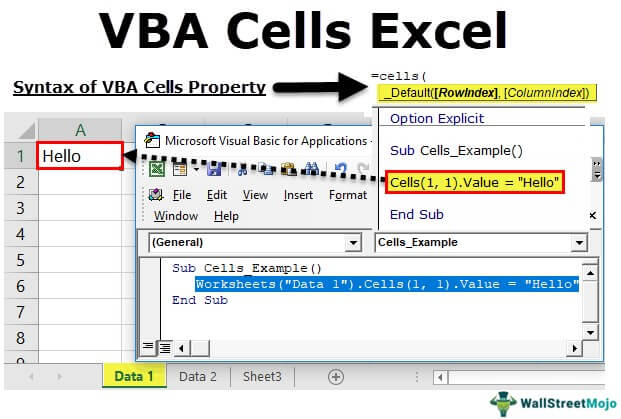
VBA Cells Excel How To Use Cell Reference Property With Range Object
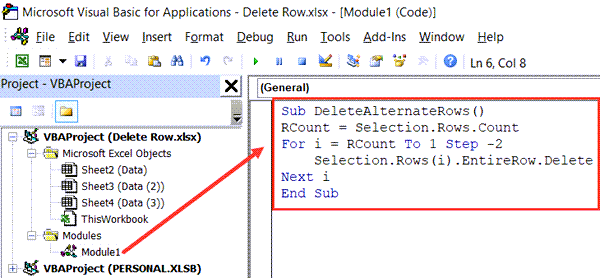
How To Delete Entire Row In Excel Using VBA Examples Trump Excel
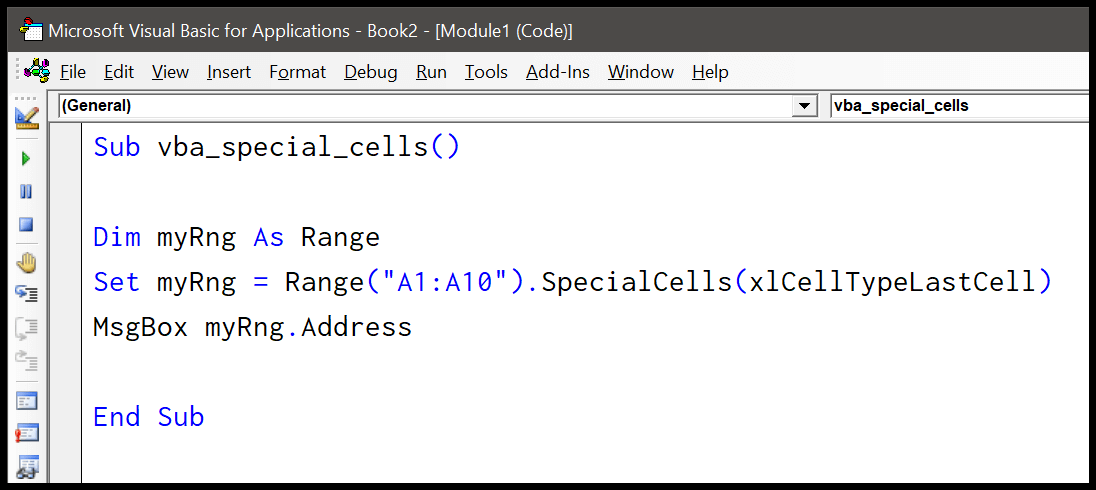
How To Use Special Cells Method In VBA In Excel
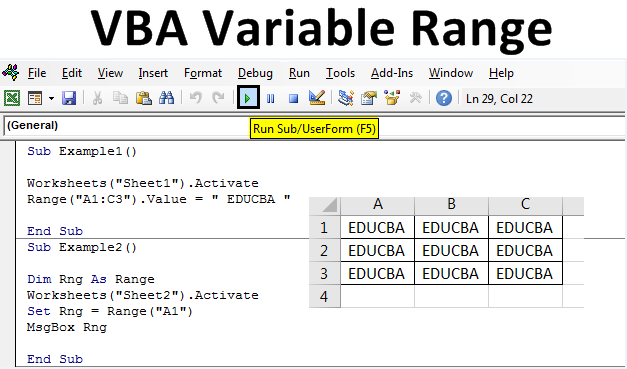
VBA Variable Range How To Set Variable Range In Excel VBA
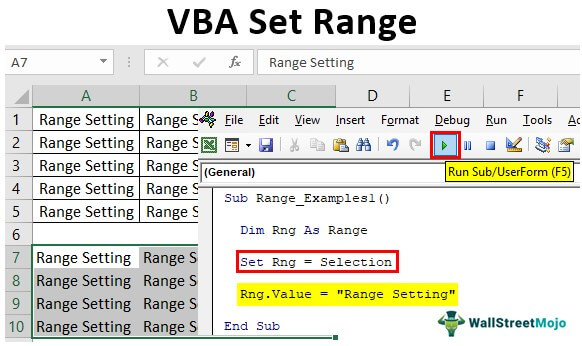
VBA Set Range Guide To Set Range Of Cells In Excel VBA Code

1 I probably worded my question wrong but I m looking for an easy way to basically do the opposite of a Union function without looping through the text address of the range Code sub RemoveCell dim myRng myRng2 C as range set myRng Range A1 A5 set C Range A2 set myRng2 AntiUnion myRng C end sub

This example clears the formulas and formatting in cells A1 G37 on Sheet1 Worksheets Sheet1 Range A1 G37 Clear Support and feedback Have questions or feedback about Office VBA or this documentation Please see Office VBA support and feedback for guidance about the ways you can receive support and provide feedback
Data type Description Shift Optional Variant Used only with Range objects Specifies how to shift cells to replace deleted cells Can be one of the following XlDeleteShiftDirection constants xlShiftToLeft or xlShiftUp If this argument is omitted Microsoft Excel decides based on the shape of the range
How to delete values of a range in Excel VBA Ask Question Asked 13 years 3 months ago Modified 8 years 7 months ago Viewed 10k times 0 I have a range in excel named ValuesRange located at Cell B5 I have four values 3 4 5 6 located at cells B6 B7 B8 B9 respectively Given that B10 is always blank how can delete the four values one by one
Delete Blank Cells Or Entire Blank Rows Within A Range By Chris Newman Updated 06 05 14 4 min read VBA VBA Data Cleanup What This VBA Code Does Many times we as data analyzers receive data that is not so pretty aka unorganized
VBA Statement Explanation Item Cells VBA Construct Range object Description Range object representing the cells where you want to clear the contents but not the formatting You can usually return a Range object with constructs such as the Worksheet Range Worksheet Cells with Range Item Range Offset Range Resize or Application ActiveCell properties Using Delete Command You can also use the Delete command instead of the Clear command Then paste the following code into the module Sub Delete Contents Range Range B4 D5 Delete End Sub Using the Delete command when you run the code the selected range of cells will be removed completely
1 Run a VBA Code to Delete Every nth Row in a Range in Excel You can run a VBA code to remove every nth row from your data set in Excel Steps Firstly press ALT F11 on your keyboard As a result the VBA window will open Secondly go to the Insert tab in the VBA window From the options available select Module