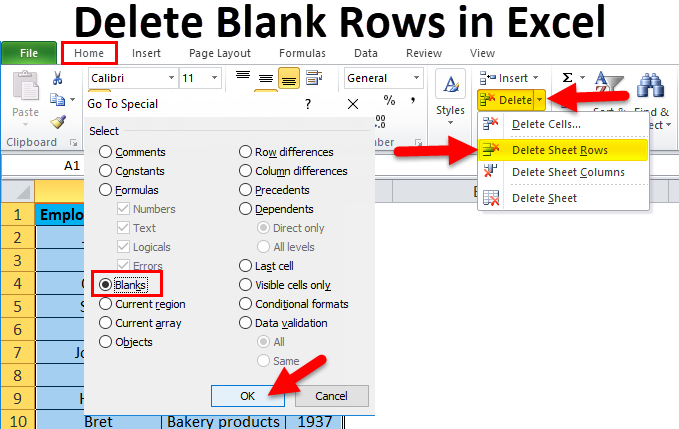
Remove Blank Cells In Excel Using Formula How To Remove Blank Cells Using Formula In Excel 7 Methods How To Remove Blank Rows In Excel 6 Simple Methods Formula To Remove Blank Rows In Excel 5 Examples ExcelDemy Formula To Remove Blank Rows In Excel 5 Examples ExcelDemy How To Delete Blank Rows In Excel With Vba Formulas And Power Query Riset All over the Internet you can see the following tip to remove blank lines Highlight your data from the 1st to the last cell Press F5 to bring the Go to dialog In
Here enable the Blanks option then choose OK at the bottom All the blank rows in your selected dataset are now highlighted To remove your blank rows in the Cells section at the top choose To filter out rows with blank or empty cells you can use the FILTER function with boolean logic In the example shown the formula in F5 is FILTER B5 D15 B5 B15 C5 C15 D5 D15 The
How To Delete Blank Rows In Excel With Vba Formulas And Power Query Riset How To Remove Blank Cells From A Range In Excel 9 Methods How To Delete Blank Rows In Excel YouTube Learn New Things How To Delete Multiple Blank Cells At A Time In MS Excel Excel 2003 2016 How To Delete Blank Cells In Excel Vba Printable Forms Free Online How To Remove Blank Cells In Excel Remove Blank Cells Calculated From Formula Using Excel Stack Overflow How To Delete Blank Cells In Excel Vba Printable Forms Free Online How To Delete Blank Columns In Excel 2010 Cafelasopa
Remove Blank Cells In Excel Using Formula
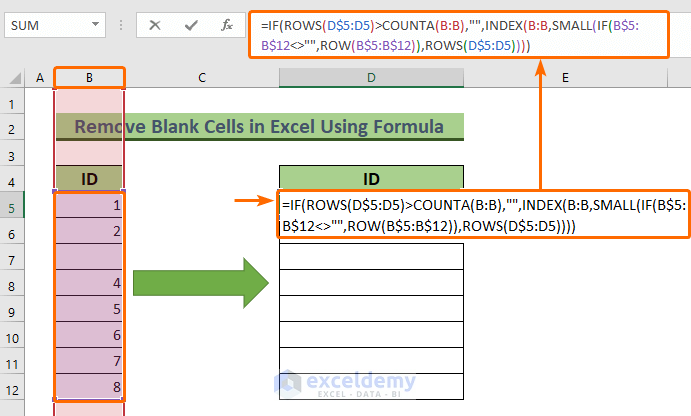 Remove Blank Cells In Excel Using Formula
https://www.exceldemy.com/wp-content/uploads/2022/03/Remove-Blank-Cells-Excel-Formula-3.png
You can do this very quickly if the cells are truly blank using SpecialCells Manual Select Column C Press F5 then Special Check Blanks then OK see this step in the pic at bottom Delete the rows that
Pre-crafted templates use a time-saving option for producing a varied variety of documents and files. These pre-designed formats and layouts can be used for different individual and professional jobs, including resumes, invitations, leaflets, newsletters, reports, discussions, and more, enhancing the content creation process.
Remove Blank Cells In Excel Using Formula
Excel 6
How To Remove Blank Cells From A Range In Excel 9 Methods
How To Delete Blank Rows In Excel YouTube
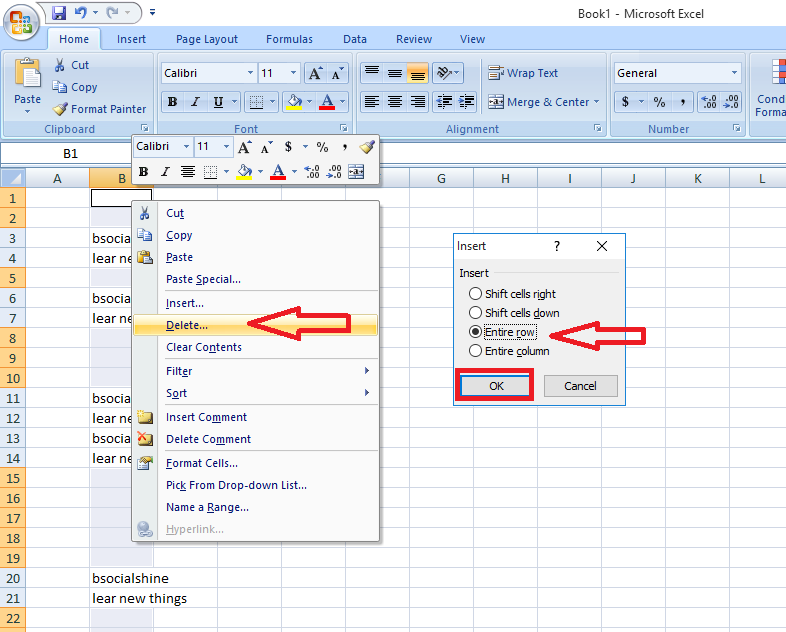
Learn New Things How To Delete Multiple Blank Cells At A Time In MS Excel Excel 2003 2016
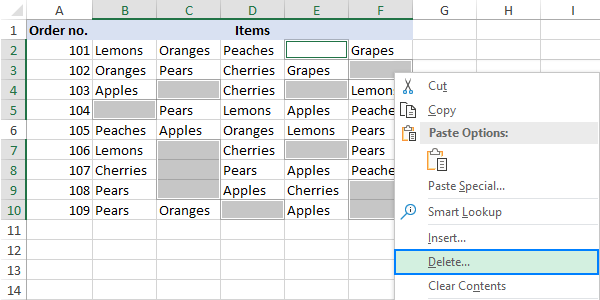
How To Remove Blank Cells In Excel

Remove Blank Cells Calculated From Formula Using Excel Stack Overflow

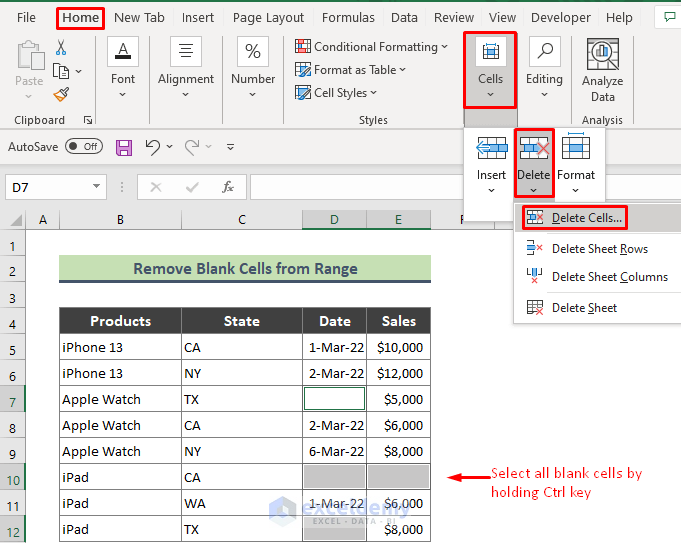
1 Removing Blank Cells Manually in Excel 2 Using Go To Special Feature to Delete Excel Blank Cells 3 Use of Keyboard Shortcut to Erase Blank Cells
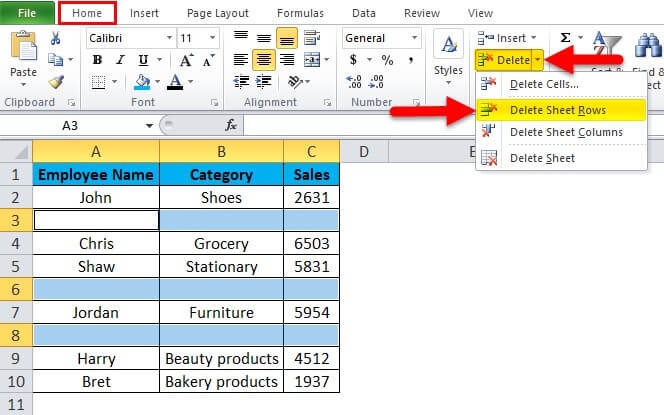
Press F5 and click Special Or go to the Home tab Formats group and click Find Select Go to Special In the Go To Special dialog box select Blanks and

To remove blank empty rows from a range you can use a formula based on the FILTER function and the BYROW function In the worksheet shown the formula in cell G5 is

The SMALL function syntax is SMALL array k We ve used the IF function to return the array argument More on that in a

Cells Ranges Removing Blank Cells Horizontal Cells Ranges Removing Blank Cells Vertical Remember all the formulas on this page must be
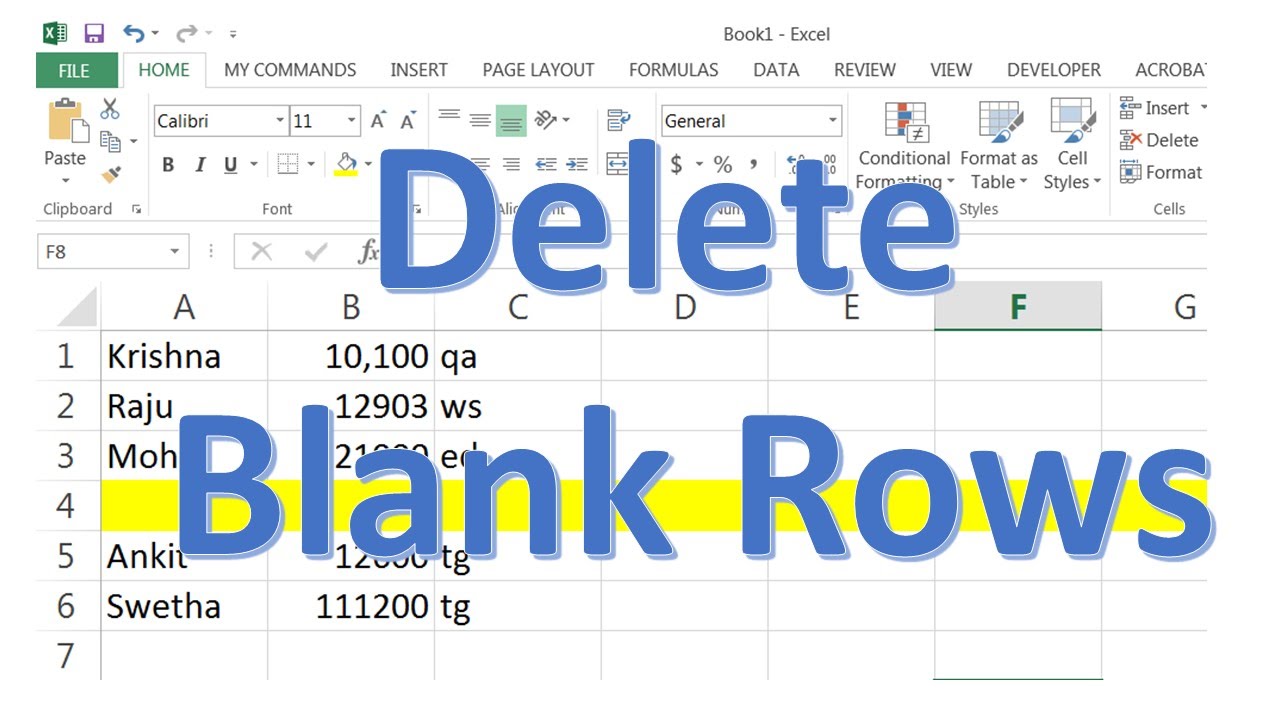
You want to delete all rows where there is a blank cell There are multiple ways to skin this data cat in Excel The method you choose to delete the rows will depend on how your Hello Experts I have a range in excel I have some employee ids with blank cells between of them I want to remove the blank cells These cells are formulated
Excel DROP function The DROP function in Excel removes the specified number of rows and or columns from the start or end of an array The syntax includes