Remove Bios Password Command Prompt Windows 10 How To Change Account Password Using Command Prompt On Windows 10 How To Reset Windows 10 Local Admin Password Using Command Prompt Top 6 Ways To Bypass Windows 7 Login Admin Password How To Reset Windows 7 Password Using Command Prompt Amazing Tech Reset Windows 10 Password Command Prompt YouTube Jul 23 2020 nbsp 0183 32 Hi everyone this guide will help you step by step to remove or clear your bounty using the console command You know sometimes it s a little bit annoying and frustrating to
Sep 17 2024 nbsp 0183 32 How do you completely remove battleye from your system I installled it but after seeing its basically a rootkit i want to completely uninstall it However cant find any information Jun 8 2025 nbsp 0183 32 Are they refunded when you break down and abandon your base
Reset Windows 10 Password Command Prompt YouTube Create New User Command Prompt Windows 10 Copdas How To Delete Your Microsoft Account How To Add And Delete Users Reset Lost Windows 10 Password With Sticky Keys Method Password Recovery Guide Get BIOS Information Via Command Prompt In Windows 10 Top 4 Options For Windows 10 Administrator Login Password Reset Top 3 Ways For Windows 7 Admin Password Reset Without Reset Disk Administrator Command Prompt Windows 10 Jcstashok Command Prompt Windows 10 Safe Mode Shadowsenturin
Remove Bios Password Command Prompt Windows 10
 Remove Bios Password Command Prompt Windows 10
https://i0.wp.com/pureinfotech.com/wp-content/uploads/2020/06/change-password-command-prompt_hero.jpg?fit=827%2C517&quality=78&strip=all&ssl=1
May 30 2017 nbsp 0183 32 Go to the Support page search for the game choose it select quot i want to permanently remove this game from my account quot verify and thats it Game is gone Mind you
Templates are pre-designed files or files that can be used for various purposes. They can conserve time and effort by providing a ready-made format and design for creating different kinds of material. Templates can be utilized for individual or professional jobs, such as resumes, invites, leaflets, newsletters, reports, discussions, and more.
Remove Bios Password Command Prompt Windows 10
Guide Lenovo Suppervisor Password Remove Computrace Disable Laptop
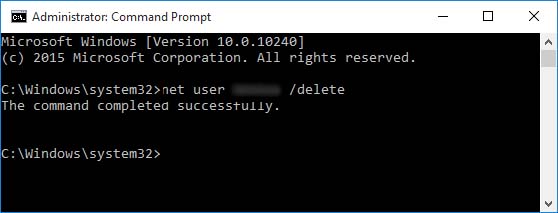
Create New User Command Prompt Windows 10 Copdas

How To Delete Your Microsoft Account How To Add And Delete Users
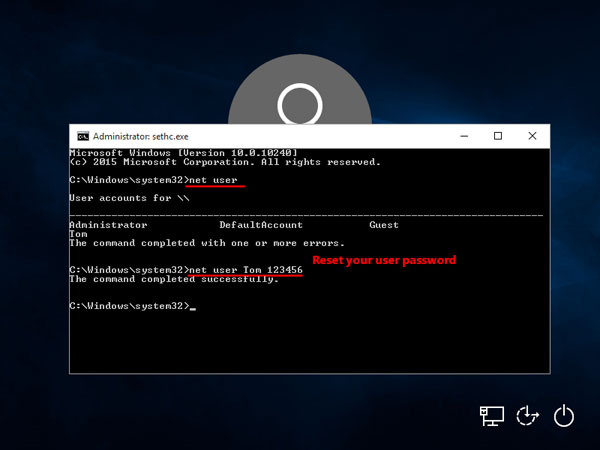
Reset Lost Windows 10 Password With Sticky Keys Method Password Recovery
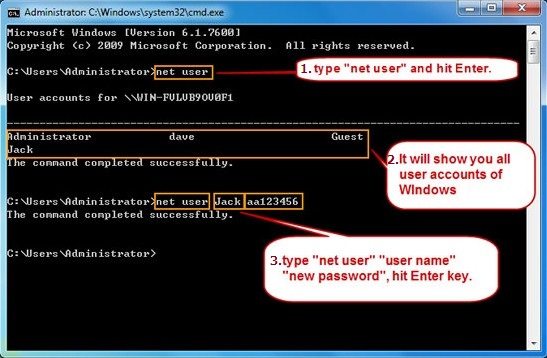
Top 4 Options For Windows 10 Administrator Login Password Reset
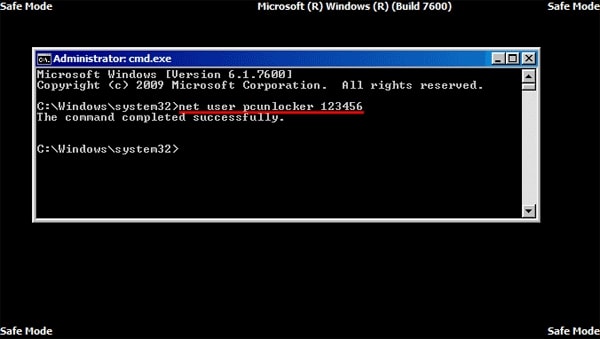
Top 3 Ways For Windows 7 Admin Password Reset Without Reset Disk

Remove your child s account from a device When you remove your child s account from a device information associated with that account is removed from that specific device which includes

Add or remove inbox categories in Gmail To help keep your inbox organized use inbox categories With inbox categories Gmail sorts your emails into different categories

How do I remove Gemini from my phone completely This also applies to the Gemini icon on my Messages app above the New Message button I have already started a conversation with

On your computer open Chrome At the top right click More Delete browsing data Choose a time range like Last hour or All time Select the types of information you want to remove Click

Remove unwanted programs on your computer Before you reset your browser settings check your computer for unwanted programs Learn how to reset your browser settings
[desc-11] [desc-12]
[desc-13]