Raspberry Pi 4 Setup Wifi Command Line Ubuntu Desktop On IPad Raspberry Pi 4 Setup YouTube Mining Monero On The Raspberry Pi 4 Setup Guide YouTube How To Setup A Raspberry Pi 4 Steps with Pictures Instructables Raspberry Pi 4 Setup In Hindi Desktop Computer 2022 How To Make Unboxing The Raspberry Pi 4 Opensource However if you have Raspbian Raspberry Pi OS desktop you can use the upper right hand connection control icon to enable Wi Fi If you are using the command
I am trying to connect to ssid through terminal I am now doing something like Connecting to wif from the command line is explained here Connecting to Wi Fi is easy We are going to take the more universal approach and use the
Unboxing The Raspberry Pi 4 Opensource How To Connect Wifi Through Command Line In Linux Review S D ng Raspberry Pi 4 Setup H Th ng Mini Lab Raspberry Pi 4 Setup ZU VERKAUFEN PicClick DE Raspberry Pi 4 Setup And Application Questions Installing And Using Using WPA Supplicant To Connect To WPA2 Wi fi From Terminal On Ubuntu Madhu Kinnera On LinkedIn raspberrypi linux Ubuntu Desktop On IPad Raspberry Pi 4 Setup Home Assistant Raspberry Pi 4 Setup With Sonoff Tasmota After Flashing
Raspberry Pi 4 Setup Wifi Command Line
 Raspberry Pi 4 Setup Wifi Command Line
https://i.ytimg.com/vi/RPBnyAFJ6gQ/maxresdefault.jpg
To get started power up your Raspberry Pi unit without the Wi Fi dongle attached At this point the only network device should be the onboard
Templates are pre-designed files or files that can be utilized for numerous functions. They can conserve effort and time by offering a ready-made format and layout for developing different kinds of material. Templates can be used for personal or professional jobs, such as resumes, invitations, leaflets, newsletters, reports, presentations, and more.
Raspberry Pi 4 Setup Wifi Command Line

How To Conecyt Wifi Command Line Cheat Sheat Linux Ubuntu Systran Box

How To Connect Wifi Through Command Line In Linux

Review S D ng Raspberry Pi 4 Setup H Th ng Mini Lab

Raspberry Pi 4 Setup ZU VERKAUFEN PicClick DE
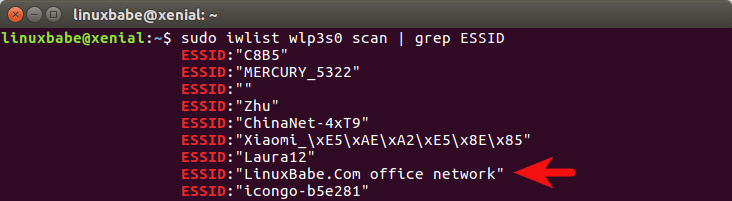
Using WPA Supplicant To Connect To WPA2 Wi fi From Terminal On Ubuntu

Madhu Kinnera On LinkedIn raspberrypi linux

1 In the terminal enter the following command sudo raspi config Copy 2 Go to network options then select network interface names In here

Start raspi config with sudo raspi config Go into System Options Wireless LAN Type your SSID and your password Exit the tool After a few seconds your

Method 2 Configure WiFi from Command Line with Raspi Config If you are running a server distribution of Raspberry Pi OS without a GUI

To connect Raspberry Pi to WiFi using a terminal the user simply has to open the terminal first Afterward he she has to enter the command to open the conf
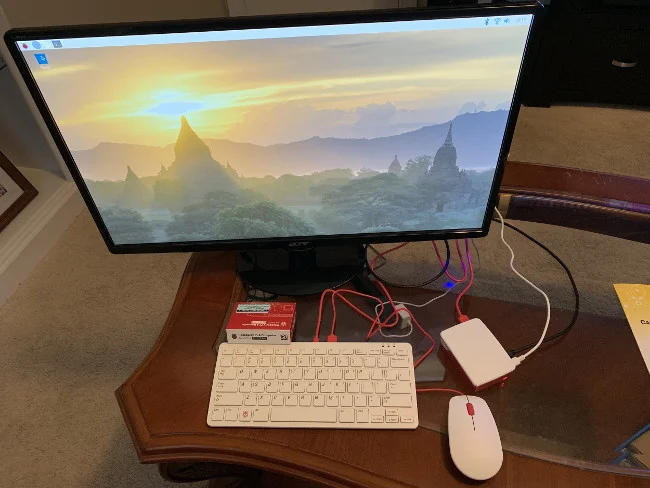
See the section on the raspi config command line interface for more information On models prior to the Raspberry Pi 4 composite video is enabled by
Using raspi config The quickest way to enable wireless networking is to use the command line raspi config tool Select the Network Options See how to set up and configure WiFi on your Raspberry Pi and access the command line with an SSH connection
1 You need 3 pieces of info in order to setup your WiFi 2 Find WiFi card name 3 Edit network configuration file to add WiFi info 4 Make sure that the