Query Ntp Server Command Line Linux Como Recuperar O Mysql Da Linha De Comando Em Rela O Ao Windows Hot Query NTP Server In Terminal CubicleNate s Techpad How To Check The NTP Server IP Address In Linux CertSimple How To Check System s Current NTP Configuration How To Work With NTP Via PowerShell On Windows Systems 1 1 Invoking ntpq The ntpq utility program is used to query NTP servers to monitor NTP operations and performance requesting information about current state and or changes in that state The program may be run either in interactive mode or controlled using command line arguments Requests to read and write arbitrary variables can be assembled with
I need to confirm that a Domain Controller is acting as a NTP time server for non windows devices and servers I figure there must be a command in linux that will query an NTP server and see if it is accessible and serving the right time linux command line ntp In Linux systems NTP is implemented by a daemon running in user space The default NTP user space daemon in Red Hat Enterprise Linux 7 is chronyd It must be disabled if you want to use the ntpd daemon See Chapter 18 Configuring NTP Using the chrony Suite for information on chrony
How To Work With NTP Via PowerShell On Windows Systems Centos 7 NTP Tutorial Lengkap Setting NTP Client Di Mikrotik Tutoring Content How To Configure Windows Server To Query An External NTP Server How To Check NTP Server Date Time Using Windows Command Line VCallaway Cisco Network Time Protocol NTP Lessons Discussion NetworkLessons Configure NTP Client Linux Unix Linux Ntpdate IPv4 Query To Localhost Ntp Server Failing Setting Up NTP Network Time Protocol Server In RHEL CentOS 7
Query Ntp Server Command Line Linux
 Query Ntp Server Command Line Linux
https://tipsmake.com/data/thumbs/how-to-send-sql-queries-to-mysql-from-the-command-line-thumb-T8SPt5179.jpg
Sntp can be used as a SNTP client to query a NTP or SNTP server and either display the time or set the local system s time given suitable privilege It can be run as an interactive command in a cron job or as a daemon It can be run as a daemon to provide a SNTP server for other clients
Templates are pre-designed files or files that can be utilized for different functions. They can save effort and time by offering a ready-made format and layout for producing various sort of material. Templates can be utilized for individual or professional tasks, such as resumes, invites, flyers, newsletters, reports, presentations, and more.
Query Ntp Server Command Line Linux

How To Set Time Server On PDC
Centos 7 NTP

Tutorial Lengkap Setting NTP Client Di Mikrotik Tutoring Content
How To Configure Windows Server To Query An External NTP Server
Cisco Network Time Protocol NTP Lessons Discussion NetworkLessons

Configure NTP Client Linux
Checking the status of NTP with ntpq command The ntpq utility program is used to monitor NTP daemon ntpd operations and determine performance The program can be run either in interactive mode or controlled using command line arguments Type the following command on your Linux or Unix based system ntpq pn OR ntpq p

Check ntp server with ntpq command in Linux The ntpq command is the best way to check ntp server in Linux It can be used to get information about the NTP service such as the server that it is using to synchronize the time To do this we can type in ntpq p in the terminal and press Enter

22 13 Checking the Status of NTP To check if ntpd is configured to run at system start issue the following command chkconfig list ntpd ntpd 0 off 1 off 2 on 3 on 4 on 5 on 6 off By default when ntpd is installed it is configured to start at every system start

Follow edited Mar 26 2016 at 18 37 fixer1234 27 2k 61 76 119 asked May 16 2012 at 13 22 Iszi 13 7k 45 114 181 I know to check time you can do net time computername to get the time of the remote pc I don t think net time lets you view last sync though however net time gives a set option so it s like 1 2 of what your looking
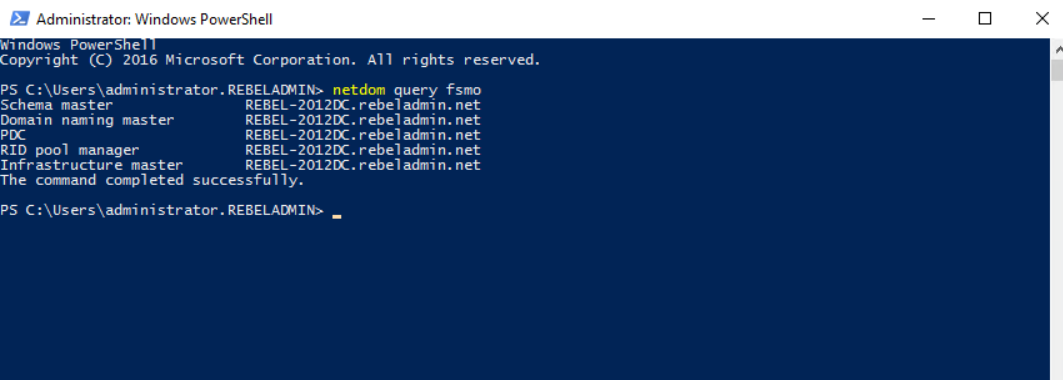
2 Please see this script on TechNet You can then include this into your powershell script and use it like this NTPTime Get NtpTime NtpTime This will store the time returned from the default ntp server pool ntp in a DateTime data type
Ntpq uses NTP mode 6 packets to communicate with the NTP server and hence can be used to query any compatible server on the network which permits it Note that since NTP is a UDP protocol this communication will be somewhat unreliable especially over large distances in terms of network topology If no request options are given ntpq will attempt to read commands from the standard input and execute these on the NTP server running on the first host given on the command line again defaulting to localhost when no other host is specified ntpq will prompt for commands if the standard input is a terminal device ntpq uses NTP mode 6 pa
Ntpq uses NTP mode 6 packets to communicate with the NTP server and hence can be used to query any compatible server on the network which permits it Note that since NTP is a UDP protocol this communication will be somewhat unreliable especially over large distances in terms of network topology