Python Pip Install Specific Package Version Tutorial Python Install Pip DataCamp How Can You Install A Pre Release Version Of Python Real Python Python Briefly r k Egyenl t Hat s Pip Install Particular Version Vizet Inni Kifejez s Gumi Pip Install Boto3 4sysops r k Egyenl t Hat s Pip Install Particular Version Vizet Inni Kifejez s Gumi Python m pip install SomePackage 1 0 4 specific version python m pip install SomePackage 1 0 4 minimum version Normally if a suitable module is already installed attempting to install it again will have no effect Upgrading existing modules must be requested explicitly python m pip install upgrade SomePackage
To install a specific version of a package using pip in python you can use the package name followed by the version number you want to install and use the operator In the above example we are installing version 2 0 1 of the package example package To install a specific version of a package with pip you can use the pip install command followed by the package name and the desired version number For example For example pip install SomePackage 1 0 4
r k Egyenl t Hat s Pip Install Particular Version Vizet Inni Kifejez s Gumi Pip Upgrade Package To Specific Version Shiftgai Install Specific Package Version With Apt Command In Ubuntu Easy Way To Update A Python Package With Pip Upgrade Be On The Right Side Of Change How To Use PIP Install Specific Version 2023 How To Install A Specific Package With Yum On Suse Systran Box How To Download Npm Specific Package Version Twitter How To Use Pip Install Specific Version Of A Python Package Seterx Mastering Design And Pip Install Specific Version How To Install A Specific Python Package Version With Pip
Python Pip Install Specific Package Version
 Python Pip Install Specific Package Version
https://res.cloudinary.com/dyd911kmh/image/upload/f_auto,q_auto:best/v1596502711/pip8_u1r1wi.png
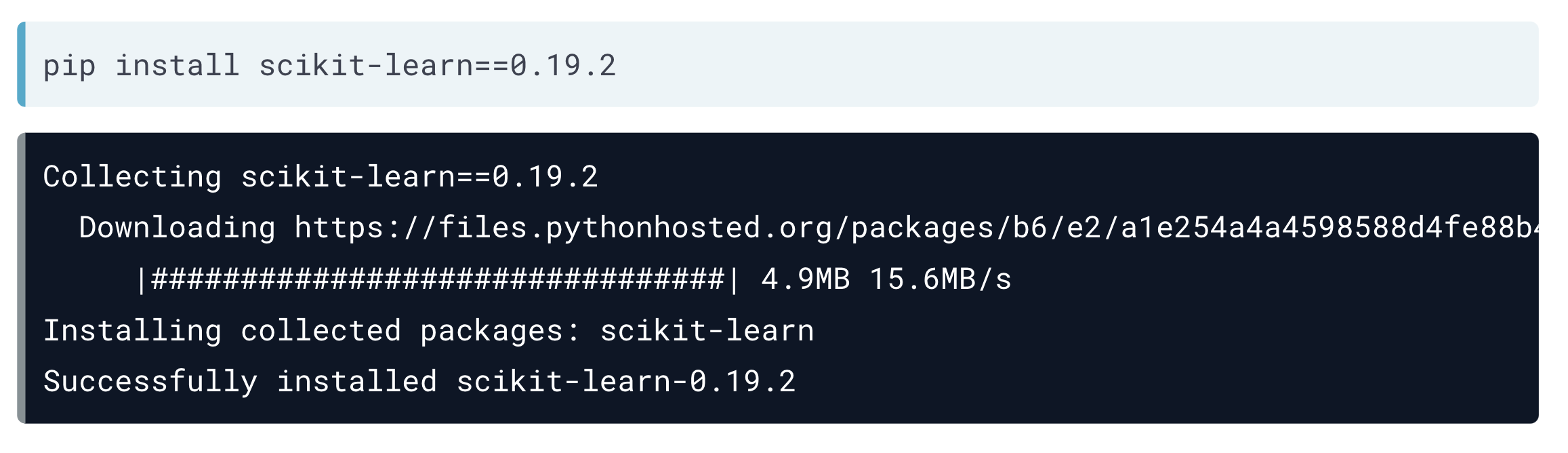
The command to install a particular version of a package using pip is pip install package version In this syntax package represents the name of the Python package you wish to install and version stands for the specific version number
Templates are pre-designed files or files that can be used for various functions. They can conserve effort and time by offering a ready-made format and design for producing different type of content. Templates can be utilized for personal or expert tasks, such as resumes, invitations, flyers, newsletters, reports, presentations, and more.
Python Pip Install Specific Package Version
Psychiconline blogg se

Pip Upgrade Package To Specific Version Shiftgai

Install Specific Package Version With Apt Command In Ubuntu

Easy Way To Update A Python Package With Pip Upgrade Be On The Right Side Of Change

How To Install A Specific Package With Yum On Suse Systran Box

How To Download Npm Specific Package Version Twitter

Pip Install Specific Version of Package TL DR You can install a specific version of a Python package using Pip by running the pip install package name version command For example to install version 1 3 4 of Pandas execute the pip install pandas 1 3 4 command from the Terminal

How to Install Specific Package Versions With Pip in Python By squashlabs Last Updated November 2 2023 Method 1 Using the operator Method 2 Specifying version ranges Method 3 Using the pip install upgrade flag Best Practices There may be situations where you need to install a specific version of a package using pip in Python
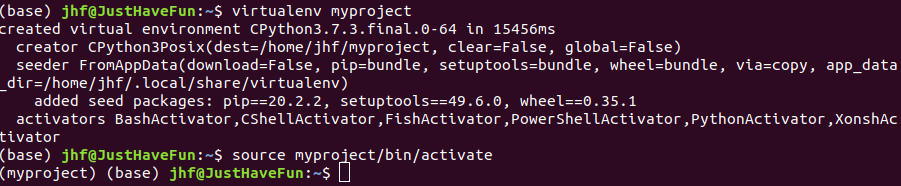
Step 1 emphasizes the importance of creating a virtual environment using virtualenv ensuring a controlled environment for version management Step 2 walks you through the precise process of using pip to install the desired package version within the virtual environment

Use two equal signs to pip install a specific version of a Python package e g pip install requests 2 28 1 If you already have the package installed run the command with the ignore installed option to ignore the installed package and overwrite it shell
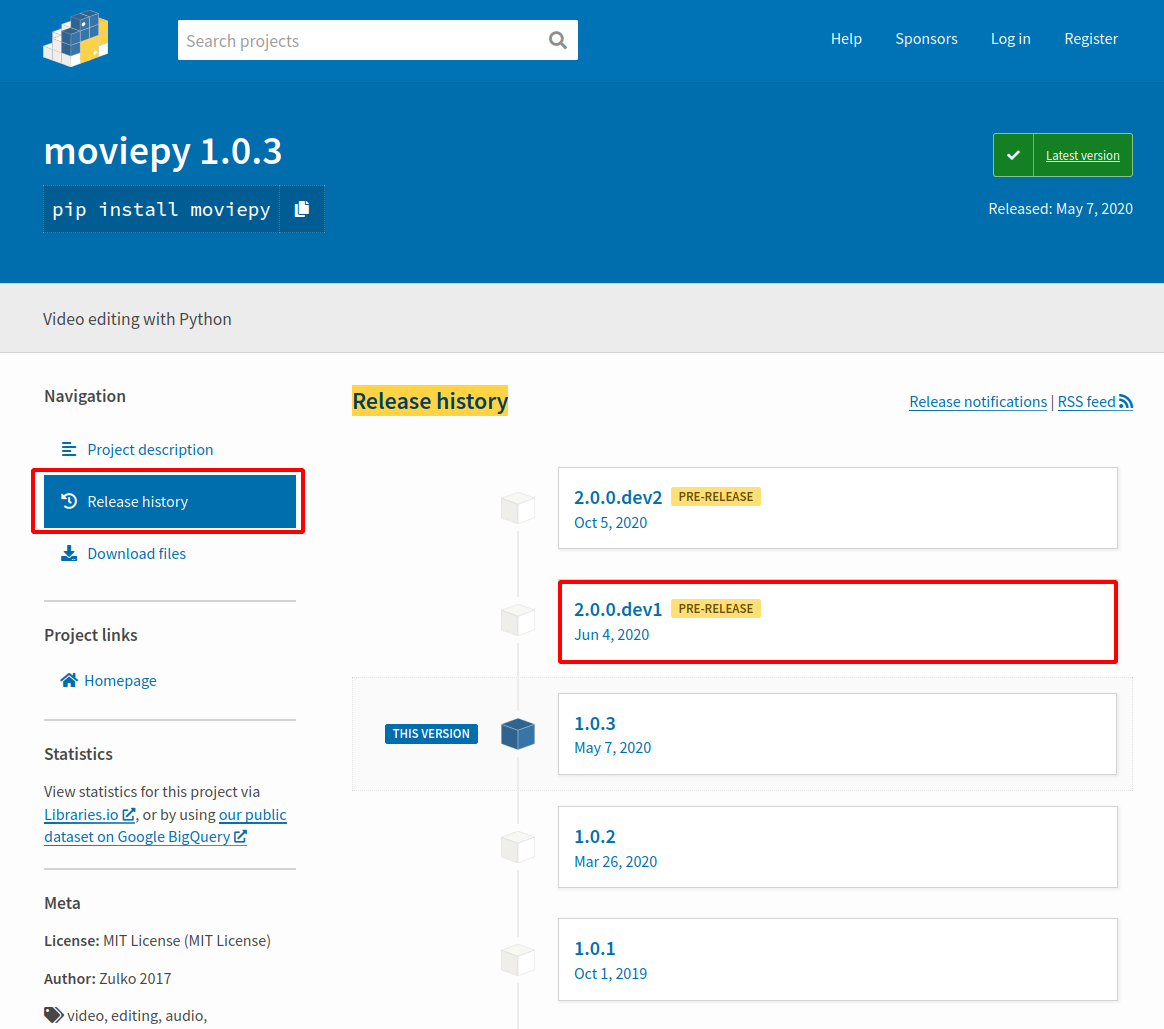
Install packages from PyPI and other indexes using requirement specifiers VCS project urls Local project directories Local or remote source archives pip also supports installing from requirements files which provide an easy way to specify a whole environment to be installed Overview pip install has several stages
Create and activate a virtual environment Prepare pip Install packages into a virtual environment using the pip command Use and create a requirements file Note This guide applies to supported versions of Python currently 3 8 and higher Note How to install a package for a specific Python version on Windows 10 Asked 4 years 4 months ago Modified 11 months ago Viewed 13k times 5 I currently have Python 3 7 4 64 bit and Python 3 6 6 64 bit on a Windows 10 64 bit laptop with both versions in my system environment variables path
Supported Methods If your Python environment does not have pip installed there are 2 mechanisms to install pip supported directly by pip s maintainers ensurepip get pip py ensurepip Python comes with an ensurepip module 1 which can install pip in a Python environment Linux python m ensurepip upgrade MacOS Windows