Python Pandas Reset Index Example Python Pandas DataFrame reset index Acervo Lima Pandas Reset Index How To Reset A Pandas Index Datagy Python Pandas Tutorial Set And Reset Index In DataFrame YouTube Python 3 x How To Automatically Index DataFrame Created From Groupby Python Basics Tutorial Pandas DataFrame Reset Index Method YouTube After dropping and filtering the rows this function is used to reset the index of the resultant Python DataFrame Let s discuss how to use DataFrame reset index function in detail Syntax DataFrame reset index level None drop False inplace False col level 0 col fill Parameters
When to Use the Reset Index Method The reset index pandas method resets the DataFrame index to the default numeric index and it is particularly helpful in the following cases When performing data wrangling in particular the preprocessing operations such as filtering data or dropping missing values resulting in a smaller DataFrame However we may not always want to have to re assign the DataFrame Because of this Pandas allows you to reset a Pandas index in place using the inplace parameter By default this parameter will be set to False However you can set the parameter to True in order to not have to reassign the DataFrame
Python Basics Tutorial Pandas DataFrame Reset Index Method YouTube ndice De Redefini o Do Pandas DataFrame Delft Stack Python Pandas GoLinuxCloud Reset Index In Pandas With Examples Data Science Parichay How To Rename Index In Pandas DataFrame Pandas Ministep88 What Is The Purpose Of Dataframe dropna reset index drop True In Reindex Reset Index Of Pandas DataFrame From 0 In Python Example Python Pandas DataFrame index DataFrame reset index Drop True
Python Pandas Reset Index Example
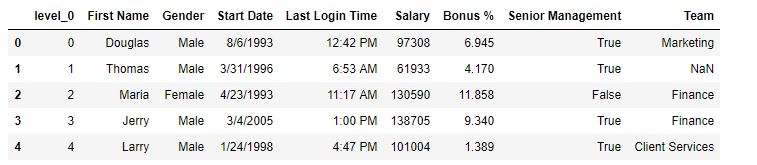 Python Pandas Reset Index Example
https://media.geeksforgeeks.org/wp-content/uploads/out2-9.jpg
The reset index method is a powerful tool in Pandas that allows you to reset the index of a DataFrame back to the default integer index 0 1 2 By default this method keeps the original indexes in a column named index but you can choose to remove them using the drop parameter
Pre-crafted templates provide a time-saving solution for producing a varied series of documents and files. These pre-designed formats and designs can be used for different personal and expert projects, including resumes, invites, leaflets, newsletters, reports, discussions, and more, enhancing the content production process.
Python Pandas Reset Index Example
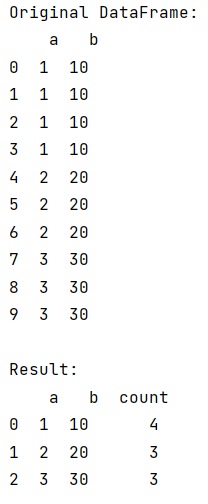
Python Pandas Reset index After Groupby value counts

ndice De Redefini o Do Pandas DataFrame Delft Stack

Python Pandas GoLinuxCloud

Reset Index In Pandas With Examples Data Science Parichay
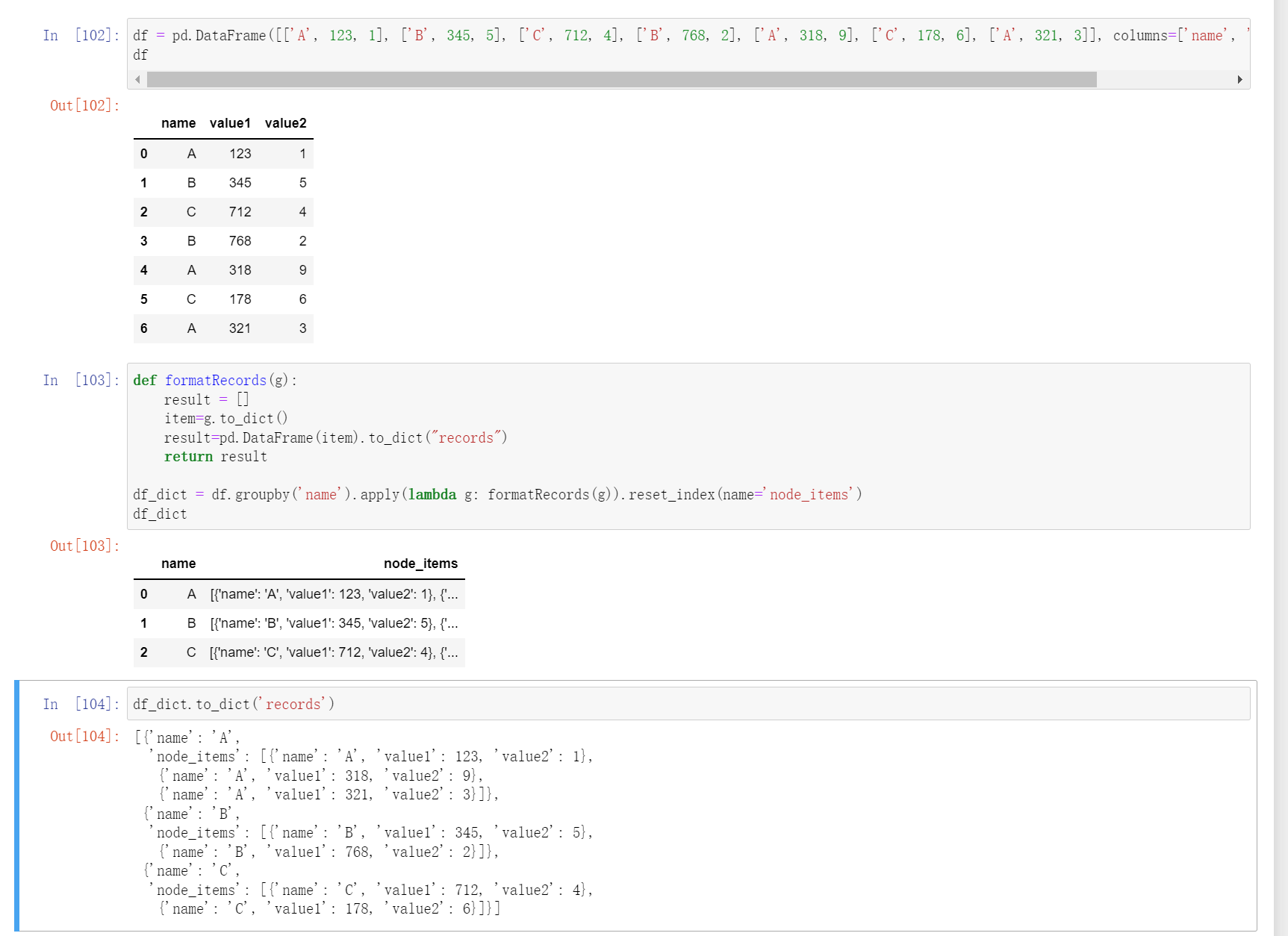
Pandas Ministep88
What Is The Purpose Of Dataframe dropna reset index drop True In
How to reset index in a pandas dataframe duplicate Ask Question Asked 10 years ago Modified 3 years 6 months ago Viewed 1 0m times 559 This question already has answers here How to convert index of a pandas dataframe into a column 10 answers Closed 4 years ago I have a dataframe from which I remove some rows

Pandas reset index is a method to reset index of a Data Frame reset index method sets a list of integer ranging from 0 to length of data as index Syntax DataFrame reset index level None drop False inplace False col level 0 col fill Parameters level int string or a list to select and remove passed column from index

You can use the following syntax to reset an index in a pandas DataFrame df reset index drop True inplace True Note the following arguments drop Specifying True prevents pandas from saving the original index as a column in the DataFrame

The reset index method in Pandas resets the index of a DataFrame Example import pandas as pd create a dictionary data Name John Doe Jane Age 28 30 25 convert the dictionary to a DataFrame with a custom index df pd DataFrame data index one two three
The reset index method allows you reset the index back to the default 0 1 2 etc indexes By default this method will keep the old idexes in a column named index to avoid this use the drop parameter Syntax dataframe reset index level drop inplace col level col fill Parameters The parameters are keyword arguments Return Value
The reset index method provides the following parameters level Takes integer string tuple list or None values and is set to None by default Removes the given levels from the index by default all levels are removed drop Takes a boolean value and is set to False by default When this parameter is set to True it replaces the previous Reset Index Syntax Syntax DataFrame reset index level None drop False inplace False col level 0 col fill Parameters level Specifies multi level index levels to reset drop Discards current index if True adds as a new column if False inplace Modifies DataFrame in place if True returns a new DataFrame if False
To reset the index you need to pass a level parameter to the reset index function df reset index level Status You can see that the Status column when reset is placed at the top level 0