Pycharm Remove Pythonpath Remove Project In Pycharm Codeigo Change Signature PyCharm Documentation How To Easily And Completely Uninstall PyCharm On Mac PyCharm PyCharm WSL Python Python 2 7 PYTHONPATH In PyCharm And Windows 10 Command Line Stack 135 I have PyCharm 1 5 4 and have used the quot Open Directory quot option to open the contents of a folder in the IDE I have Python version 3 2 selected it shows up under the quot External Libraries quot node How can I select another version of Python that I already have installed on my machine so that PyCharm uses that version instead
Dec 17 2024 nbsp 0183 32 1 Using the Interpreter Dropdown Quick Access In PyCharm there is a quick access Python Interpreter selector in the bottom right corner of the IDE window Using the Settings Window Navigate to Project gt Python Interpreter in the left hand menu Select or Add a Python Interpreter If you re adding a new Python version PyCharm 1 PyCharm
Python 2 7 PYTHONPATH In PyCharm And Windows 10 Command Line Stack PyCharm PYTHONPATH PYTHONPATH PyCharm PYTHONPATH PYTHONPATH Python Process Finished With Exit Code 1073740940 0xc0000374 PyCharm PyCharm WSL Python How To Enable Disable Spell Check In Pycharm YouTube JetBrains PyCharm On Twitter Say You Have A Defined Function That Is PyCharm PyCharm WSL Python PyCharm
Pycharm Remove Pythonpath
 Pycharm Remove Pythonpath
https://codeigo.com/wp-content/uploads/2022/09/word-image-1660-2-1024x576.png
Jun 13 2017 nbsp 0183 32 I have two scripts server py and client py I want to be able to start them running in that order with one action How can achieve that in Pycharm Please note that I want to be able to set
Templates are pre-designed files or files that can be used for numerous functions. They can save effort and time by providing a ready-made format and design for producing various sort of content. Templates can be utilized for individual or professional jobs, such as resumes, invitations, flyers, newsletters, reports, discussions, and more.
Pycharm Remove Pythonpath

PyCharm
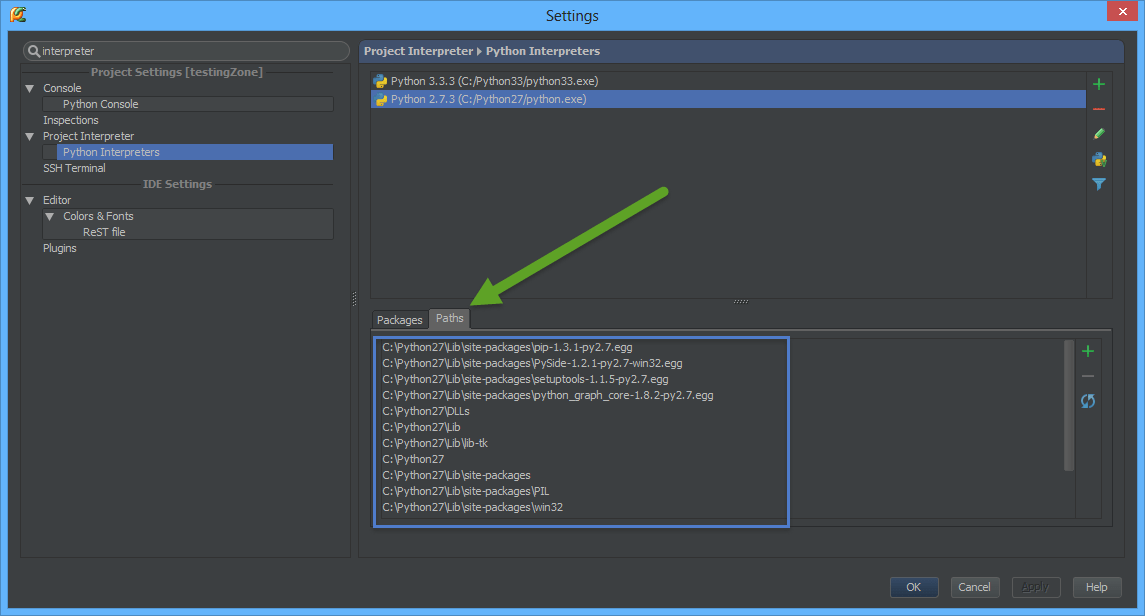
PyCharm PYTHONPATH PYTHONPATH
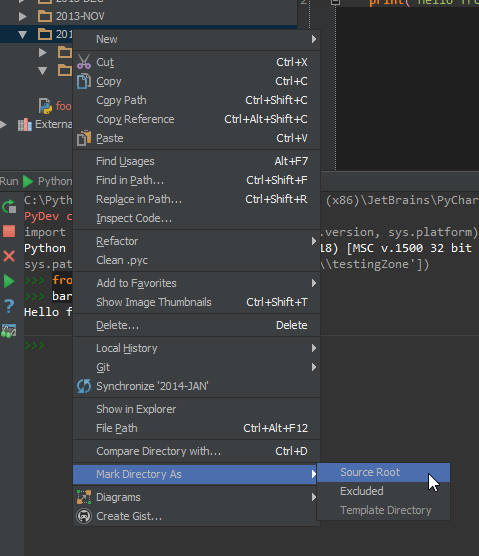
PyCharm PYTHONPATH PYTHONPATH

Python Process Finished With Exit Code 1073740940 0xc0000374

How To Enable Disable Spell Check In Pycharm YouTube

JetBrains PyCharm On Twitter Say You Have A Defined Function That Is

PyCharm AI JetBrains Fleet VSCode Copilot 2024 AI
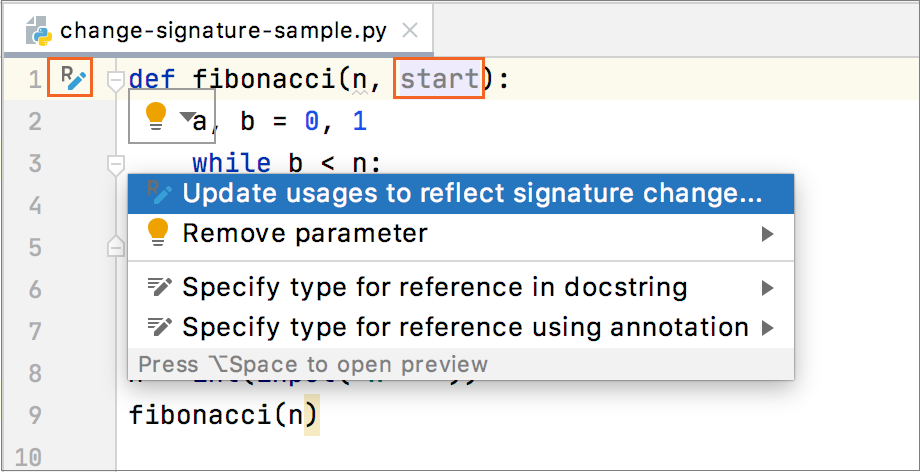
Feb 7 2025 nbsp 0183 32 3 PyCharm PyCharm PyCharm PyCharm Python

Jul 12 2020 nbsp 0183 32 Since we are not calling any python file directly it is not possible to call uvicorn command from Pycharm So How can I run the fast api server using Pycharm
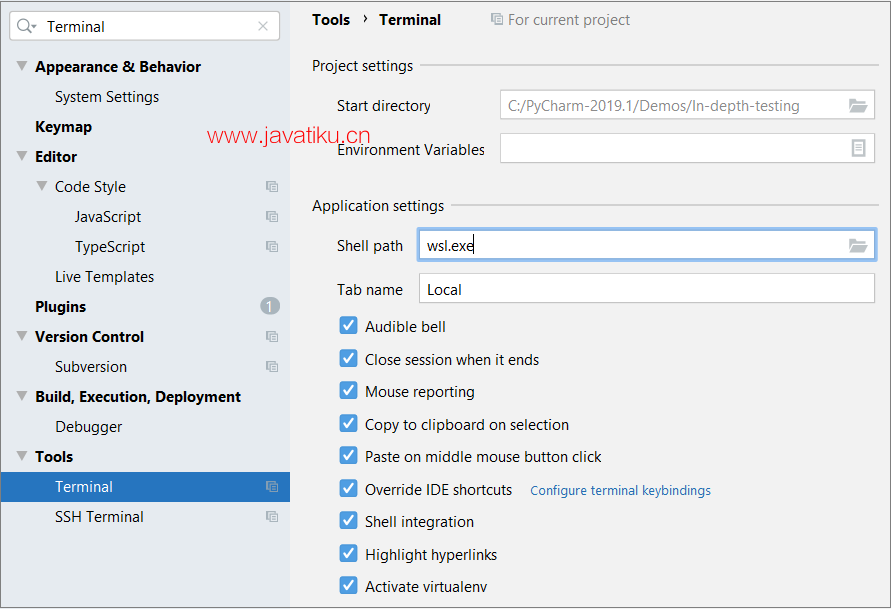
Pycharm Python 3 Python bug Pycharm debug Pycharm

Feb 8 2022 nbsp 0183 32 In Corey Schafer s Programming Terms Mutable vs Immutable at 3 06 he selected multiple lines and commented them out in PyCharm all in one action What is this action Is it a built in shortcut in
[desc-11] [desc-12]
[desc-13]