Pycharm Not Working On Mac WiFi Not Working On Mac Here s How You Can Fix It Why Is My Screen Recording Not Working On Mac Work Life Airpod Microphone Not Working On Mac Sourcinggeser Headphone Microphone Not Working On Mac Operfwedding Pycharm Not Working On Windows With Opencv Pycharm Riset Web Jan 11 2024 nbsp 0183 32 Quick start guide Last modified 11 January 2024 PyCharm is a dedicated Python Integrated Development Environment IDE providing a wide range of essential
Web Jan 11 2024 nbsp 0183 32 Standalone installation Install PyCharm manually to manage the location of every instance and all the configuration files For example if you have a policy that Web So whenever I try to open Pycharm community edition it won t open It just sits there and bounces for a minute or two than stops WHen I right click on it it says app not
Pycharm Not Working On Windows With Opencv Pycharm Riset Why Is My Screenshot Not Working On Mac How To Fix TechnologyDOTs Headset Microphone Not Working On Mac Passlhigh 8 Ways To Fix Better Discord Not Working On Mac Microsoft Word Not Working On Mac Authenticdelta Pycharm Windows Keymap Not Working Networkingpilot JBL Speakers Not Working On Mac Solution SpeakerSavy How To Fix Screenshot Not Working On Windows And Mac PyCharm Not Working On Windows With OpenCV R pycharm
Pycharm Not Working On Mac
 Pycharm Not Working On Mac
https://blog.rottenwifi.com/wp-content/uploads/2021/08/wifi-not-working-on-mac.jpg
Web Mar 27 2023 11 15 AM in response to Luis Sequeira1 I am trying to download it from Safari google This is the link https www jetbrains pycharm download download
Templates are pre-designed documents or files that can be utilized for various purposes. They can save time and effort by offering a ready-made format and layout for developing different type of material. Templates can be utilized for individual or professional tasks, such as resumes, invites, leaflets, newsletters, reports, presentations, and more.
Pycharm Not Working On Mac

Why Zoom Background Not Working On Mac ITGeared

Why Is My Screenshot Not Working On Mac How To Fix TechnologyDOTs
Headset Microphone Not Working On Mac Passlhigh
8 Ways To Fix Better Discord Not Working On Mac
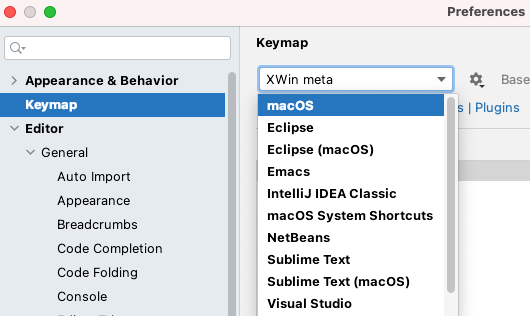
Pycharm Windows Keymap Not Working Networkingpilot

JBL Speakers Not Working On Mac Solution SpeakerSavy
Web Nov 26 2019 nbsp 0183 32 You can try the latest version of PyCharm If it exists the same problem you can try to remove pycharm vmoptions in your PyCharm folder like using your console
Web Last modified 10 January 2024 While working with PyCharm you might encounter some warning or error messages This chapter provides the list of the known problem solutions
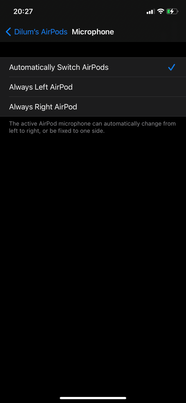
Web I can get PyCharm to install or so it seems but when I try to run it all that happens is the icon shows up on the dock a window pops up and asks me if I want to run it I confirm

Web Jul 14 2022 nbsp 0183 32 It looks like you use a Mac with an Intel chip while PyCharm is for Apple Silicon Try reinstalling PyCharm from https www jetbrains pycharm download

Web Apr 30 2017 nbsp 0183 32 Answered Daniel Created April 30 2017 15 51 Downloaded the latest PyCharm update and now cannot start PyCharm CE can t be opened because it is
Web Dec 19 2020 nbsp 0183 32 Learn how to install the Python PyCharm IDE Community Edition on a Mac device a beginner friendly guide to installing and setting up PyCharm on Mac OS In Web Mar 6 2019 nbsp 0183 32 About PyCharm PyCharm is a fully featured IDE for the Python language based on the powerful IntelliJ Idea Java IDE from JetBrains Not only does PyCharm
Web Nov 14 2019 nbsp 0183 32 If it is a separate installation please go to the quot Applications quot folder right click on PyCharm and quot show packages content quot go to quot Contents quot quot MacOS quot inside will be a