Proxmox Stop Vm Command Line How To Start Shutdown Or Reboot A VM From The Command Line In Oracle Clips Proxmox VE Command Line Utilities YouTube Proxmox Backup VM Using Command Line LAPTOP How Proxmox Can t Stop VM How We Fix It Proxmox VE Full Course Class 12 The Command Line Interface YouTube Web This page presents a list of commonly used commands for proxmox Get automatically generated cloudinit config qm cloudinit dump lt vmid gt lt Get the cloudinit configuration with both current and pending values qm cloudinit pending lt vmid gt Regenerate and change cloudinit config drive qm cloudinit update lt vmid gt
Web Dec 31 2022 nbsp 0183 32 In the GUI select the VM and in the upper right corner select Stop In the shell run 1 qm stop lt vmid gt If all of that fails 1 2 ps aux grep lt VMID gt will show you the kvm process ID running your VMID kill 9 lt PID gt you can now kill it with the process ID Source https forum proxmox threads stop vm impossible 101736 post Web Jan 16 2023 nbsp 0183 32 1 so when I go to stop a VM what is it doing I often have to wait and wait and wait Why isn t stop the same as going CLI and killing the VM process I also often have issues with reset it doesn t reset anything It will be a task until it times out
Proxmox VE Full Course Class 12 The Command Line Interface YouTube How To Change The Hostname Of A LXC Using Command Line Proxmox 7 Adding A USB Ethernet Port To Your Proxmox Server Using The Command Vmware Player Start Vm Command Line Linux Beginner s Guide To Setup Proxmox For HomeLab weixin 0010034 DevPress Cloud Foundry Tutorial Guy Tel Zur How To Kill A VM when Neither The GUI Nor qm Stop Can R Proxmox Regain Access To Proxmox After Bad Firewall Rule Unicorn effects Hungred Dot Com
Proxmox Stop Vm Command Line
 Proxmox Stop Vm Command Line
https://i.ytimg.com/vi/bGb07qf-Qkk/maxresdefault.jpg
Web Jul 1 2022 nbsp 0183 32 Then install sudo and edit the sudoers file to allow the shutdown user to run the single command quot usr sbin shutdown now quot with root privileges That way that user is just allowed to shutdown the server You can then use a SSH client and login as that user and shutdown the server
Pre-crafted templates use a time-saving solution for developing a varied variety of documents and files. These pre-designed formats and designs can be utilized for various individual and expert projects, including resumes, invitations, leaflets, newsletters, reports, discussions, and more, enhancing the material creation process.
Proxmox Stop Vm Command Line
Proxmox pci switcher Switch Among Guest VMs Organized By Resource Pool
How To Change The Hostname Of A LXC Using Command Line Proxmox 7
Adding A USB Ethernet Port To Your Proxmox Server Using The Command
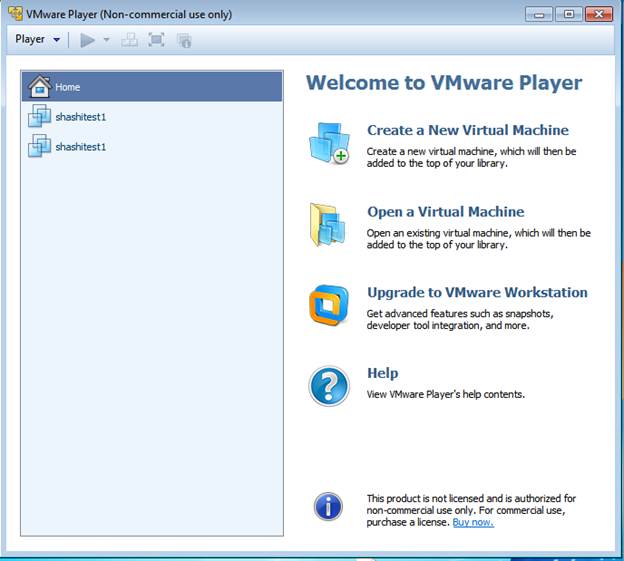
Vmware Player Start Vm Command Line Linux

Cloud Foundry Tutorial Guy Tel Zur

How To Kill A VM when Neither The GUI Nor qm Stop Can R Proxmox

Web May 10 2020 nbsp 0183 32 I found out that Proxmox doesn t have virsh installed which makes sense however I need a way to force stop my VM since right now Proxmox has 0 control over the VM as quot QEMU Guest Agent quot is set to quot Enable quot but is currently unresponsive

Web Jun 26 2014 nbsp 0183 32 Sometimes a Proxmox KVM VM will stop responding to the GUI s attempts to shut it down fortunately it s easy to shut it down from the command line Make note of the VM ID next to the name of the VM in the left pane of the Proxmox GUI log into the server via SSH as root and run qm stop vmid e g qm stop 124

Web Jul 31 2023 nbsp 0183 32 Jan 28 2023 1 I am running Virtual Environment 7 3 4 When I start a Linux VM and press ESC in the Grub menu I can t shutdown the VM I only see a spinner in the columns End Time and Status It never times out I waited for about 7 minutes I can only kill the VM by going to the host and kill the kvm process

Web Aug 31 2022 nbsp 0183 32 you should be able to force stop the VMs by hitting quot Stop quot on the power menu if that is not working then it might be because you have another quot Shutdown quot or quot Reboot quot pending you can cancel that in the task log at the bottom

Web This page lists some important Proxmox VE and Debian command line tools Virtual Machines QEMU KVM specific qm To view a list of KVMs qm list VMID NAME STATUS MEM MB BOOTDISK GB PID 100 alpha001 running 2048 8 00 5858 101 WINXP002 running 1024 32 00 6177 102 Win2K running 2048 32 00 113893 105 axe002 running
Web May 22 2020 nbsp 0183 32 1 I made a mistake that I knew about I chose Graphical install when installing Debian 10 2 Now the install process has ended up in a endless loop qm stop shutdown reload nothing works gets a timeout on finding the lock Is there a way to shot a qm down like sudo kill 9 lt pid gt M Mattias Hedman Active Member Jan 19 2019 119 9 Web May 12 2022 nbsp 0183 32 1 Log in to the Proxmox web console 2 Select the VM you want to delete 3 If the machine is running click the Shutdown button before moving on to the next step The VM has to be shut down or stopped 4 Select More to open a drop down menu and click Remove 5 To confirm enter the VM ID and click Remove Deleting a VM via
Web Jan 13 2020 nbsp 0183 32 Thus we stop the Virtual machine in Proxmox Stop VM in Proxmox from CLI To stop the VM from CLI we log in to the host node We first find the VMID using the command cat etc pve vmlist Once we get the ID we use the below command to stop the virtual machine qm stop How we fix Proxmox cannot stop VM Recently one of our