Proxmox Shutdown Vm From Command Line Cara Migrasi Server Fisik Tanpa Shutdown Ke Proxmox VM Rumah IT Proxmox Running A MacOS Ventura VM In Proxmox VE YouTube Unix Linux Install VM From Command Line With Virt install 6 Proxmox VE Full Course Class 12 The Command Line Interface YouTube Mar 6 2020 nbsp 0183 32 Some of you might remember seeing me on here whining about not being able to boot into my live usb recently Well I finally figured it out just installed it and I m unable to
Apr 1 2022 nbsp 0183 32 If you re using Proxmox you should be using Proxmox Helper Scripts 50 scripts to help with your Homelab Home Automation Many new updated scripts Always remember to Jan 14 2019 shantanu S Proxmox VE Support Subscriptions and why everybody should buy one martin Apr 17 2012 Replies 0 Views 63K Apr 17 2012
Proxmox VE Full Course Class 12 The Command Line Interface YouTube Proxmox Can t Stop VM How We Fix It Create VirtualBox SnapShots From Command Line Paul Ligocki Slik Sl r Du Av Din Windows 10 PC Ved Hjelp Av Ledetekst Kultur Horisont How To Unlock A Proxmox VM K vets g K lts g Mivel Proxmox Add Hdd Zpool Zavaros Egym s Teve VMware VCloud In Manchester Airport ITSaurus Virtual Home Lab Part 2 Security Dojo VMware VCloud In Manchester Airport ITSaurus
Proxmox Shutdown Vm From Command Line
 Proxmox Shutdown Vm From Command Line
https://1.bp.blogspot.com/-s7iRbM5d-8o/YXQmwKho5cI/AAAAAAAAIx4/WlQbDIZHOPIg6zarSCKhbLJcp0_ON7HIwCLcBGAsYHQ/s16000/migrasi-server-fisik-tanpa-shutdown-3.jpg
Jul 18 2019 nbsp 0183 32 PROXMOX is a powerful hypervisor used for hosting containers and virtual machines The Operating System is available for free while offering repositories that you can
Templates are pre-designed files or files that can be used for numerous functions. They can conserve time and effort by offering a ready-made format and layout for producing various type of content. Templates can be used for personal or professional jobs, such as resumes, invites, leaflets, newsletters, reports, presentations, and more.
Proxmox Shutdown Vm From Command Line

Proxmox pci switcher Switch Among Guest VMs Organized By Resource Pool

Proxmox Can t Stop VM How We Fix It

Create VirtualBox SnapShots From Command Line Paul Ligocki
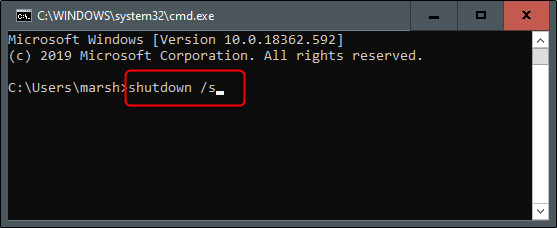
Slik Sl r Du Av Din Windows 10 PC Ved Hjelp Av Ledetekst Kultur Horisont
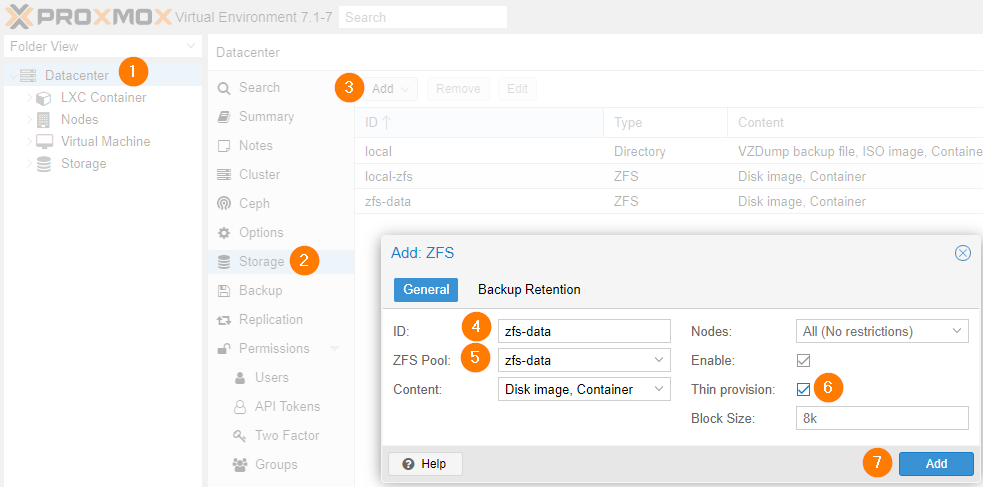
K vets g K lts g Mivel Proxmox Add Hdd Zpool Zavaros Egym s Teve

VMware VCloud In Manchester Airport ITSaurus

Apr 29 2025 nbsp 0183 32 Proxmox Support ForumThe Proxmox team works very hard to make sure you are running the best software and getting stable updates and security enhancements as well as
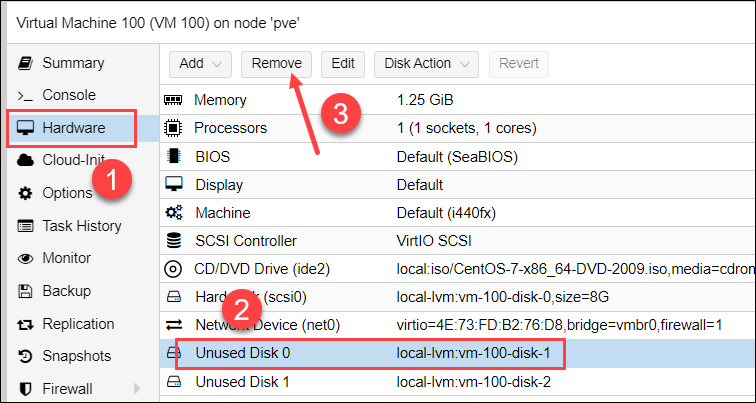
Jul 28 2015 nbsp 0183 32 We are excited to announce that our latest software version 8 4 for Proxmox Virtual Environment is now available for download This release is based on

Feb 2 2022 nbsp 0183 32 Hi I have a proxmox 7 1 without subscription updated at now I downloaded Ubuntu20 iso image to install my first VM but I can t because I dont find a way to tell to

Jan 4 2024 nbsp 0183 32 I have tried to guess at the installation but I m totally confused about my login details and it asking me to use my web browser

Jan 5 2021 nbsp 0183 32 Personally to make things easy to keep track of I always create a vmbr1 and use it as the management network for the environment on vlan1 I move the proxmox node
[desc-11] [desc-12]
[desc-13]