Print List Recursively Python Python Recursion Python commandments File Australian Carpet Python 03 jpg Wikipedia Python Recursive Method BEST GAMES WALKTHROUGH What Is List In Python How To Copy A Directory Recursively In Python CodeVsColor Nov 8 2024 nbsp 0183 32 Is there a way to print documents with markups but WITHOUT the list at the end I have a document that I want to print but the last documents I printed with markups there s a
Hi GIBSONG712 Greetings Thank you for raising your concern in this community When in Teams you can select a single chat and share it in outlook using more options next to the chat I don t want the row numbers and column letters to show on my spreadsheet when I print them out How do I remove them Thank you
How To Copy A Directory Recursively In Python CodeVsColor Python List How To Sort A List Recursively In Python How To Print A List In Python Codingparks Python Program To Print Elements In A List Recursion In Python Scaler Topics PYTHON PYPDF DOWNLOAD Python Combinations Generator Using Generators Pyplot Python Draw Graph Code Examples EroFound
Print List Recursively Python
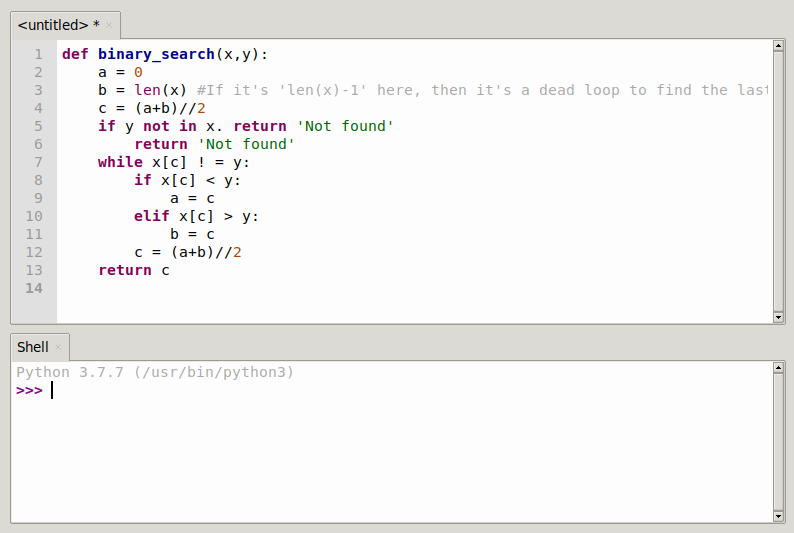 Print List Recursively Python
https://python-commandments.org/images/python-recursion.png
May 3 2016 nbsp 0183 32 In the Backstage Print View expand the Print All Pages drop down and uncheck the quot Print Markup quot item
Templates are pre-designed documents or files that can be utilized for numerous purposes. They can conserve time and effort by providing a ready-made format and design for producing different sort of content. Templates can be used for personal or expert tasks, such as resumes, invitations, flyers, newsletters, reports, presentations, and more.
Print List Recursively Python
Buy Python Cheat Sheet Cover The Basic Python Syntaxes A Reference
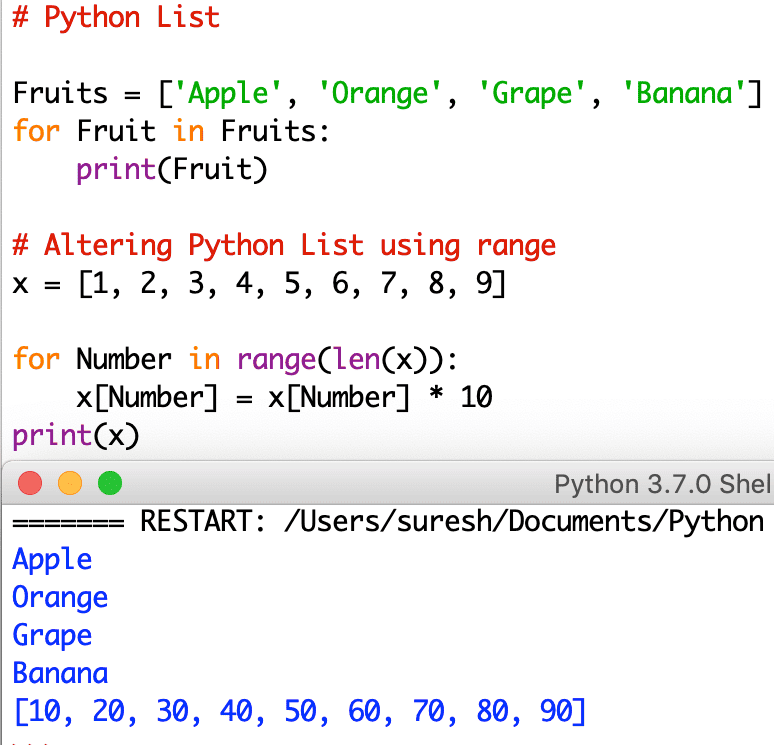
Python List

How To Sort A List Recursively In Python

How To Print A List In Python Codingparks

Recursion In Python Scaler Topics
PYTHON PYPDF DOWNLOAD

Jun 11 2020 nbsp 0183 32 windows print spooler print spooler spoolsv exe

Oct 2 2019 nbsp 0183 32 With previous versions of Word I used to be able to highlight document changes with change lines at the border when printing Now the track changes settings can be manipulated

How do I cancel pending documents that I don t want to print but that s in the queue

Aug 13 2015 nbsp 0183 32 And then page 2 to print 2 copies on the same page I have tried setting the pages to 1 1 2 2 but this splits the page into 4 sections with page 1 twice and page 2 twice on the
Feb 6 2024 nbsp 0183 32 Hello I m hoping to use mail merge option to set up a bunch of letters using 10 window envelopes to display the recipients address Is there a free accessible template for
[desc-11] [desc-12]
[desc-13]