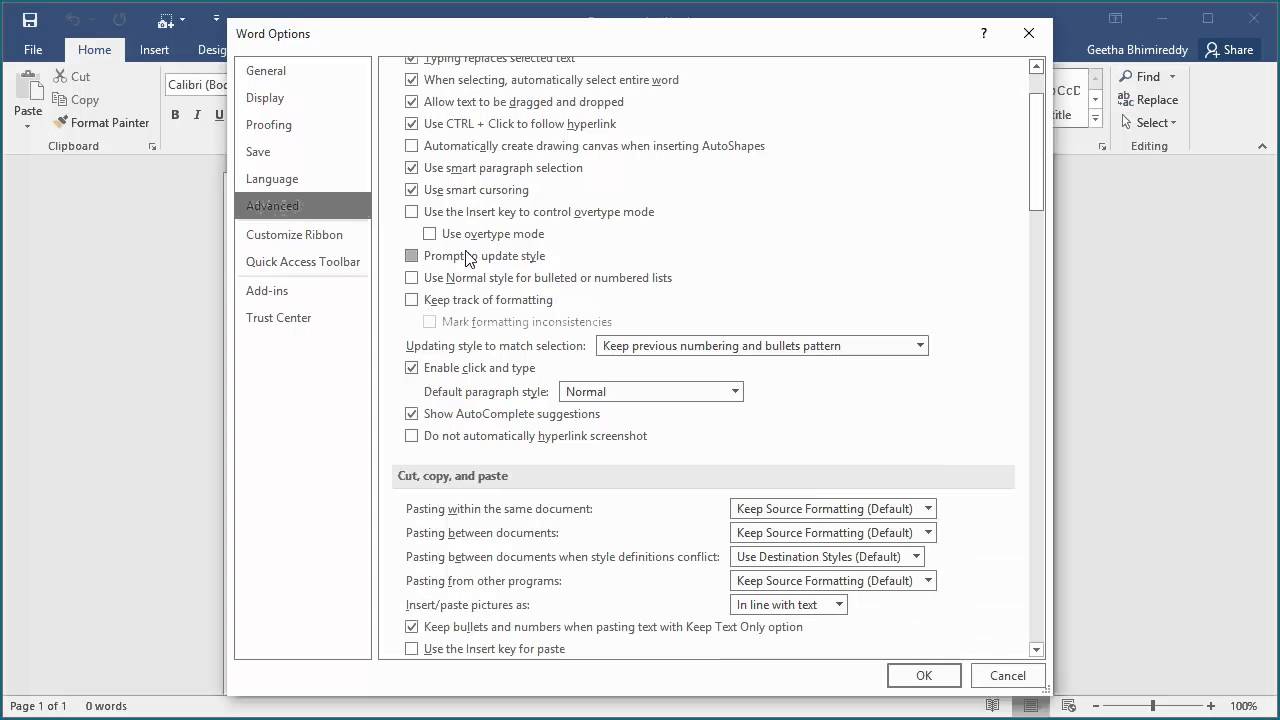
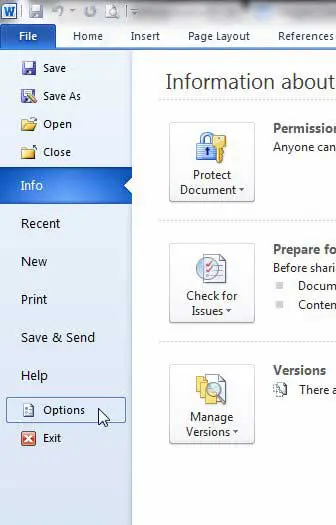
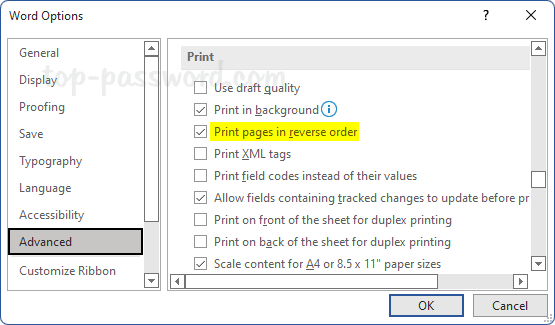
Print In Reverse Order Word How To Print Pages Of A Document In Reverse Order In Word 2016 YouTube How To Print Pages In Reverse Order Pdf Using Adobe Acrobat Pro DC Reversing Print Order Microsoft Word How To Print In Reverse The Definite Guide Java Program To Print Array Elements In Reverse Order Learn Coding Web Oct 22 2023 nbsp 0183 32 Go to File gt Options gt Advanced scroll down to the Print section and check the box for quot Print pages in reverse order quot Remember to turn the option off after
Web Aug 18 2023 nbsp 0183 32 Print Word Documents in Reverse Order Watch on Procedure To control the printing order follow these steps 1 Open the Word Options dialog box 2 Click Web Aug 31 2020 nbsp 0183 32 If we want to print in reverse order from Word we can do it easily in two different ways One of them is from the Options section from where we can print in
Java Program To Print Array Elements In Reverse Order Learn Coding How To Reverse Print In Word Print A Linked List In Reverse Order Linked List Java MyCodingNetwork 2 Methods To Reverse Print A Word Document On Windows 11 10 Windows How To Print In Reverse Order In Word OfficeBeginner Python Program To Print List Items In Reverse Order 2 Methods To Reverse Print A Word Document On Windows 11 10 Java Remove Non Printable Characters Printable Word Searches How To Print In Reverse Order In Word OfficeBeginner
Print In Reverse Order Word
 Print In Reverse Order Word
https://i.ytimg.com/vi/f3vyCptJ8o4/maxresdefault.jpg
Web Jul 16 2020 nbsp 0183 32 To control the printing order follow these steps Choose Options from the Tools menu You will see the Options dialog box Make sure the Print tab is selected
Templates are pre-designed documents or files that can be used for different functions. They can conserve effort and time by offering a ready-made format and layout for creating various kinds of material. Templates can be used for personal or expert tasks, such as resumes, invitations, flyers, newsletters, reports, discussions, and more.
Print In Reverse Order Word
How To Print In Reverse Order In Word 2010 Solve Your Tech
How To Reverse Print In Word

Print A Linked List In Reverse Order Linked List Java MyCodingNetwork
2 Methods To Reverse Print A Word Document On Windows 11 10 Windows
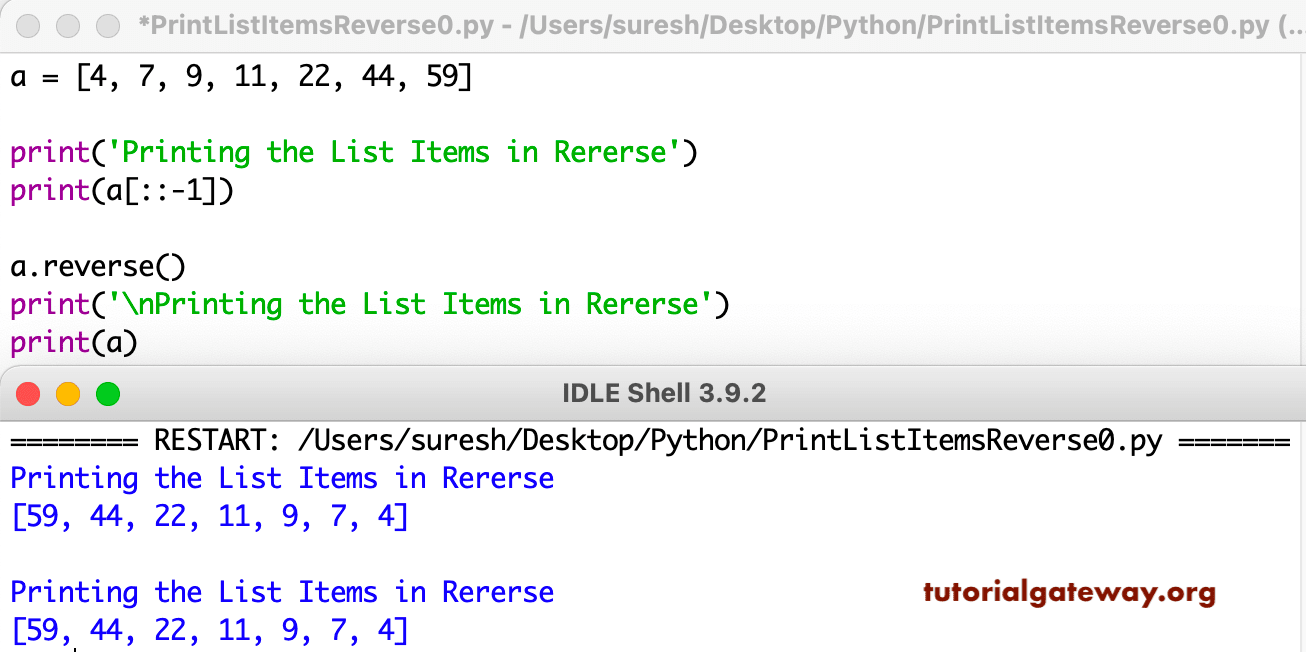
Python Program To Print List Items In Reverse Order
2 Methods To Reverse Print A Word Document On Windows 11 10

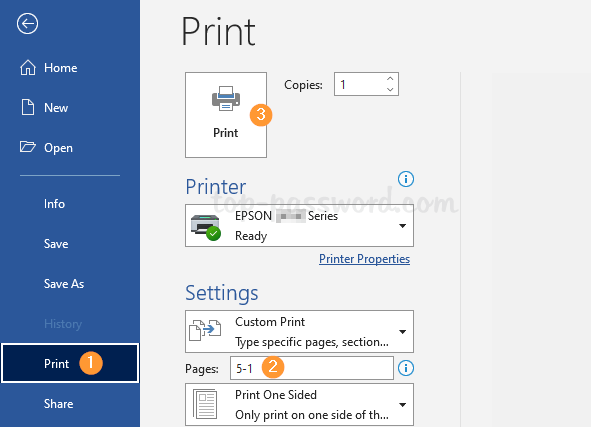
Web Oct 2 2019 nbsp 0183 32 1 Click File at top left in the Ribbon 2 Click Print in the left pane and find Settings group Simply enter your desired page range in

Web Sep 12 2017 nbsp 0183 32 1 Set It in Microsoft Word Microsoft Word has a single command that forces the printer to reverse print every print job Open
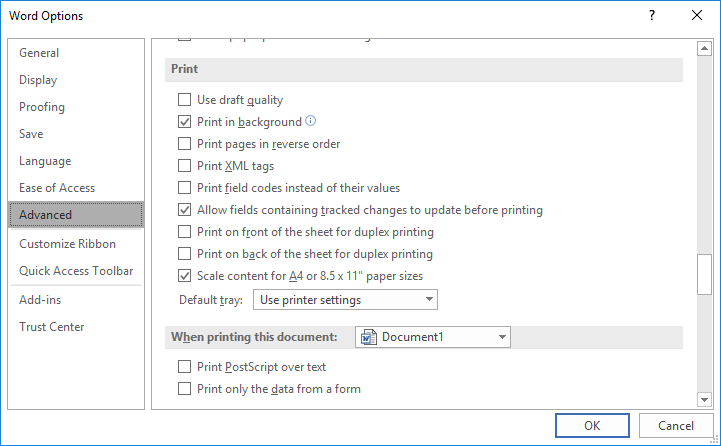
Web Aug 5 2022 nbsp 0183 32 To print Word document pages in reverse order follow these steps Open Microsoft Word on your computer Switch to the Head to the Tick the Print pages in reverse order checkbox To

Web Aug 5 2022 nbsp 0183 32 Simply click the Pages text box and enter your desired page range in reverse order For example if want to print pages 1 to 5 of a Word document enter 5 1 as below To begin printing click the Print

Web Jan 30 2021 nbsp 0183 32 To control the printing order follow these steps Display the Word Options dialog box In Word 2007 click the Office button and then click Word Options In Word 2010 and later versions display the File tab
Web Feb 28 2014 nbsp 0183 32 Fortunately Microsoft Word 2010 has an option that you can adjust which will allow you to print documents in reverse order This means that the first page to be Web How to print pages of a document in reverse order in Word Vishap TVplus 19 6K subscribers 1 2K views 4 years ago Windows 10 Show more vishaptvplus How to
Web Aug 31 2023 nbsp 0183 32 To set up Microsoft Word to print documents in reverse order use these steps Step 1 First open a Microsoft Word document you want to print Step 2 Next