Print All Columns Pandas Dataframe Show All Columns And Rows In A Pandas DataFrame Datagy The Pandas DataFrame Make Working With Data Delightful Real Python Adding A New Column In Pandas Dataframe From Another Dataframe Mobile Pandas Iloc And Loc Quickly Select Data In DataFrames Multiple Columns In Pivot Table Pandas Brokeasshome Pandas DataFrame columns DataFrame columns The column labels of the DataFrame Examples df pd
2 953 2 17 16 Add a comment 10 Answers Sorted by 344 I ve just found a great tool for that need it is called tabulate It prints tabular data and works with DataFrame Print an entire Pandas DataFrame in Python By default the complete data frame is not printed if the length exceeds the default length the output is truncated as shown below Python3 import numpy as np from sklearn datasets import load iris import pandas as pd data load iris df pd DataFrame data data columns data feature names
Multiple Columns In Pivot Table Pandas Brokeasshome Create Column Name In Dataframe Python Webframes Python Pandas DataFrame Worksheets For Print First Column In Pandas Dataframe My XXX Hot Girl Python How To Split Aggregated List Into Multiple Columns In Pandas Dataframe Visualization With Pandas Plot Kanoki How To Check The Dtype Of Column s In Pandas DataFrame Add Column To Pandas DataFrame In Python Example Append Variable Python Dataframe Print All Column Values Infoupdate
Print All Columns Pandas Dataframe
 Print All Columns Pandas Dataframe
https://datagy.io/wp-content/uploads/2022/02/Pandas-Show-All-Columns-and-Rows-Cover-Image.png
Why Printing All Columns is Essential for Data Analysis How to Adjust Pandas Display Options for Columns Is There a Limit to the Number of Columns Pandas Can Handle Do You Need to Install Additional Libraries Examples of Printing DataFrames with Multiple Techniques Real World Applications When and Why to Print All Columns
Pre-crafted templates offer a time-saving solution for developing a varied range of documents and files. These pre-designed formats and designs can be used for different individual and expert tasks, consisting of resumes, invites, leaflets, newsletters, reports, discussions, and more, simplifying the material production process.
Print All Columns Pandas Dataframe
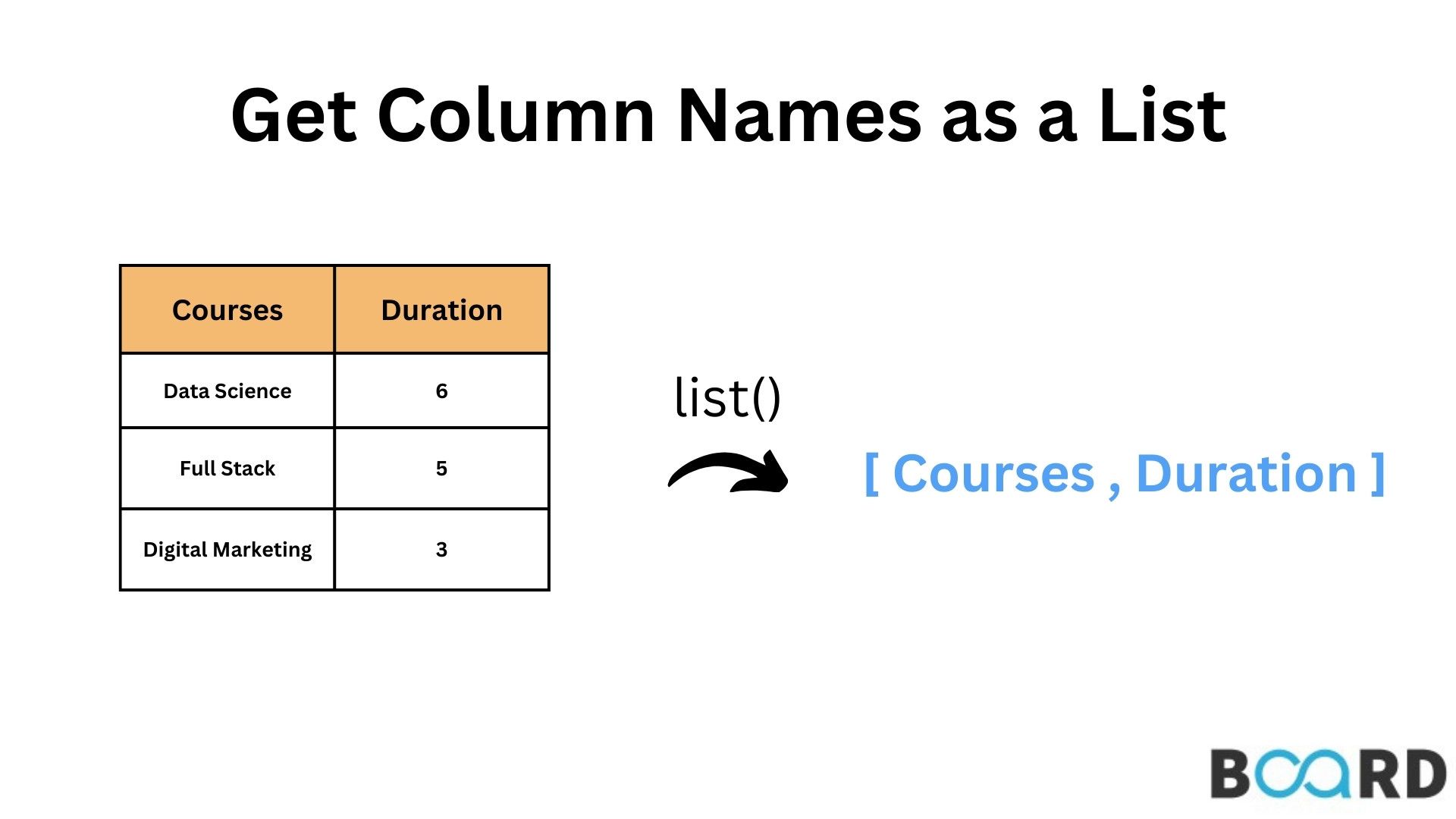
Pandas Dataframe Print Column Names And Types Webframes
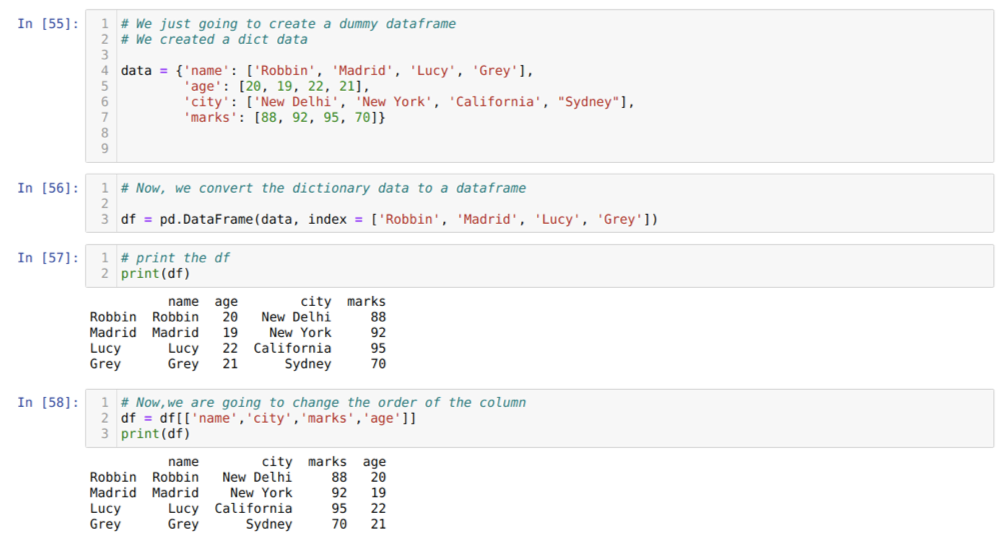
Create Column Name In Dataframe Python Webframes
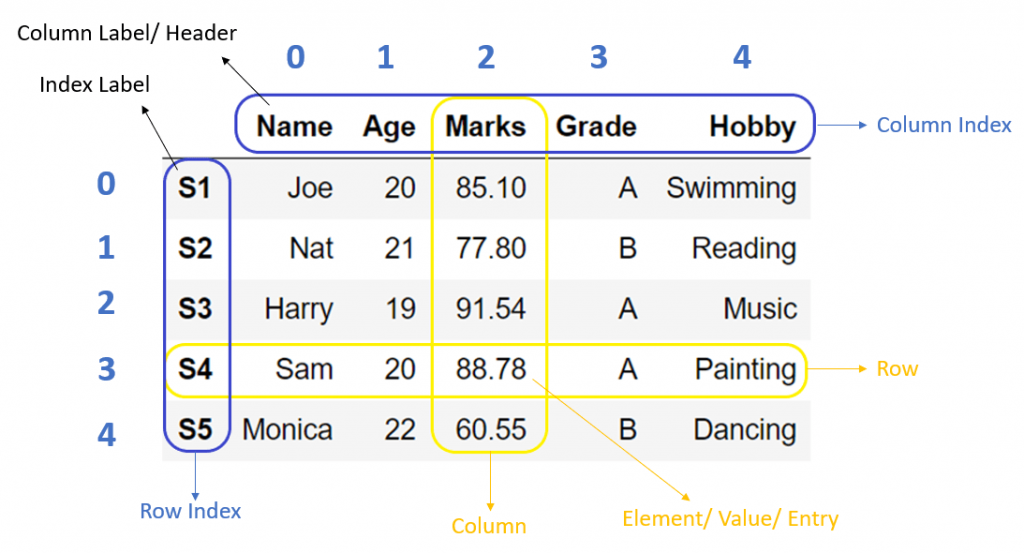
Python Pandas DataFrame
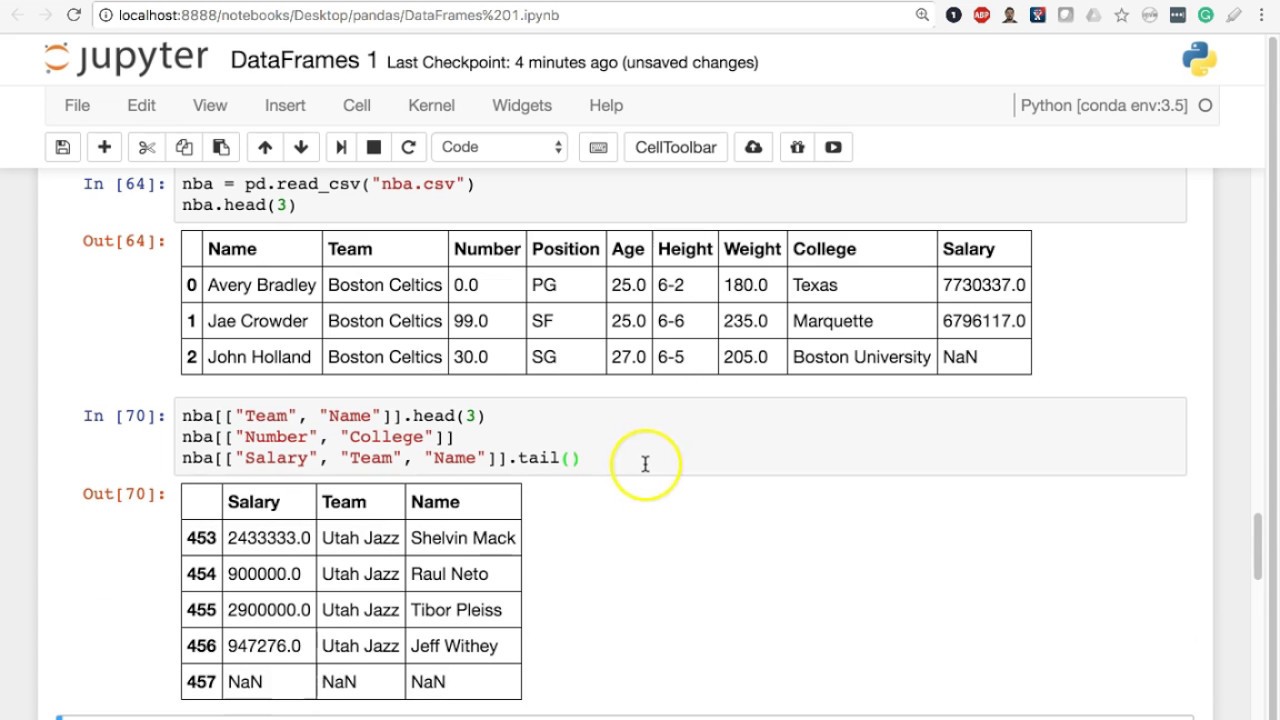
Worksheets For Print First Column In Pandas Dataframe My XXX Hot Girl
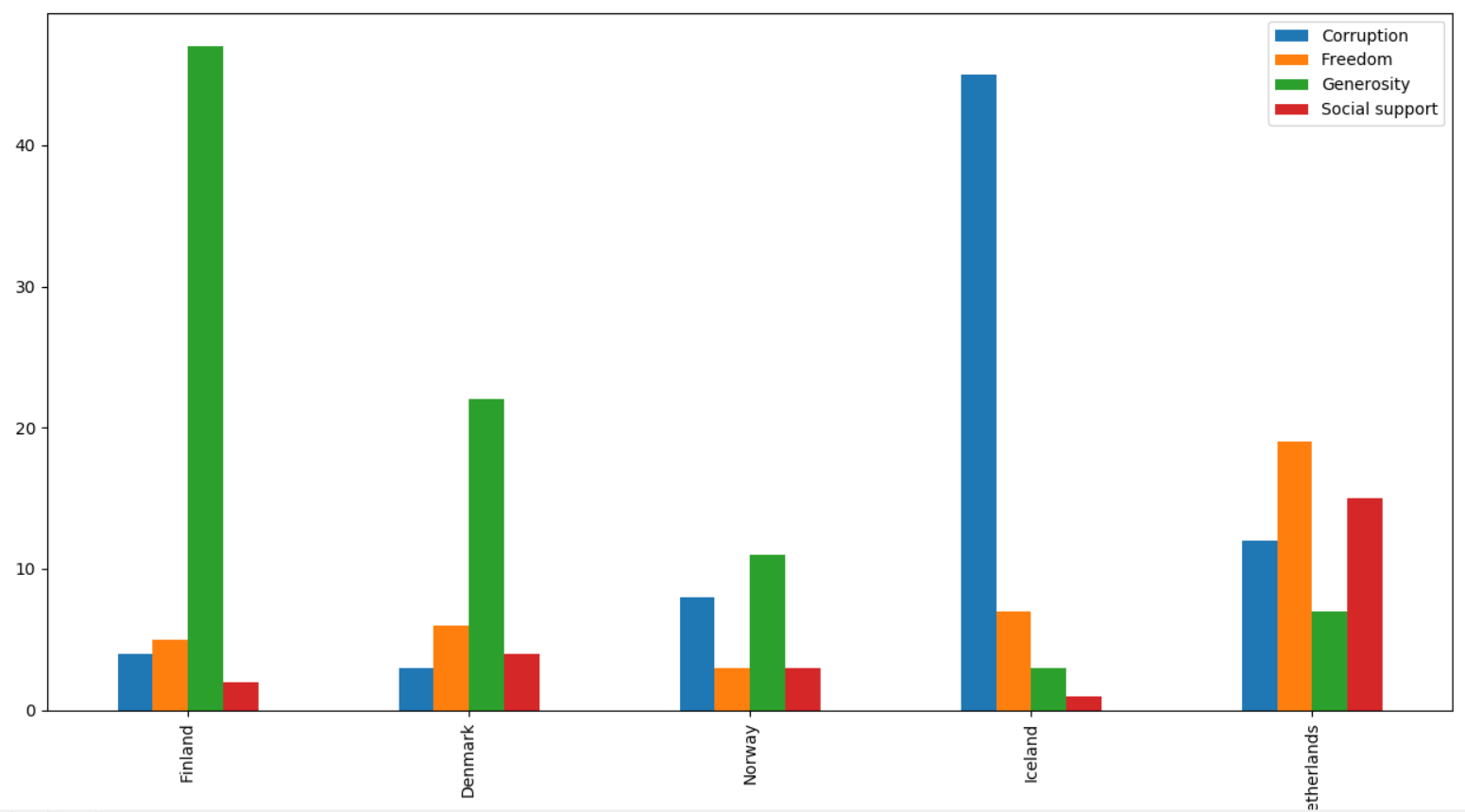
Dataframe Visualization With Pandas Plot Kanoki
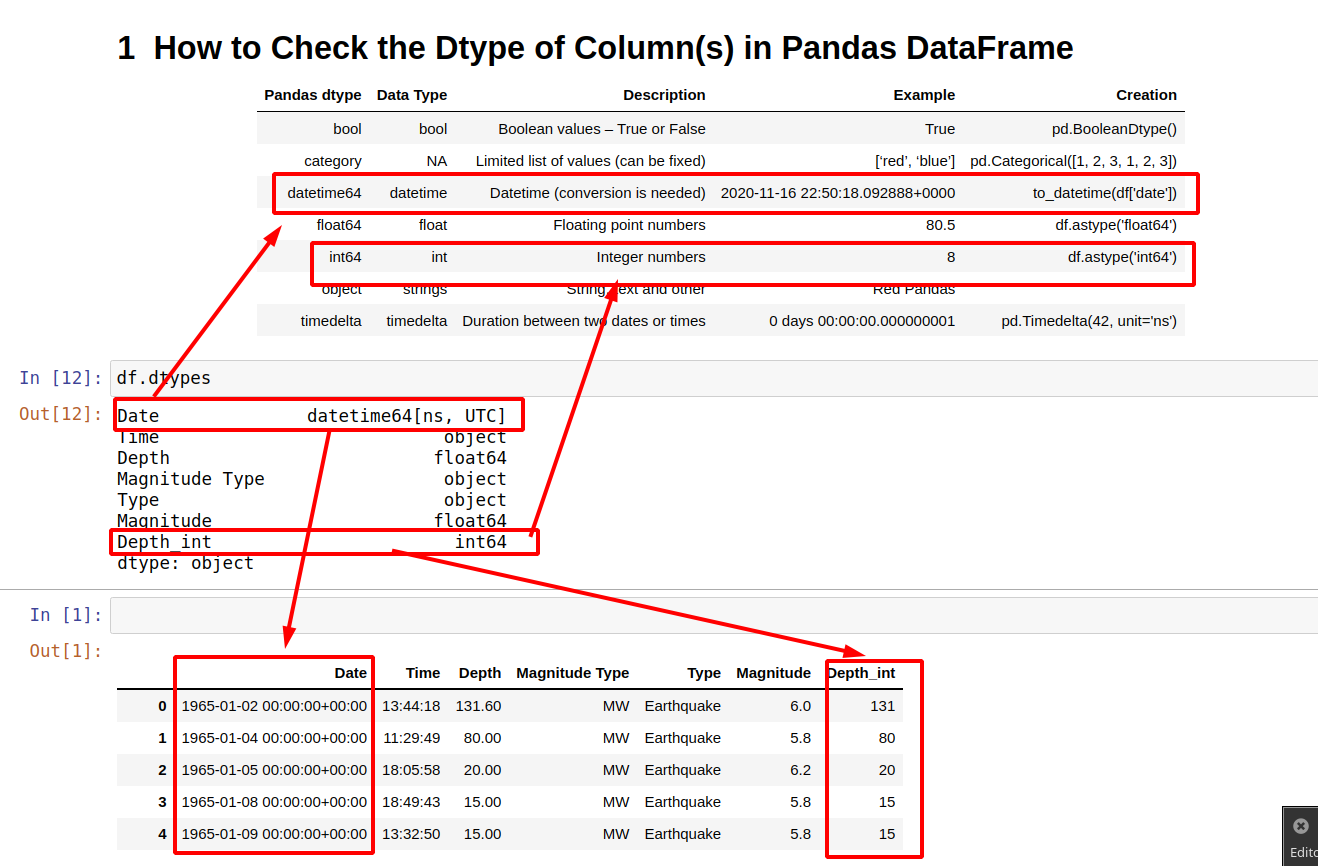
How To Check The Dtype Of Column s In Pandas DataFrame
In this article we will discuss how to Show All Columns of a Pandas DataFrame Using set option method We will use the pandas set option method This method will set the specified option s value Syntax pandas set option pat value Parameters pat Regexp which should match a single option value New value of option Returns None

You can easily force the notebook to show all columns by using the following syntax pd set option max columns None You can also use the following syntax to display all of the column names in the DataFrame print df columns tolist

Published on Dec 20 2022 Image Shutterstock Built In In this story I m going to explain how to display all of the columns and rows of a Pandas DataFrame I ll also explain how to show all values in a list inside a DataFrame and choose the precision of the numbers in a DataFrame And you can do it all with the same tool
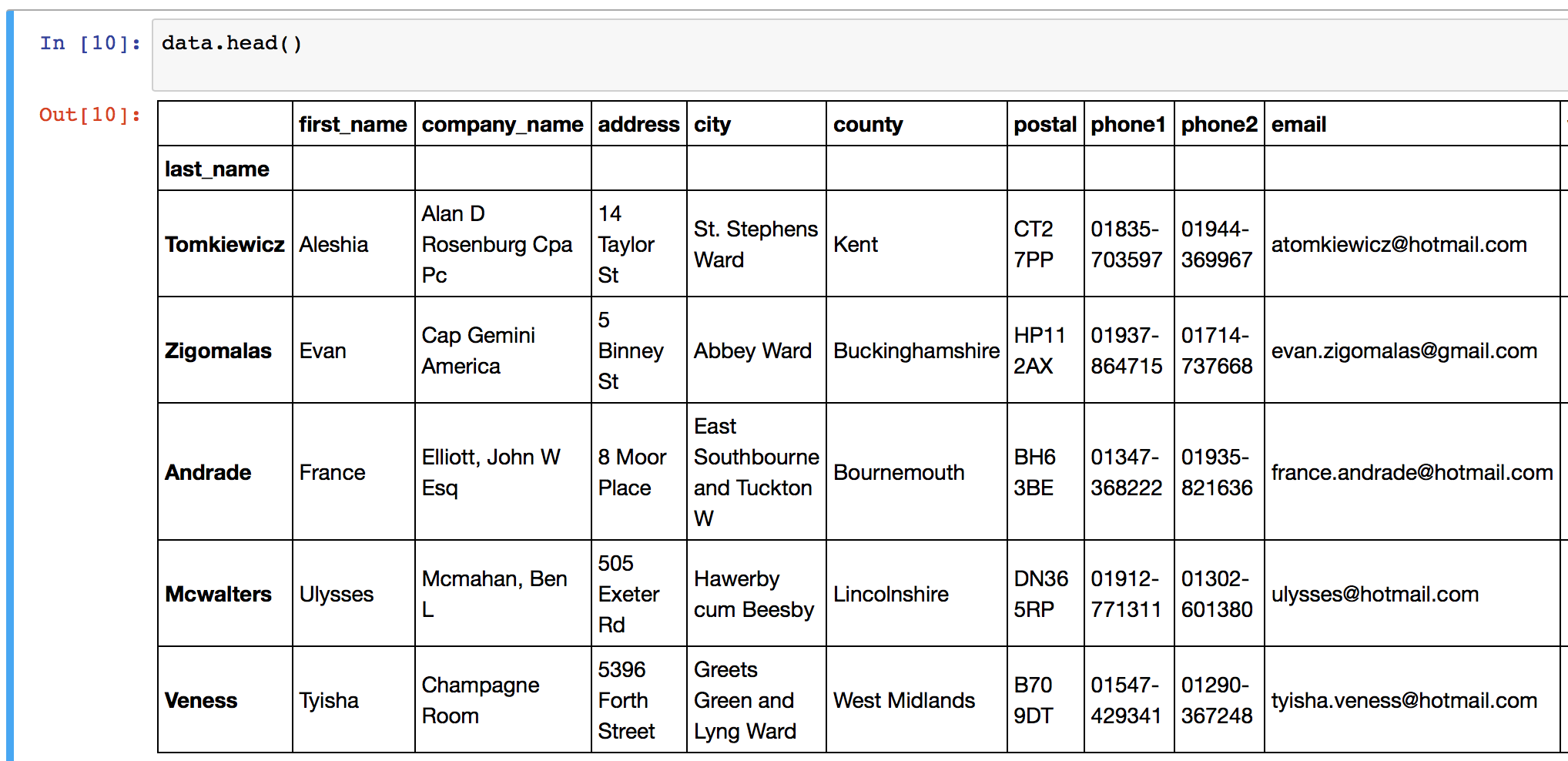
14 Answers Sorted by 1497 You can also use the option context with one or more options with pd option context display max rows None display max columns None more options can be specified also print df This will automatically return the options to their previous values

1 Get the Column Names Using the columns Method 2 Using the keys Method 3 By Iterating the Columns 4 Using list to Print the Names as a list 5 Using tolist to Print the Names as a List 6 Using sorted to Get an Ordered List How to Get Values by Column Name How to Rename a Column
How to Show all Columns in a Pandas DataFrame In this section you ll learn how to display all the columns of your Pandas DataFrame In order to do this we can use the pd set option function Similar to the example above we want to set the display max columns option How do I expand the output display to see more columns of a Pandas DataFrame Ask Question Asked 11 years 4 months ago Modified 8 months ago Viewed 1 6m times 985 Is there a way to widen the display of output in either interactive or script execution mode Specifically I am using the describe function on a Pandas DataFrame
Pandas DataFrame all pandas DataFrame all DataFrame all axis 0 bool only False skipna True kwargs source Return whether all elements are True potentially over an axis Returns True unless there at least one element within a series or along a Dataframe axis that is False or equivalent e g zero or empty Parameters