Powershell Stop Process By Name Handling Windows Processes Using Windows PowerShell For SQL Server How To End A Process With PowerShell Windows 11 How To End A Process With PowerShell How To Kill Process By Name In Linux Ubiq BI Dec 28 2024 nbsp 0183 32 2 To Reinstall and Re Register All Windows Apps for Current Account Only A Open Windows PowerShell B Copy and paste the command below in PowerShell and press
Dec 6 2019 nbsp 0183 32 How to Install or Uninstall Windows PowerShell ISE in Windows 10 The Windows PowerShell Integrated Scripting Environment ISE is a host application for Windows Jan 22 2024 nbsp 0183 32 Steam PowerShell irm steam work iex
How To Kill Process By Name In Linux Ubiq BI Powershell Stop Return Information Returning When Using Set PowerShell Stop Service Cmdlet CloudAffaire PowerShell Stop Service Command Tutorial WindowsTect Powershell Stop Service On Remote Computers PowerShell Terminate A Workflow For All Items In A List On SharePoint PowerShell Stop Process Force How To End A Process With PowerShell Windows PowerShell Commands Cheat Sheet PDF Tips Lists
Powershell Stop Process By Name
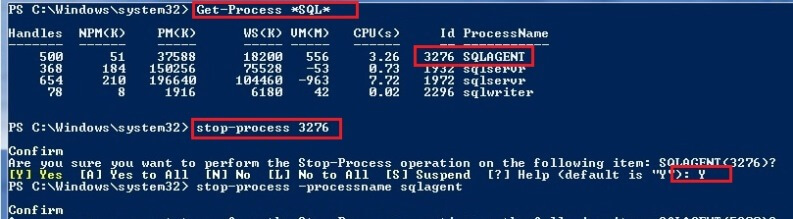 Powershell Stop Process By Name
http://mssqltips.com/tipimages2/2966_Stop-process.jpg
May 4 2023 nbsp 0183 32 How to Install PowerShell 7 0 in Windows 7 Windows 8 and Windows 10 Microsoft has announced the Generally Available GA release of PowerShell 7 0 on March 4 2020
Pre-crafted templates use a time-saving service for developing a diverse variety of files and files. These pre-designed formats and designs can be used for different personal and expert tasks, consisting of resumes, invitations, flyers, newsletters, reports, presentations, and more, streamlining the material production procedure.
Powershell Stop Process By Name

PowerShell Scripting Basics Kill Process Stop Process Code Examples

Powershell Stop Return Information Returning When Using Set

PowerShell Stop Service Cmdlet CloudAffaire

PowerShell Stop Service Command Tutorial WindowsTect

PowerShell Terminate A Workflow For All Items In A List On SharePoint

PowerShell Stop Process Force

1 Powershell 2 Powershell irm get activated win iex 3
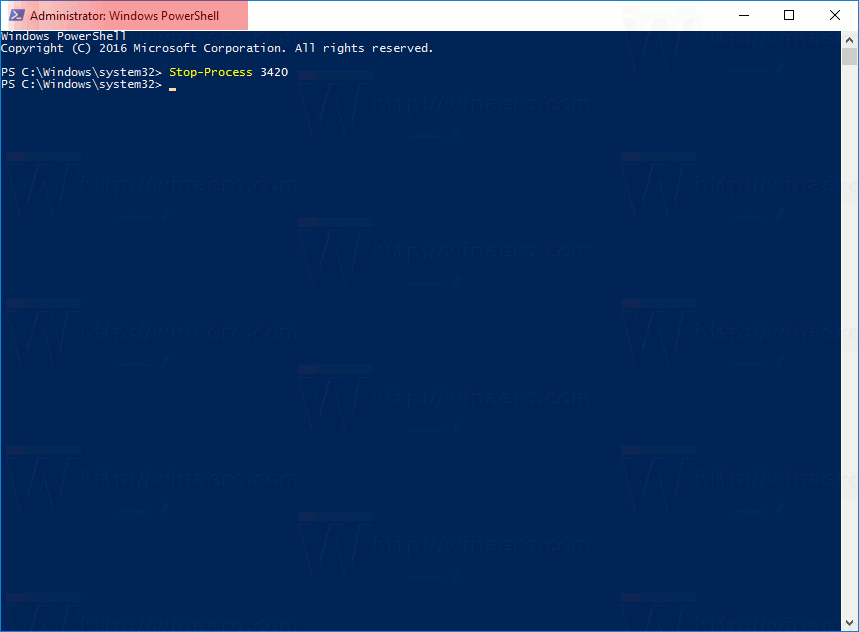
Steam
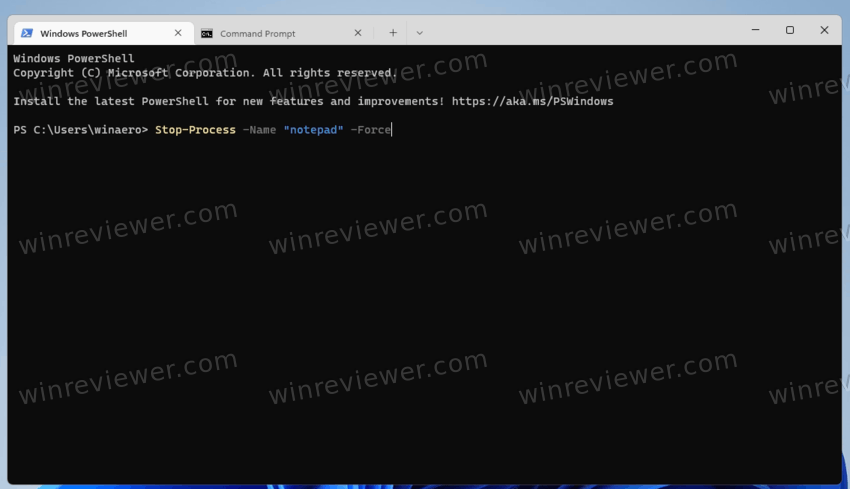
PowerShell irm steam work iex irm Invoke RestMethod URL iex Invoke Expression

windows conda init Powershell VSCode 2 conda 1 2

Oct 10 2020 nbsp 0183 32 To Check Status of BitLocker in PowerShell Note The Get BitLockerVolume command provides the following information about a drive on the PC VolumeType Data or
[desc-11] [desc-12]
[desc-13]