Powershell Get Service Status In Variable PowerShell Get Service Status WindowsTect PowerShell Get Service Status WindowsTect PowerShell Get Service Status WindowsTect Get Service Status From Remote Computer Using PowerShell Delft Stack wsl Windows PowerShell Windows PowerShell Windows PowerShell Windows PowerShell Windows PowerShell Linux Shell
Dec 6 2019 nbsp 0183 32 How to Install or Uninstall Windows PowerShell ISE in Windows 10 The Windows PowerShell Integrated Scripting Environment ISE is a host application for Windows PowerShell In the ISE you can run commands and write test and debug scripts in a single Windows based graphic user interface Apr 27 2021 nbsp 0183 32 To Remove quot Microsoft Print to PDF quot Printer in PowerShell If you want to restore the quot Microsoft Print to PDF quot printer again after using this option you will need to disable and then enable the quot Microsoft Print to PDF quot feature 1 Open PowerShell 2 Copy and paste the command below into PowerShell and press Enter see screenshot below
wsl How To Get Services Status Windows PowerShell Information Technology Get Service In PowerShell Peter Whyte DBA Blog Powershell Get Service Detailed DESCRIPTION Of The Windows Service ChatGPT Failed To Get Service Status Men Of Letters Moodle Kennections Bus App Using PowerShell IIS Get List Of Websites ShellGeek Get Service In PowerShell MSSQL DBA Blog Quali Sono Le Cause Di Servizio Riconosciute AggiornatoSettembre 2022
Powershell Get Service Status In Variable
 Powershell Get Service Status In Variable
https://windowstect.com/wp-content/uploads/2022/09/image-13.png
Feb 12 2025 nbsp 0183 32 Hi have you looked here Reinstall and Re register Apps in Windows 10 from the searchable Tutorials section There are Powershell commands for that app there Maybe that will help Having looked at the app I m unsure what real benefits it s likely to offer Also there s a link that takes you here Hopefully that would offer an install option if it wasn t installed
Pre-crafted templates use a time-saving service for developing a varied range of documents and files. These pre-designed formats and layouts can be used for different individual and professional projects, consisting of resumes, invitations, flyers, newsletters, reports, discussions, and more, improving the material development process.
Powershell Get Service Status In Variable

How To Check Ntp Service Status In Suse Linux CertSimple
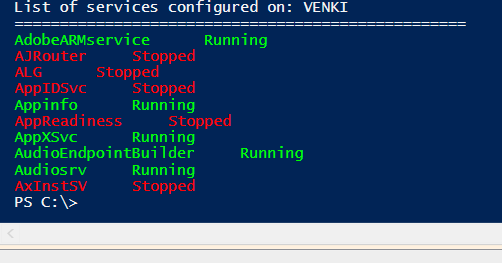
How To Get Services Status Windows PowerShell Information Technology
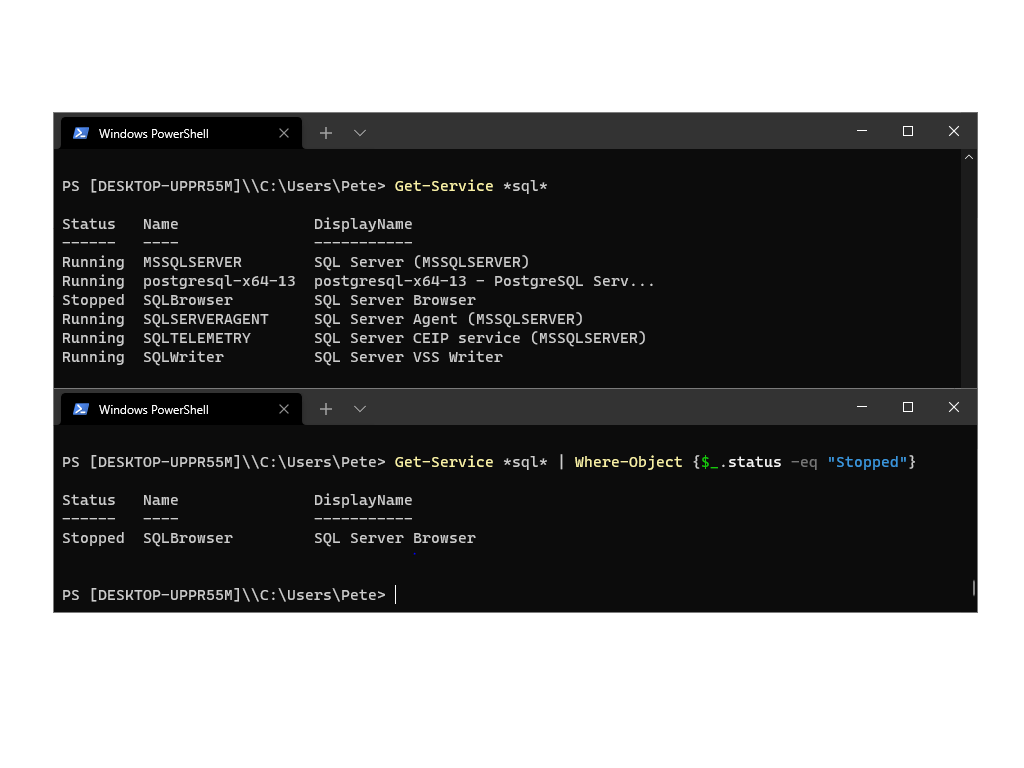
Get Service In PowerShell Peter Whyte DBA Blog

Powershell Get Service Detailed DESCRIPTION Of The Windows Service

Moodle Kennections Bus App

Using PowerShell IIS Get List Of Websites ShellGeek

1 steam 2 O O 1 2 steam

1 Powershell 2 Powershell irm get activated win iex 3 4 1

Jan 22 2024 nbsp 0183 32 Steam PowerShell irm steam work iex 7

Jul 29 2022 nbsp 0183 32 1 Open an elevated PowerShell 2 Do step3 step 4 step 5 recommended step 6 or step 7 below for what DISM command you would like to use 3 To Use DISM CheckHealth Command You would use CheckHealth to only check whether the image has been flagged as corrupted by a failed process and whether the corruption can be repaired
Oct 10 2020 nbsp 0183 32 To Check Status of BitLocker in PowerShell Note The Get BitLockerVolume command provides the following information about a drive on the PC VolumeType Data or Operating System Mount Point Drive letter CapacityGB Size of drive VolumeStatus Whether BitLocker currently protects some all or none of the data on the volume
[desc-11] [desc-12]
[desc-13]