Powershell Get Password Expiration Date Local User Get Password Expiration Date Using Powershell The Sysadmin Channel Retrieve Password Last Set And Expiration Date PowerShell HeelpBook Powershell Get AD Users Password Expiry Date MorganTechSpace How To Disable Password Never Expires Active Directory Powershell The NET USE Command To See Mapped Network 2 Answers Sorted by 0 You could run the command on the Active Directory server
Set LocalUser The Get LocalUser cmdlet gets local user accounts This cmdlet gets default built in user accounts local user accounts that you created and local accounts that you connected to Microsoft accounts Note The Microsoft PowerShell LocalAccounts module is not available in 32 bit PowerShell on a 64 bit system Originally I wanted to pipe the result to the Get Date cmdlet in order to convert the former number to a date object However it seems like the Get Date and the datetime casting method are not able to handle this number correctly Both misinterpret the year from 2019 to 0419 Thanks to ps1code for pointing this problem out in the comments
The NET USE Command To See Mapped Network Quickly Find AD User Password Expiration Date Ottieni La Data Di Scadenza Password Di Utenti AD Mediante PowerShell PowerShell Telegraph Solved PowerShell Get Password Expiration For All Non 9to5Answer PowerShell And AD Show Different User Expiration Date Valuable Tech Notes Retrieve Password Last Set And Expiration Date PowerShell HeelpBook How To Check User Password Expiration Date YouTube How To Set A Password Expiration Date In Windows 10 Saved Passwords
Powershell Get Password Expiration Date Local User
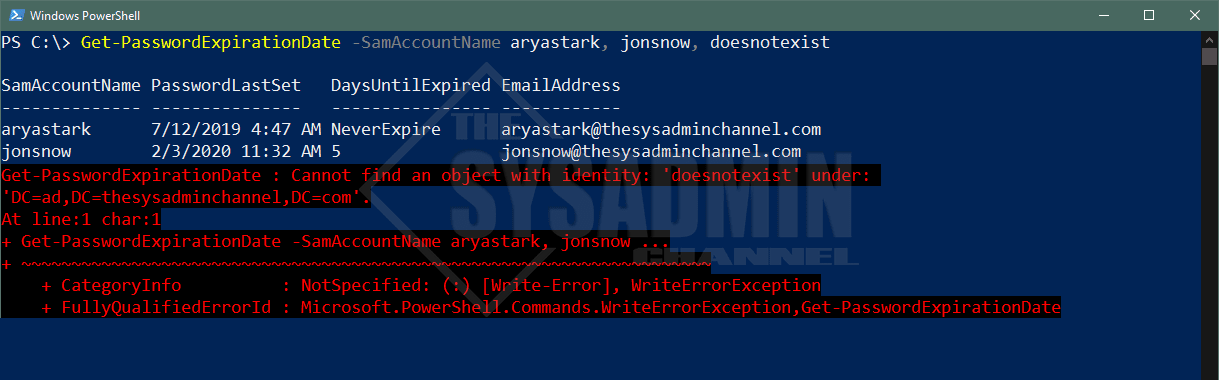 Powershell Get Password Expiration Date Local User
https://thesysadminchannel.com/wp-content/uploads/2020/08/Get-PasswordExpirationDate-SamAccountName.png
Open a PowerShell window by pressing the Windows key and R together to get the Run box entering powershell and then hitting RETURN or clicking the OK button Alternatively you can enter powershell in the Start search field and selecting PowerShell from the results Get the password expiration date for one user with the PowerShell code
Pre-crafted templates offer a time-saving option for developing a varied range of files and files. These pre-designed formats and layouts can be utilized for different individual and professional jobs, including resumes, invites, leaflets, newsletters, reports, discussions, and more, simplifying the content production procedure.
Powershell Get Password Expiration Date Local User

Infografik Die Staureichsten St dte Deutschlands Statista
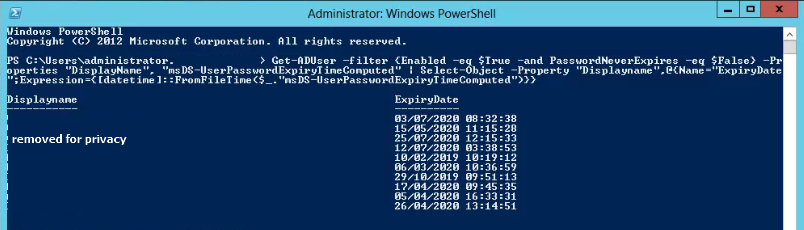
Quickly Find AD User Password Expiration Date
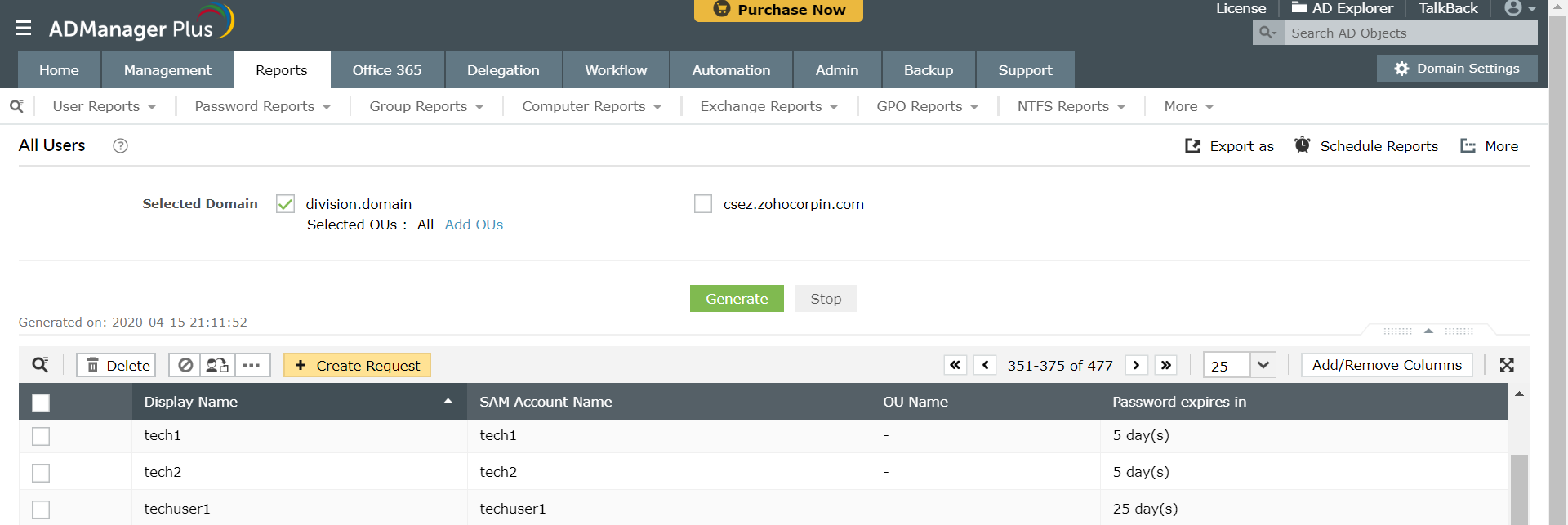
Ottieni La Data Di Scadenza Password Di Utenti AD Mediante PowerShell
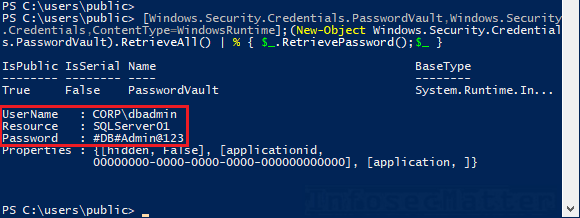
PowerShell Telegraph

PowerShell And AD Show Different User Expiration Date Valuable Tech Notes

Retrieve Password Last Set And Expiration Date PowerShell HeelpBook

Step 1 Click on User Reports Users password expiration date and click Run Click browse to select an OU or group Step 2 To export the list click the export button How to Check Password Expiration Date for a Single User To get the password expiration date for a specific user run this command

This command will retrieve the default setting for the maximum age of passwords You can then add this value to the expiry date to determine whether the result is a date in the past foreach u in Users if datetime FromFileTime u msDS UserPasswordExpiryTimeComputed addDays maxPWAge lt Get Date u

My script consists of four major parts Getting the password expiration date for each user Calculating the days remaining until password expiration Configuring the mail message to send and Sending the email message The last piece is to set up the script to run regularly We can do this by setting up a scheduled task to run the script

This cmdlet can reset the password of a local user account Note The Microsoft PowerShell LocalAccounts module is not available in 32 bit PowerShell on a 64 bit system To obtain a DateTime object use the Get Date cmdlet If you do not want the account to expire specify the AccountNeverExpires parameter Type DateTime Position Named

Install SCCM Admin Console On Windows 10 Get Directory Tree Size Using Powershell Recursive Get Password Expiration Date Using Powershell A clean and easy way to get Active Directory Password Expiration Date Powershell
Open the search bar and type cmd or press the Windows logo R keys to open the Run utility and type cmd On a command prompt use the net user with the following additional parameters net user username DOMAIN where username Determines the name of the user account Powershell active directory Share Follow edited Mar 19 2020 at 8 41 asked Mar 19 2020 at 8 34 Yann Damman 1 3 5 You want to use the attribute msDS UserPasswordExpiryTimeComputed but you do not tell your Get ADUser to return it for you You should add msDS UserPasswordExpiryTimeComputed to the parameter Properties Olaf
Run a list of all users and the date their password expires 2 Sort that list by displayname in this example Replace DISPLAYNAME with EXPIRYDATE if you d rather sort your list by date of password expiration NOTE 2 Replace DRIVE FILENAME CSV with the file path of your exported CSV You won t get much feedback in Powershell that